TR7600 SIII_Camera_Calibration_en_v_2_0_2.pdf - 第70页
Test Research, Inc. 64 TR7600 SI II Series User Guide – Camera Ca libration 7) T here are 3 a m plifiers on the top of X-ray tube. Find t he amplifier0 that detects the s pot of Las er S ensor0. If unable to determ ine w…
Test Research, Inc.
TR7600 SIII Series User Guide – Camera Calibration 63
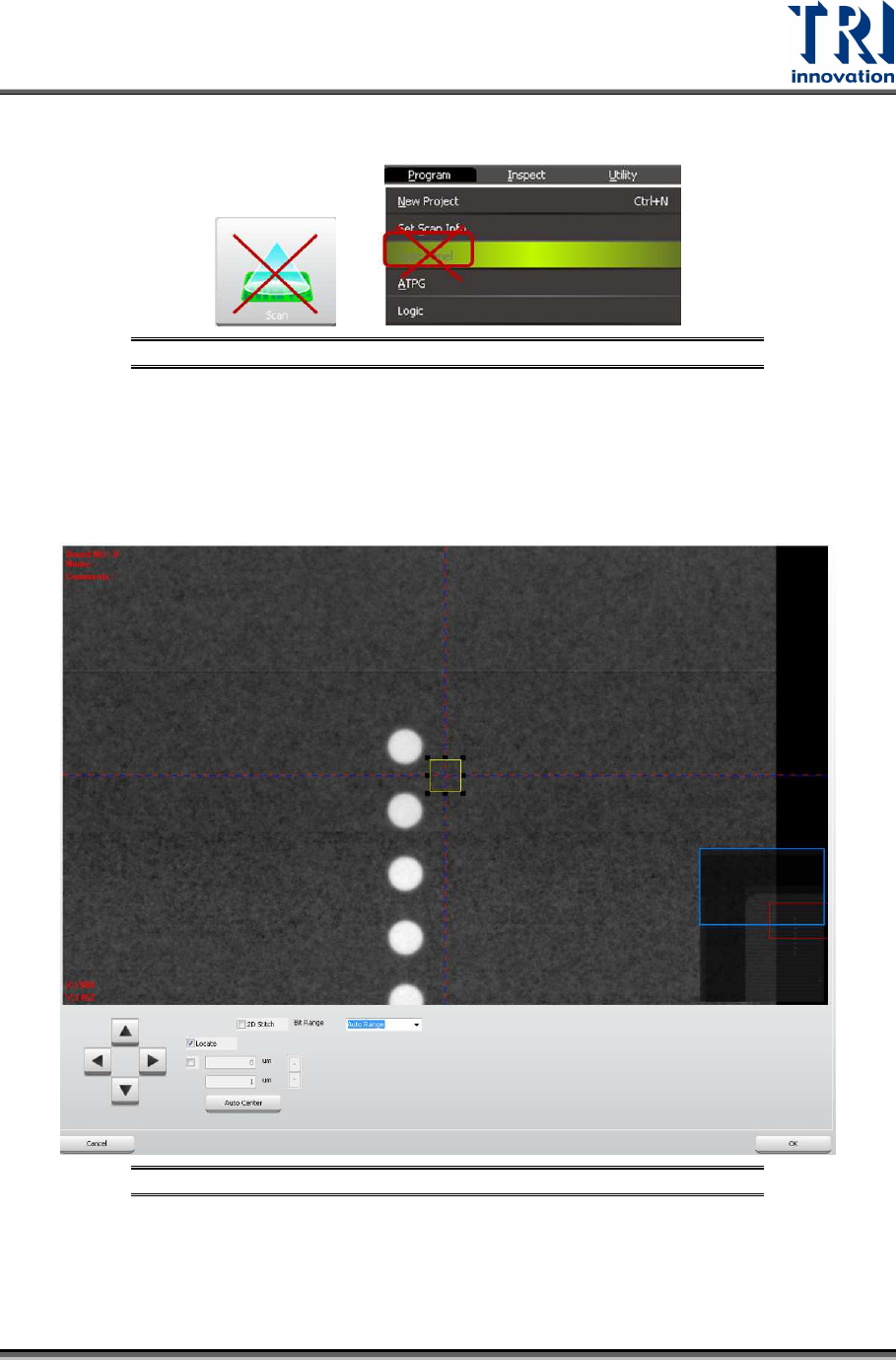
4) Click on [Scan (XRay)]. Do not use the [Scan] buttons shown as below to scan
the board.
Figure 120: Don’t Use These Buttons to Scan the Board
5) Click on [(P1(XRay))]. Move the box to one column circles closely, but still keep
the box on the metal surface, so amplifiers can record the metal surface as zero
height. Click on [ok] to save the box coordinates. You only have to assign the box
position once, and Laser Sensor0, Laser Sensor1, and Laser Sensor2 can move
to this box position later.
Figure 121: Move the Box Close to One Column Circles
6) Click on [Move To] and then sensor0 will move to the assigned place. Go to the
machine and check if the spot of Laser Sensor0 is moved to one column circles
closely.
Test Research, Inc.
64 TR7600 SIII Series User Guide – Camera Calibration
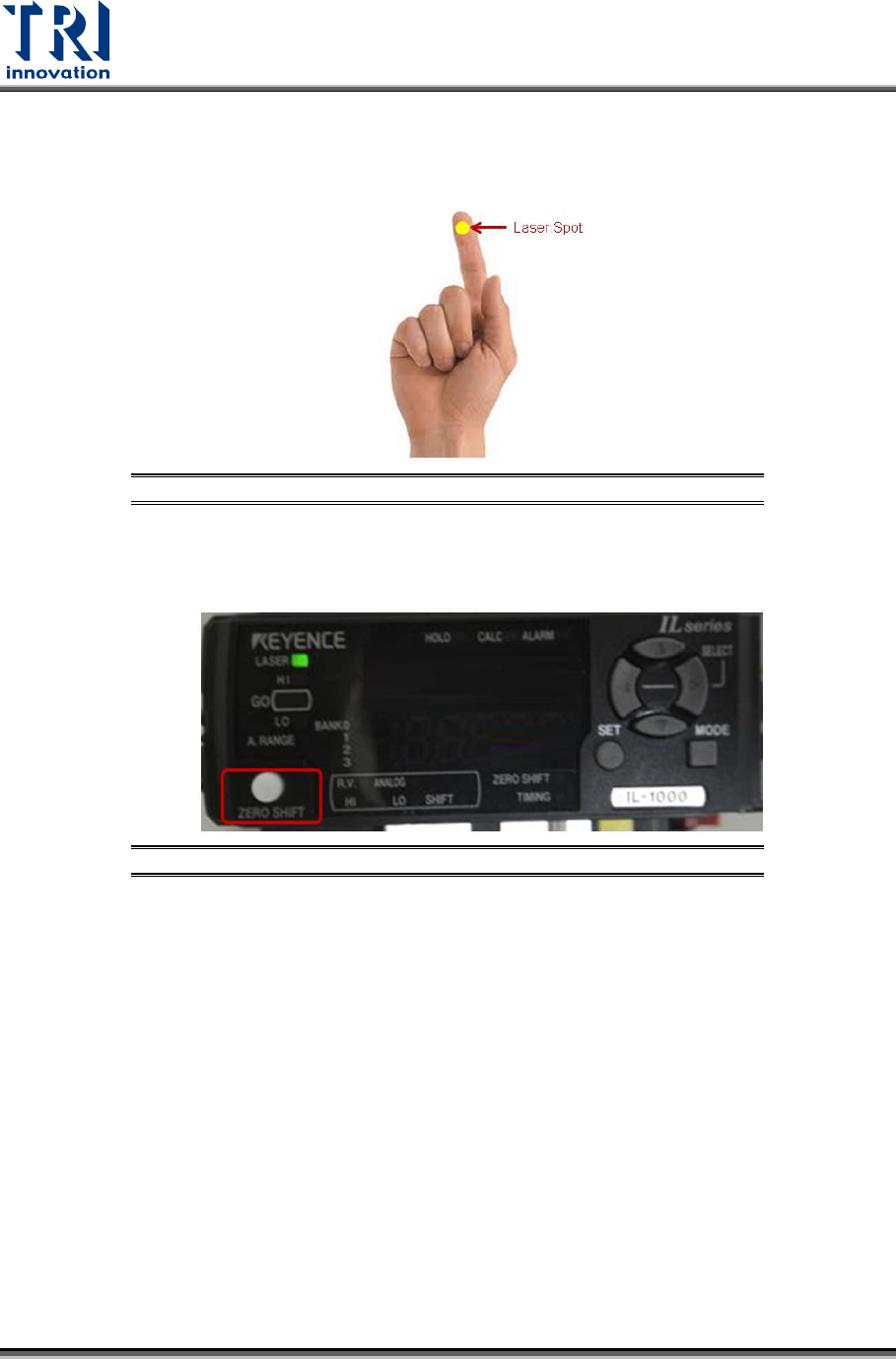
7) There are 3 amplifiers on the top of X-ray tube. Find the amplifier0 that detects
the spot of Laser Sensor0. If unable to determine which amplifier detects Laser
Sensor0, use finger to block the spot of Laser Sensor0. Meanwhile, the amplifier
that changes its value dramatically is the amplifier0.
Figure 122: Use Finger to Block the Laser Spot
8) On the amplifier0, press the [Zero Shift] button twice to set up zero height for
amplifier0.
Figure 123: Amplifier/Zero Shift
9) Choose [1] in the [Sensor Index] field.
10) Click on [Move To]. The Laser Sensor1 will move to the assigned position that
has been saved in [P1(XRay)] step.
11) Use the same way mentioned above to find out the amplifier1. Press the [Zero
Shift] button twice on the amplifier1 to set up the zero height.
12) Choose [2] in the [Sensor Index] field.
13) Click on [Move To]. The Laser Sensor2 will move to the assigned position that
has been saved in [P1(XRay)] step.
14) Find out the amplifier2. Press the [Zero Shift] button twice on the amplifier2 to set
up the zero height.
Test Research, Inc.
TR7600 SIII Series User Guide – Camera Calibration 65
3.11 Laser Sensor
Whenever re-do the Zero Shift step, Laser Sensor step need to be re-do.
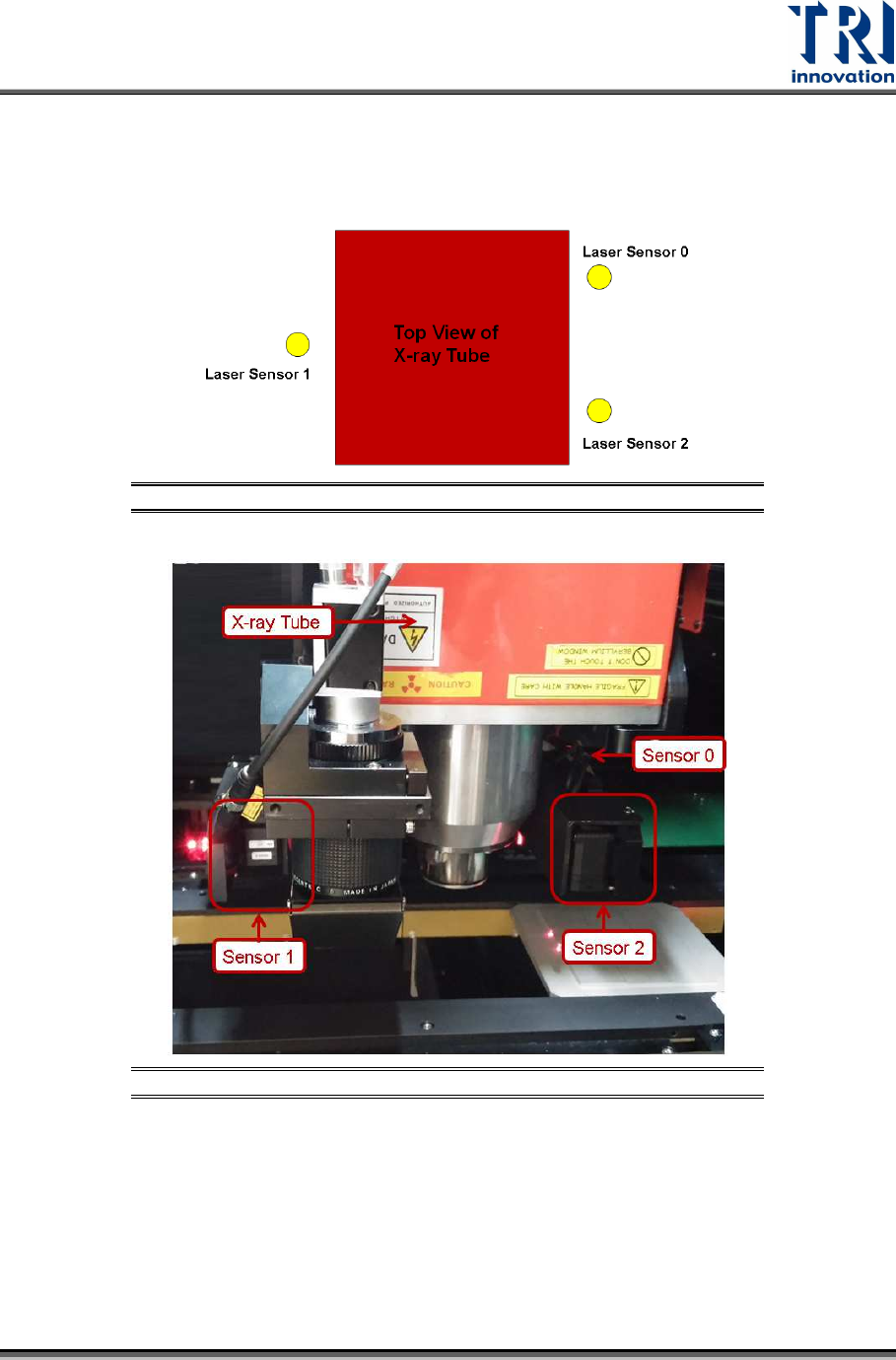
There are 3 laser sensors. The arrangement is shown as below.
Figure 124: Top View of Laser Sensor Arrangement
Figure 125: Laser Sensor Arrangement
Click on [Start]input [regedit]double-click on the registry file click
[TRI\TR7600\CalibrationInfo\HeightDetect].
In the LineNum registry, the value should be 3 to imply the machine uses 3 laser
sensors.
For each Laser Sensor, find the information for Center Position registry and High
Resolution registry.