TR7600 SIII_Camera_Calibration_en_v_2_0_2.pdf - 第51页
Test Research, Inc. TR7600 SIII Ser ies User G uide – Cam era Calibr ation 45 After th e resolution or spe ed m ode is changed, do not ne ed to res tart the m ain program. The s teps are listed below : 1) P ut t he c…
Test Research, Inc.
44 TR7600 SIII Series User Guide – Camera Calibration
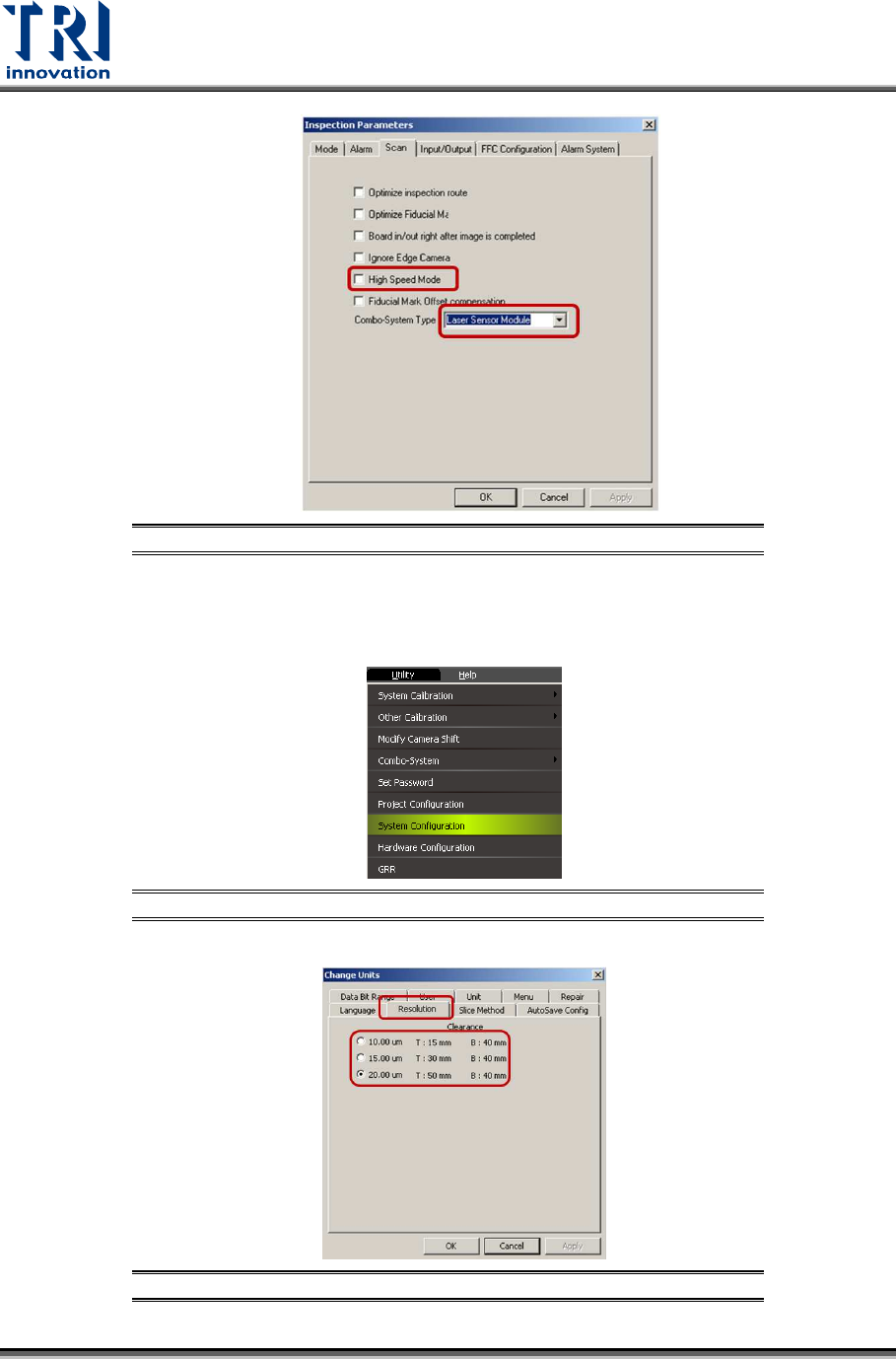
Figure 72: High Speed Mode
You also have to go to [Utility][System Configuration][Resolution]choose
different resolutions.
Figure 73: [Utility]
[System Configuration]
Figure 74: [Utility]
[System Configuration]
Test Research, Inc.
TR7600 SIII Series User Guide – Camera Calibration 45
After the resolution or speed mode is changed, do not need to restart the main
program.
The steps are listed below:
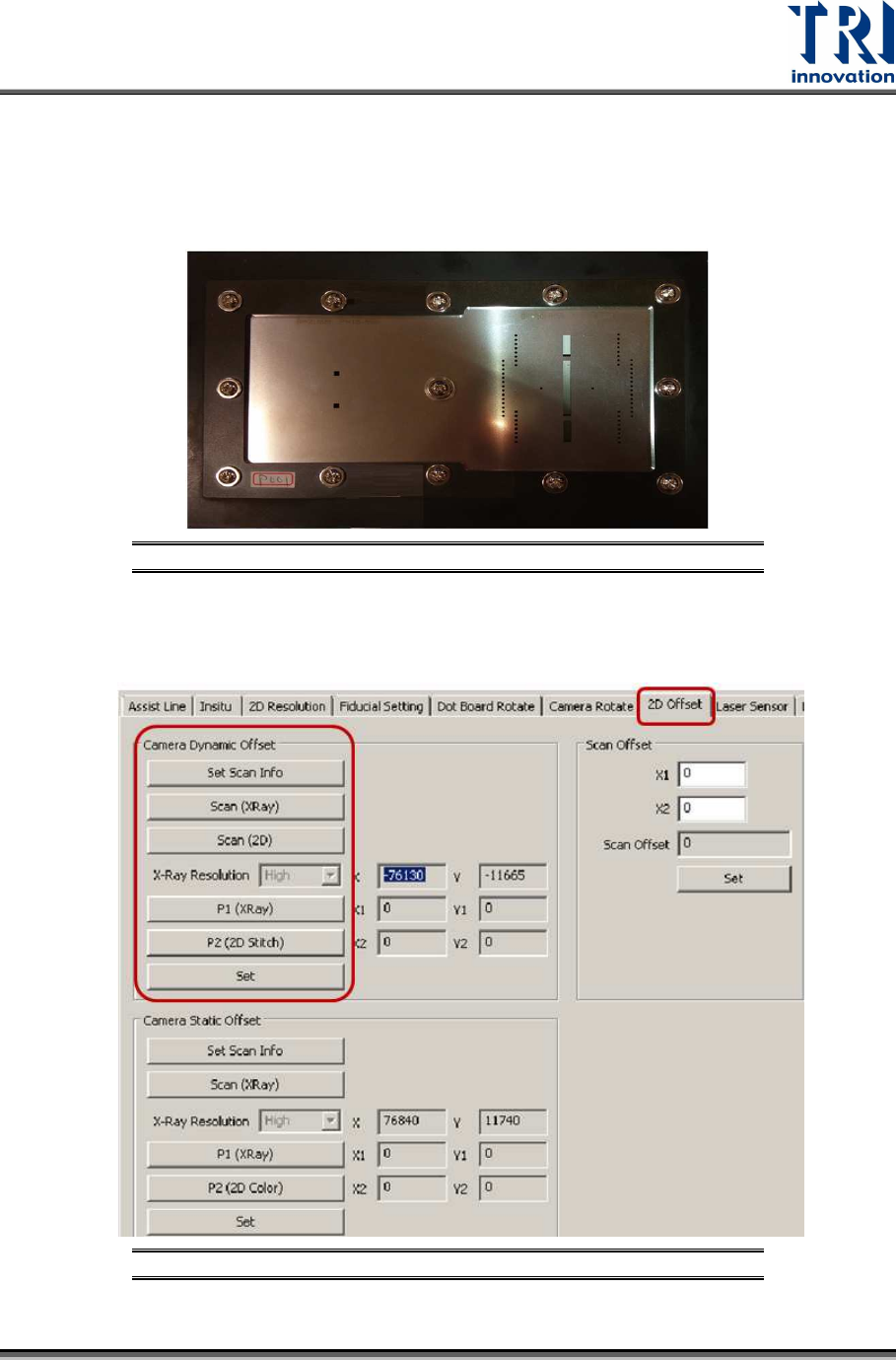
1) Put the calibration board into the machine.
Figure 75: Change the Calibration Board
2) Use condition 1 to set up the speed mode and resolution.
3) Click on [2D Offset].
Figure 76: Camera Dynamic Offset
Test Research, Inc.
46 TR7600 SIII Series User Guide – Camera Calibration
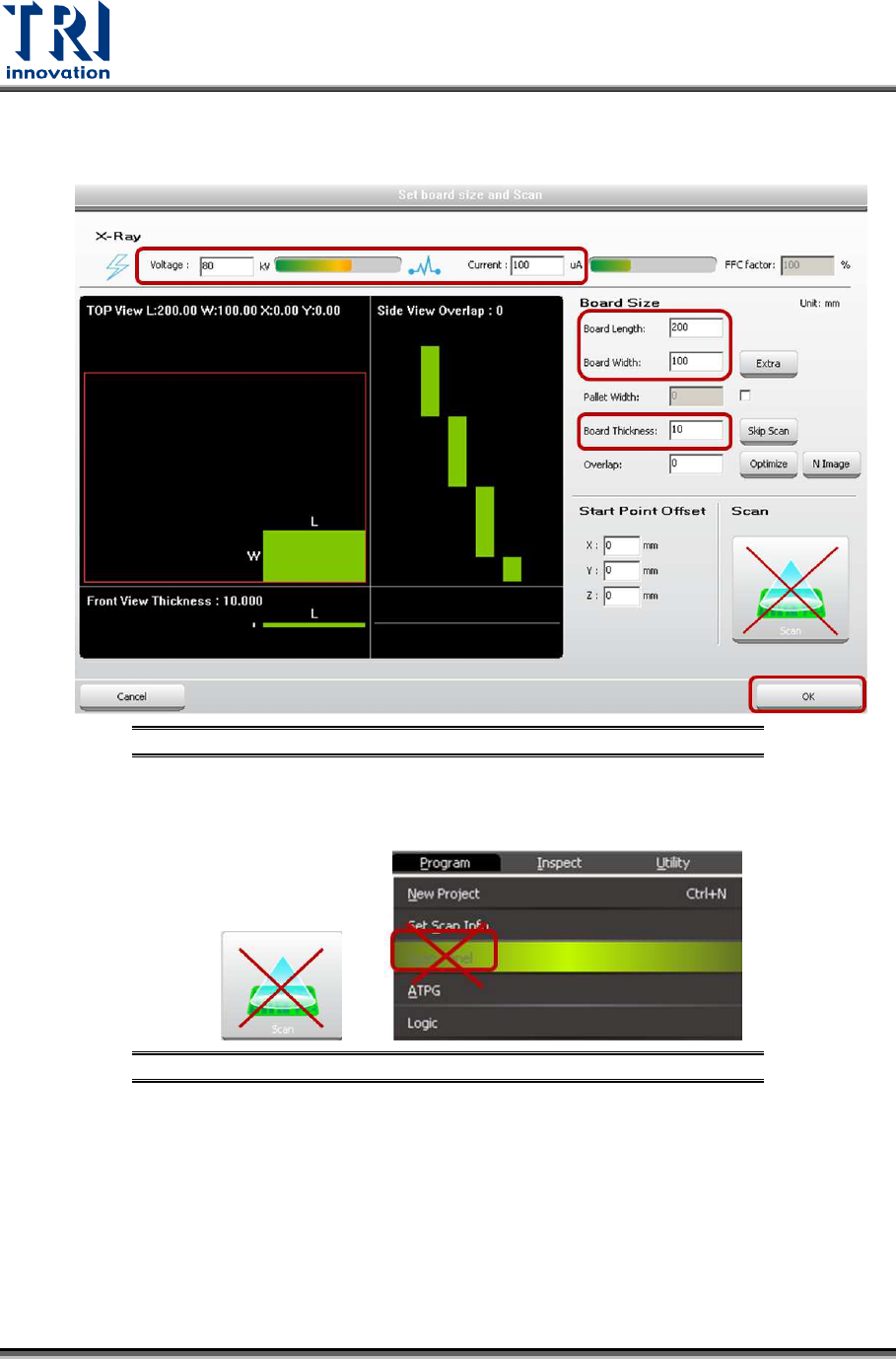
4) Under Camera Dynamic Offset section, click on [Set Scan Info]. Input the scan
parameters and click on [OK].
Figure 77: Set Scan Information
5) Please don’t use the buttons below to scan the board.
Figure 78: Don’t Use These Buttons to Scan the Board
6) Click on [Scan(XRay)] to scan the board.
7) Click on [Scan(2D)] to scan the board.