TR7600 SIII_Camera_Calibration_en_v_2_0_2.pdf - 第50页
Test Research, Inc. 44 TR7600 SI II Series User Guide – Camera Ca libration Figure 72: High Speed Mo de You also have to go to [Utility] [System Confi guration] [Resolution] choose different resolutions. Figure 7…
Test Research, Inc.
TR7600 SIII Series User Guide – Camera Calibration 43
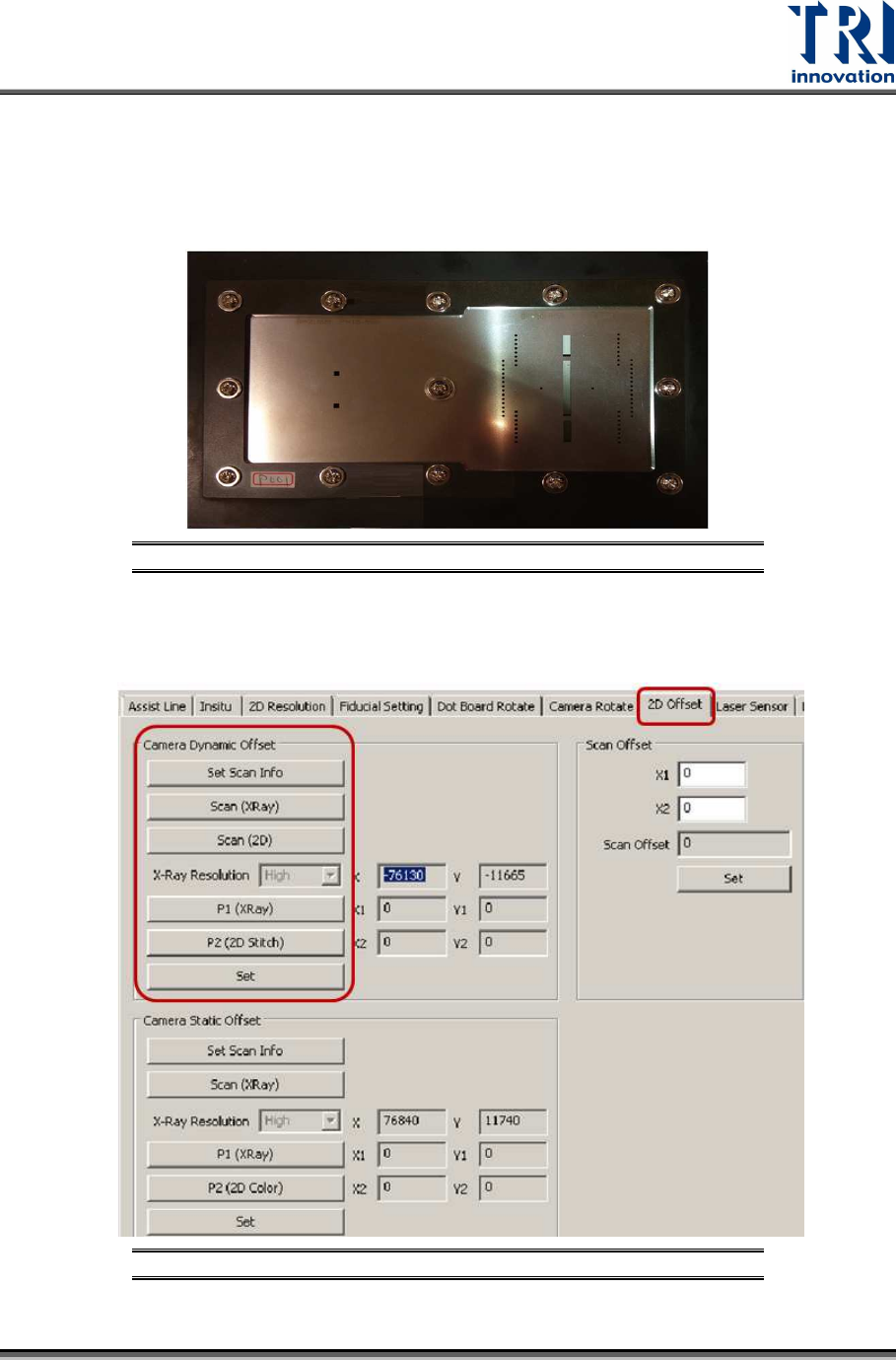
3.7 2D Offset
The below procedure explain how to perform Camera Dynamic Offset and
Camera Static Offset calibrations.
Before performing Camera Dynamic Offset calibration, please confirm with TRI
FAE. Camera Dynamic Offset calibration may not be required and only Camera
Static Offset calibration need to be performed.
In order to execute Camera Dynamic Offset calibration (camera will move to
grab the image), repeat the procedure for these 6 conditions:
Condition 1 Normal Speed Mode Low Resolution
Condition 2 Normal Speed Mode Median Resolution
Condition 3 Normal Speed Mode High Resolution
Condition 4 High Speed Mode Low Resolution
Condition 5 High Speed Mode Median Resolution
Condition 6 High Speed Mode High Resolution
Figure 69: 6 Conditions for Dynamic 2D Camera
In order to execute Camera Static Offset calibration (camera grabs the image
without movement), repeat the procedure for these 6 conditions:
Condition 1 Normal Speed Mode Low Resolution
Condition 2 Normal Speed Mode Median Resolution
Condition 3 Normal Speed Mode High Resolution
Condition 4 High Speed Mode Low Resolution
Condition 5 High Speed Mode Median Resolution
Condition 6 High Speed Mode High Resolution
Figure 70: 6 Conditions for Static 2D Camera
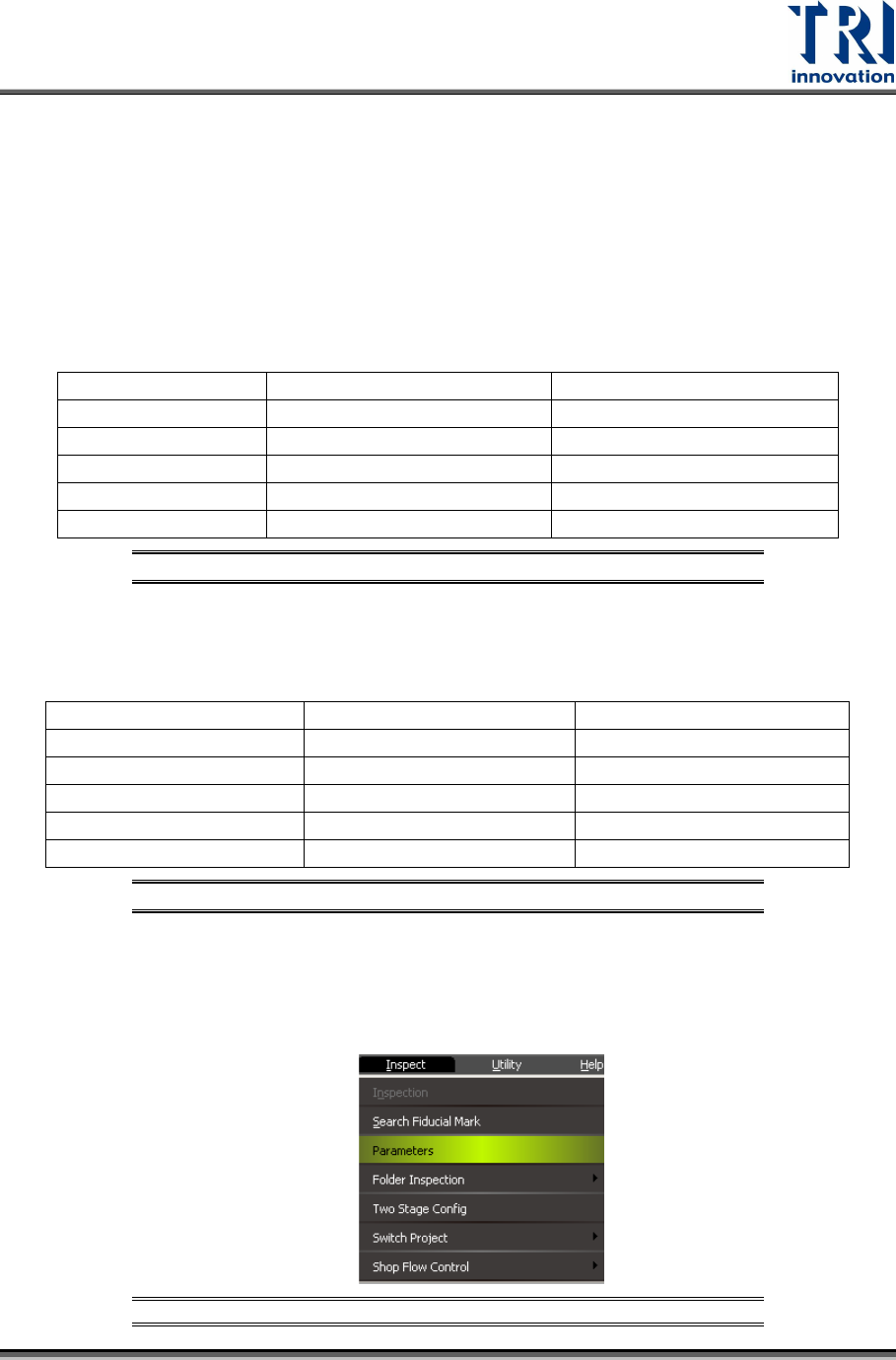
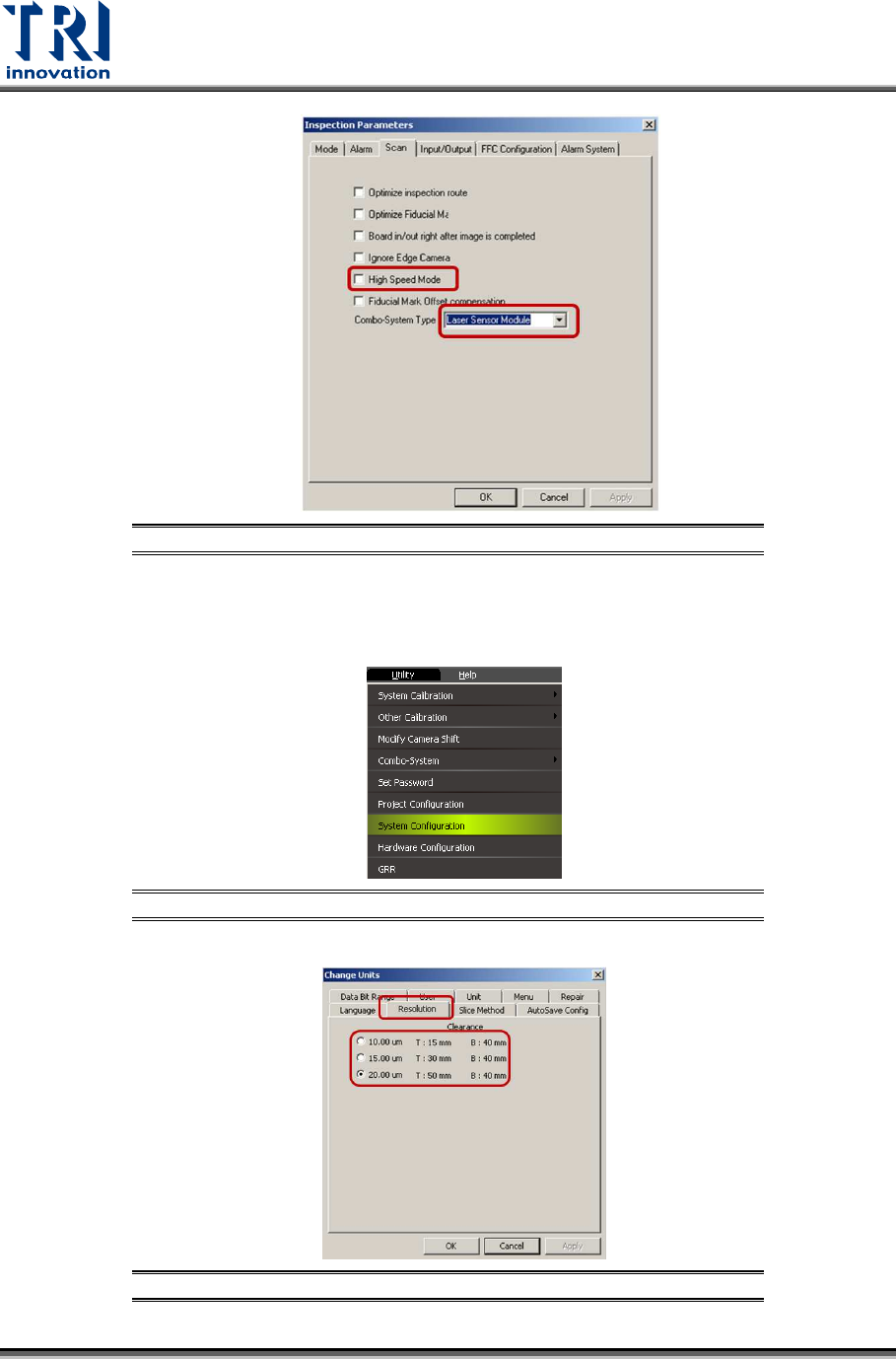
Once completed the calibration for one condition, go to [Inspect] [Parameters]
[Scan]enable or disable [High Speed Mode]. Always choose [Laser Sensor
Module] in the [Combo System Type].
Figure 71: [Inspect]
[Parameters]
Test Research, Inc.
44 TR7600 SIII Series User Guide – Camera Calibration
Figure 72: High Speed Mode
You also have to go to [Utility][System Configuration][Resolution]choose
different resolutions.
Figure 73: [Utility]
[System Configuration]
Figure 74: [Utility]
[System Configuration]
Test Research, Inc.
TR7600 SIII Series User Guide – Camera Calibration 45
After the resolution or speed mode is changed, do not need to restart the main
program.
The steps are listed below:
1) Put the calibration board into the machine.
Figure 75: Change the Calibration Board
2) Use condition 1 to set up the speed mode and resolution.
3) Click on [2D Offset].
Figure 76: Camera Dynamic Offset