TR7600 SIII_Camera_Calibration_en_v_2_0_2.pdf - 第85页
Test Research, Inc. TR7600 SIII Ser ies User G uide – Cam era Calibr ation 79 Figure 162: Choose L aser Senso r 1 31) Fill the laser resolution i n Height Resolution1 registry. Figure 1 63: Calculate t he Resolution V al…
Test Research, Inc.
TR7600 SIII Series User Guide – Camera Calibration 77
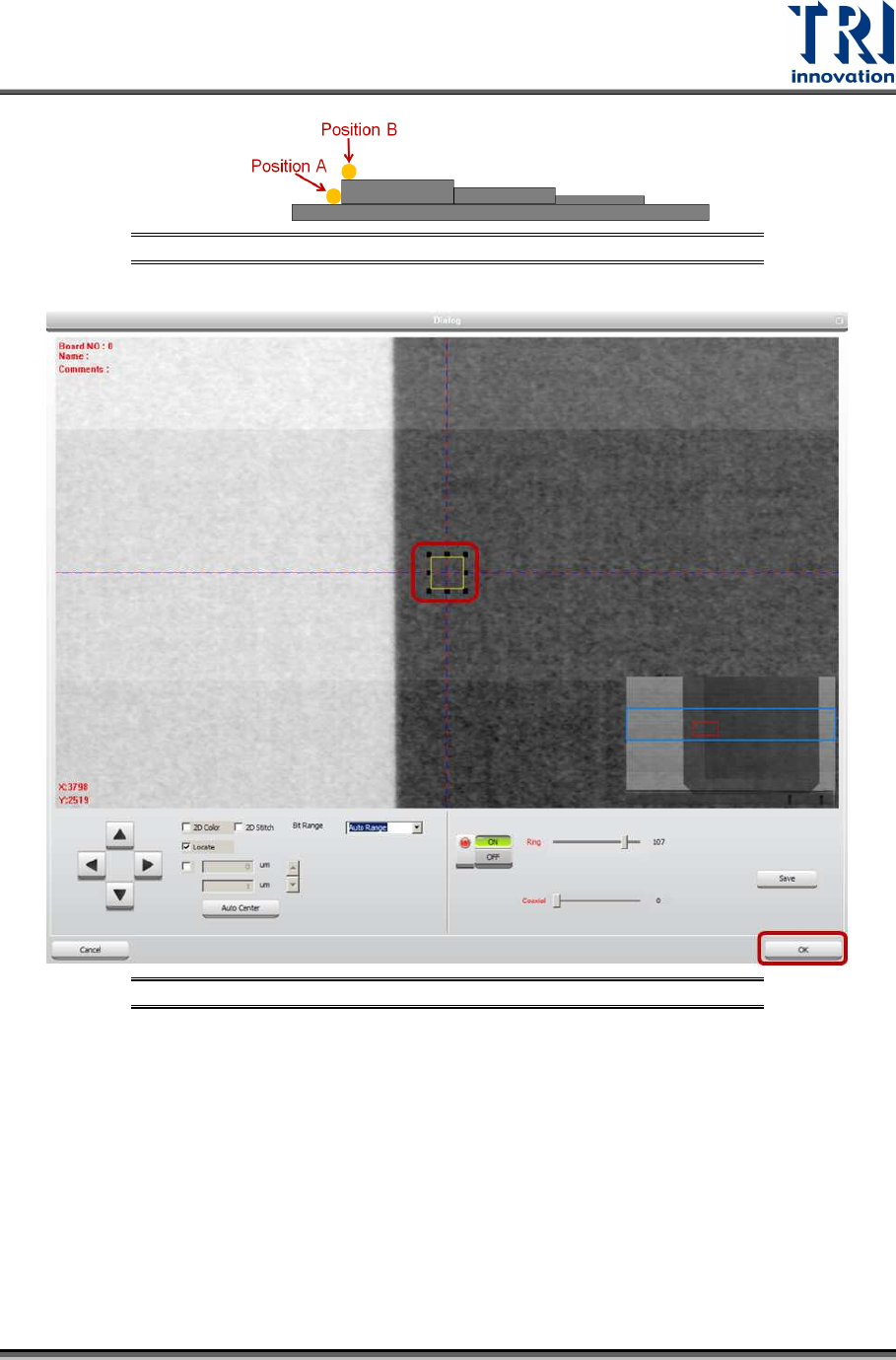
Figure 158: Position A and Position B
Figure 159: Move the Box to Position B
21) Click on [OK] to save position B coordinates.
22) Click on [Move To] and Laser Sensor0 will move to the assigned position.
23) Click on [Laser Sensor].
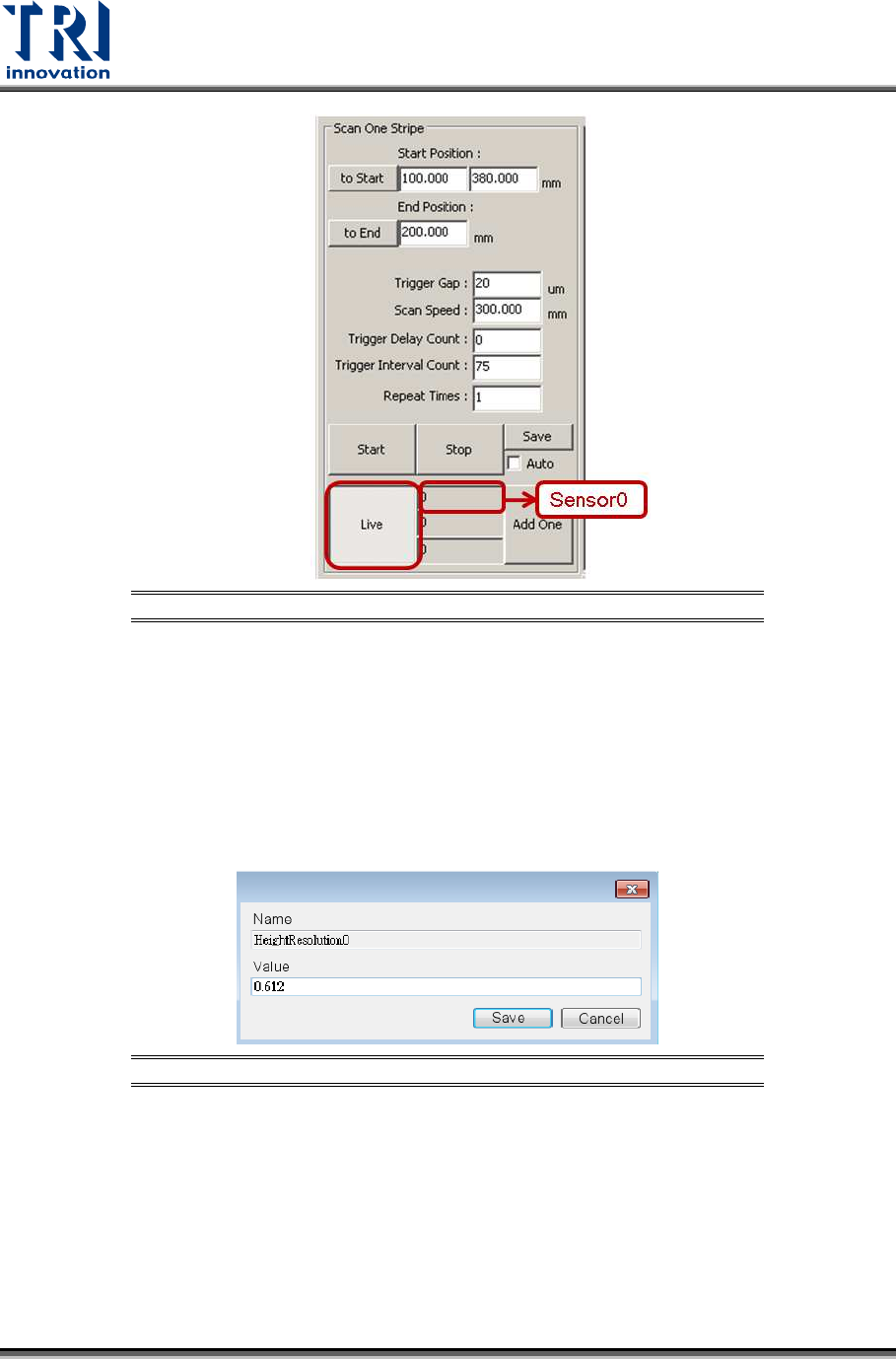
24) Click on [Live] to read the laser intensity value.
25) When the laser intensity value is stable, click [Live] again.
26) Record the laser intensity value, Value B, from the [Sensor0] field.
Test Research, Inc.
78 TR7600 SIII Series User Guide – Camera Calibration
Figure 160: Record the Value in the Laser Sensor0 Field
27) Use the formula below to calculate laser resolution.
Laser Resolution = 3000/[the difference between Value A and Value B]
The numerator, 3000 mm, is the height difference between position A and B.
If Value A=1000 and Value B=100, the denominator is 1000-100 = 900.
If Value A=1000 and Value B=-100, the denominator is 1000-(-100) = 1100.
28) Double-click Height Resolution0 registry and fill in the laser resolution. The
resolution should be close to 0.6~0.62.
Figure 161: Calculate the Resolution Value
29) Click on [Save].
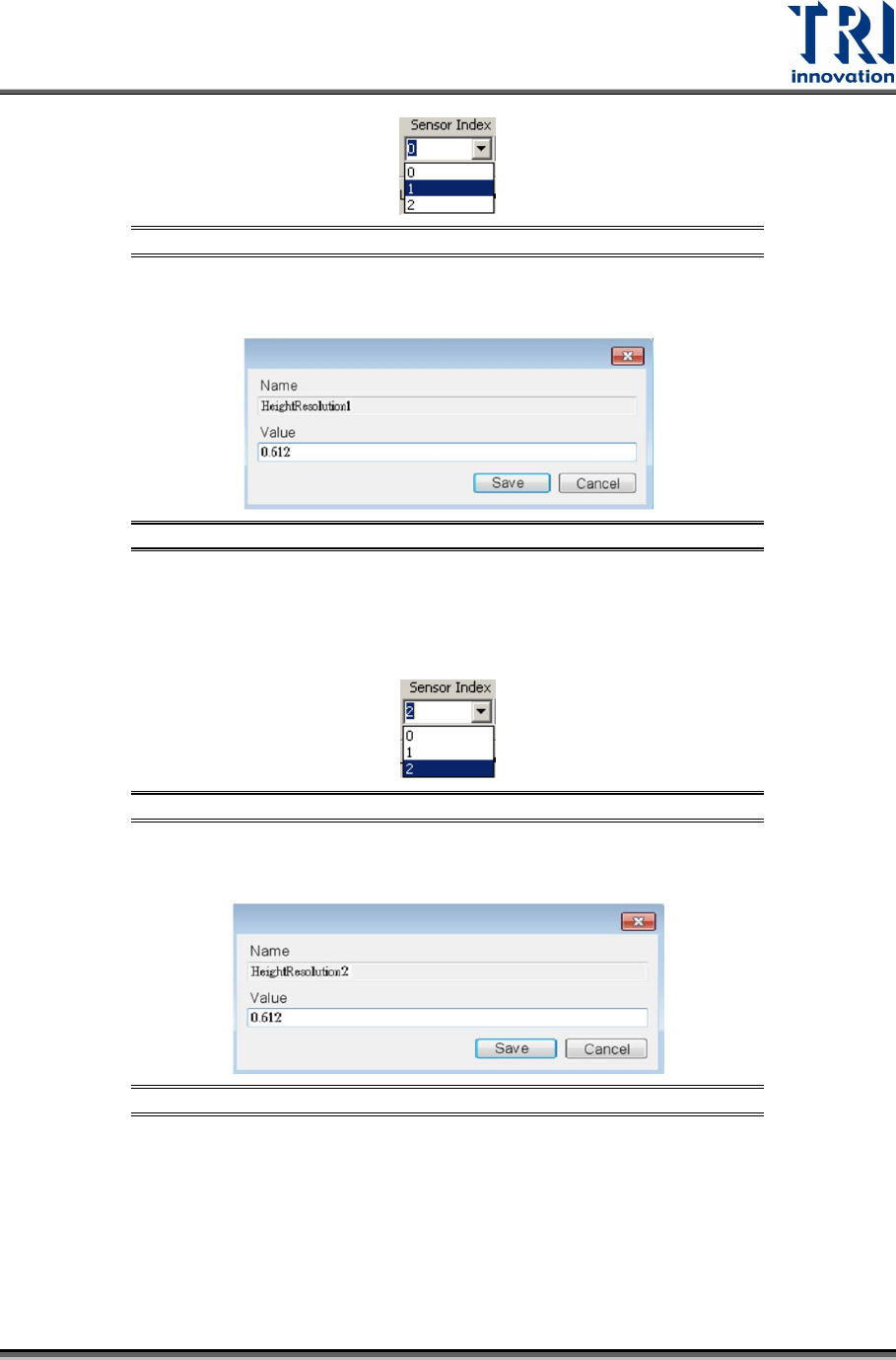
30) For Laser Sensor1, please repeat the steps 1~27 above to calculate its laser
resolution. Please notice that in step 2 and step 15, you should choose [1] in the
[Sensor Index] drop down menu.
Test Research, Inc.
TR7600 SIII Series User Guide – Camera Calibration 79
Figure 162: Choose Laser Sensor 1
31) Fill the laser resolution in Height Resolution1 registry.
Figure 163: Calculate the Resolution Value
32) For Laser Sensor2, please repeat the steps 1~27 above to calculate its laser
resolution. Please notice that in step 2 and step 15, you should choose [2] in the
[Sensor Index] drop down menu.
Figure 164: Choose Laser Sensor 2
33) Fill the laser resolution in Height Resolution2 registry.
Figure 165: Calculate the Resolution Value