TR7600 SIII_Camera_Calibration_en_v_2_0_2.pdf - 第41页
Test Research, Inc. TR7600 SIII Ser ies User G uide – Cam era Calibr ation 35 Figure 53: A djust the Z Axis Heig ht c) If the c urrent resolution is lo wer than the target resolution, turn the lens counterclockwise to lo…
Test Research, Inc.
34 TR7600 SIII Series User Guide – Camera Calibration
Follow the steps below.
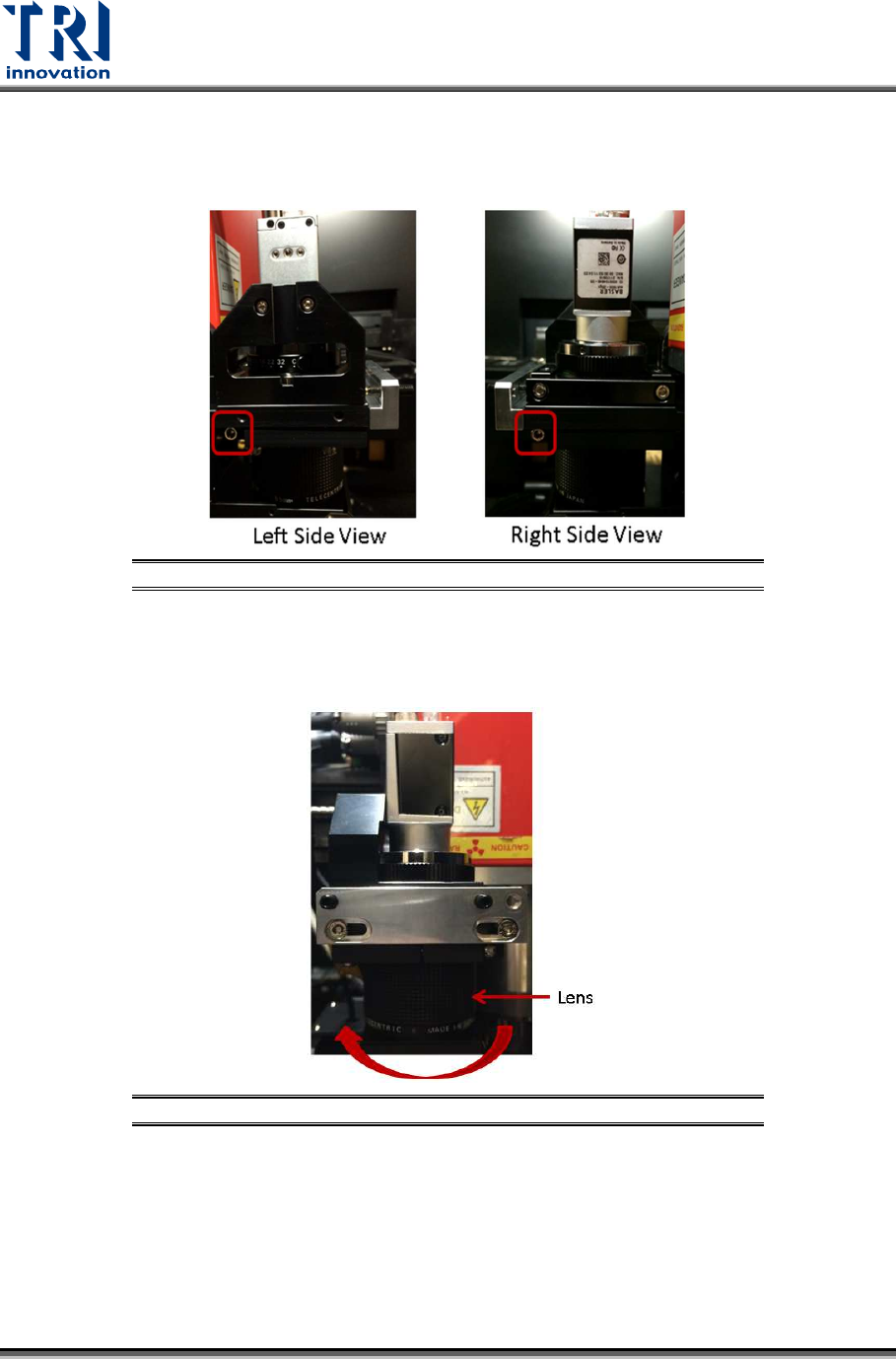
a) Loosen the screws as indicated.
Figure 51: Loosen These Screws
b) If the current resolution is higher than the target resolution, turn the lens clockwise to
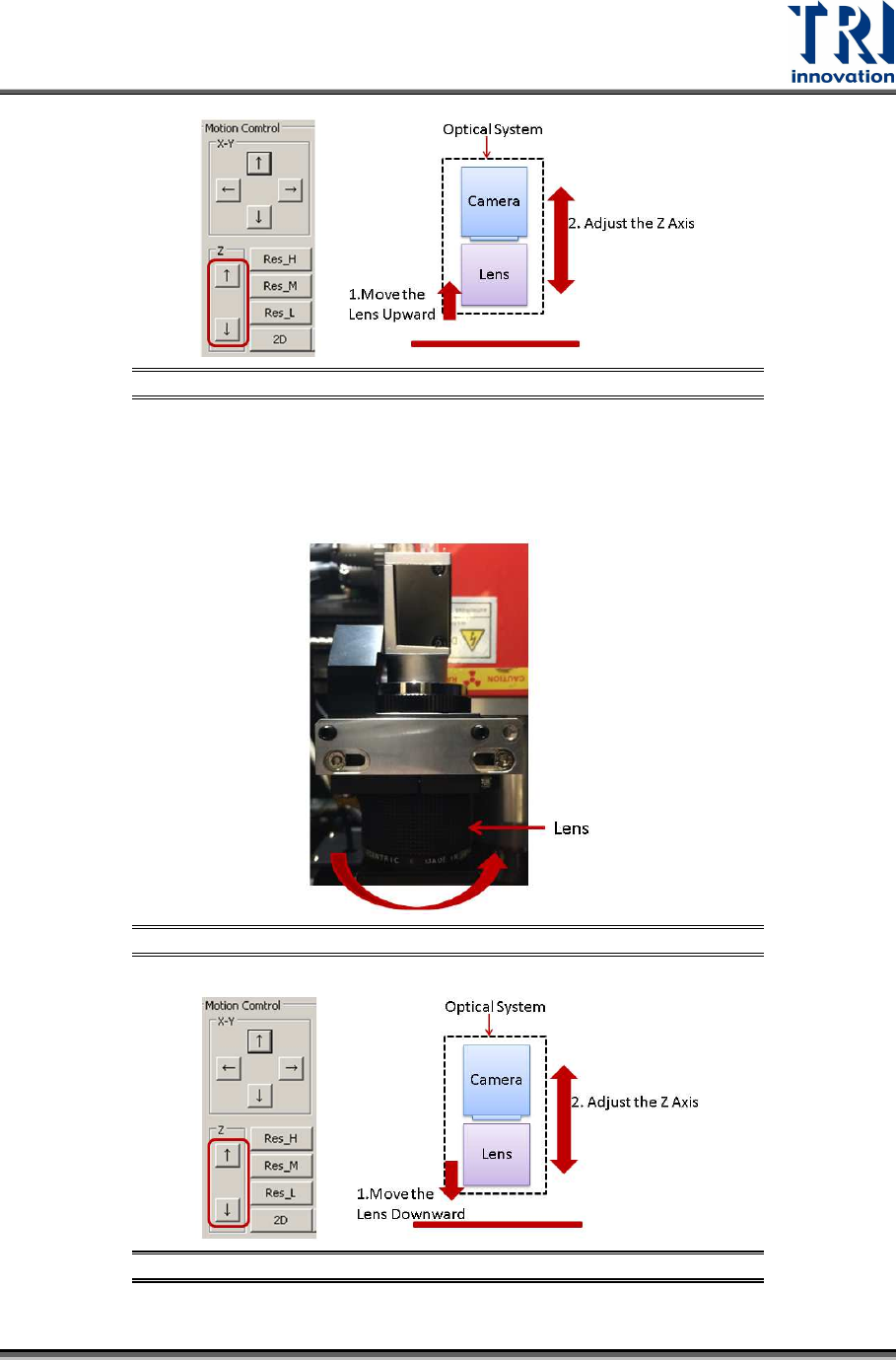
elevate the lens (i.e. to shorten the lens). The image will become blur, use the [Up] or
[Down] button to adjust the Z axis to make the image clearer.
Figure 52: Turn the Lens Clockwise
Test Research, Inc.
TR7600 SIII Series User Guide – Camera Calibration 35
Figure 53: Adjust the Z Axis Height
c) If the current resolution is lower than the target resolution, turn the lens
counterclockwise to lower the lens (i.e. to lengthen the lens).
The image will become blur, use the [Up] or [Down] button to adjust the Z axis to
make the image clearer.
Figure 54: Turn the Lens Counterclockwise.
Figure 55: Adjust the Z Axis Height
Test Research, Inc.
36 TR7600 SIII Series User Guide – Camera Calibration
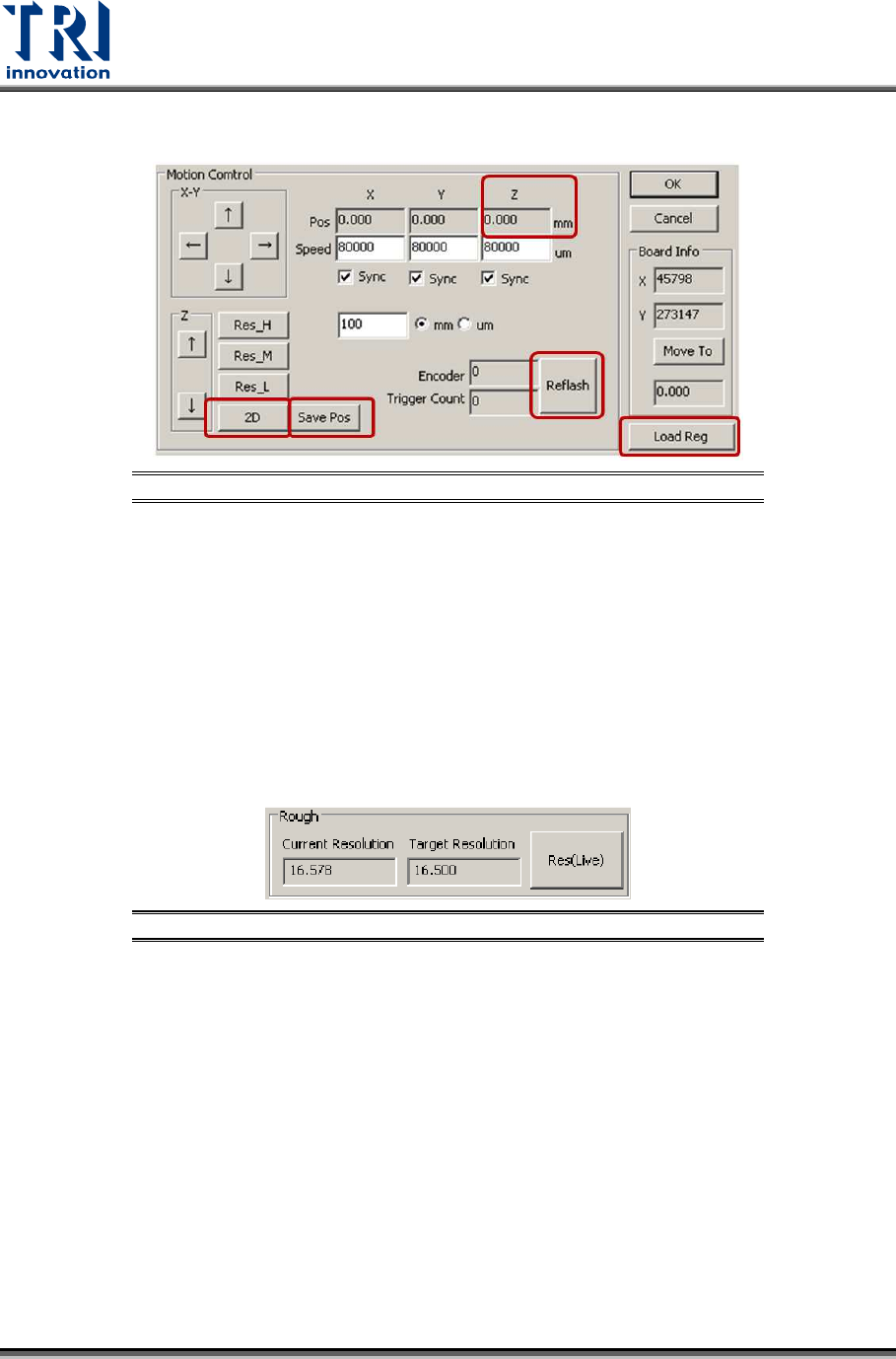
8) Click on [Save Pos] to save data to the registry.
Figure 56: Save Pos/Load Reg/Refresh/Record Z Axis Height
9) Click on [Load Reg] to load the registry in order to check if the data is saved. Do not
need to restart the main program.
10) Click on [Refresh] to update all values on the screen.
11) Record the Z axis height named as H1 in the Z position field.
12) Click on [Res_H] or [Res_M] buttons to change the current Z axis height.
13) Click on [2D] to move 2D camera to the assigned height.
14) Click on [Refresh] to update all values.
15) Check the Z axis height named as H2.
16) If H1 equals to H2, the data has been saved to the registry successfully.
17) Click on [Res(Live)].
Figure 57: Click on [Res(Live)]
18) Try different lens height and Z axis height until the difference between the current
resolution and target resolution is smaller than 0.1.
19) Fasten the screws.