TR7600 SIII_Camera_Calibration_en_v_2_0_2.pdf - 第72页
Test Research, Inc. 66 TR7600 SI II Series User Guide – Camera Ca libration Figure 126: Registries Laser Sen sor0 Center Posi tion0 Height Res olution0 Laser Sen sor1 Center Posi tion1 Height Res olution1 Laser Sen sor2 …
Test Research, Inc.
TR7600 SIII Series User Guide – Camera Calibration 65
3.11 Laser Sensor
Whenever re-do the Zero Shift step, Laser Sensor step need to be re-do.
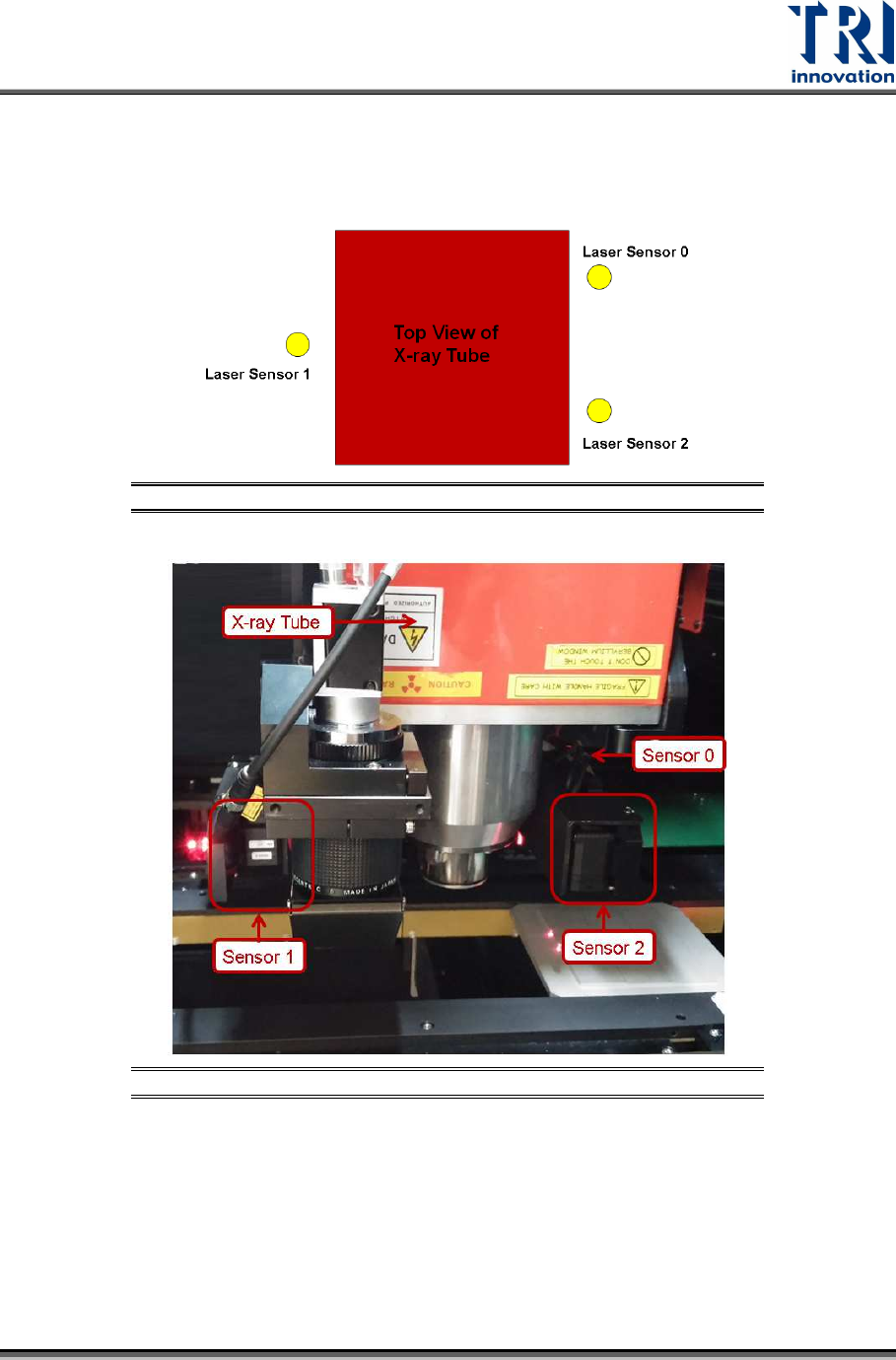
There are 3 laser sensors. The arrangement is shown as below.
Figure 124: Top View of Laser Sensor Arrangement
Figure 125: Laser Sensor Arrangement
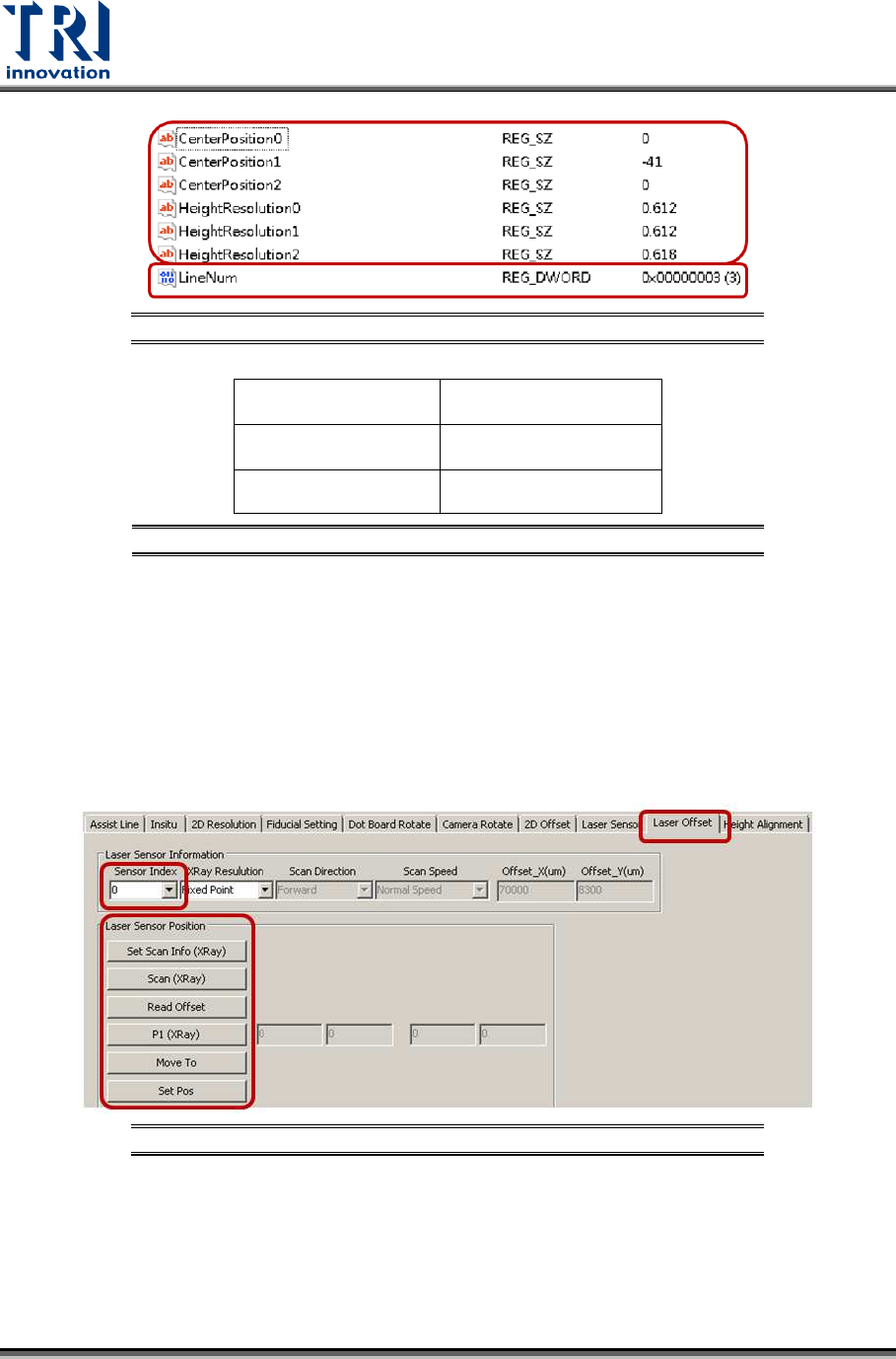
Click on [Start]input [regedit]double-click on the registry file click
[TRI\TR7600\CalibrationInfo\HeightDetect].
In the LineNum registry, the value should be 3 to imply the machine uses 3 laser
sensors.
For each Laser Sensor, find the information for Center Position registry and High
Resolution registry.
Test Research, Inc.
66 TR7600 SIII Series User Guide – Camera Calibration
Figure 126: Registries
Laser Sensor0
Center Position0
Height Resolution0
Laser Sensor1
Center Position1
Height Resolution1
Laser Sensor2
Center Position2
Height Resolution2
Figure 127: Laser Sensor Related Registries
Follow below steps to find out the information for all Center Position registries first.
During the process, move the spots of three Laser Sensors to one column of
circles. It will not be easy to check the positions of laser spots. Switch back to
[Laser Offset] page first and use [Move To] button to move laser spots next to
one column circles. Next, switch back to [Laser Sensor] page and record the
laser intensity value.
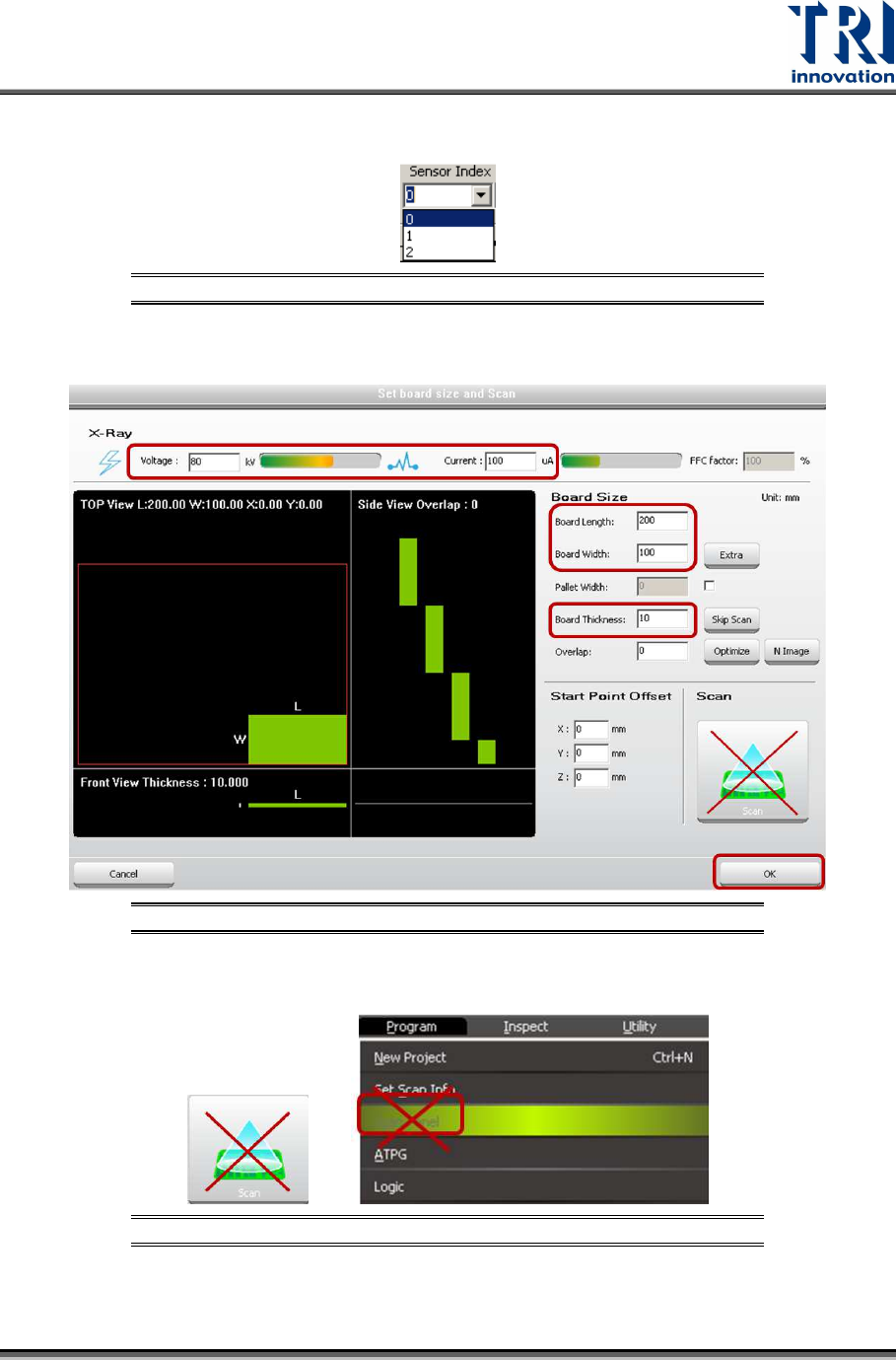
1) Click on [Laser Offset].
Figure 128: Laser Offset
Test Research, Inc.
TR7600 SIII Series User Guide – Camera Calibration 67
2) Choose [0] in the [Sensor Index] field.
Figure 129: Choose Laser Sensor 0
3) Click on [Set Scan Info(XRay)] to set up the scan paramaters and click on [OK].
Figure 130: Set Scan Info
4) Please don’t use the [Scan] buttons shown as below to scan the board.
Figure 131: Don’t Use These Buttons to Scan the Board