00193697-01.pdf - 第94页
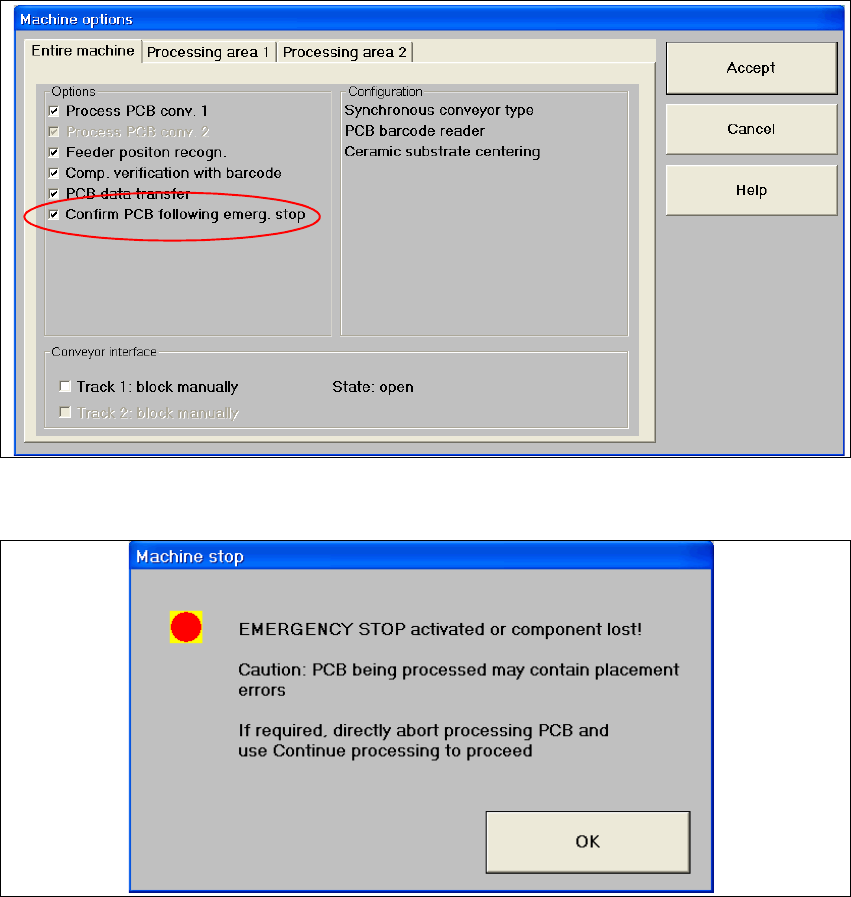
8 New functionality in 504.01 SIPLACE Software Guide SR.504.xx 8.10 Emergency stop without PCB check Issue 01/03 EN 94 8 Fig. 8.10 - 1 Machine options 8 Fig. 8.10 - 2 Machine stop
SIPLACE Software Guide SR.504.xx 8 New functionality in 504.01
Issue 01/03 EN 8.10 Emergency stop without PCB check
93
8.9.1 Functionality/restrictions when using the "Safe mode" option with an open
cover
– It is possible to carry out vacuum and forced air measurement for the revolver head and Twin
Head
– It is possible to confirm nozzles, magazines and garages for the RV head and Twin Head
– It is possible to activate the locking mechanism (open/shut) for the RV nozzle changer
– All functions that involve the main axes are locked
– All axis functions for the revolver head, for example, stepping the star axis, rotating the DP axis
etc. are locked
– All axis functions for the Twin Head, for example, segment or head reference run, rotating the
DP axis, are locked
8.10 Emergency stop without PCB check
In the past, if an emergency stop occurs during placement (emergency stop button, compressed
air failure, cover is opened) the board in the output conveyor always needed to be checked and
the placement process then continued. 8
As of version 504 of the software, this behavior can be deactivated in the machine options (as of
line engineer access level). In the event of an emergency stop, this is indicated in the dialog box
which opens. 8
8 New functionality in 504.01 SIPLACE Software Guide SR.504.xx
8.10 Emergency stop without PCB check Issue 01/03 EN
94
8
Fig. 8.10 - 1 Machine options
8
Fig. 8.10 - 2 Machine stop
SIPLACE Software Guide SR.504.xx 8 New functionality in 504.01
Issue 01/03 EN 8.11 Emergency mode - deactivate placement area
95
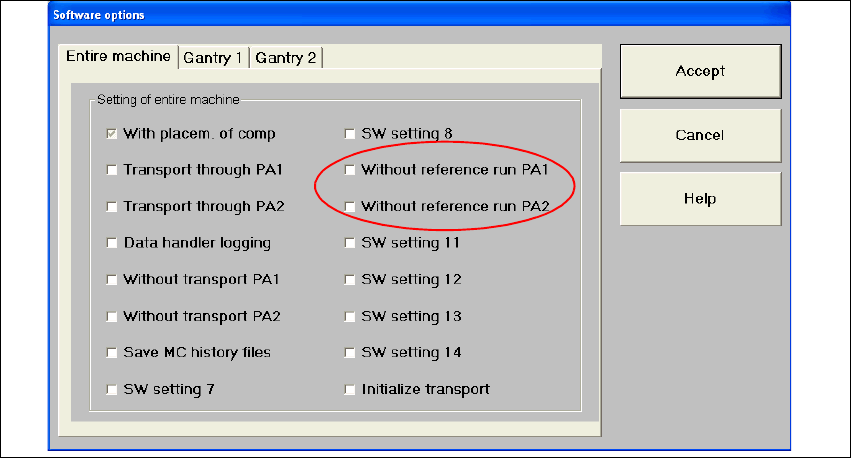
8.11 Emergency mode - deactivate placement area
An emergency mode has been implemented which allows you to deactivate a placement area.
This deactivated area then simply transports the boards through the machine. This means that the
gantries of this area are not referenced. 8
If both placement areas are deactivated, boards are simply transported through the entire
machine. (This differs from the "transport through" function that has already been implemented,
which requires a gantry reference run.) Transport errors are handled in the same manner as
before. 8
Activation and deactivation of the emergency mode has been realized using software options that
were already available. The "Entire machine" tab allows the operator to activate this option for
each of the placement areas before a reference run. 8
8
Fig. 8.11 - 1 Software options
Since this feature is designed for emergency operation, not all options are supported, in particular
not when reactivating the placement area. 8