00193697-01.pdf - 第99页
SIPLACE S oftware Guide SR.504.xx 8 New functionality in 504.01 Issue 01/03 E N 8.17 FiFo option for each location 99 NOTE The selec ted opt ion wil l be retain ed even if the mac hine is switche d on and off. When t he …
8 New functionality in 504.01 SIPLACE Software Guide SR.504.xx
8.17 FiFo option for each location Issue 01/03 EN
98
8.17 FiFo option for each location
If an MTC is attached to the machine, the FiFo pickup strategy may or may not be used to pick up
components (First in First out: The first components stored in the MTC are the first components
to be placed). In the past (version 502 of the software), this setting applied to the entire machine.
Thus, the machine option setting applied to all MTCs attached to a given machine. 8
As of version 504 of the software, this option can be activated on a location-by-location basis on
a SIPLACE HF with MTC 2. The FiFo option now appears in the machine options for the various
processing areas depending whether an MTC is attached. 8
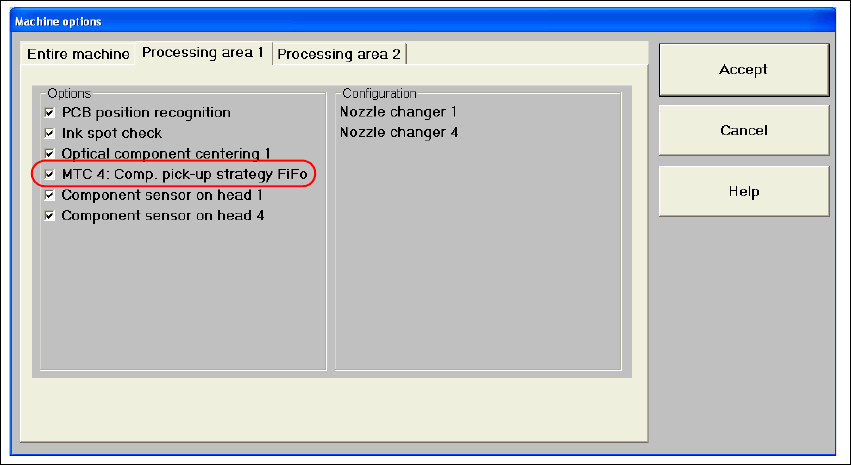
The Machine options dialog box can show up to 4 options (for a SIPLACE HF only locations 2
and 4: 8
– MTC 1: Component pickup strategy: FiFo
– MTC 2: Component pickup strategy: FiFo
– MTC 3: Component pickup strategy: FiFo
– MTC 4: Component pickup strategy: FiFo
8
Fig. 8.17 - 1 FiFo machine options
The options are only visible if an MTC is attached. 8
8
SIPLACE Software Guide SR.504.xx 8 New functionality in 504.01
Issue 01/03 EN 8.17 FiFo option for each location
99
NOTE
The selected option will be retained even if the machine is switched on and off.
When the software is first installed, the FiFo option is deactivated. 8
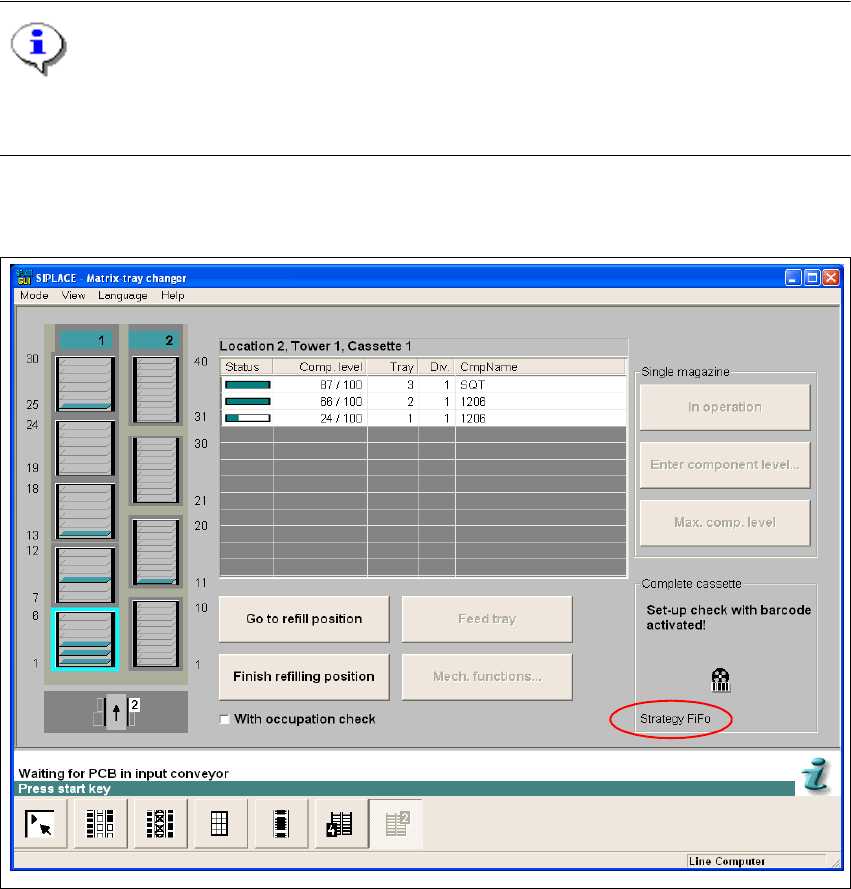
The corresponding option is shown in the "Matrix Tray Changer" view: 8
8
Fig. 8.17 - 2 "Matrix Tray Changer" view
8
8
8 New functionality in 504.01 SIPLACE Software Guide SR.504.xx
8.17 FiFo option for each location Issue 01/03 EN
100