00191374-04.pdf - 第28页
2 Operational Safety Adjust men t Ins tru ct ion s SIPL ACE H S-50 2.2 Safety Equipm ent Edition 12/00 28 * XDUGRQWKH ,QSXW2XW SXW&RQYH\RU DANGER The guard m ust al ways be set to the h eight o f the PC …
Adjustment Instructions SIPLACE HS-50 2 Operational Safety
Edition 12/00 2.2 Safety Equipment
27
)XQFWLRQ
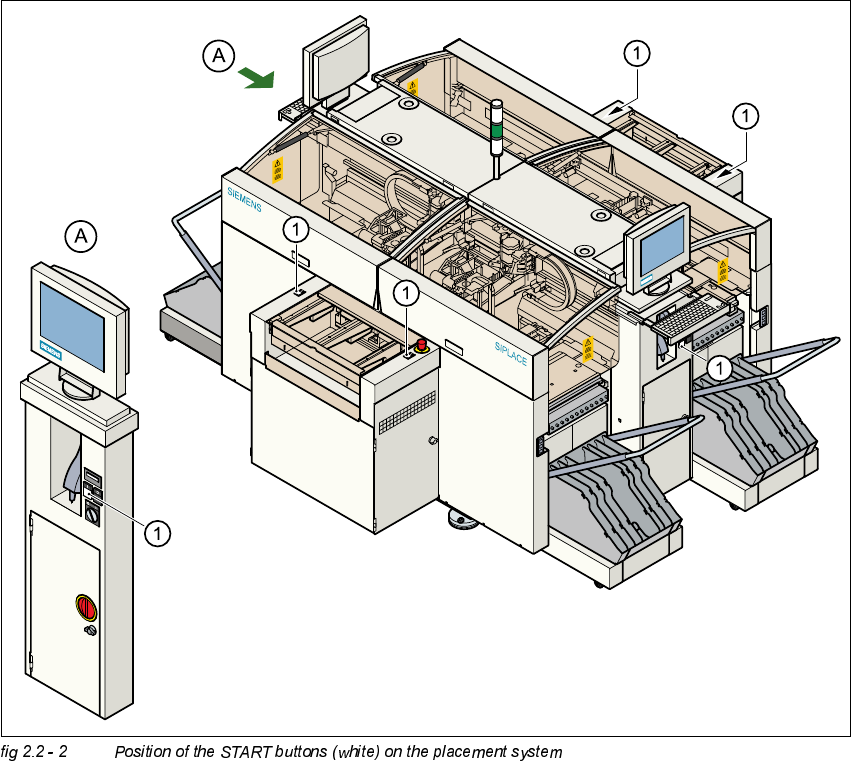
If one of the protective covers is folded up or one of the covers on the PCB conveyor is raised, the
power supply to the gantry axes will be interrupted at once. The gantry axes will stop.
– The message "Close covers" will appear on screen.
Å Close the protective covers and press one of the START buttons to continue placement.
.(<
(1) START button (white) on the system
2 Operational Safety Adjustment Instructions SIPLACE HS-50
2.2 Safety Equipment Edition 12/00
28
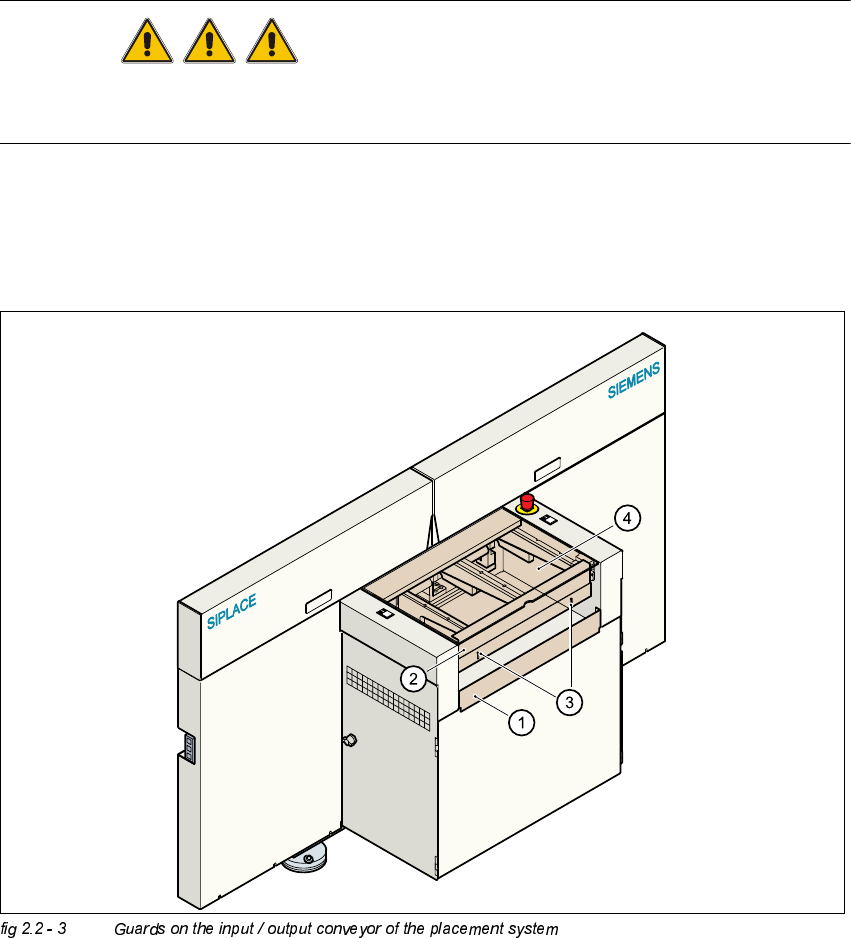
*XDUGRQWKH,QSXW2XWSXW&RQYH\RU
DANGER
The guard must always be set to the height of the PCB to be processed. Ensure that the gap
between the guard and the safety bar is as small as possible.
– Guards are fitted on the input and output belts of the PCB conveyor.
Å The height of the guard must be set using the slots so that the processed PCB can travel
through.
.(<
(1) Safety bar (fixed)
(2) Guards (adjustable)
(3) Slots for adjusting the height
(4) Cover
Adjustment Instructions SIPLACE HS-50 2 Operational Safety
Edition 12/00 2.2 Safety Equipment
29
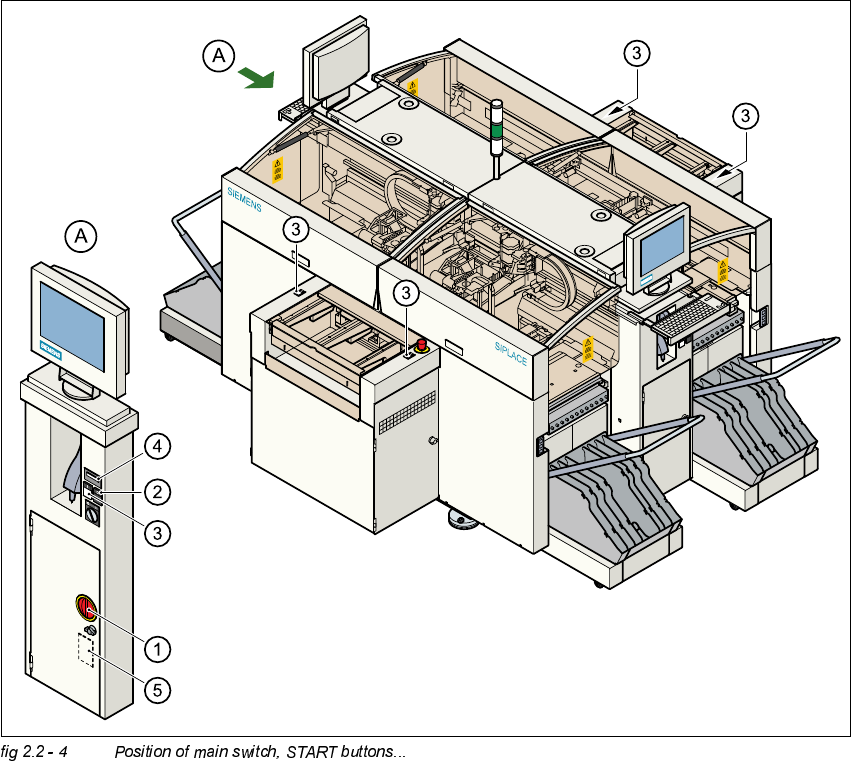
0DLQ6ZLWFK(0(5*(1&<6723%XWWRQV3URWHFWLYH&RYHU6ZLWFKHV
3RVLWLRQRI0DLQ6ZLWFK67$57%XWWRQVRQWKH3ODFHPHQW6\VWHP
(1) Main switch
(2) STOP button (black)
(3) START button (white)
(4) Component counter
(5) Service socket in the power supply unit behind the protective door