DEK INFINITY USER MANUAL.pdf.pdf - 第15页
INFINITY 0$&+,1 (352*5 $00,1* 67$*( &/2$ '$352' 8&7),/( Soft ware Ver sion 7 User Manual 1.13 Editing a Product File T o edit a product fi le on the Pocket Of f Line Editor , proceed as fol…
INFINITY
0$&+,1(352*5$00,1*
67$*(&/2$'$352'8&7),/(
1.12 User Manual Software Version 7
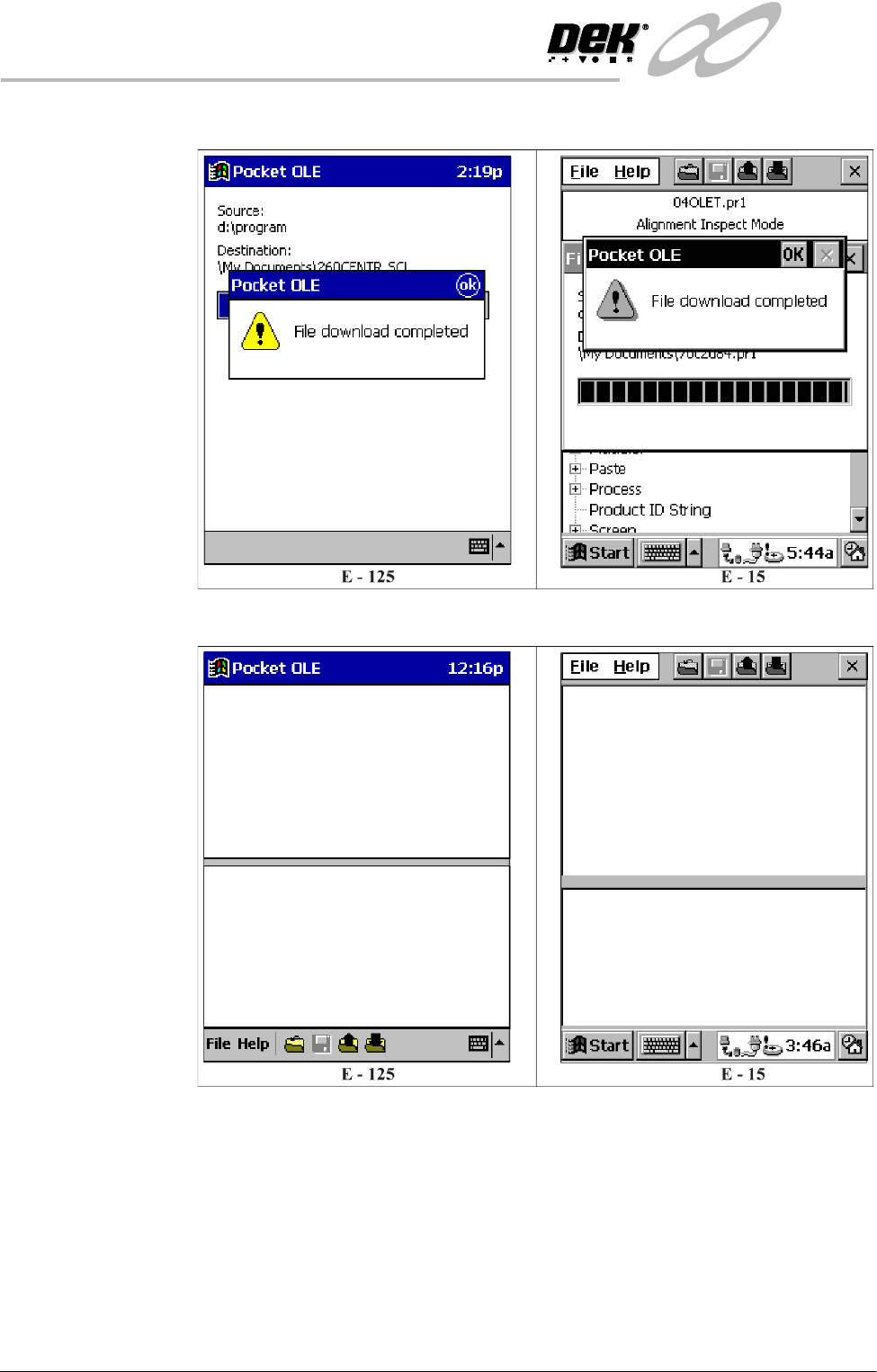
7. Once the download is complete the following window is displayed:
8. Select OK to return to the main menu.
INFINITY
0$&+,1(352*5$00,1*
67$*(&/2$'$352'8&7),/(
Software Version 7 User Manual 1.13
Editing a Product
File
To edit a product file on the Pocket Off Line Editor, proceed as follows:
NOTE
Before a product file can be edited, it must first be downloaded from the printing
machine, see the Downloading a Product File Section.
1. Ensure the Start Up Section has been carried out.
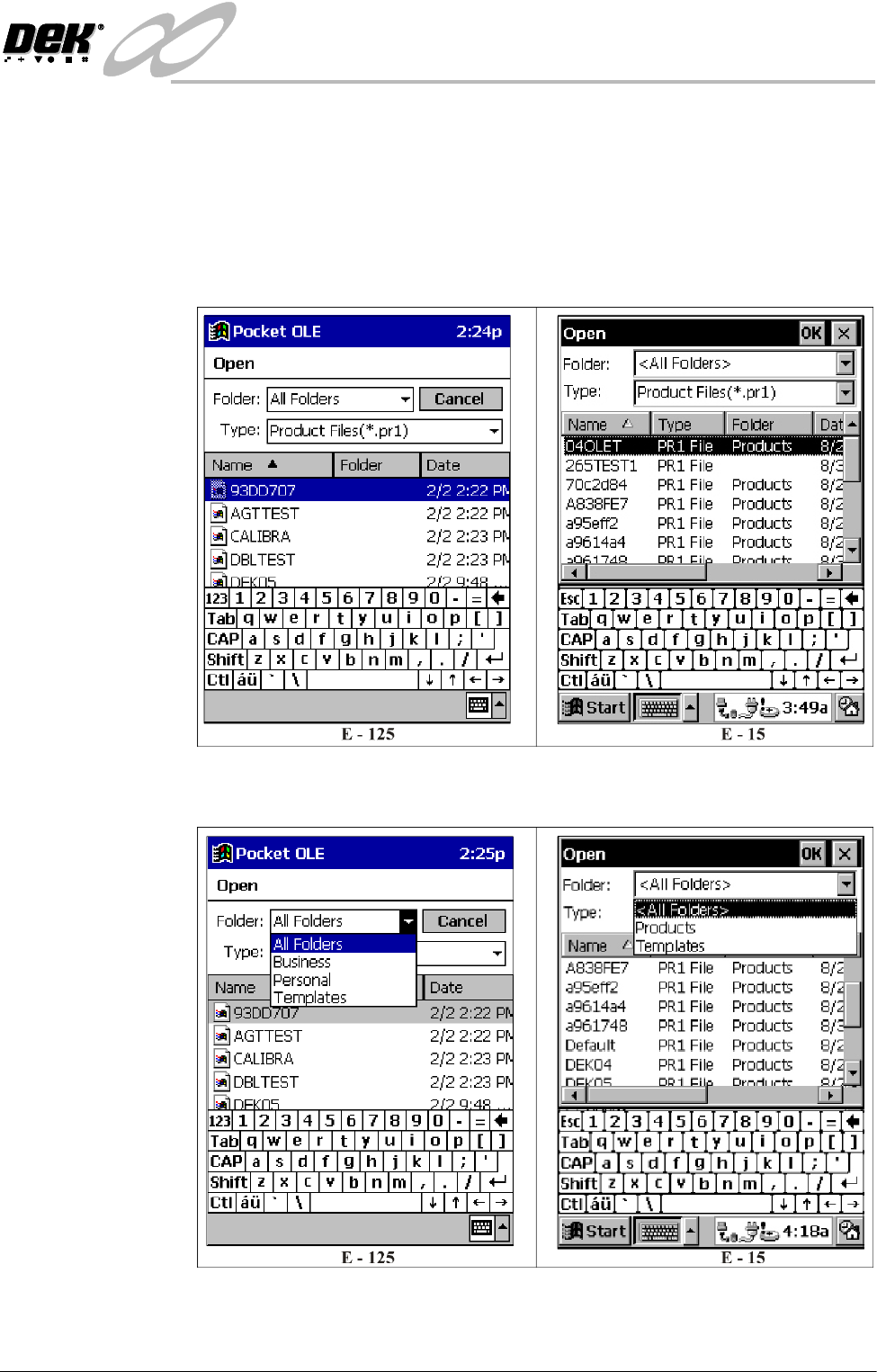
2. Select Open from the File menu, the following window is displayed:
3. Ensure Folder: is set to All Folders for the E-125 and to <All Folders> for
the E-15.
4. Select the required product file for editing.
INFINITY
0$&+,1(352*5$00,1*
67$*(&/2$'$352'8&7),/(
1.14 User Manual Software Version 7
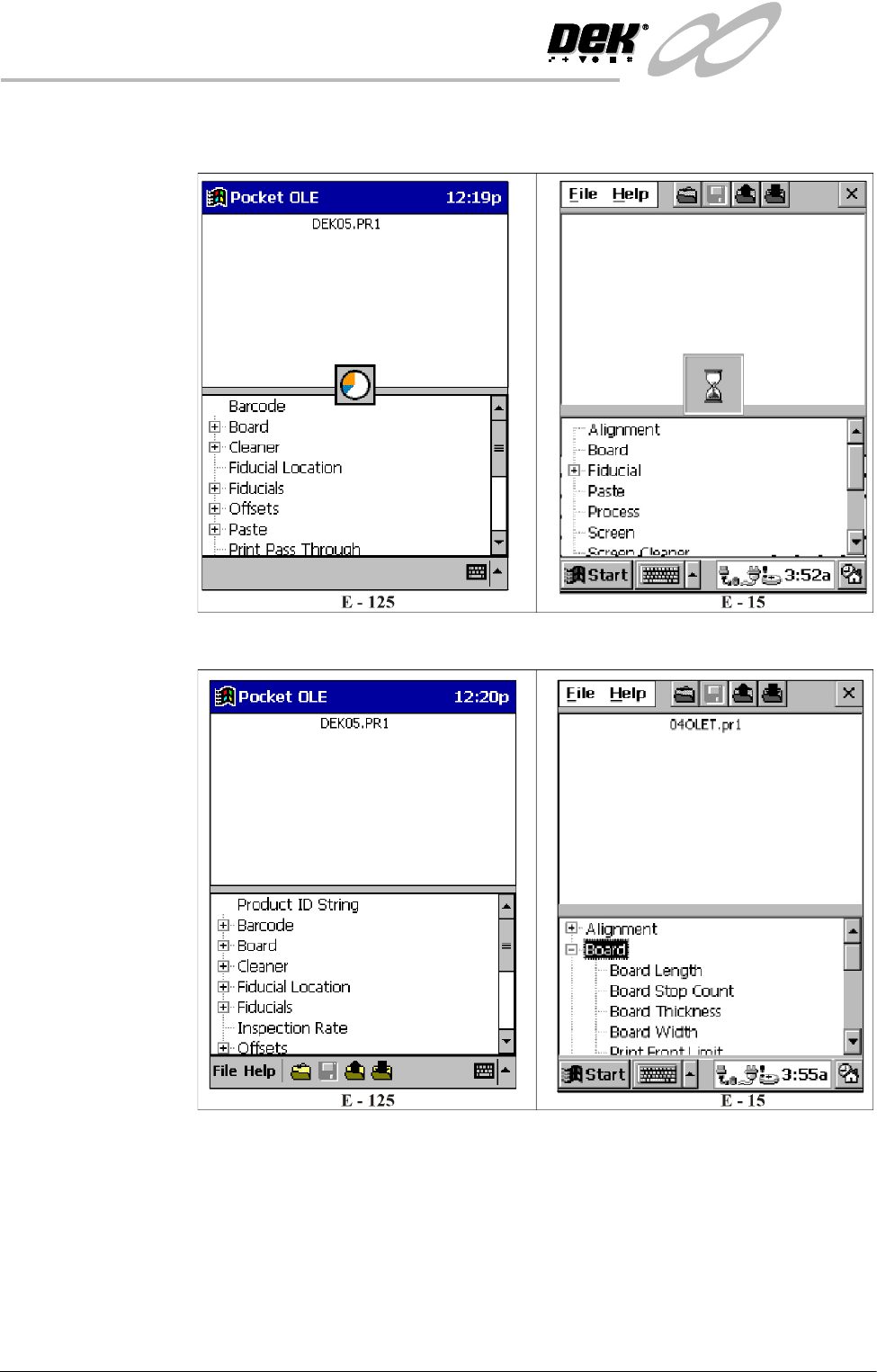
5. Select OK, the following window is displayed whilst the product file is
loaded:
6. Once the product file is loaded the following window is displayed:
The product files parameters are displayed in a tree format in the bottom half
of the window.