DEK INFINITY USER MANUAL.pdf.pdf - 第237页
INFINITY +286 (.( (3, 1* )($785( /,&(16,1 * Soft ware Ver sion 7 User Manual 7.27 Licen ce Installation 1. Select Start on the taskbar , Programs and Feature Li cense . The following window is displayed: 2. Select …
INFINITY
+286(.((3,1*
)($785(/,&(16,1*
7.26 User Manual Software Version 7
3. Enter the information required and select Save. The information is written
to a ‘customer.txt’ file and attached to all licence request files, the window
is closed.
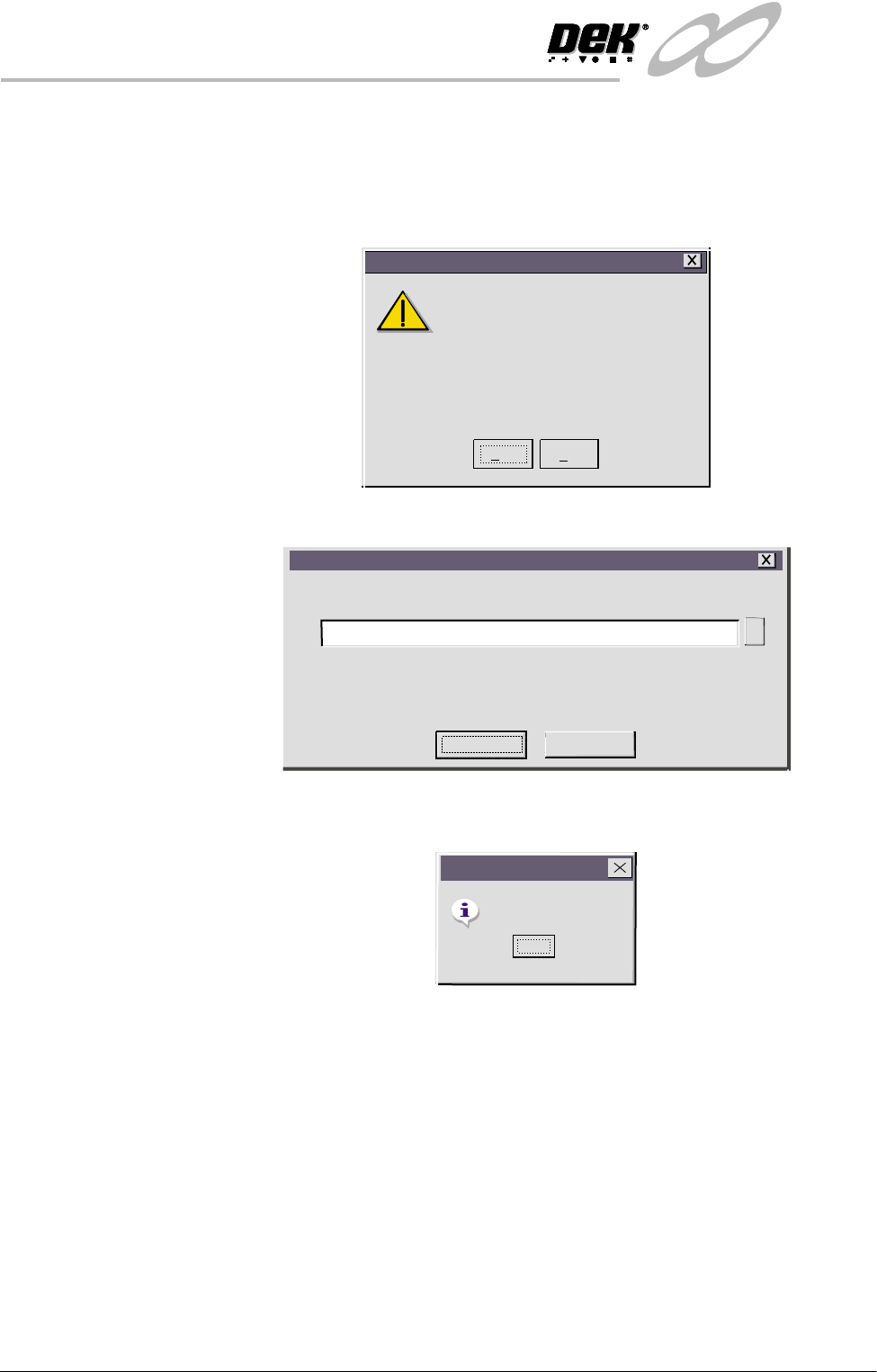
4. Scroll down the menu for the feature required. Select the feature, the
following window is displayed:
5. Select Yes , the following window is displayed:
6. Select Proceed, a request is written to the file indicated in the window. If
successful, the following window is displayed:
NOTE
If a different destination file is required for the licence request, press ...,
highlight the required file, select Open and Proceed.
7. The licence request.txt file can now be forwarded to your local DEK agent
for processing.
Yes
No
Do you want to obtain a licence to use
112731
on
620mm Boards
Feature Licensing
Feature Licence Request
Feature Licence Request
A request to licence the feature you have selected
will be written/appended to the above file.
A:\Request.txt
Proceed
Cancel
...
Request Generated
Feature Licensing
OK
INFINITY
+286(.((3,1*
)($785(/,&(16,1*
Software Version 7 User Manual 7.27
Licence
Installation
1. Select Start on the taskbar, Programs and Feature License. The following
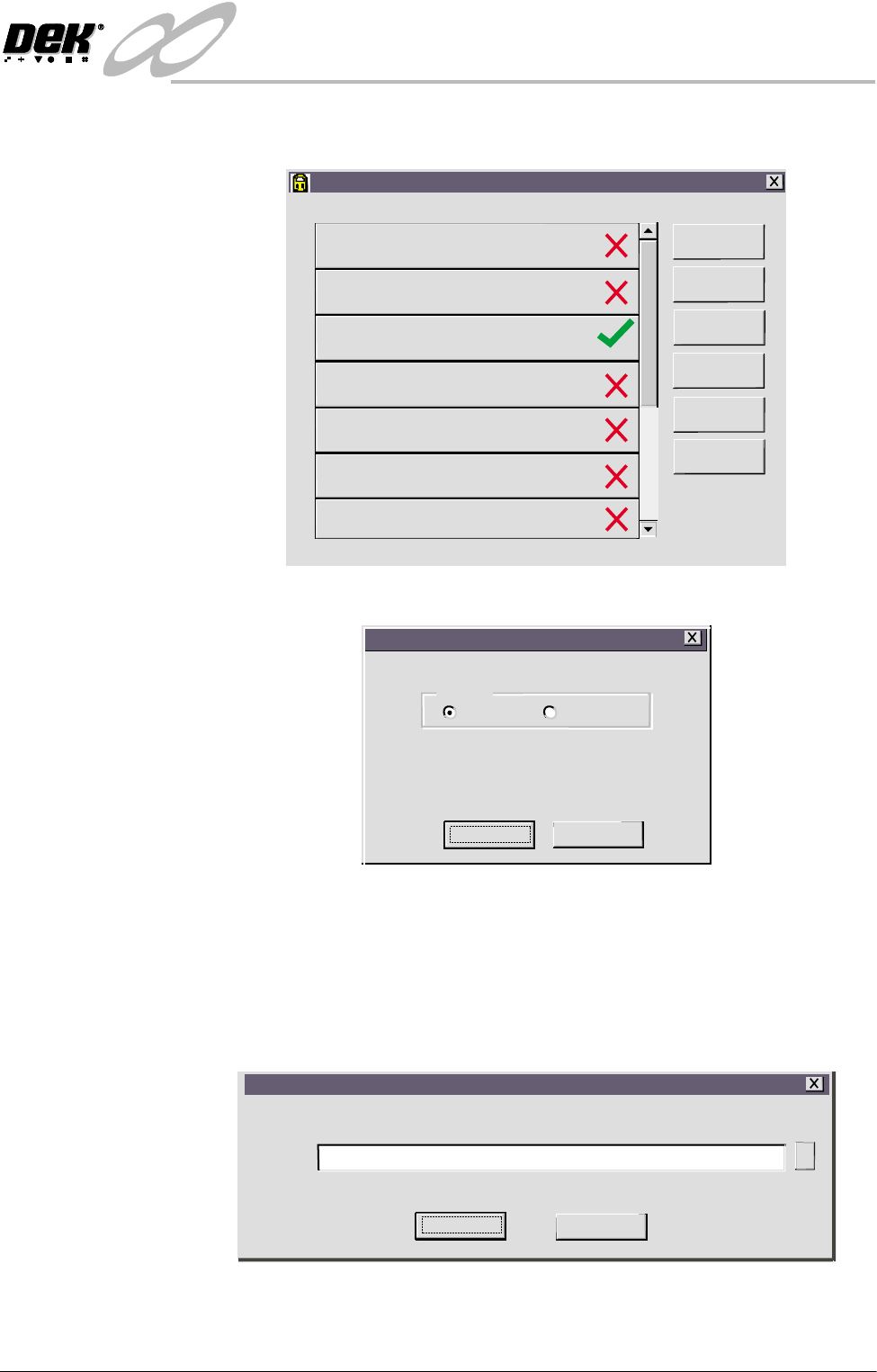
window is displayed:
2. Select Install Licence. The following window is displayed:
3. Using the radio buttons, select the source of the feature licence and select
Proceed.
NOTE
Carry out Steps 4 - 6 if the source of the licence is file.
Carry out Steps 7 - 9 if the source of the licence is keyboard.
4. Select ... on the following window.
Feature License
Version 01. 01. 01
GEM/SECS
Networking
620mm Boards
Basic Board Insp.
Advanced Board Insp.
Basic Stencil Insp.
Advanced Stencil Insp.
PC Type 1
PC Type 2
Customer Info
Print Features
Print Request
Install Licence
Refresh
Exit
feature licence installation instruction
Please select the source of the
Feature Licence Installation on 112731
Source
File Keyboard
Proceed
Cancel
Select Installation
Please select the file containing the feature licence instruction
A:\Install.txt
Path
Proceed
Cancel
...
INFINITY
+286(.((3,1*
)($785(/,&(16,1*
7.28 User Manual Software Version 7
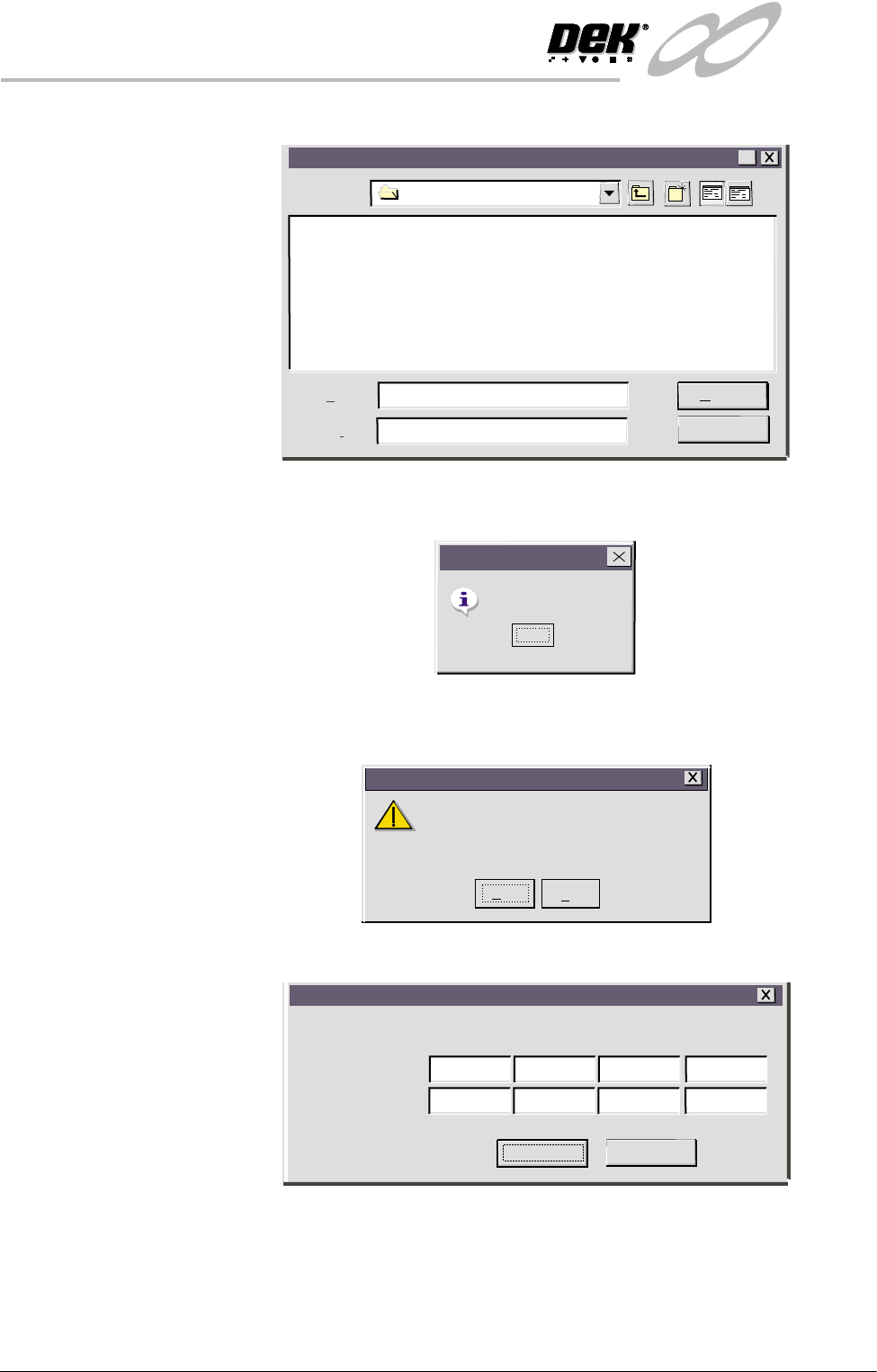
The following window is displayed:
5. Highlight the relevant file and select Open. Once the licence has been
accepted the following window is displayed:
6. Select OK and Exit the program.
7. Select Yes on the following window:
The following window is displayed:
Open
Look in:
File amen
Feature License
Open
Cancel
?
File of ypet
*.txt
Instruction accepted.
Feature Licensing
OK
If you have more than a single instruction to enter,
it is essential that you enter them in the order specified
If you are in any doubt about this, please contact
Customer Support before you proceed.
Feature Licensing
Yes
No
Enter Licence Installation Instruction
Installation Instruction
Proceed
Cancel
ASDEDIV3
32WQLOIJ
MVBRH371
MNBVCXZ1
LKJH743G
GFDS76AP
POIUYTRE
LOREV341