DEK INFINITY USER MANUAL.pdf.pdf - 第245页
INFINITY ',163(& 7,21 02'8/( 29(59,(: Soft ware Ver sion 7 User Manual 8.5 Paste V olume Pr ediction The volume of paste on a pad can be predicted using both 2Di blockage and paste on pad inspection resu…
INFINIT
Y
',163(&7,21
02'8/(29(59,(:
8.4 User Manual Software Version 7
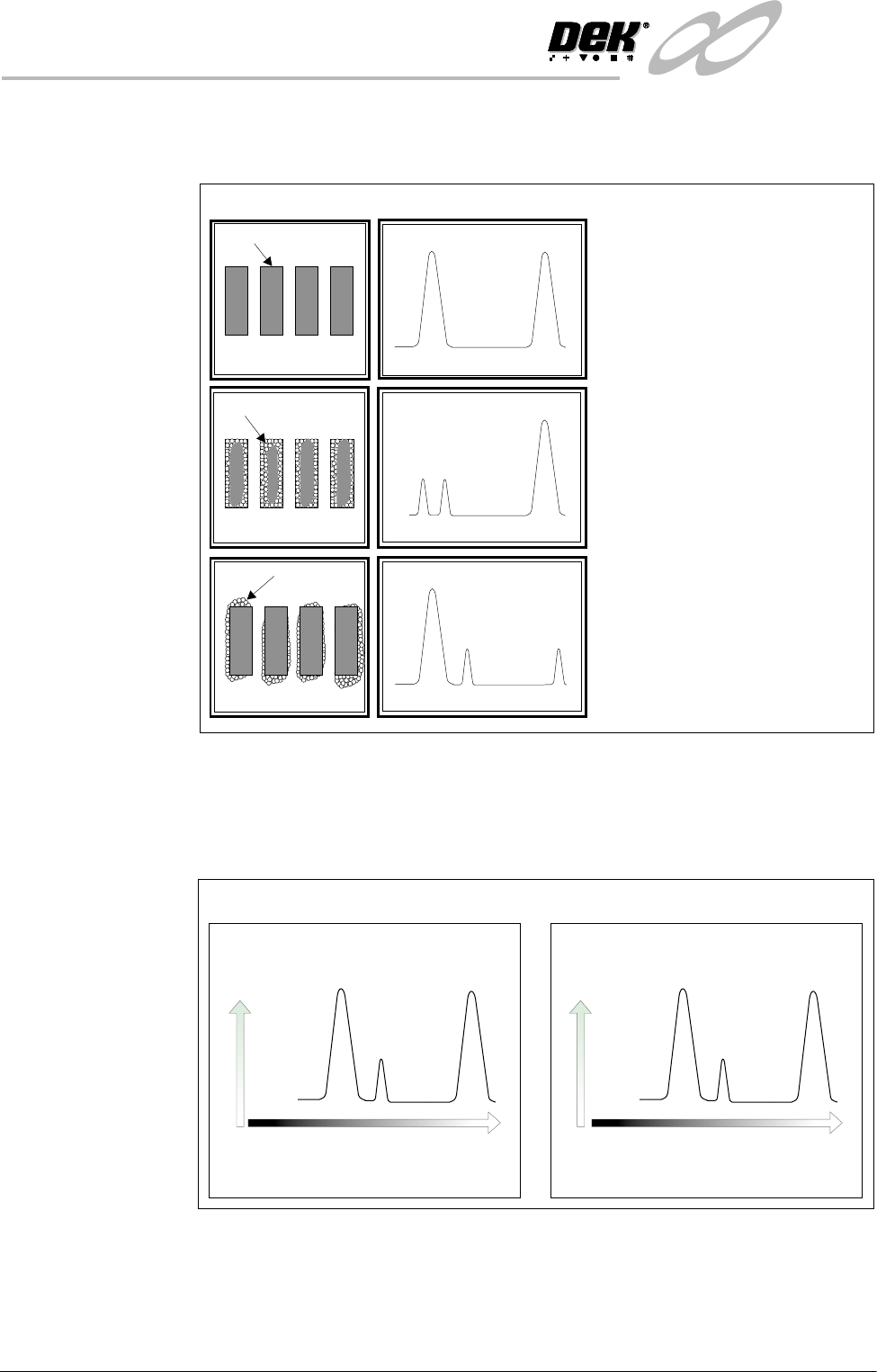
Stencil Inspection The various stencil inspections are shown below. (Histogram information is
detailed on this page.)
Histogram The vision card analyses the grey scale levels of the pixels that make up the site
image. From this information a histogram is produced, this can be used as a
visual aid to setting up lighting for 2D inspection.
Any change to the area of the
stencil must be paste, hence the
area of smear can be calculated.
This is relative to the area of
white lost in the histogram.
Smear (Advanced)
The position and area of
apertures within the stencil site
are learnt as a reference.
Aperture
Stencil
Clean Screen
Histogram
Any change to the area of the
aperture must be paste, hence
the percentage of blockage can
be calculated. This is relative to
the area of black lost in the
histogram.
Blockage (Basic)
Paste
Paste
Stencil Histogram
Black
StencilAperture
Paste
White
Grey Scale Level
Board Histogram
Number
of
Pixels
Number
of
Pixels
Black
PadBoard
Paste
White
Grey Scale Level
INFINITY
',163(&7,21
02'8/(29(59,(:
Software Version 7 User Manual 8.5
Paste Volume
Prediction
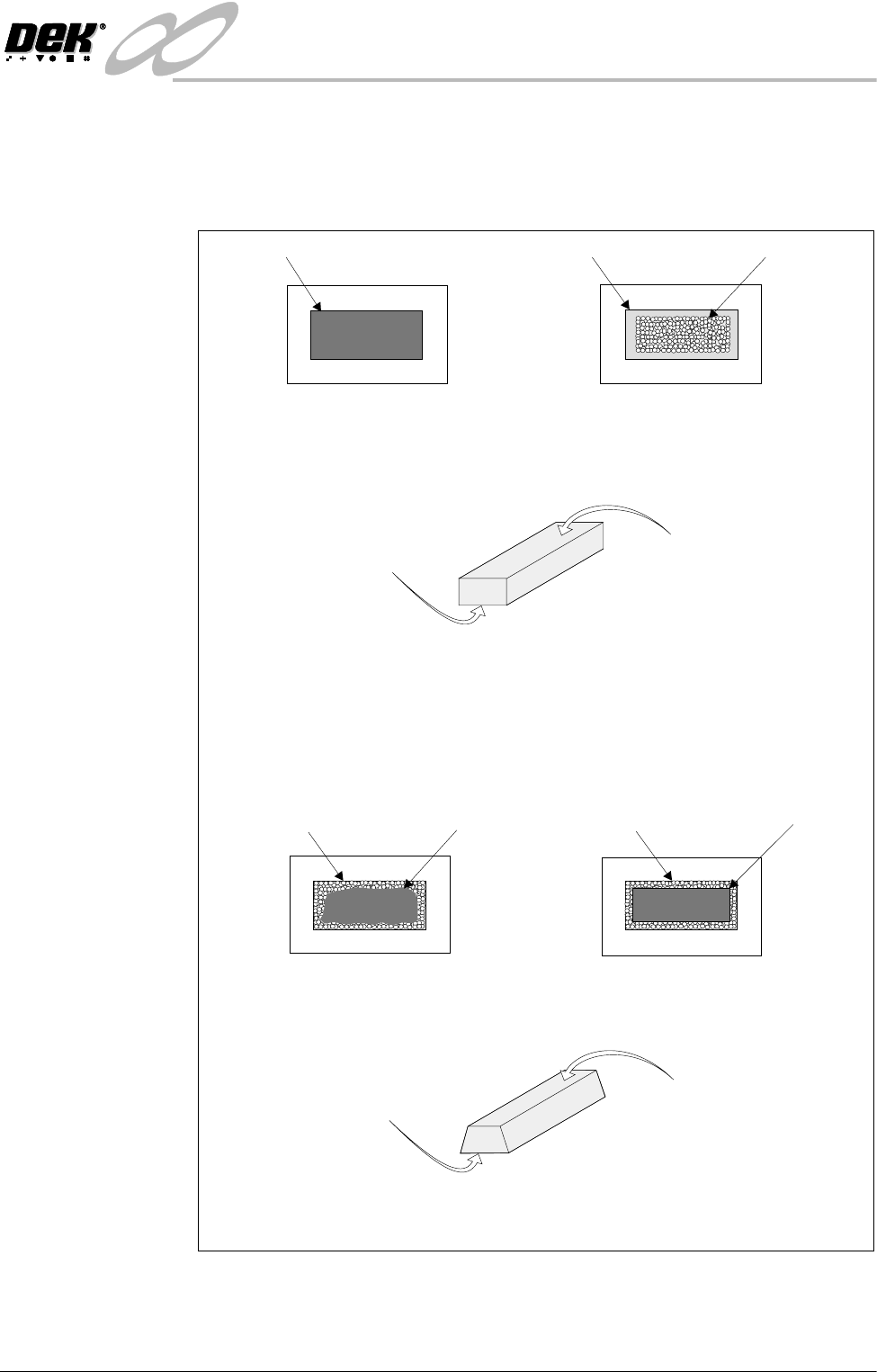
The volume of paste on a pad can be predicted using both 2Di blockage and paste
on pad inspection results. This is only available whilst the level of inspection is
set to Advanced for both board and stencil. An example of how paste volume
prediction is achieved is shown in the graphic below.
In the example shown the aperture is 100% clear. The paste on pad value was 100%.
This can be represented by the following model of the printed paste :
This is represented by the following model of the printed paste :
Top face equals area of
aperture not blocked by
paste, ie 100%.
Top face equals area of
aperture not blocked by
paste, ie 60%.
Bottom face equals area of
paste on pad, ie 100%.
Bottom face equals area of
paste on pad, ie 90%.
Using a complex formula 2Di predicts the volume of paste, in this case 74%
Aperture
From this information the system predicts the volume of paste, in this case 100%.
In the following example the aperture has a blockage of 40%. Therefore the aperture is
60% clear. The 60% is equal to a rectangle of the same size as shown below. The paste
on pad inspection result is 90%.
Stencil
Pad Paste on Pad
Board
AperturePaste (Blockage) 40%
Stencil
AperturePaste (Blockage) 40%
Stencil
Equals
=
INFINIT
Y
',163(&7,21
02'8/(29(59,(:
8.6 User Manual Software Version 7
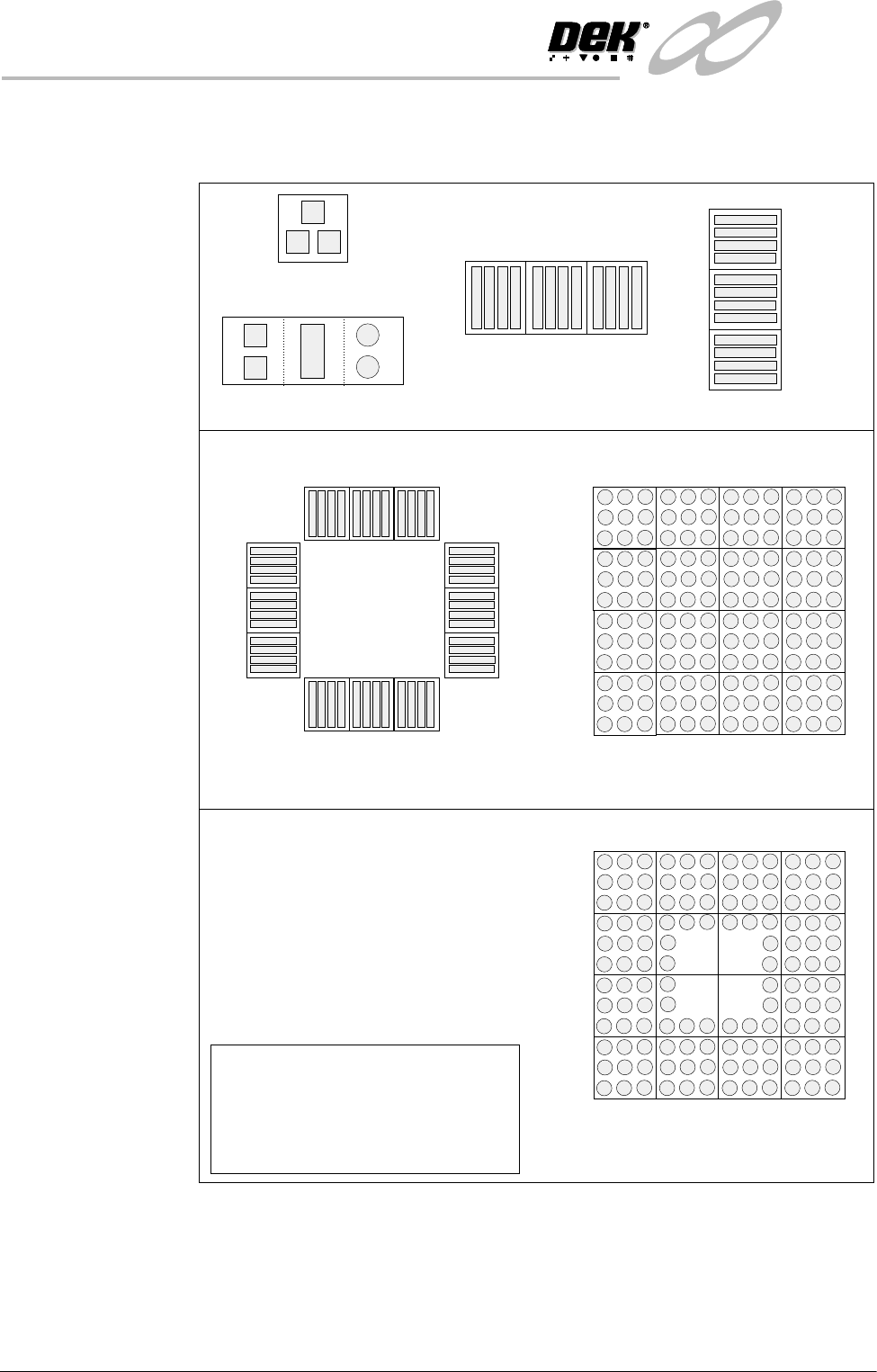
Auto Learn 2Di inspection can automatically learn different types of features as shown
below.
Figure 8-2 Auto Learn Site Types
Column of Sites
QFP
BGA
Single Site
Single Site Combination
Row of Sites
Site 1
2
3
Site 1
2
3
Site 1
2
3
4
5
6
7
8
9
10
11
12
Site 1
2
3
4
5
9
12
13
16
15
14
8
NOTE
When auto learning a component,
setup Site 1.
The component is learnt in the
sequences shown above, if the machine
is set to the correct reference.
BGA Frame
Site 1
2
3
4
16
6
14
7
8
13
5
12
15
11
10
9