DEK INFINITY USER MANUAL.pdf.pdf - 第329页
INFINITY &21680$ %/(5( 3/(1,6+0(1 76 352)/2: Soft ware Ver sion 7 User Manual 9.45 32. Pr ess Prime ProFlow (F6). If it is possible to carry out the prime ProFlow function the message ‘ Pe rforming knead off-image. …
INFINITY
&21680$%/(5(3/(1,6+0(176
352)/2:
9.44 User Manual Software Version 7
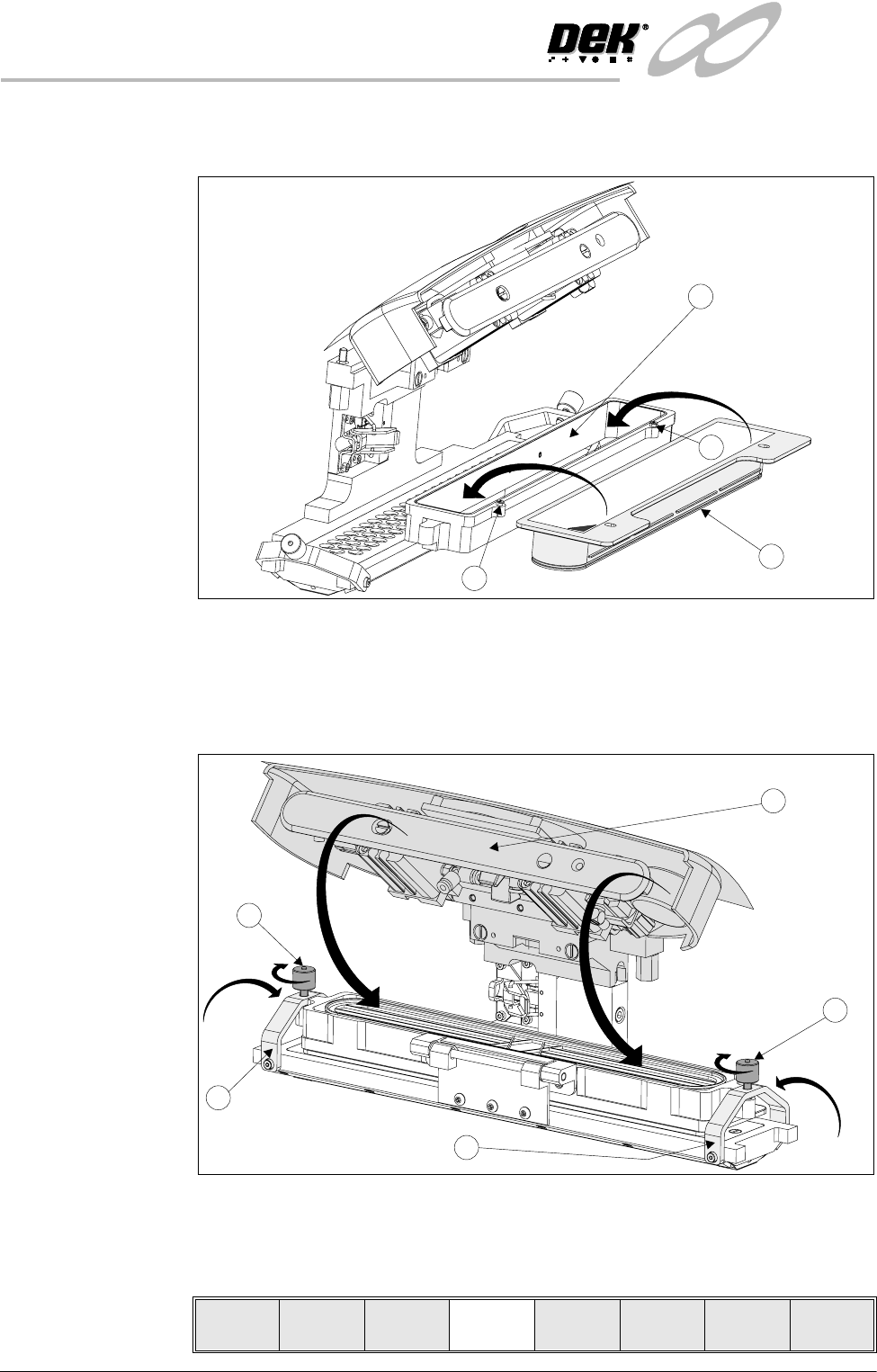
25.Remove the snap fit lid from a new cassette. Fit a new cassette (1) into the
carrier recess (2) and secure into place with the retaining pins (3).
26.Remove the sealing foil from the top of the new cassette.
27.Hinge the clamp brackets (1) inwards to position the cassette onto the
transfer head, secure in place by tightening the thumbscrews (2).
28.Lower the pressure mechanism (3) in place until the latch engages.
29.Close the front printhead cover.
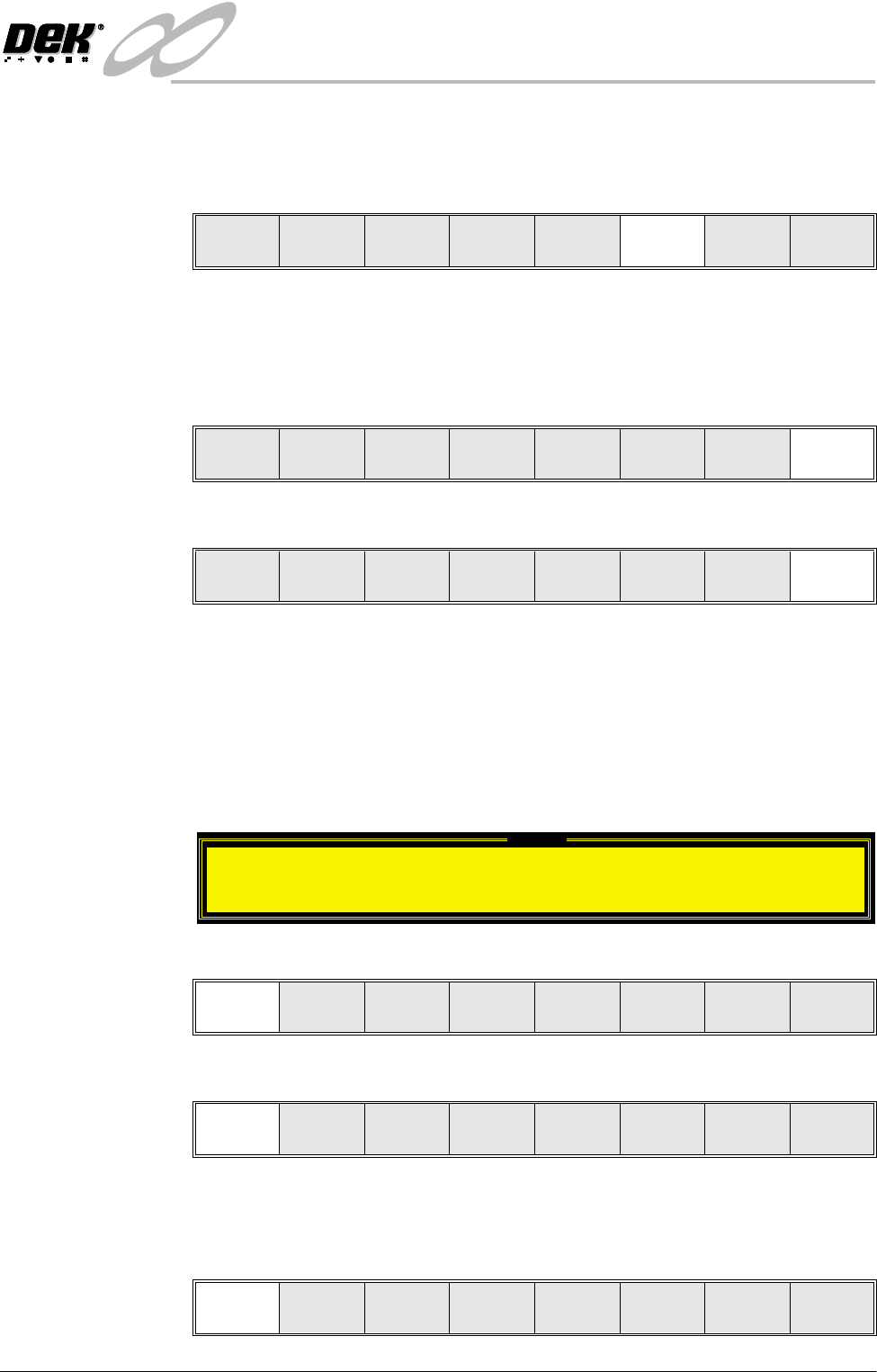
30.Press the System button.
31.Select Setup ProFlow (F4).
3
2
1
3
2
2
3
1
1
Mode
Load
Data
Edit
Data
Setup
ProFlow
Change
Screen
Change
Tooling
Change
Language
Exit
INFINITY
&21680$%/(5(3/(1,6+0(176
352)/2:
Software Version 7 User Manual 9.45
32.Press Prime ProFlow (F6). If it is possible to carry out the prime ProFlow
function the message ‘Performing knead off-image.’ is displayed. If it is
not possible the function is deferred until it is, ie at the start of a print stroke
with a board loaded.
NOTE
If stencil protection is set to On in the current board file, Prime ProFlow is
not possible, priming can be carried out by kneading over-image.
33.Press Exit (F8).
34.Press Exit (F8).
During a Print Run When the ProFlow cassette needs replenishment a warning window is automat-
ically displayed on the monitor. The warning window varies, depending on the
setting of the consumable action option in set preference.
If the set preference is set to warn, continue with Step 1. If the set preference is
set to pause go to Step 6. If the set preference is set to suspend go to Step 11.
1. If the set preference is set to warn, the tricoloured beacon shows amber/green
and the following window is displayed:
2. Select Confirm (F1).
3. Select End Run (F1).
4. Carry out Steps 19-33 of Prior to a Print Run procedure, earlier in this
section.
5. Select Run (F1).
Change
ProFlow
Load
Cassette
Prime
ProFlow
Exit
Change
ProFlow
Load
Cassette
Prime
ProFlow
Exit
Mode
Load
Data
Edit
Data
Setup
Squeegee
Change
Screen
Change
Tooling
Change
Language
Exit
Warning
Print Medium Low. Please replenish.
Confirm
End
Run
Stop
Cycle
Paste
Load
Clean
Screen
Adjust
Knead
Paste
Run Head
Paste
Load
Clean
Screen
Adjust Setup Monitor Maint.
INFINITY
&21680$%/(5(3/(1,6+0(176
352)/2:
9.46 User Manual Software Version 7
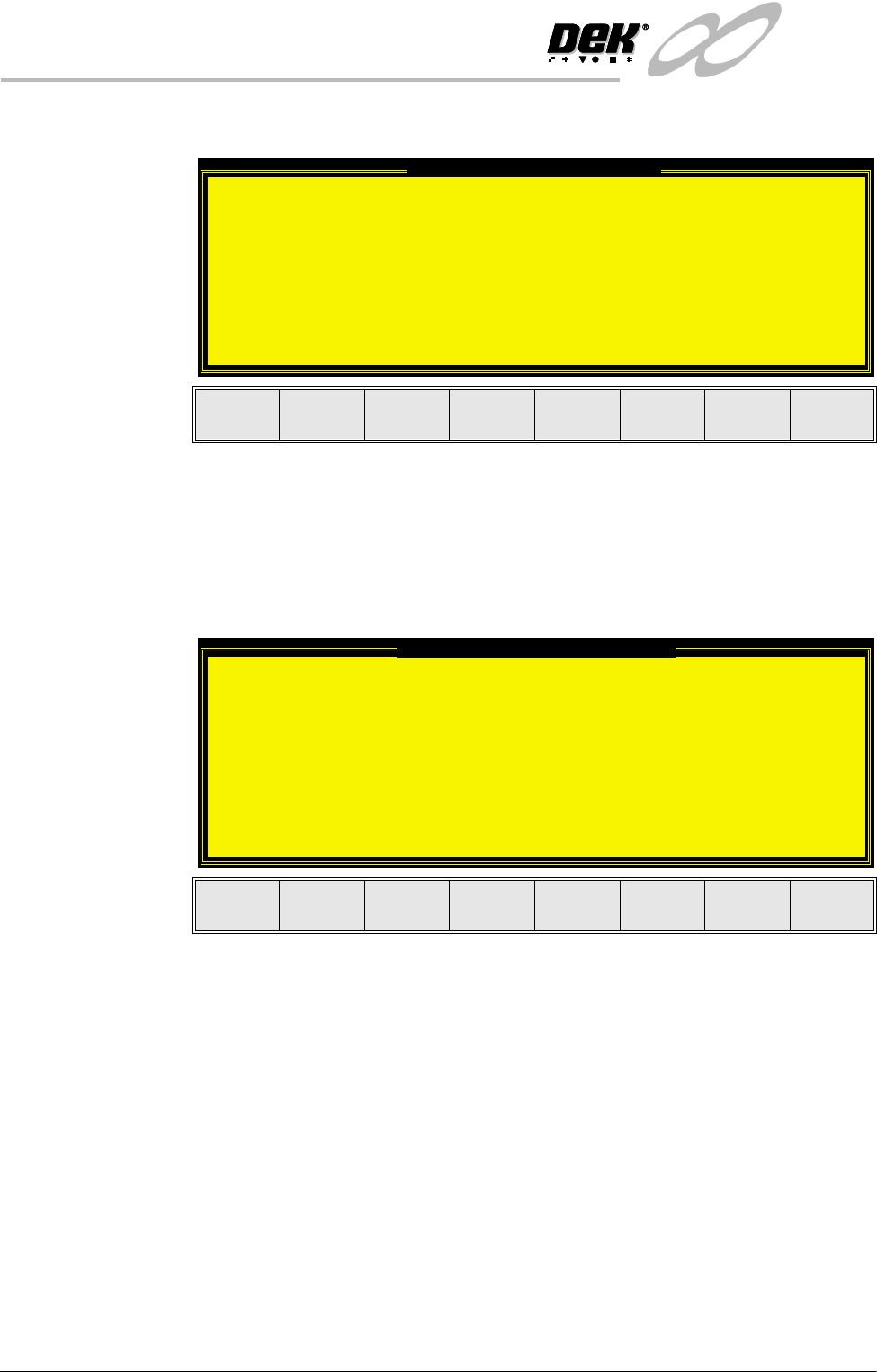
If the Camera Idle Position in Set Preferences is set to Behind Rail, the
following window and menu bar is displayed:
Selecting Continue Run clears the warning window and the print cycle
continues.
Selecting End Run clears the warning window, the print cycle is aborted and
control is returned to the ready page.
If the Unload Board Start in Set Preferences is set to Separation, the follow-
ing window and menu bar is displayed:
Selecting Continue Run clears the warning window and the print cycle
continues.
Selecting End Run clears the warning window, the print cycle is aborted and
control is returned to the ready page.
NOTE
If Camera Idle Position is set to Behind Rail and Unload Board Start is set
to Separation, the warning windows appear one after the other in the order
shown above.
The print run resumes.
Camera Behind Rail Warning
The CAMERA HOME POSITION is set to 'Behind
Rail'
Ensure that no tooling pins or other
obstructions are on the table behind the
rear rail, as these could cause damage to
the camera.
This option will only have an effect for
boards that are less than 250mm wide.
This option can be disabled from the set
preference page.
Continue
Run
End
Run
Unload Board Speedup Warning
The UNLOAD BOARD SPEEDUP option is set to
'Separation'
With this option enabled it should be noted
that there is only a minimal clearance
between the underside of the board and any
tooling being used, while the board is being
unloaded.
This option must not be used for boards that
are populated on the underside, as this
could damage the boards.
Continue
Run
End
Run