DEK INFINITY USER MANUAL.pdf.pdf - 第26页
INFINITY 0$&+,1( 352*5$ 00,1* 67$*($ ),7 648((*((6 1.24 User Manual Software Versi on 7 12. Pr ess Continue (F1). The message ‘ Calibra ting Pressure He ights - DO NOT Open Covers! ’ is displayed. 13. Pr ess E…
INFINITY
0$&+,1(352*5$00,1*
67$*($),7648((*((6
Software Version 7 User Manual 1.23
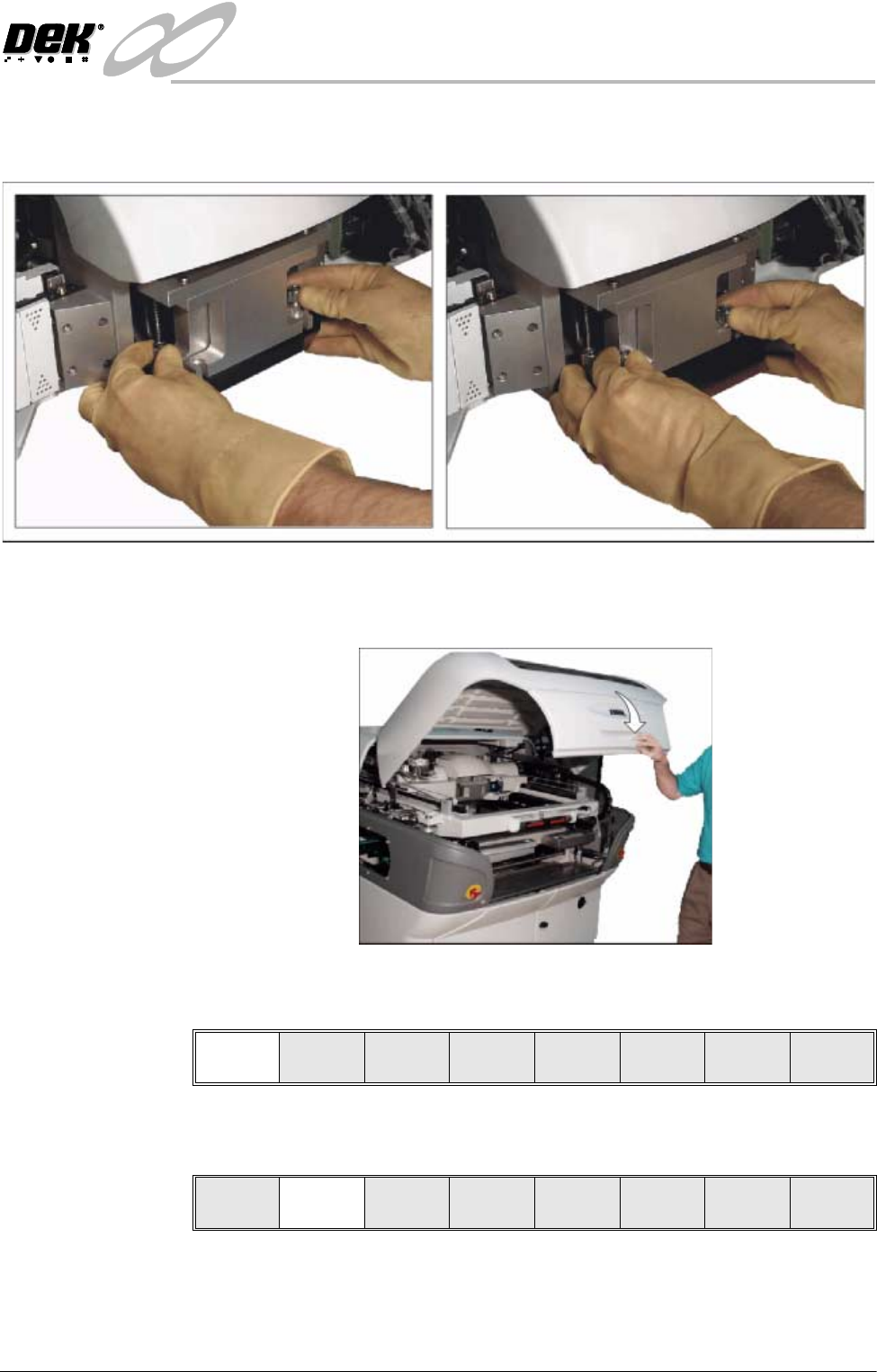
6. Fit the rear squeegee onto the rear squeegee mount, tightening the thumb-
screws until they are finger tight.
7. Fit the front squeegee onto the front squeegee mount, ensuring that the
thumbscrews are only finger tight
8. Lower the machine front cover.
9. Press the System button.
10.Select Continue (F1).
11. Press Calibrat Heights (F2). The message ‘Ensure correct squeegees are
fitted’ is displayed.
Continue
Change
Squeegee
Calibrat
Heights
Exit

INFINITY
0$&+,1(352*5$00,1*
67$*($),7648((*((6
1.24 User Manual Software Version 7
12.Press Continue (F1). The message ‘Calibrating Pressure Heights - DO
NOT Open Covers!’ is displayed.
13.Press Exit (F8).
14.Press Exit (F8).
Continue
Restore
Defaults
Exit
Change
Squeegee
Calibrat
Heights
Exit
Mode
Load
Data
Edit
Data
Setup
Squeegee
Change
Screen
Change
Tooling
Change
Language
Exit

INFINITY
0$&+,1(352*5$00,1*
67$*(%352)/2:6(783
Software Version 7 User Manual 1.25
STAGE 4B - PROFLOW SETUP
If squeegees were used when running the last product, carry out the Squeegees
to ProFlow Replacement Procedure, see Technical Reference Manual, ProFlow
Module Chapter - Replacement Procedures.
For setting the contact and downstop position, carry out the ProFlow Contact
Position Setup, see Technical Reference Manual, ProFlow Module Chapter -
Adjustments and Settings.