4OM-1505-004_w.pdf - 第118页
4OM-1505 2-3 2. T roubleshooting on Each Section : Chap.2 0906-001 2. T roubleshooting on Each Section 2.1 Easy T roubleshooting Described below is how to troubleshoot simple problems that can be solved by the machine op…
4OM-1505
2-2
1. "ERROR" Window : Chap.2
1002-002
[5] [BACK] Button
In the case that this button is pressed while two or more error descriptions
are displayed, the previous error description is highlighted.
[6] [NEXT] Button
In the case that this button is pressed while two or more error descriptions
are displayed, the previous error description is highlighted.
[7] [PRGM. CHECK] Button
The pattern program data is checked. When this button is pressed unless the
description indicated in the Item data box, is Program Data Error, nothing is
indicated in the display section.
[8] [BUZZER RESET] Button
Pressing this button cancels an alarm (sound) only.
[9] [RETURN] Button
Both the alarm buzzer sound and error display, are reset and the previous
window is returned.
Note
When the mark recognition error is indicated, the 7.2.3 Manual Alignment
Operation in Chapter 3, Volume 2, is performed.
When [STOP] is pressed on the operation panel after the manual alignment
operation, the window displayed immediately before the Error window is
returned.
•
Reset Procedure from "ERROR" Window
Procedure
(1) Take notes of the descriptions under "ID", "ITEM", and "CONTENT".
When you have forgotten an error message, refer to the list of errors in the "Machine
Error Recall" window. (Operation Sequence: [RECALL MSG.] Button → "Machine
Error Recall" Window)
(2) Press the [RETURN] button to resume the original window.
Use the found ID as an index and refer to "2.2
Troubleshooting after Error
Display
" for details. Then, reset the machine to its normal condition.
4OM-1505
2-3
2. Troubleshooting on Each Section : Chap.2
0906-001
2. Troubleshooting on Each Section
2.1 Easy Troubleshooting
Described below is how to troubleshoot simple problems that can be solved by the
machine operator.
When the operator cannot solve a certain problem, he/she should get in contact
with the Engineer (a person in charge of machine management).
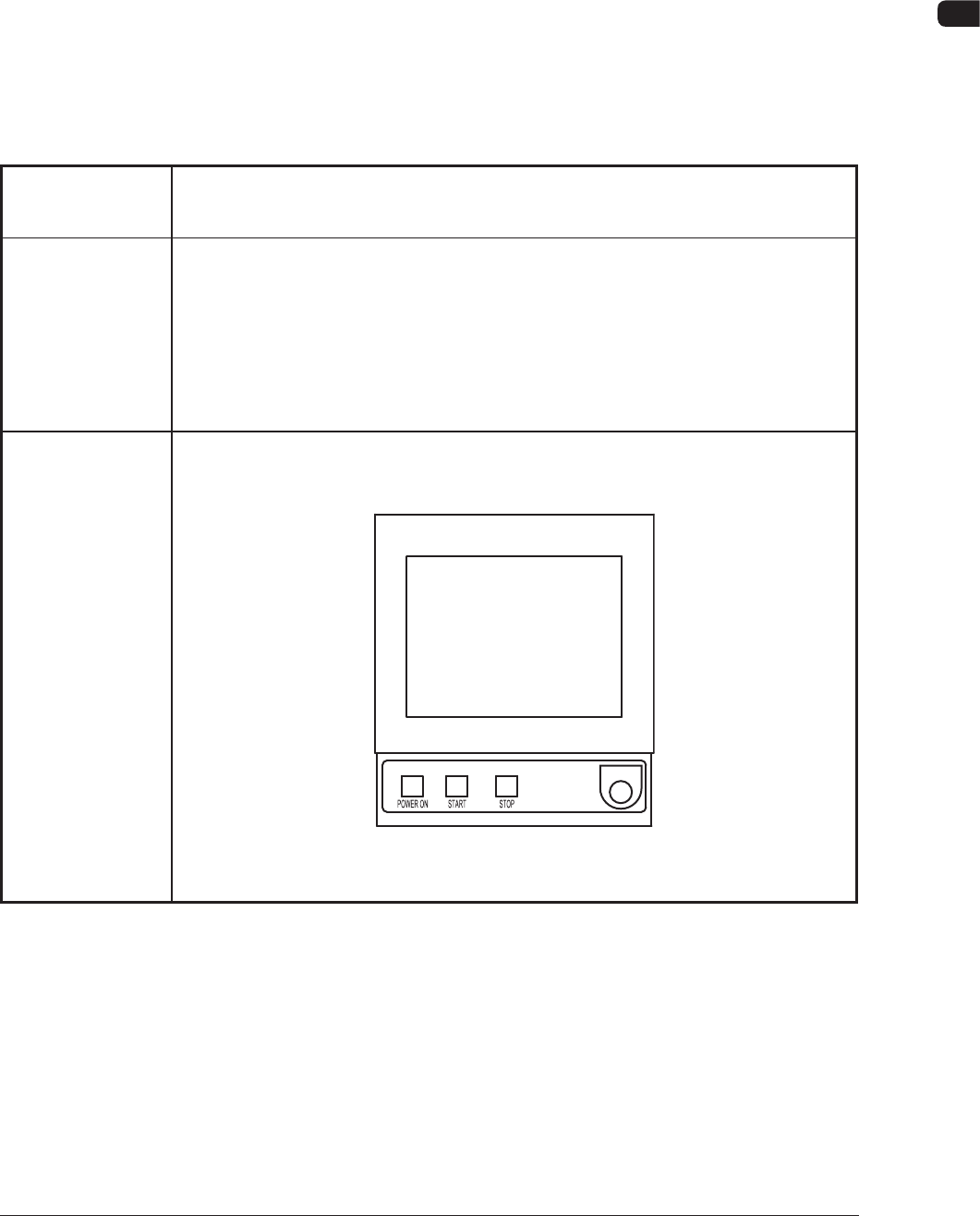
2.1.1 Power Operation Impossible
T4B1
Symptom When the [POWER ON] button on the front operation panel is pressed,
the machine is not powered.
Cause (Cause 1) The [POWER ON] button on the front operation panel is not held
down for more than two seconds.
(Cause 2) The power breaker is set to "OFF".
(Cause 3) The main air pressure has not reached "0.45MPa (4.6 kgf/cm
2
)".
Remedy (Remedy 1) Hold
down the [POWER ON] button on the operation panel for more
than two seconds.
F4B2
4OM-1505
2-4
2. Troubleshooting on Each Section : Chap.2
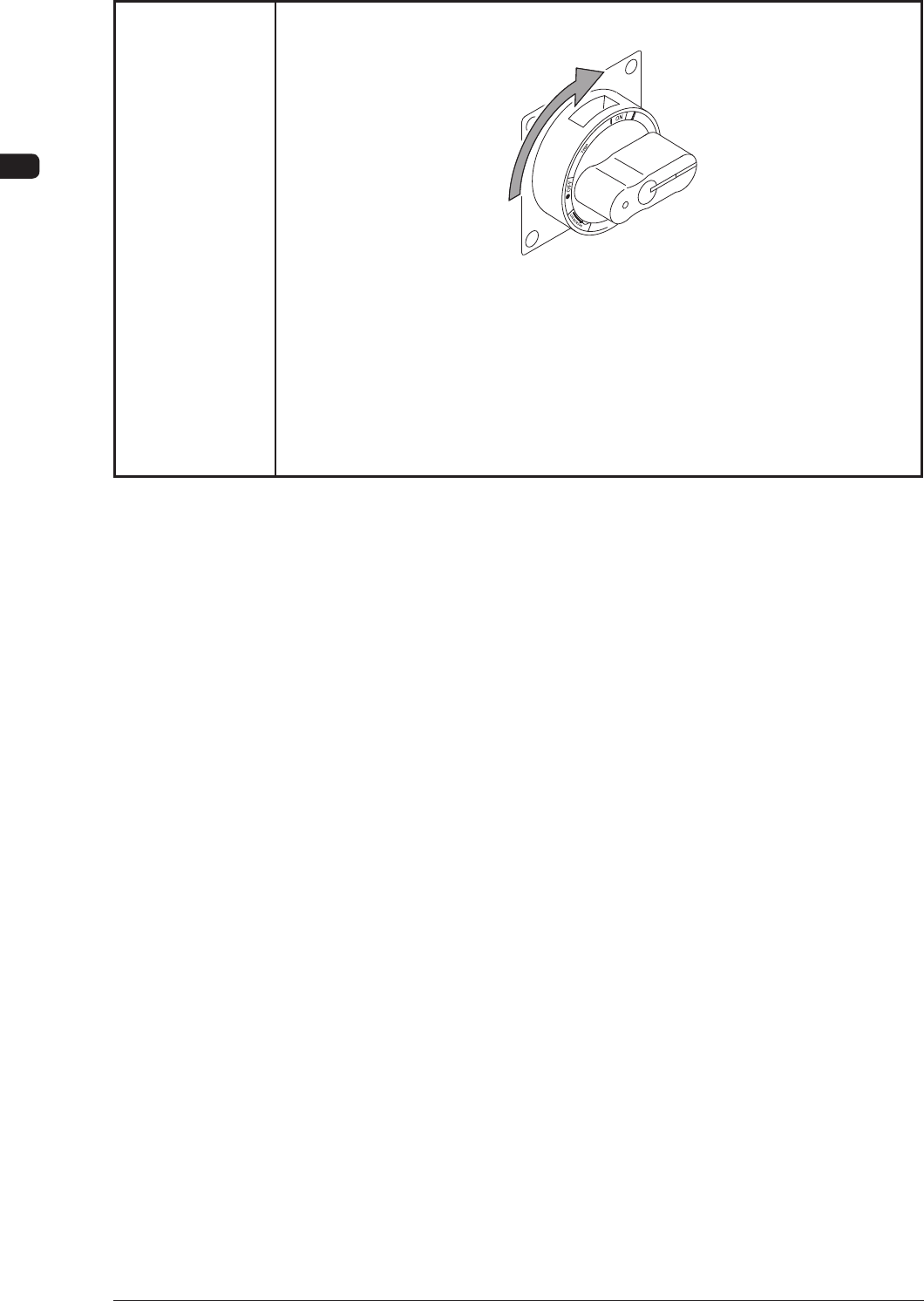
T4B2
(Remedy 2) Set the power breaker to "ON".
F4B3
(Remedy 3) Supply air to the machine, referring to the "1.1.1 Power Supply" and
"Air Pressure" in Chapter 3, Volume 1.
When adequate pressures are not obtained, refer to "Chapter 1
Maintenance" and adjust the pressures.
1002-002