4OM-1505-004_w.pdf - 第122页
4OM-1505 2-7 2. T roubleshooting on Each Section : Chap.2 2.2.1 T ypical Description T4B4 Error ID Error Name, Description, Cause, and Remedy 0101000 T able-X Origin Zeroing opn. was incompleted, within specied time. (C…
4OM-1505
2-6
2. Troubleshooting on Each Section : Chap.2
2.2 Troubleshooting after Error Display
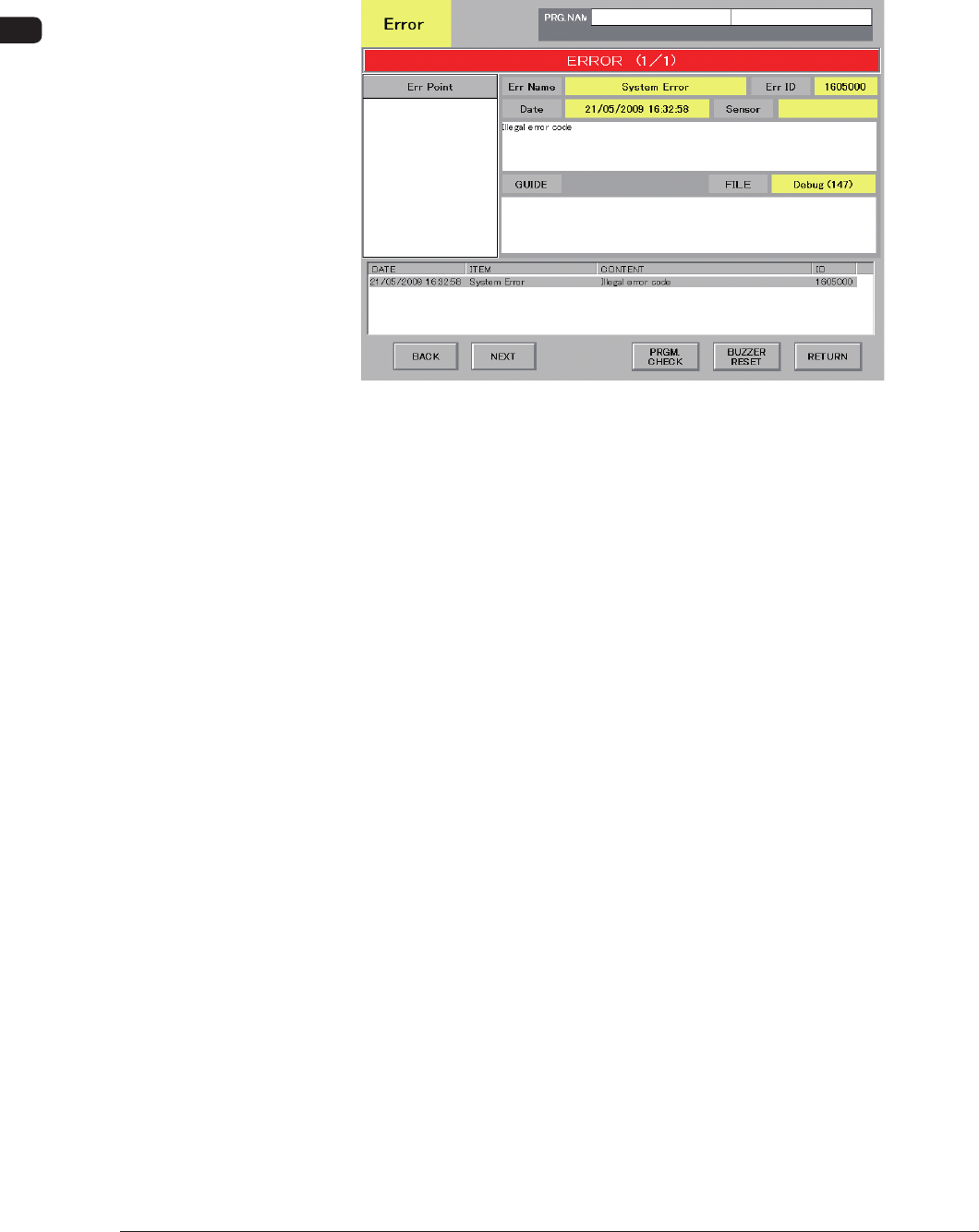
Assuming "ID/ITEM/CONTENT" in the "ERROR" window as an index, the
system retrieves the related page of the instruction manual.
Refer to "2.2.1 Typical Description" for the detailed description.
F4B4 Example of "ERROR" Window
0906-001
4OM-1505
2-7
2. Troubleshooting on Each Section : Chap.2
2.2.1 Typical Description
T4B4
Error ID Error Name, Description, Cause, and Remedy
0101000 Table-X Origin
Zeroing opn. was incompleted, within specied time.
(Cause 1) Dirt adheres to the sensor and the optical beam is shielded.
(Cause 2) The sensor is defective.
(Cause 3) The
driver is malfunctioning or an error has occurred during communication with
the host CPU.
(Remedy 1) Wipe off dirt on the sensor and zero Table X again.
(Remedy 2)
It is required to replace the sensor with a new one. Contact our service
personnel for details.
(Remedy 3) Shut down the power of the machine once and power up the machine again.
After that, zero Table X. If this operation does not reset the machine to its
normal condition, the driver may be defective. Contact our service personnel
for details.
0102000 Table-X Origin
Detect lost pulse error.
(Cause 1)
(Remedy 1)
(Continued to the next page)
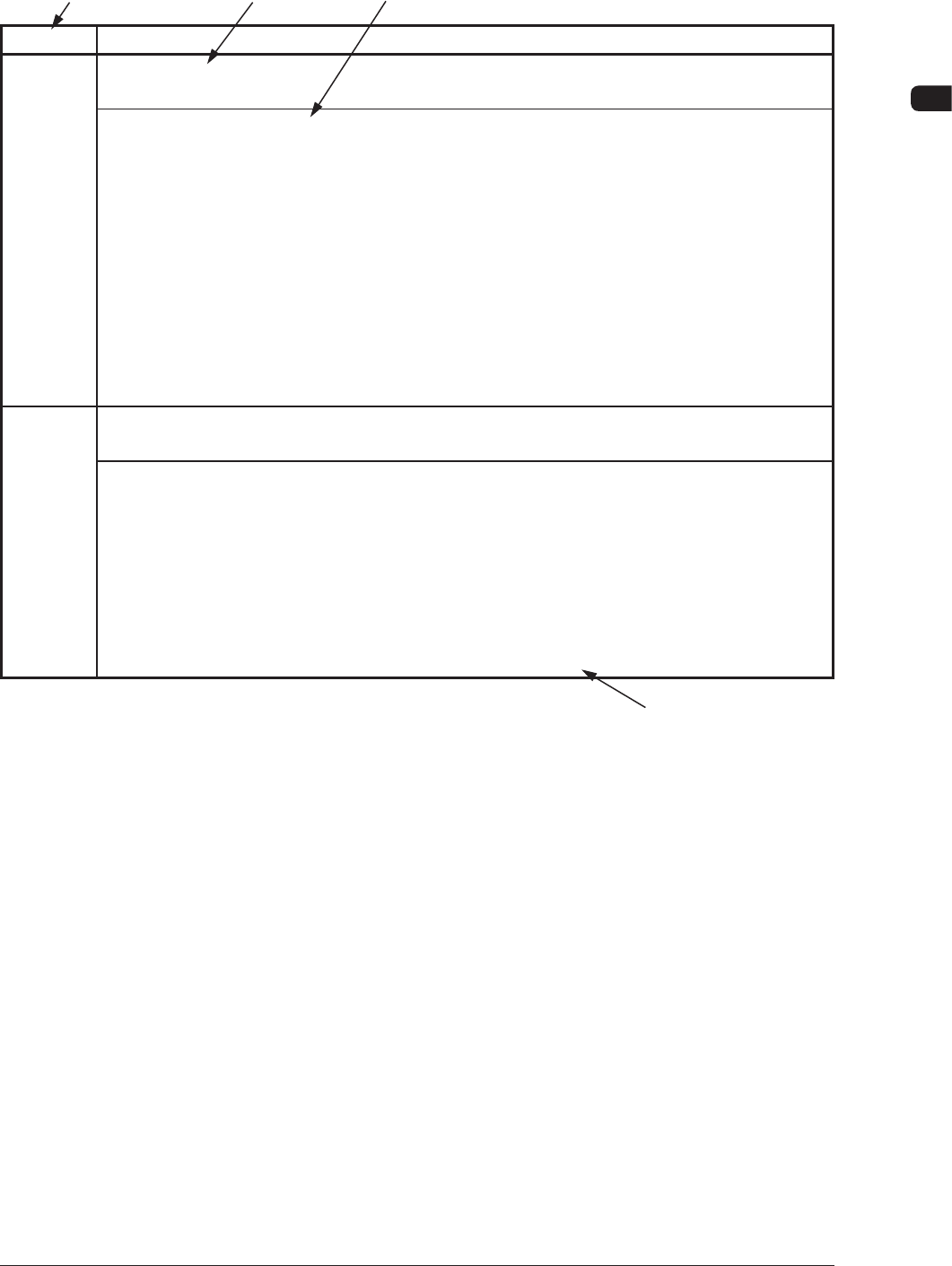
[1] The error IDs (IDs displayed in the "ERROR" window) are described in the
numerical order.
[2] Described are the classication (item) and the description in the "ERROR"
window.
[3] Described are the causes and remedial procedures of the errors in
"(Classication and Explanation)".
The causes and remedies are correlated as follows.
(Cause 1) → (Remedy 1)
(Cause 2) → (Remedy 2)
(Cause 3) → (Remedy 3)
[4] This indicates that the related contents are described subsequently on the
next page.
0906-001
[1]
[3]
[4]
[2]
4OM-1505
2-8
2. Troubleshooting on Each Section : Chap.2
2.2.2 Error IDs and Controlled Areas
Basic System of Error IDs
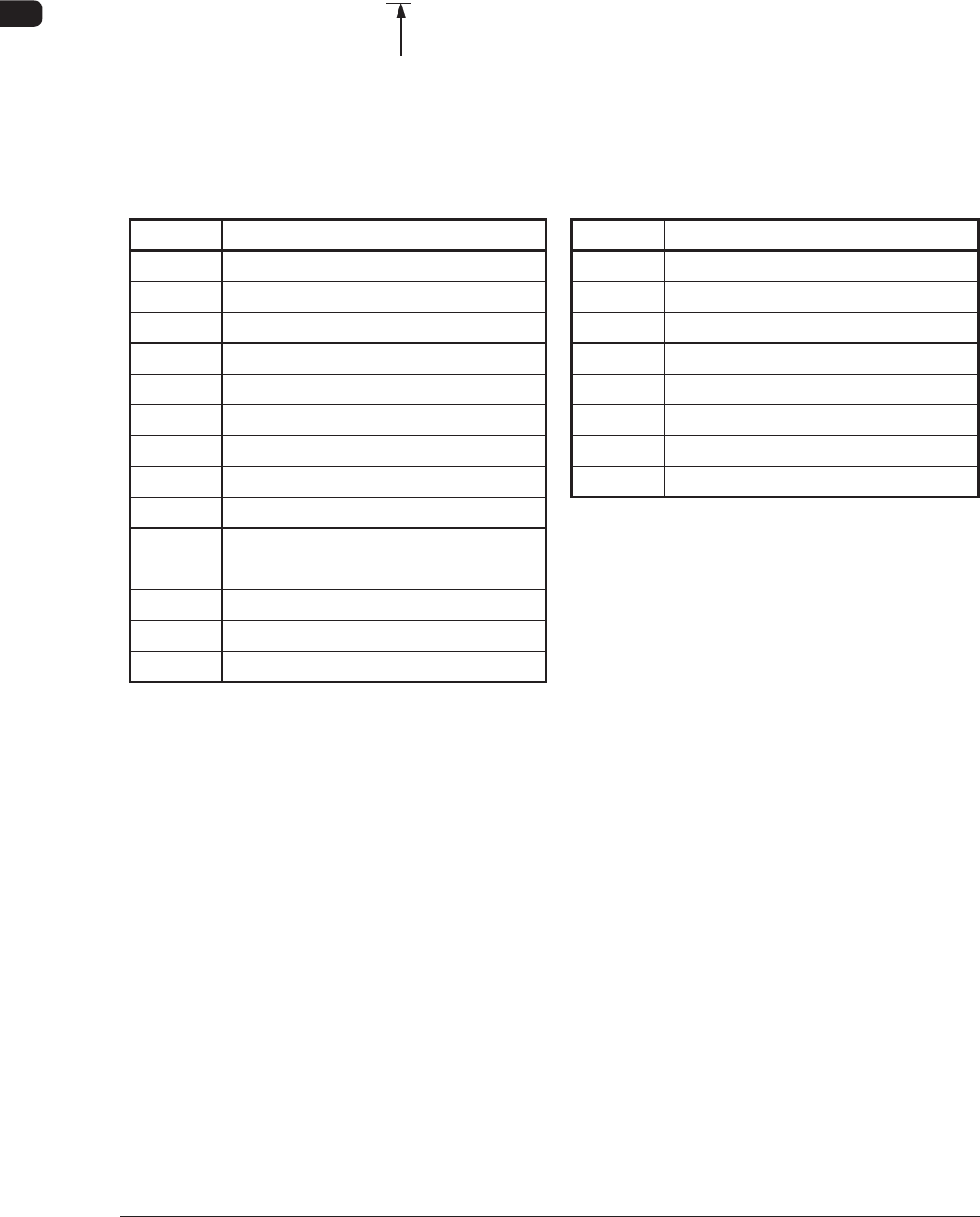
An error ID is expressed by 7 digits (decimal number) as follows.
□□□□□□□
Major Classication of "Operating Axis", "Process Error", and
"Teaching Operation"
Error IDs and Controlled Areas
T4B5
Error ID Operation Axis Error ID Process Error
01 Table X Axis 15 Safety Device
02 Table Z Axis 16 Self-Diagnostics
03 Placement Z Correction Table θ Axis 17 Material Shortage
04 Stencil Y Axis 18 PEC Recognition
05 Squeegee Driving Axis 19 Stencil Recognition
06 PEC Recognition Camera X Axis 20 Cleaning
07 PEC Recognition Camera Y Axis 21 Operator’s Error
08 Stencil Recognition Camera X Axis 22 Others
09 PCB Backup Axis
10 Table Chute Width
11 Input Conveyor
12 Output Conveyor
13 PCB Transfer
14 Squeegee Head
0906-001