00198142-01_AI_Stationary-Camera-25-33_TX_de_en.pdf - 第56页
Introduction Preparatory Work... 1.1.7 Classif ication of the Optical Systems 56 Stationary Camera Type 25/33 Stationäre Kamera Typ 25/ 33 1.2 1 . 2 P r e p a r a t o r y W o r k . . . Preparatory Work... Purpose and Sco…
Introduction
1.1.7 Classification of the Optical Systems Safety information
Stationary Camera Type 25/33 Stationäre Kamera Typ 25/33 55
1.1.7
1.1.7 Classification of the Optical Systems
Classification of the Optical Systems
1.1.7.1
1.1.7.1 Classification of the Whole Machine
Classification of the Whole Machine
1.1.7.2
1.1.7.2 Laser Classification
Laser Classification
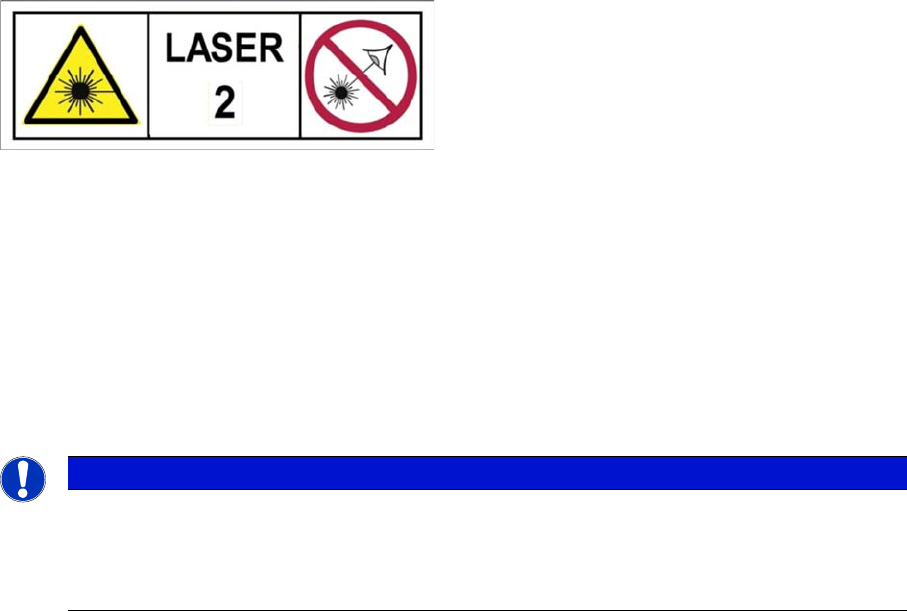
The following modules are assigned to the laser class 2:
▪ PCB barcode scanner
▪ Component sensor on the SpeedStar
▪ Component sensor on the MultiStar
▪ Laser light barriers at the board conveyor
1.1.7.3
1.1.7.3 Classification of the Camera Systems
Classification of the Camera Systems
Laser Class 2 label
The ready-to-operate overall machine is assigned to
laser class 2.
The laser classes are determined according to DIN
EN 60825-1:2014.
NOTICE
LEDs
The camera illumination systems are fitted with light LEDs. These are assigned to risk group 1
according to IEC 62741:2006.
► Do not look into beam!
Introduction
Preparatory Work... 1.1.7 Classification of the Optical Systems
56 Stationary Camera Type 25/33 Stationäre Kamera Typ 25/33
1.2
1.2 Preparatory Work...
Preparatory Work...
Purpose and Scope
Before performing any preventive maintenance work, conversion work or service work, a procedure of
locking and tagging must be followed and warning signs must be attached if not stated otherwise. If it is
not necessary to switch off the machine, it is explicitly mentioned.
The procedure, when followed correctly, eliminates the possibility of an employee being injured.
Description
Whenever it becomes necessary to isolate, control and release energy, the following procedure is to be
followed.
► Notify affected employees.
► Switch off the machine and all additional devices. Carry out all normal stopping procedures:
⇨ Press the STOP button.
⇨ Shut down the station computer.
⇨ Switch the machine off at the main switch.
► Isolate the machine from all its energy sources:
⇨ Shut off the compressed air supply.
⇨ Shut off the main power supply.
► Lock out the machine.
⇨ Attach a lock wherever possible (e.g. to the main power switch).
NOTICE
Additional safety measures
These procedures represent the minimum lock/tag out requirements for the machine during
preventive maintenance work and service work. Any additional safeguards needed to complete
work safely can be specified by facilities supervision, the safety officer, the safety committee
and the health department.
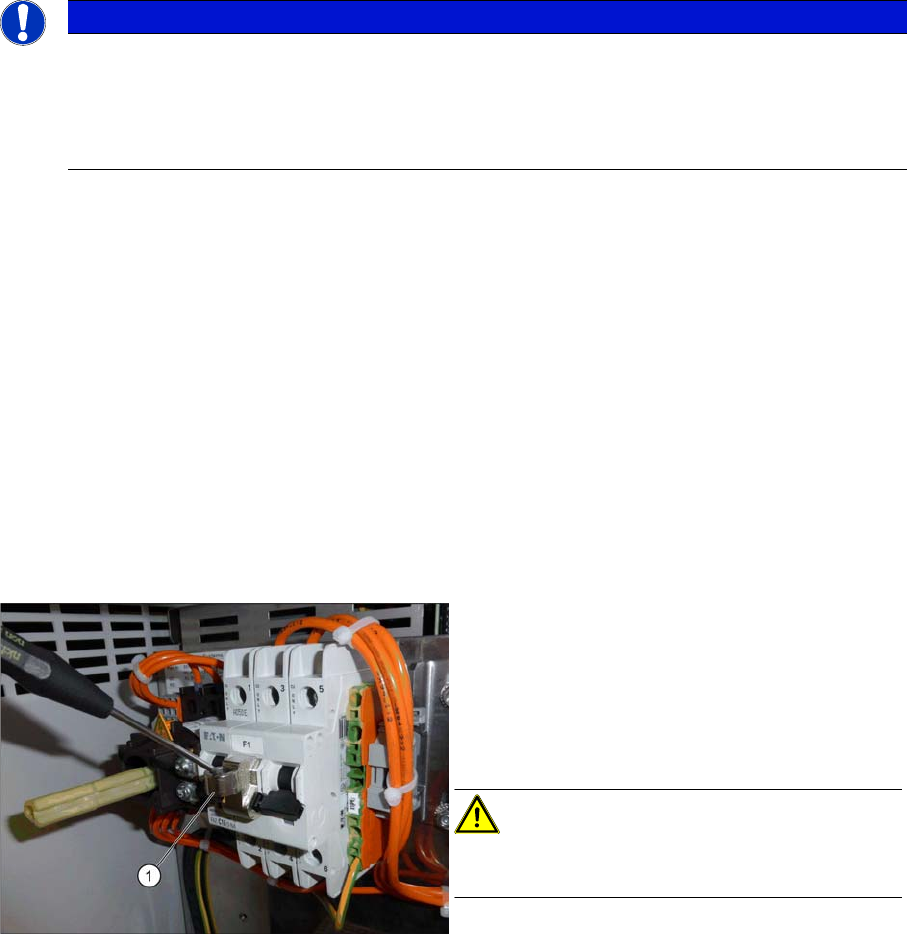
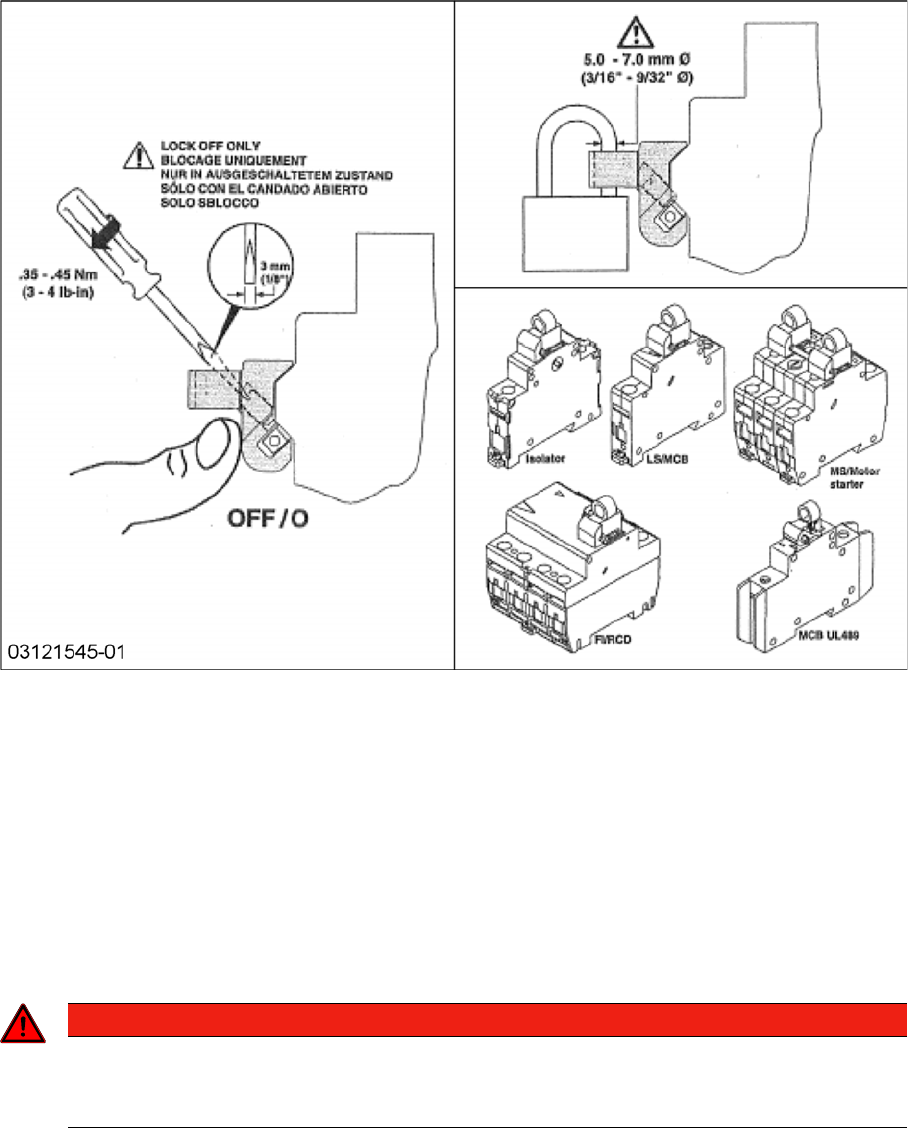
Attaching the lockout attachment [03121545-xx]
Example: Securing the machine with a lockout at
-
tachment
The lockout attachment can prevent the machine
from being switched on inadvertently.
► Switch off the machine.
► Set the circuit breaker to OFF.
CAUTION!
The lockout attachment may only be attached when
the machine is switched off!
► Attach the lockout attachment (1) to the circuit
breaker.
► Secure the circuit breaker with a padlock.
Introduction
1.1.7 Classification of the Optical Systems Preparatory Work...
Stationary Camera Type 25/33 Stationäre Kamera Typ 25/33 57
Lockout attachment [03121545-xx]
► Alternative: Attaching warning signs:
If a machine can be locked, it must be.
However, there are situations where energy isolating devices cannot accommodate locks. In these
cases, the energy isolating devices must be tagged to warn employees that the machine is de-ener
-
gized for servicing. The tag or label must be securely fastened, it must be placed in a position visible
to all and it may only be removed by the person who attached it.
► Release of stored energy:
Stored energy in the compressed air supply or electrical energy in electrolytic capacitors must be
released by appropriate means.
After switching off the machine, wait until the voltages and the compressed air have discharged, so
that work can be performed without any risk.
DANGER - Checking the power supply for absence of voltage
► Testing the lock out:
The lock can be easily tested by pressing the START button.
DANGER
Checking for absence of voltage!
► Before you start working, check the power supply for absence of voltage and observe the
waiting times!