00198142-01_AI_Stationary-Camera-25-33_TX_de_en.pdf - 第78页
Installation Fitting the Stationary Camera Type SST33 78 Stationary Camera Type 25/33 Stationäre Kamera Typ 25/ 33 Hooking in the basic camera unit ► Place the basic camera unit at its installation position from above. ►…
Installation
Fitting the Stationary Camera Type SST33
Stationary Camera Type 25/33 Stationäre Kamera Typ 25/33 77
3.4
3.4 Fitting the Stationary Camera Type SST33
Fitting the Stationary Camera Type SST33
This section describes the installation of a stationary camera of type SST33 GigE.
For installing a stationary camera of type SST25 GigE, refer to section "3.3 Fitting the Stationary Camera
Type SST25" [ ➙ 73].
Setting the DIP Switches
Fitting the Basic Camera Unit
Setting the DIP Switches
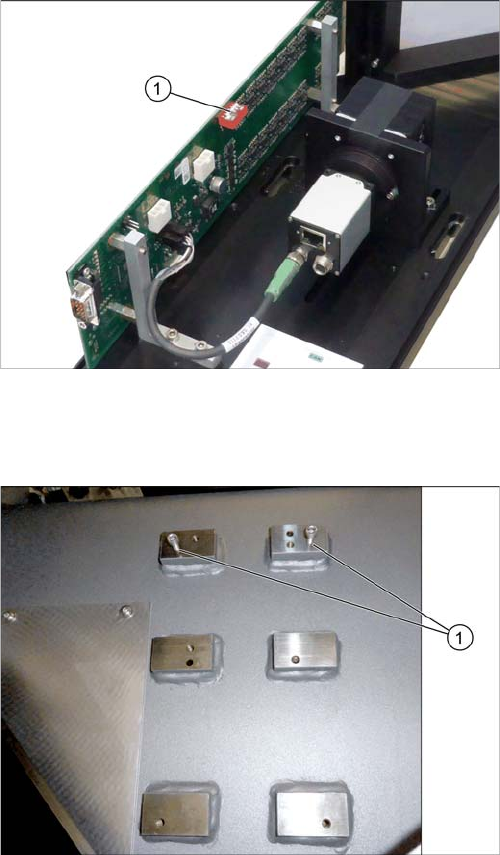
► Set the DIP switches (1):
S1.1 to S1.5: OFF
S1.6: ON
(See also "4.2.1.2 Vision LED Controller VLC33 GigE
DTC [03117981-xx]" [ ➙ 88]).
Screwing in the screws
► Loosely screw in the upper screws (1).
(ISO4762-M6x25-A2-70 [03042575
-
xx])
Use the outer bottom screw positions.
Installation
Fitting the Stationary Camera Type SST33
78 Stationary Camera Type 25/33 Stationäre Kamera Typ 25/33
Hooking in the basic camera unit
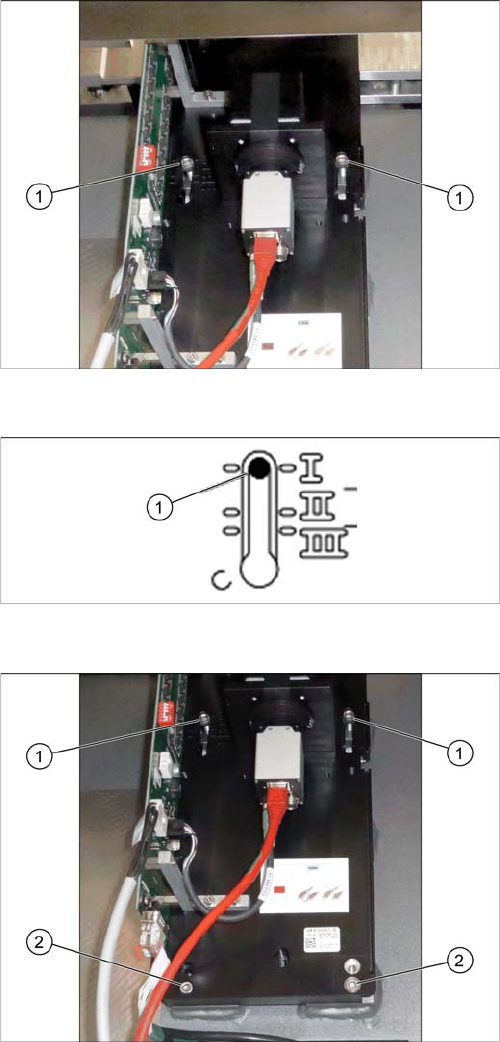
► Place the basic camera unit at its installation position
from above.
► Hook the basic camera unit on the two screws (1) us
-
ing the upper keyholes.
Checking the installation height
► Check the installation height of the camera. The cam
-
era must be fitted to the lowest position I (1).
► Screw two more screws (2) ISO4762-M6x25-A2-70
[03042575
-
xx] into the lower keyholes.
► Screw all four screws (1) and (2) tight.
Installation
Fitting the Stationary Camera Type SST33
Stationary Camera Type 25/33 Stationäre Kamera Typ 25/33 79
Establishing Electrical Connections
Hooking in the bottom cover
Establishing Electrical Connections
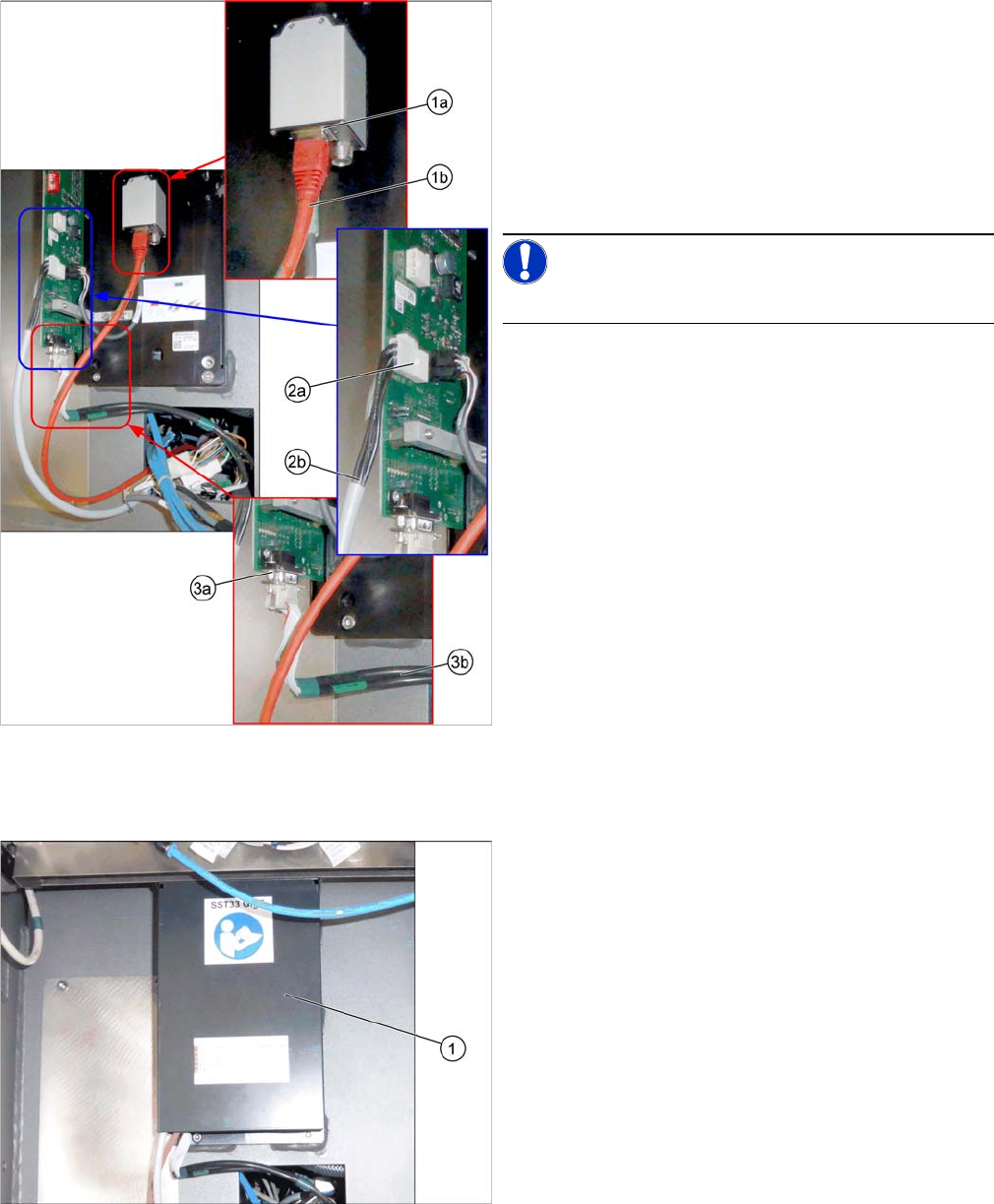
1. a) GigE cable W122 [03112124
-
xx]
b) Connection for GigE cable
2. a) Power cable W28.1 [03112125
-
xx]
b) Connection for power cable
3. a) CAN bus cable W102 [03112166-xx]
b) Connection for CAN bus cable
► Connect the cables.
NOTICE!
Make sure to connect the GigE cable correctly.
Hooking in the bottom cover
► Hook the bottom cover (1) of the camera in.