00198142-01_AI_Stationary-Camera-25-33_TX_de_en.pdf - 第74页
Installation Fitting the Stationary Camera Type SST25 74 Stationary Camera Type 25/33 Stationäre Kamera Typ 25/ 33 Fitting the Basic Camera Unit Establishing Electrical Connections Fitting the B asic Camera Un it 1. Supp…
Installation
Fitting the Stationary Camera Type SST25
Stationary Camera Type 25/33 Stationäre Kamera Typ 25/33 73
3.3
3.3 Fitting the Stationary Camera Type SST25
Fitting the Stationary Camera Type SST25
This section describes the installation of a stationary camera of type SST25 GigE.
For installing a stationary camera of type SST33 GigE, refer to section "3.4 Fitting the Stationary Camera
Type SST33" [ ➙ 77].
Setting the DIP Switches
Fitting the Support Plate
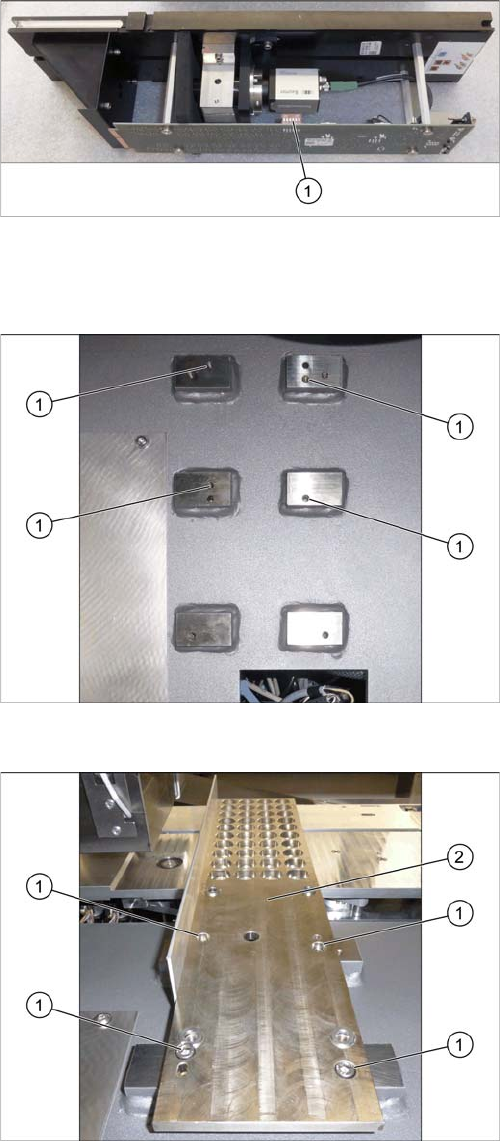
Setting the DIP Switches
► Set the DIP switches (1):
S1.1 to S1.6: OFF
(See also "4.2.1.1 Vision LED Controller VLC25 GigE
DTC [03117587-xx]" [ ➙ 87]).
Screw points support plate
1. Four screw points on the support plate
Fitting the Support Plate
1. Four fastening screws of the support plate
DIN912-M6x12-A2-70 [03045087
-
xx]
2. Support plate FC [03077911
-
xx]
► Fasten the support plate with four screws.
Installation
Fitting the Stationary Camera Type SST25
74 Stationary Camera Type 25/33 Stationäre Kamera Typ 25/33
Fitting the Basic Camera Unit
Establishing Electrical Connections
Fitting the Basic Camera Unit
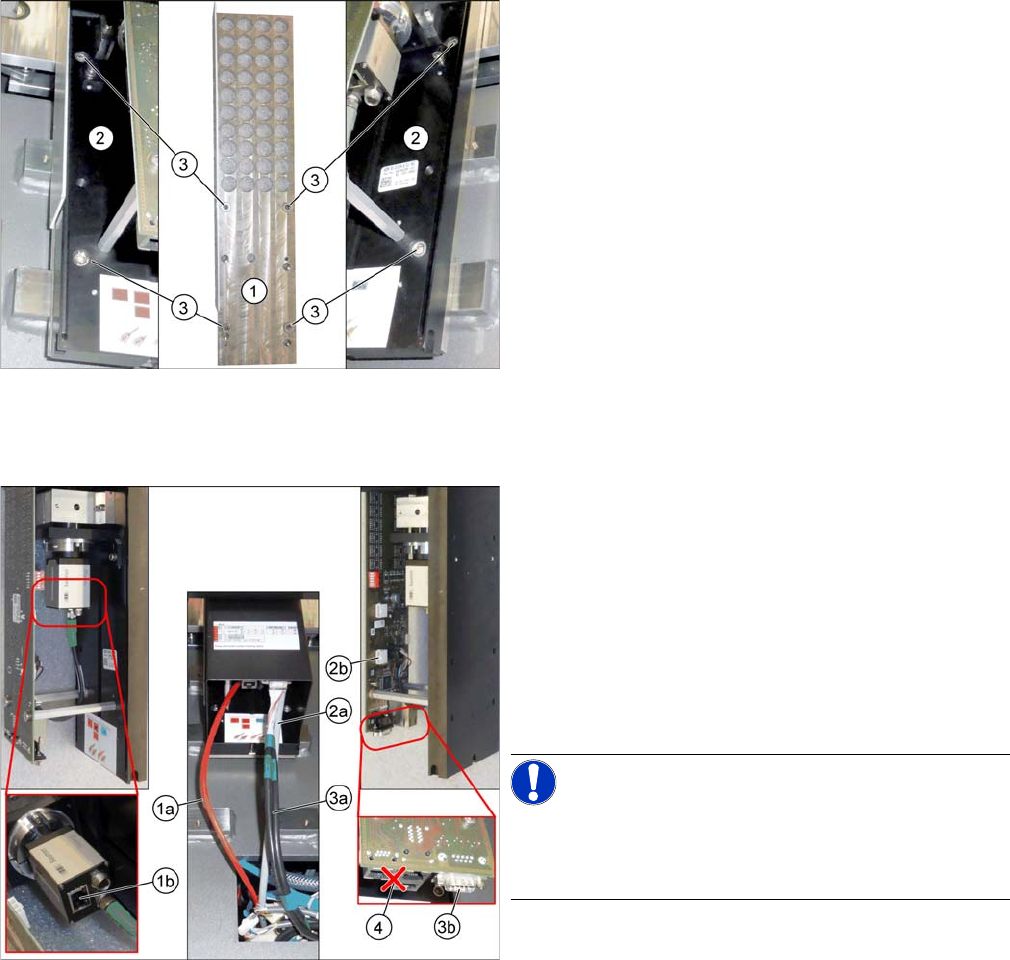
1. Support plate
2. Basic camera unit
3. Four fastening screws of the basic camera unit
ISO4762-M6x20-A2-70 [03042574
-
xx]
► Place the basic camera unit at its installation position
from above.
► Fasten the basic camera unit to the support plate with
four screws.
Establishing Electrical Connections
1. a) GigE cable W122 [03112124
-
xx]
b) Connection for GigE cable
2. a) Power cable W28.1 [03112125
-
xx]
b) Connection for power cable
3. a) CAN bus cable W102 [03112166-xx]
b) Connection for CAN bus cable
4. Multiplexer (not in use)
► Connect the cables.
NOTICE!
Make sure to connect the GigE cable correctly.
The multiplexer connection at the lower end of the board
is not used.
Installation
Fitting the Stationary Camera Type SST25
Stationary Camera Type 25/33 Stationäre Kamera Typ 25/33 75
Hooking in the bottom cover
Inserting the Dust Cover
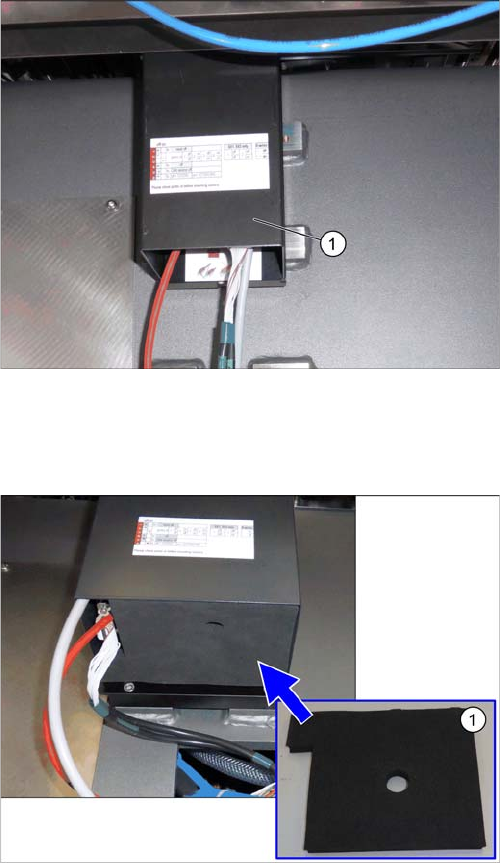
Hooking in the bottom cover
► Hook the bottom cover (1) of the camera in.
Inserting the dust cover (SST33 as example)
► Insert the dust cover made of foam plastic (1) into the
bottom cover.