PCP-Manual-REV-C.pdf - 第34页
PCP Series Manual Revision B / October 2021 Page 34 of 56 Replace the Star Shaped Coupling 1. Examine the star shaped coupling in the be aring block. If it is damaged, replace it. 2. Use a pick to remove the star shaped …
PCP Series Manual
Revision B / October 2021
Page 33 of 56
Maintenance
Interval
Action
Daily
• Examine the material outlet for contamination and cured material.
• Make sure the volume and flow rate of the material is correct.
• Examine the motor cable and material supply hose for signs of
wear, kinks, or twists.
Weekly
• Examine the material container or cartridge for signs of cured or
dried material.
• Replace filters if necessary.
• Examine the motor cable and material supply hose for signs of
wear, kinks, or twists.
Replace the Dispense Needle
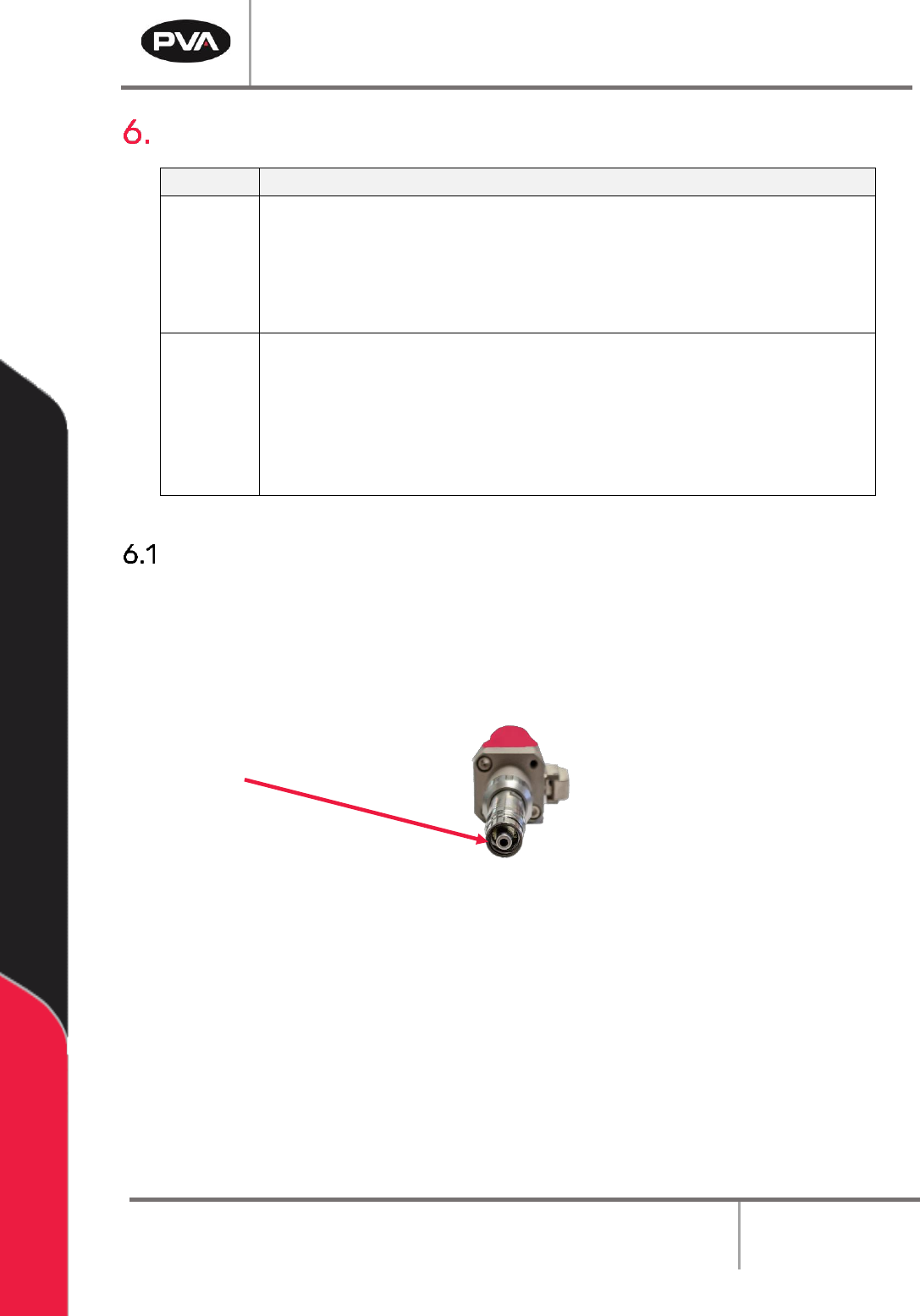
It is necessary to change the dispense needle when the pressure goes out of range. How
frequently you change the dispense needle depends on the type of material being
dispensed and the number of cycles done per day. Each time the dispense needle is
changed it is necessary to clean the material outlet on the manifold.
Figure 41: Material Outlet
1. Turn the luer lock dispense tip counterclockwise and pull to remove the dispense
needle.
2. Discard the luer lock dispense tip.
3. Clean the material outlet. Use solvent, cotton tipped applicators and lint free
disposal wipes.
4. Install the luer lock dispense tip and turn it clockwise until it is tight.
5. Purge the pump.
PCP Series Manual
Revision B / October 2021
Page 34 of 56
Replace the Star Shaped Coupling
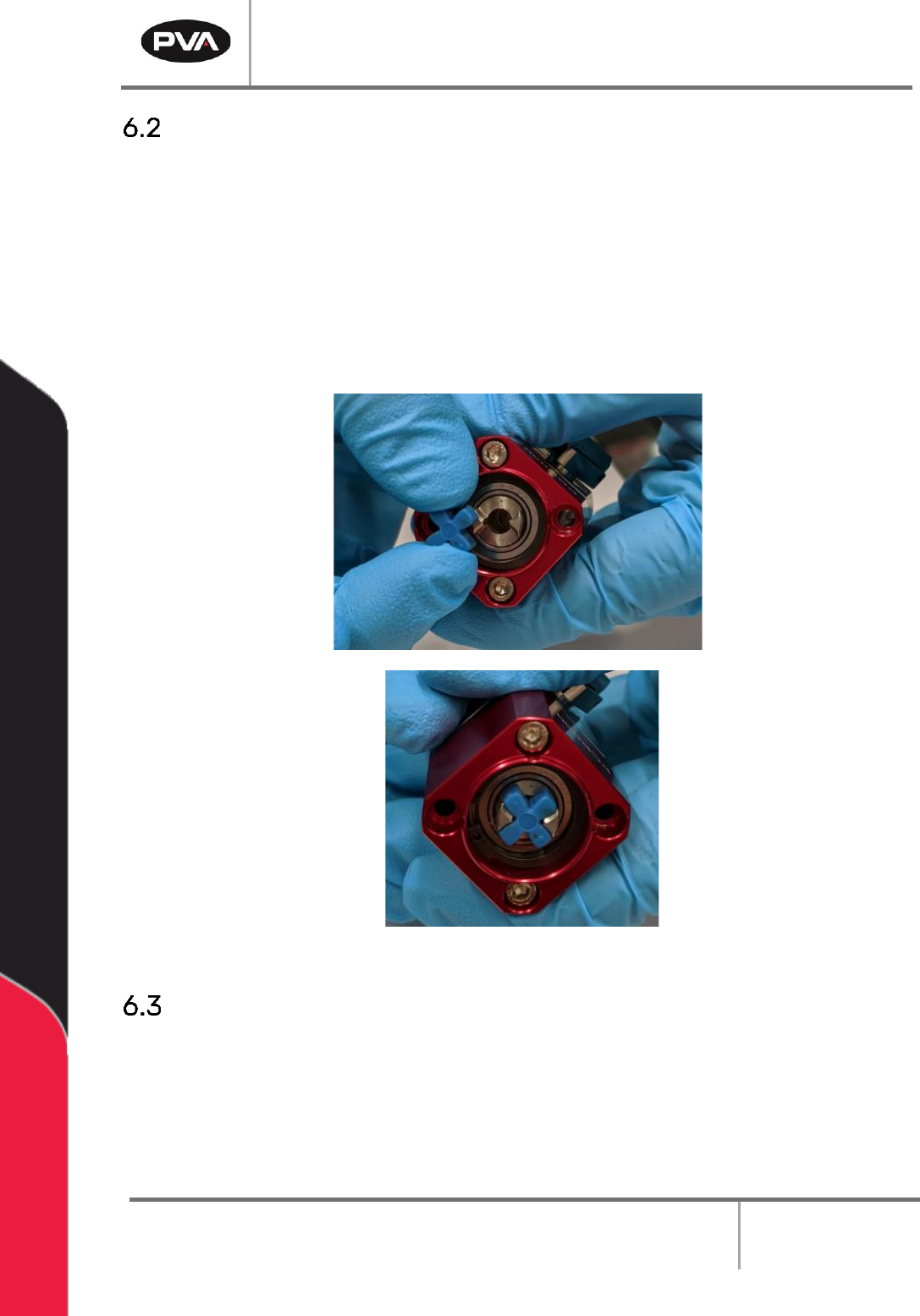
1. Examine the star shaped coupling in the bearing block. If it is damaged, replace it.
2. Use a pick to remove the star shaped coupling.
3. Put the new star shaped coupling in the bearing block.
4. Use the pick to position it correctly.
5. Push on the coupling to make sure it is correctly installed.
Figure 42: Replace Coupling
Replace the Stator
1. Perform the procedure to disassemble and clean the pump. Discard the used stator.
2. Install the new stator.
3. Assemble the pump and install it in the workcell.
PCP Series Manual
Revision B / October 2021
Page 35 of 56
How to Use the PCP with Portal
If your PCP is on a workcell with PVA Portal, you will use the screens that follow to operate
it. Refer to the Portal manual for additional information on how to use the program.
NOTE: The screens may be different based on customer specific configuration.
The screens that relate to the PCP are in Manual mode under “PCP050”. When you are in
this screen, a row of tabs will be shown under the row of manual mode tabs. Use the left
and right arrows to scroll through the tabs.
Setup Mode
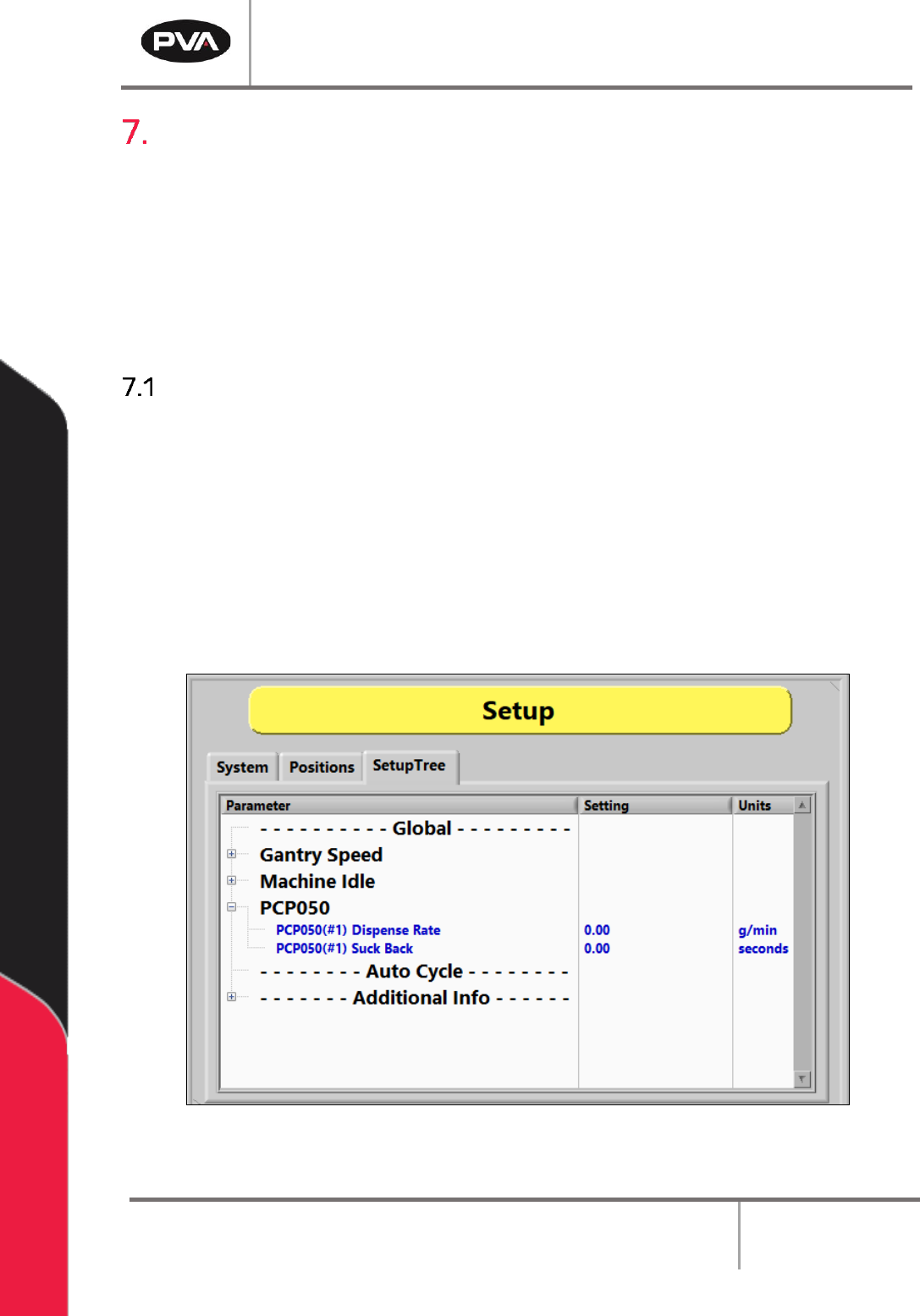
The settings that are used in Auto Cycle can be changed in Setup Mode as shown below.
1. Select Setup mode.
2. Select the Setup Tree tab.
3. Select the + symbol next to a Parameter to expand the setup tree as shown in the
examples below.
4. Double click on any parameter to open an edit window.
Figure 43: Setup Screen