PCP-Manual-REV-C.pdf - 第37页
PCP Series Manual Revision B / October 2021 Page 37 of 56 Dispense 1. Select Manual from the cycle stop screen. 2. Select the PCP050 tab. 3. Select the Dispense tab. 4. Set the Dispense Rate in grams p er minute. Select …
PCP Series Manual
Revision B / October 2021
Page 36 of 56
Manual Mode
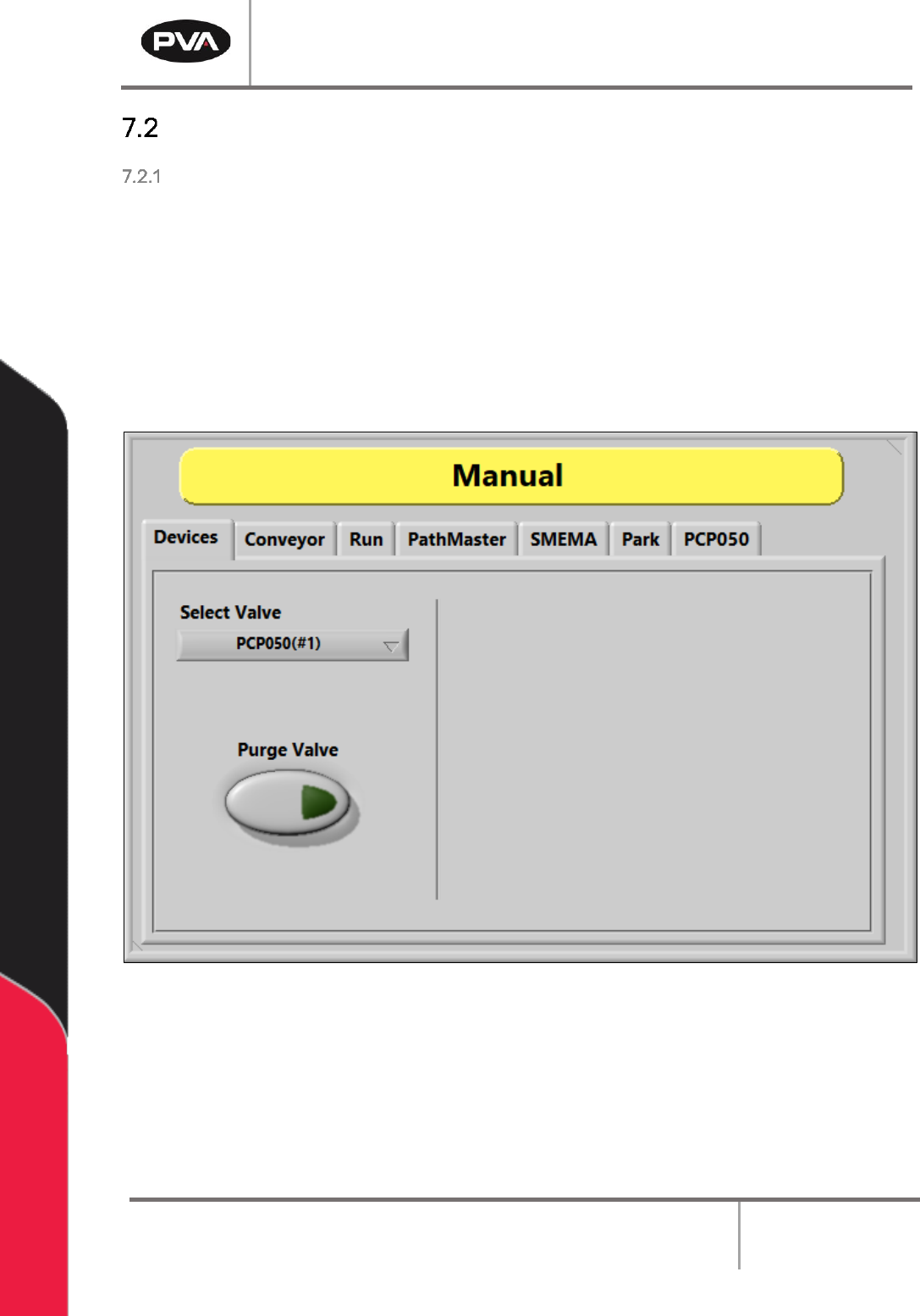
Devices
1. Select Manual from the cycle stop screen.
2. Select the Devices tab.
3. Select the valve from the Select Valve drop down menu.
4. Select Purge Valve to purge material from the selected valve.
5. Select the Z-Slide Up or Down buttons to move the Z-slide.
Figure 44: Devices Screen
PCP Series Manual
Revision B / October 2021
Page 37 of 56
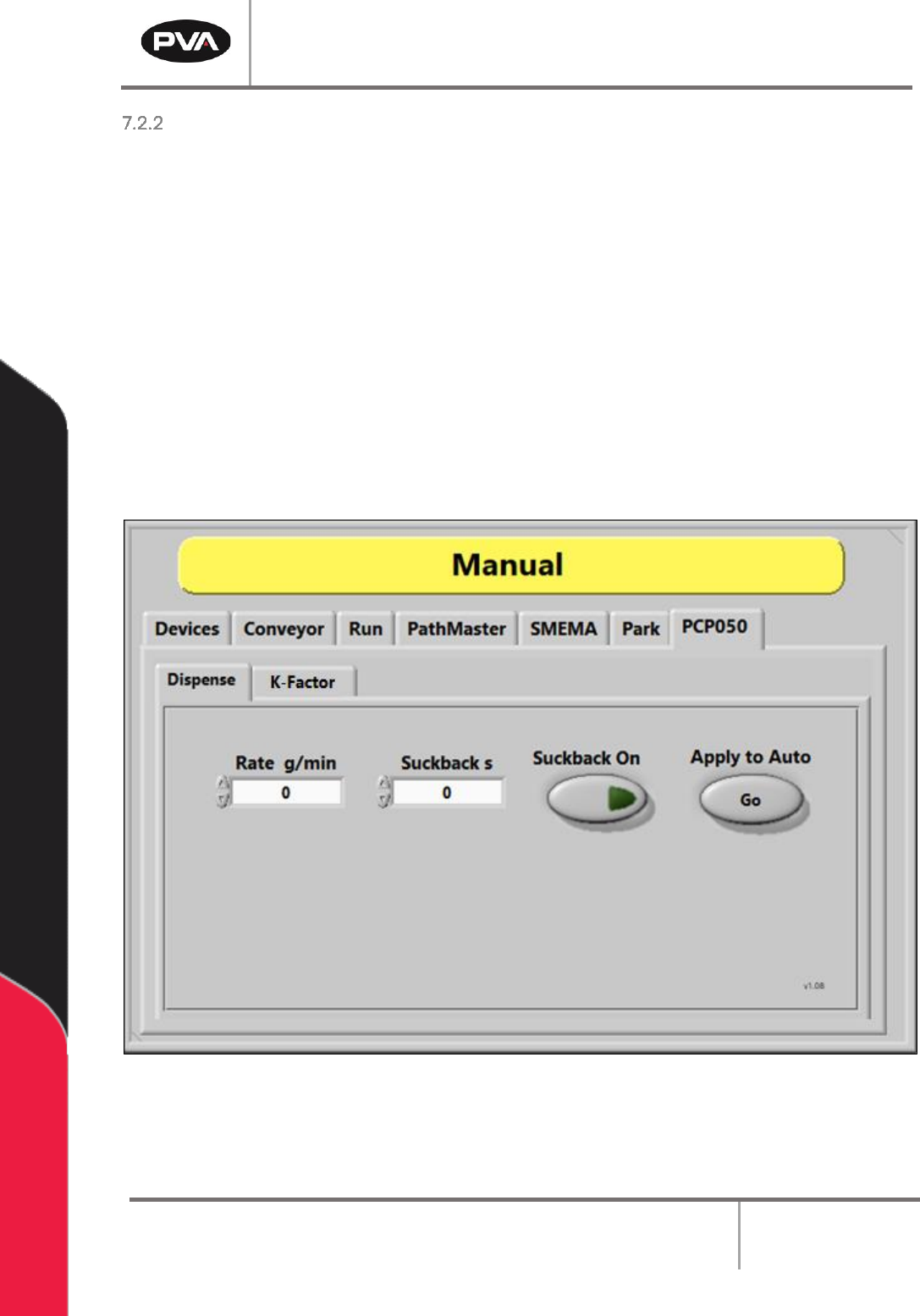
Dispense
1. Select Manual from the cycle stop screen.
2. Select the PCP050 tab.
3. Select the Dispense tab.
4. Set the Dispense Rate in grams per minute. Select the value box and use the up
and down arrows or use the keyboard to type the value.
5. Select the Suckback On button to toggle it on and off.
6. Set the Suckback time in seconds. Select the value box and use the up and down
arrows or use the keyboard to type the value.
7. Select Apply to Auto to apply the set values to Auto Mode.
Figure 45: Dispense Screen
PCP Series Manual
Revision B / October 2021
Page 38 of 56
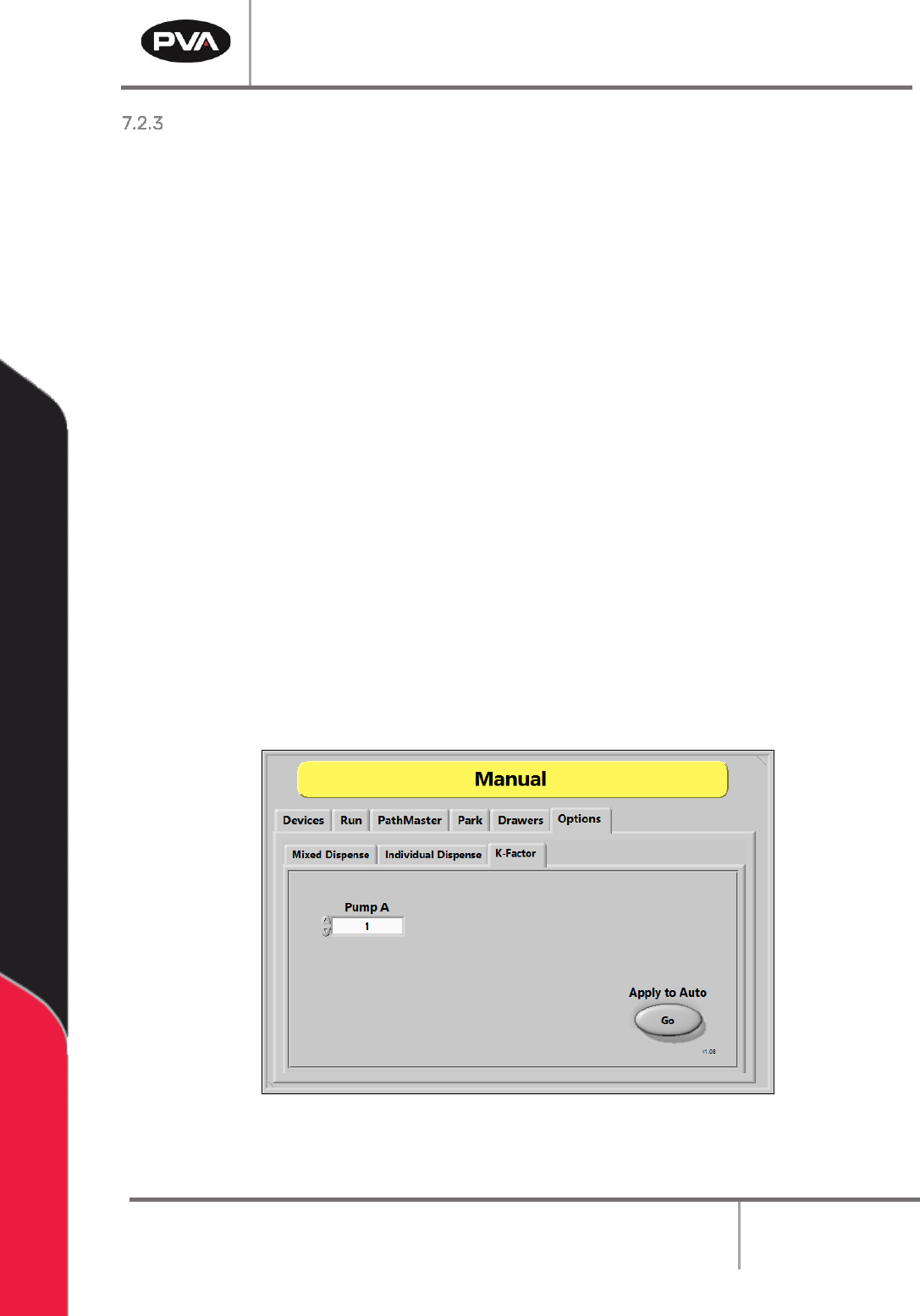
K-Factor
The K-Factor multiplies the speed to increase or decrease motor speed by a percentage.
The system follows the equation below:
(Actual Material Ouput Weight) x (K-Factor) = (Expected Material Output Weight)
If there is not enough material, the K-Factor should be increased. If there is too much
material, the K-Factor should be decreased. To determine if the K-Factor needs to be
adjusted to get the right amount of material for your settings, set the flow rate and
dispense for X amount of ml/min. It is recommended to take 5-10 shots of the material and
weigh them to ensure the setting is correct. Most, if not all applications should fall into the
.8-1.2 range.
Example: If 10 ml/min is the expected output, but are getting an actual output of 9
ml/min after five shots, the K-Factor should be 1.11. This will speed up the motor to
110% and bring the material output to the expended output.
1. Select Manual from the cycle stop screen.
2. Select the PCP050 tab.
3. Select the K-Factor tab.
4. Enter the K-Factor for Pump B.
5. Select Apply to Auto to apply the set value to Auto Mode.
Figure 46: K-Factor Screen