OM-1754-001w_GS-F600.pdf - 第107页
OM-1754 3-9 1.2.4 "T ray Transfer T ch" Window [1] [2] [3] [4] "Tray Transfer Tch" window FC9 In the following cases, the tray transfer teaching should be performed. • The multi-layer tray is mounted …
OM-1754
3-81303-001
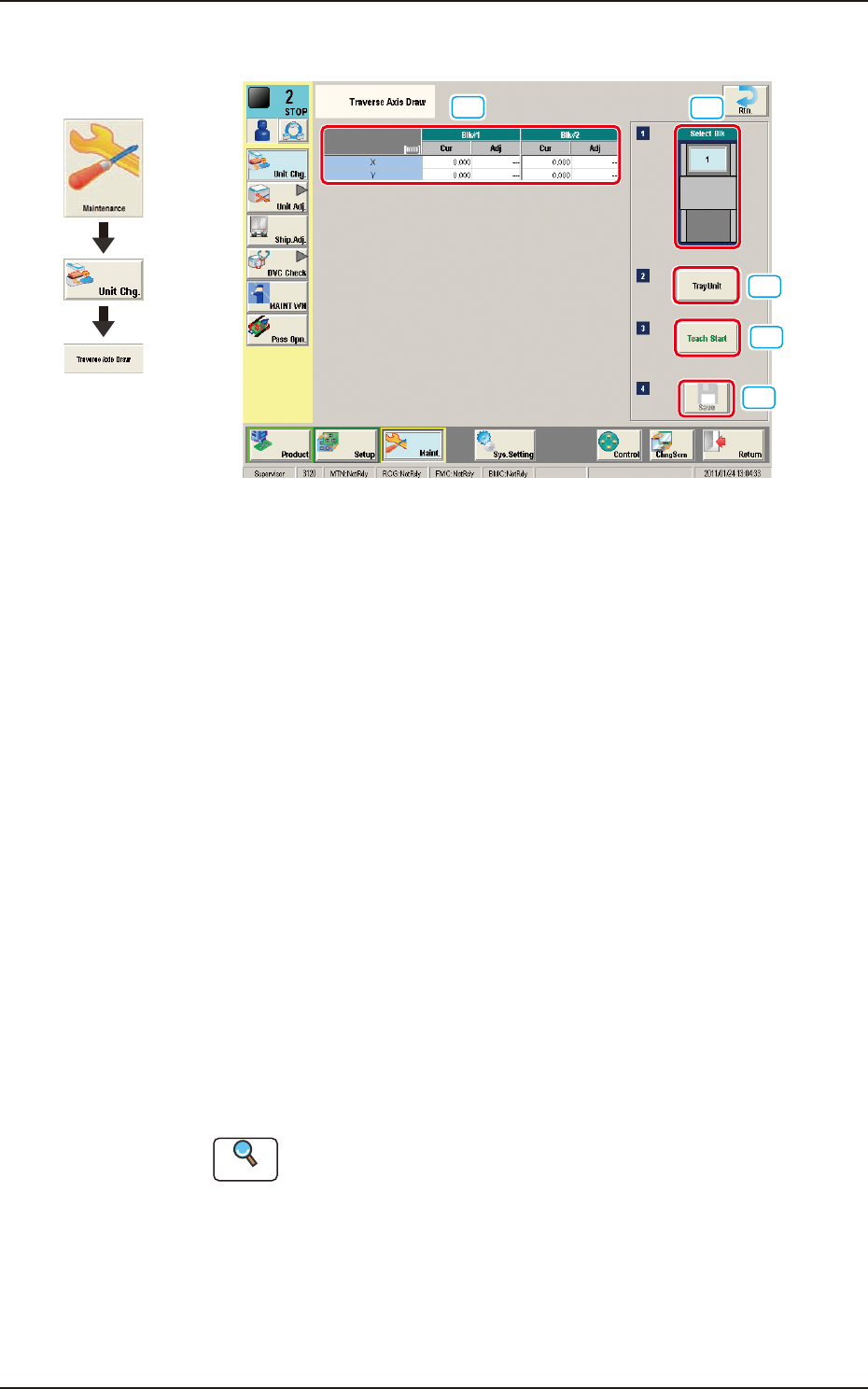
1.2.3 "Traverse Axis Draw" Window
[1]
[2]
[3]
[4]
[5]
"Traverse Axis Draw" window FC8
[1] Select Blk
In this section, the installed multi-layer tray feeder block can be selected.
[2] Traverse Drawing Position Correction
Displayed are the current values that indicate the traverse drawing position.
After a teaching operation is performed, the results appear in the text boxes
entitled "Adj".
Cur
: Shows the value before the teaching.
Adj
: Shows the resultant value after the teaching.
[3] [Teach Start] Button
When pressed, this button performs a teaching operation on the pickup
position.
When the [START] button on the operation panel is pressed in 10 seconds
after this button, the "Manual Alignment Operation Guide" window appears.
[4] [Tray Unit] Button
When this button is pressed, the "Tray Unit" window appears.
The multi-layer tray feeder manual operation is performed.
Reference
Refer to "1.3 "Unit Adj." Submenu" for the details.
[5] [Save] Button
When this button is pressed, the teaching results are saved.
Graphic
Development
1.2 "Unit Change" Window
OM-1754
3-9
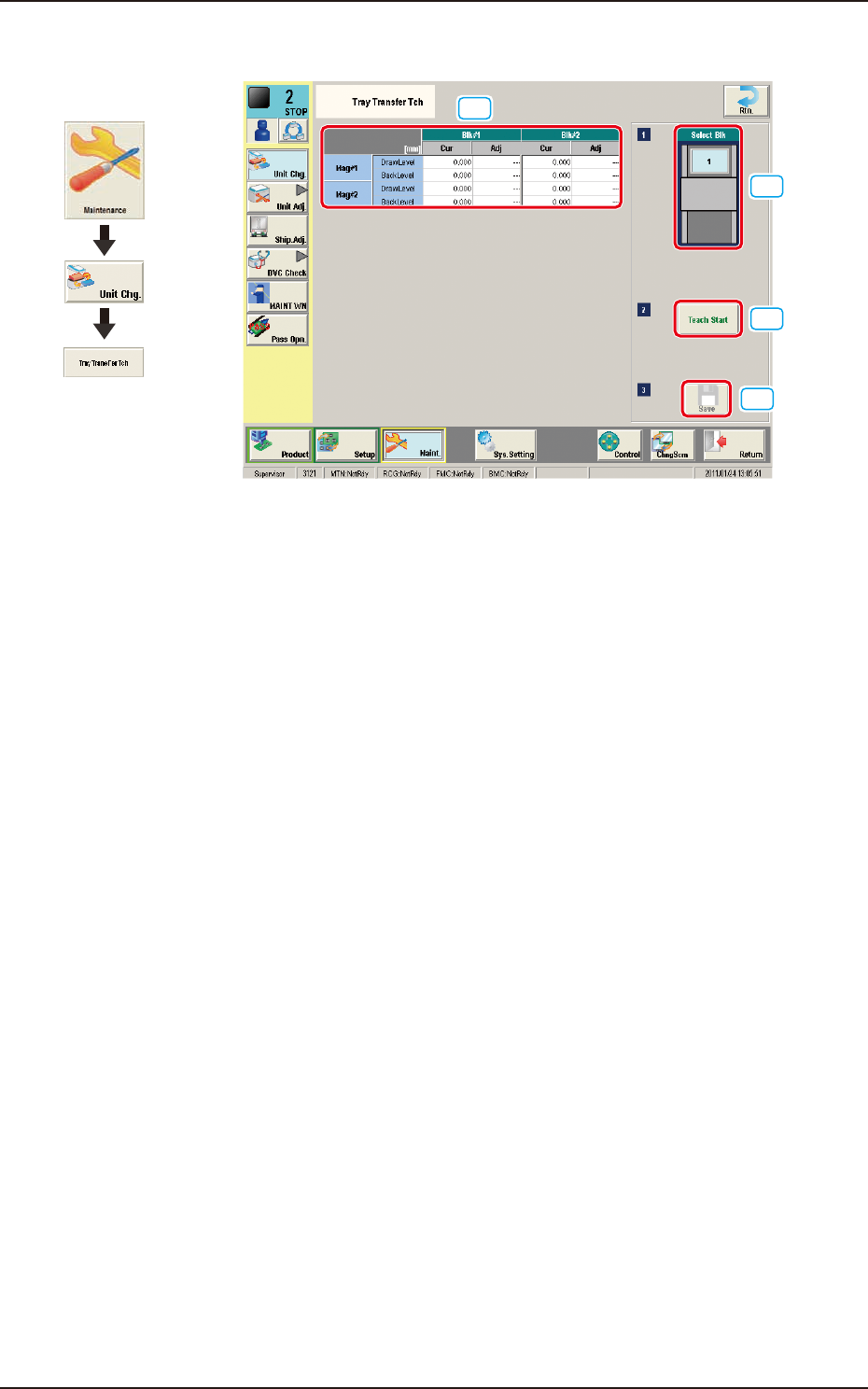
1.2.4 "Tray Transfer Tch" Window
[1]
[2]
[3]
[4]
"Tray Transfer Tch" window FC9
In the following cases, the tray transfer teaching should be performed.
•
The multi-layer tray is mounted on the main machine.
•
The main machine is stopped for a long time with the multi-layer tray mounted
on it.
[1] Teaching Results
The tray transfer teaching results for the block selected in [2] are displayed
in this table.
[2] [Select Blk] Button
Using this button, the block for which the teaching is to be performed, can be
selected.
[3] [Teach Start] Button
When this button is pressed, the tray transfer teaching for the block selected
in [2], is performed.
[4] [Save] Button
When this button is pressed, the teaching results are saved.
1303-001
Graphic
Development
1.2 "Unit Change" Window
OM-1754
3-101303-001
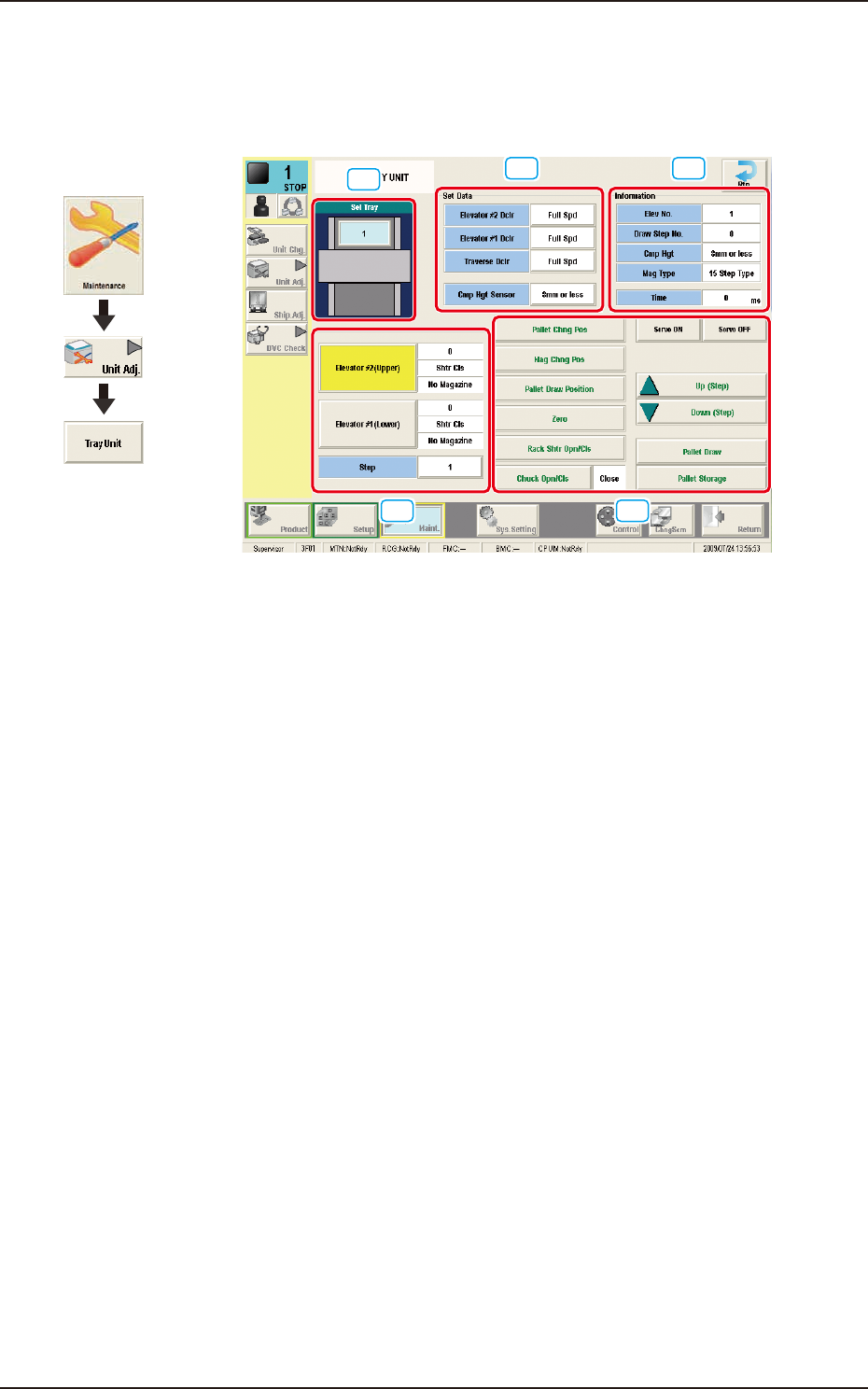
1.3 "Unit Adj." Submenu
When the [Tray] button is pressed in "Unit Adj." submenu, the following window
appears.
[1]
[2] [3]
[4] [5]
"Tray Unit Adjustment" FC10
[1] Sel Tray
The installed multi-layer tray feeders are displayed, making it possible for
the operator to select one of the feeders.
[2] Set Data
Speed deceleration rates can be specied for each section of the multilayer
tray feeder.
Elevator #2 Dclr
: This is used to set the speed reduction rate of Elevator
#2.
Elevator #1 Dclr
: This is used to set the speed reduction rate of Elevator
#1.
Traverse Dclr
: This is used to set the speed reduction rate of the
Traverse.
Cmp Hgt Sensor
: This is used to set the level in which the height of the
Cmp Hgt Sensor.
Graphic
Development
1.3 "Unit Adj." Submenu