OM-1754-001w_GS-F600.pdf - 第70页
OM-1754 2-8 2.3 "OPERA TION" Window When the [Opr.Mode] tab is pressed in the "OPERATION" window the following window appears. "OPERATION" window FB8 The "OPERATION" window is comp…
OM-1754
2-7
2.2.2 "Tray Comp.Dt" Tab sheet
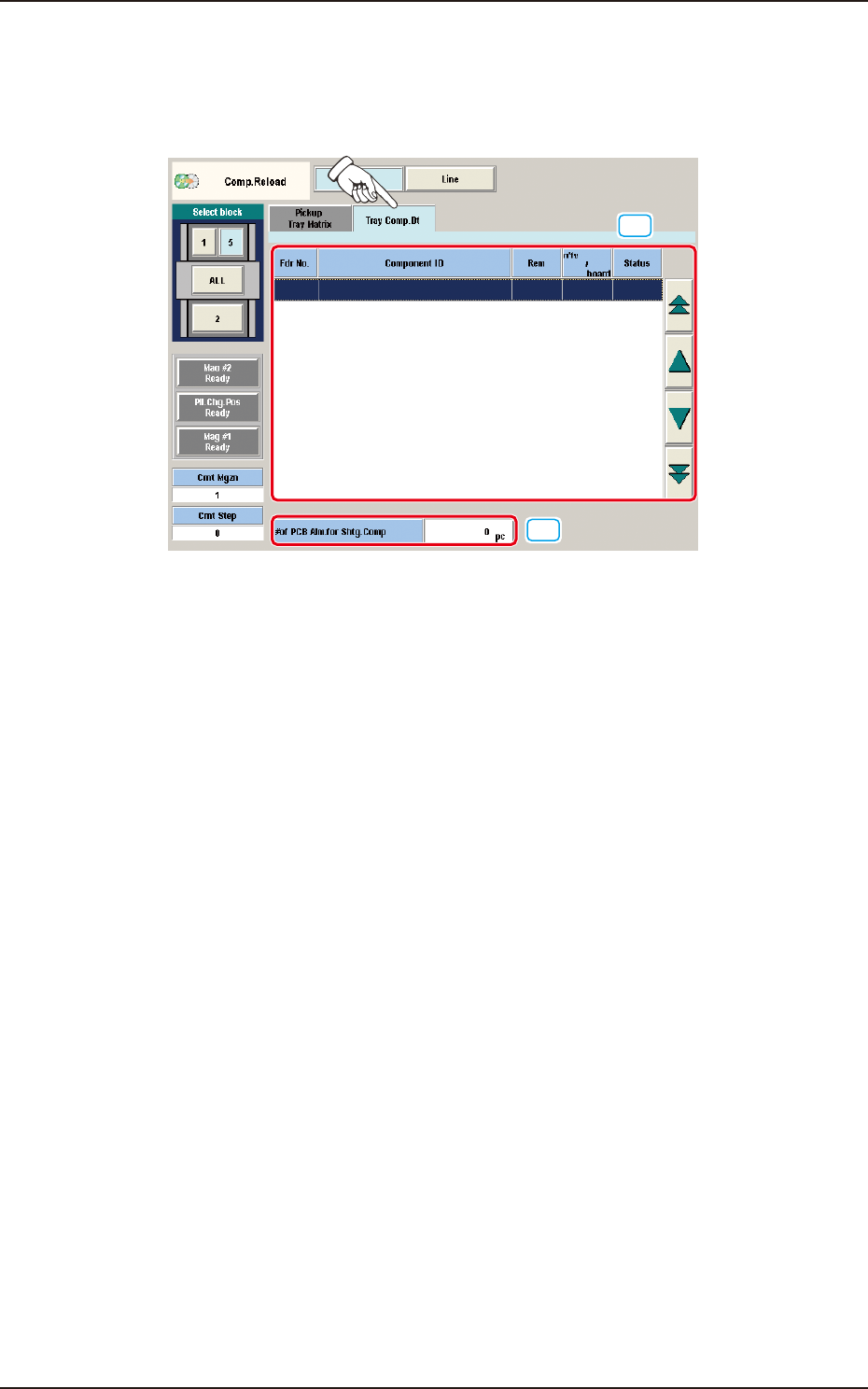
When the [Tray Comp.Dt] tab is pressed in the "Comp.Reload" window the "Tray
Comp.Dt" tab sheet appears.
[1]
[2]
"Tray Comp.Dt" tab sheet FB7
[1] Information Display
Shown is the tray component data.
[2] "#of PCB Alm.for Shtg.Comp" Group Box
Set the number of PCBs to issue a component shortage alarm.
The [Edit] button can be used to set an arbitrary number of PCBs.
1303-001
2.2 "Comp.Reload" Window
OM-1754
2-8
2.3 "OPERATION" Window
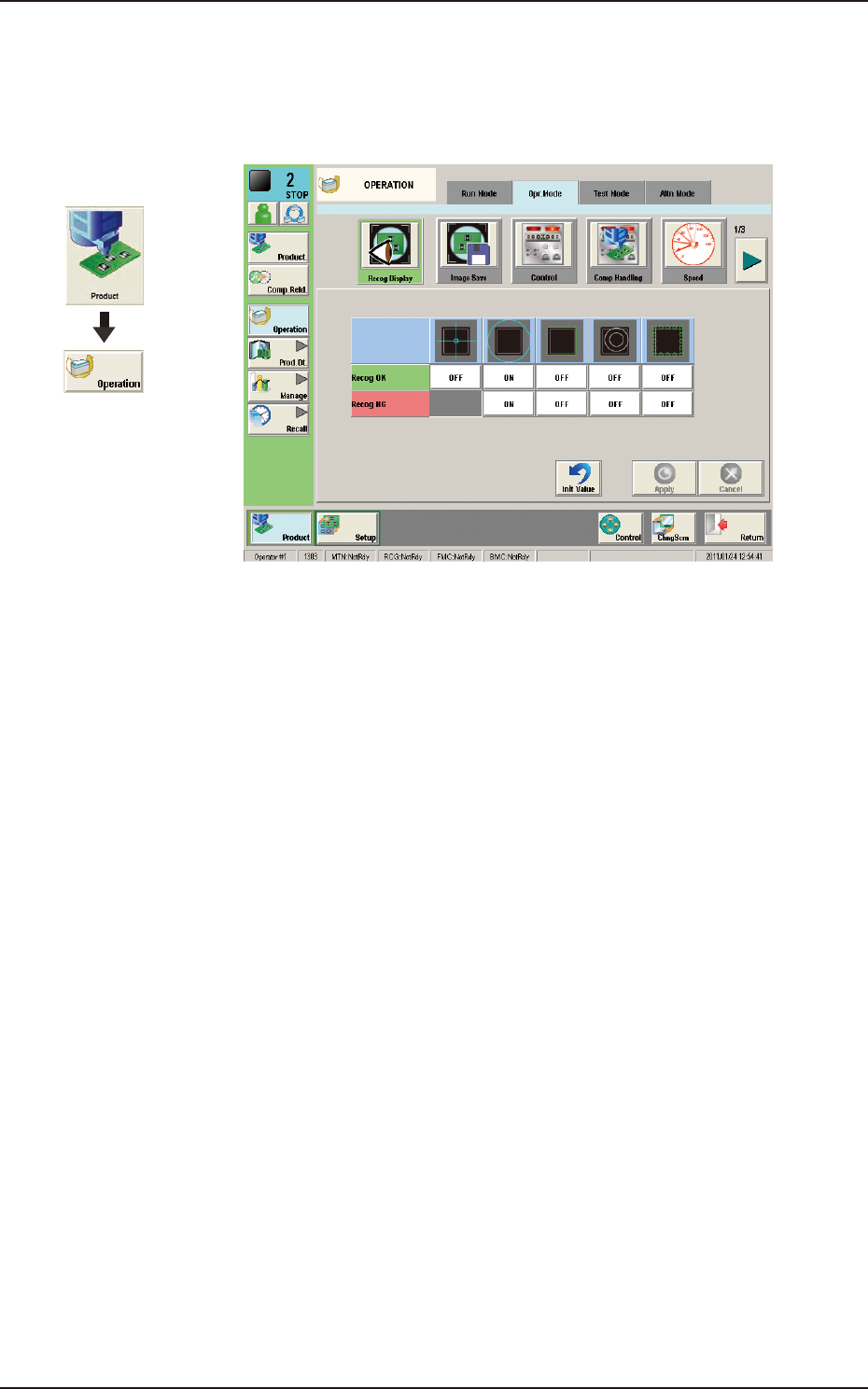
When the [Opr.Mode] tab is pressed in the "OPERATION" window the following
window appears.
"OPERATION" window FB8
The "OPERATION" window is composed of the "Run Mode", "Opr.Mode", "Test
Mode", "Altn Mode" windows.
For the tray elevator or tray traverse operation speed reduction designation, the
setting can be performed.
1303-001
Graphic
Development
2.3 "OPERATION" Window
OM-1754
2-9
2.3.1 "Opr.Mode" Tab Sheet
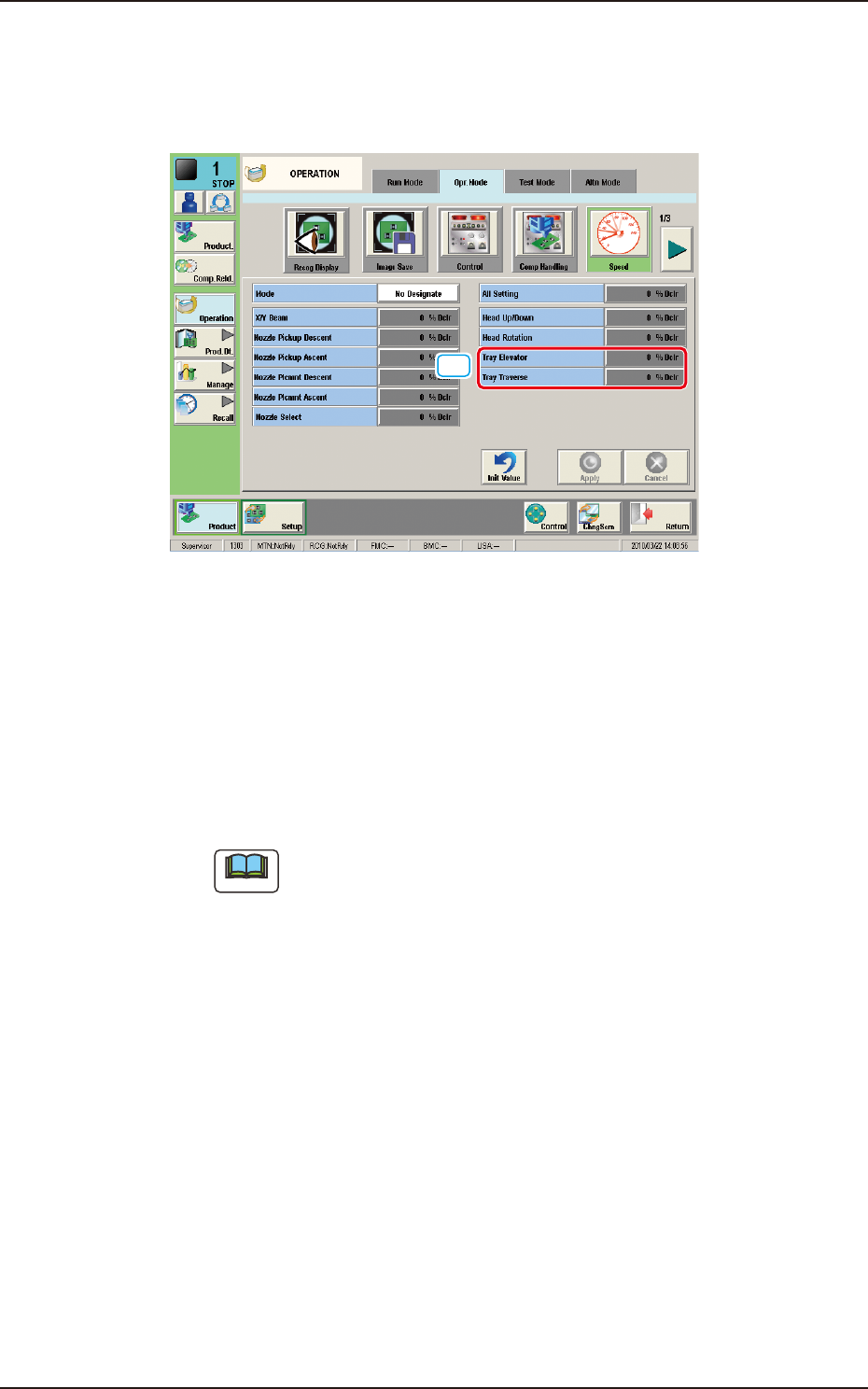
When the [Speed] button is pressed in the "Opr.Mode" tab sheet the following
window appears.
[1]
"Opr.Mode" tab sheet (1/3) FB9
[1] Tray Elevator
This button can be used to set the rate of the elevator speed reduction.
Setting Range : 0 to 99 %
Tray Traverse
This button can be used to set the rate of the traverse speed reduction.
Setting Range : 0 to 99 %
Note
When the rate of the traverse speed reduction is to be designated, change
the "Mode" setting from "No Designate" to "Designate".
1303-001
2.3 "OPERATION" Window