CP6S-PAM操作手册.pdf - 第32页
Notes: 5. Command Index V ersion 3.0 5-2 CP-6 Series P AM Operation

5. Command Index
Refer to the following command index for the commands described in chapter 6. The
command page number on each screen will only display a maximum of three digits.
Command Contents Command page
PAM.................................PAM mode .....................................................................Page 100
Placing..............................Places components with PAM program....................Page 110
Measurement..................Measures component placement results....................Page 120
Data display....................Displays the data...........................................................Page 140
SIZE..................................Displays the nozzle data ..............................................Page 141
All deg. Displays the angle data ................................................Page 141-1
0 deg.
90 deg.
180 deg.
270 deg.
Deviation.........................Displays the nozzle deviation .....................................Page 141-1-1
Deviat’n avg....................Displays the nozzle deviation average.......................Page 141-1-2
Max/Min dev. ................Displays the max/min deviation................................Page 141-1-3
Accuracy..........................Displays the nozzle placement accuracy...................Page 141-1-4
Editor ...............................Station 11 Proper data editor.......................................Page 150
SIZE..................................Editing Station 11 nozzle Proper data per nozzle ....Page 151
Data Save.........................Data is output to the printer, or to the personal computer
..........................................................................................Page Data Save
5. Command Index
Version 3.0 5-1 CP-6 Series PAM Operation

Notes:
5. Command Index
Version 3.0 5-2 CP-6 Series PAM Operation
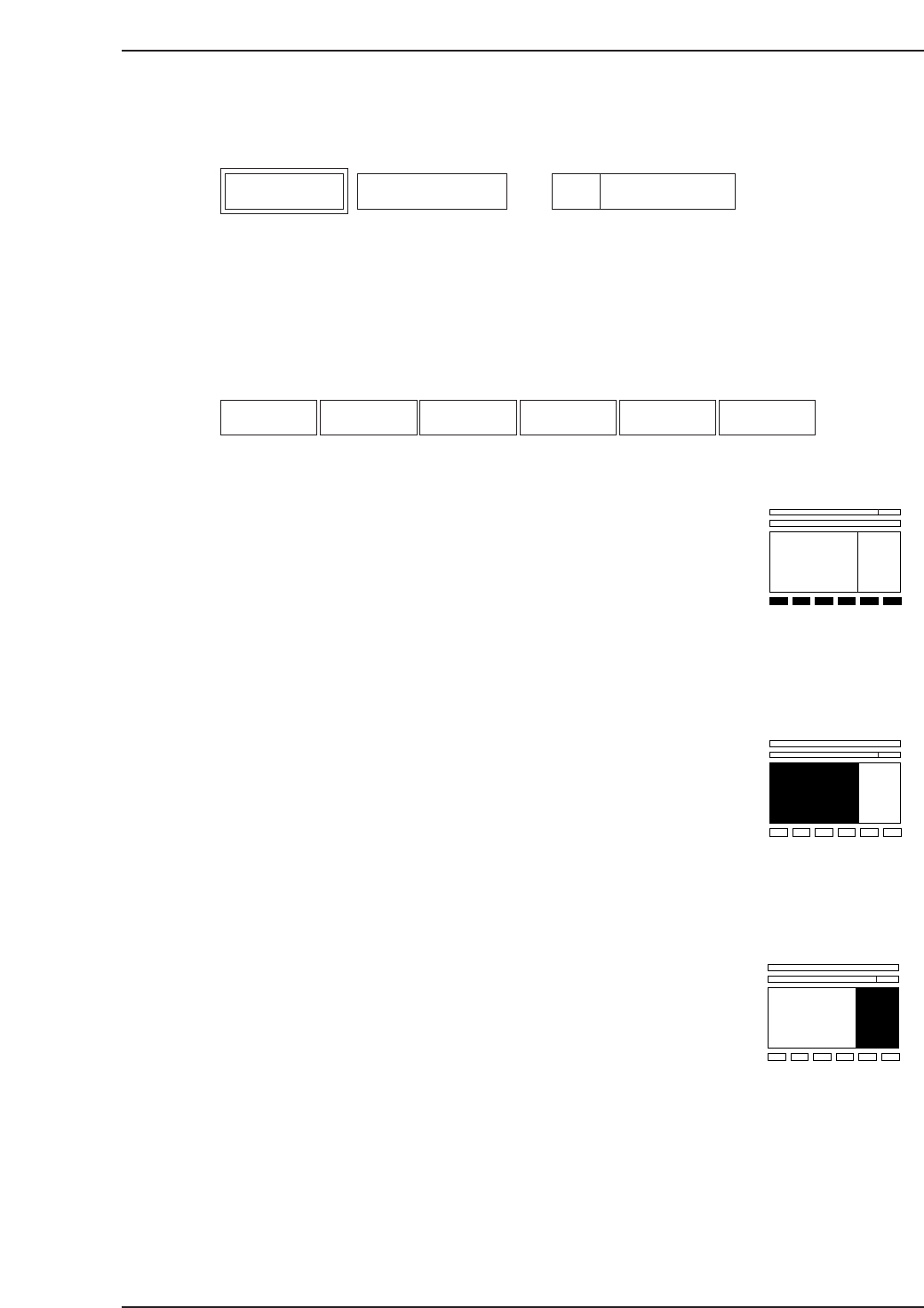
6. Description of Commands
This chapter describes each of the commands.
The layout of each page is the same as this one.
The box on the left describes the command, the center box lists the command name, and
the box on the right specifies the command page number.
Function Key Menu
Each command listed here corresponds with the function key on the screen.
Monitor Display Area
This area explains any messages that display in the monitor display area.
Second Display Area
This area explains any messages that display in the second display area.
F1 F2 F3 F4 F5 F6
Description Command Name
Page
Command Page
6. Description of Commands
Version 3.0 6-1 CP-6 Series PAM Operation