CP6S-PAM操作手册.pdf - 第35页
Select the PAM Mode. Function Key Menu Monitor Display Second Display Area : READY First Status Area : PAM Function Key Operation Placing: Begins placement with the PAM measurement program To page 110 Measurement: Measur…
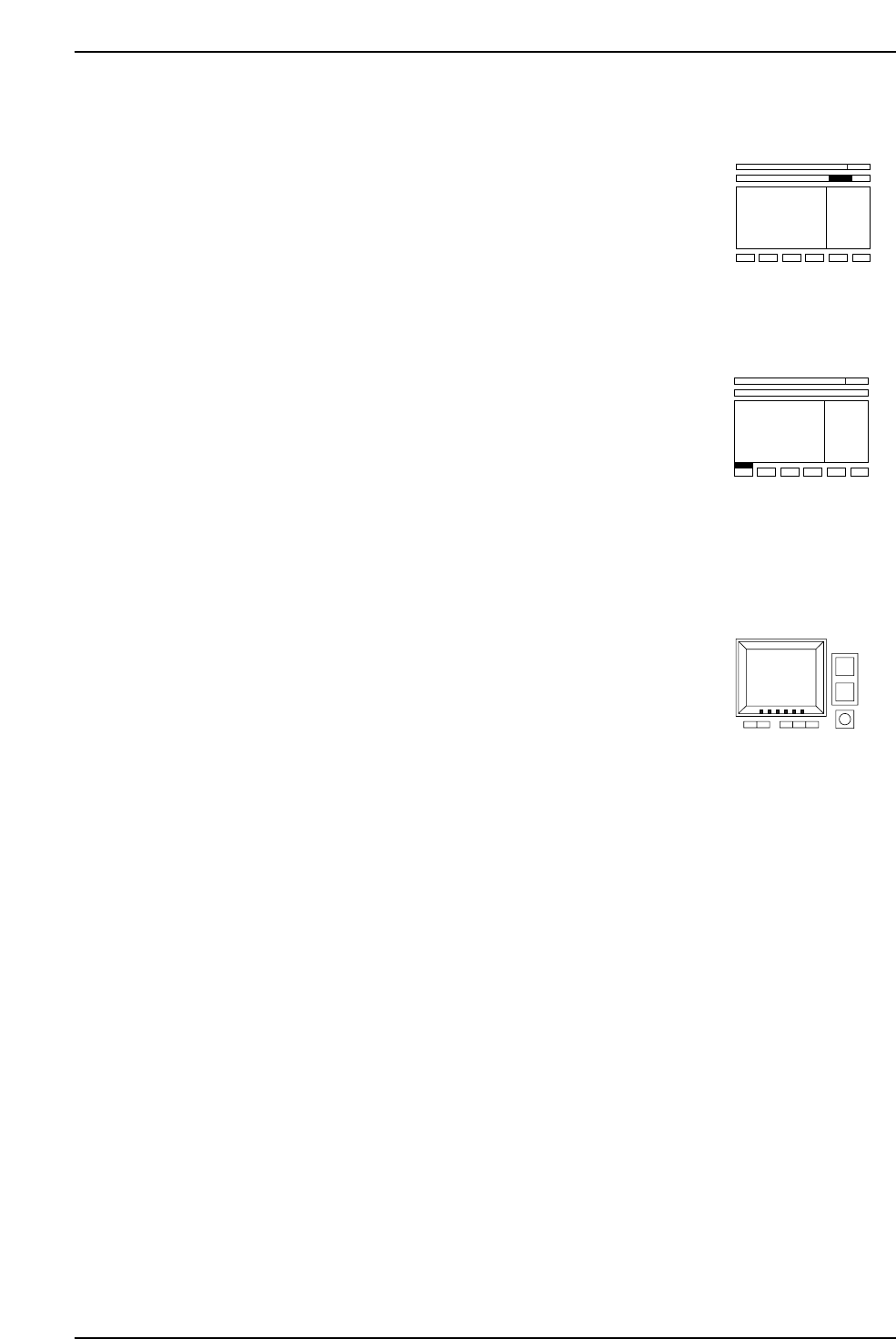
First Status Area
This area explains any messages that display in the first status area.
Second Status Area
This area explains any messages that display in the second status area.
After Pressing the Function Key
This area explains what happens upon selection of the function keys (1~6). It also states
the command page where more information can be found.
6. Description of Commands
Version 3.0 6-2 CP-6 Series PAM Operation
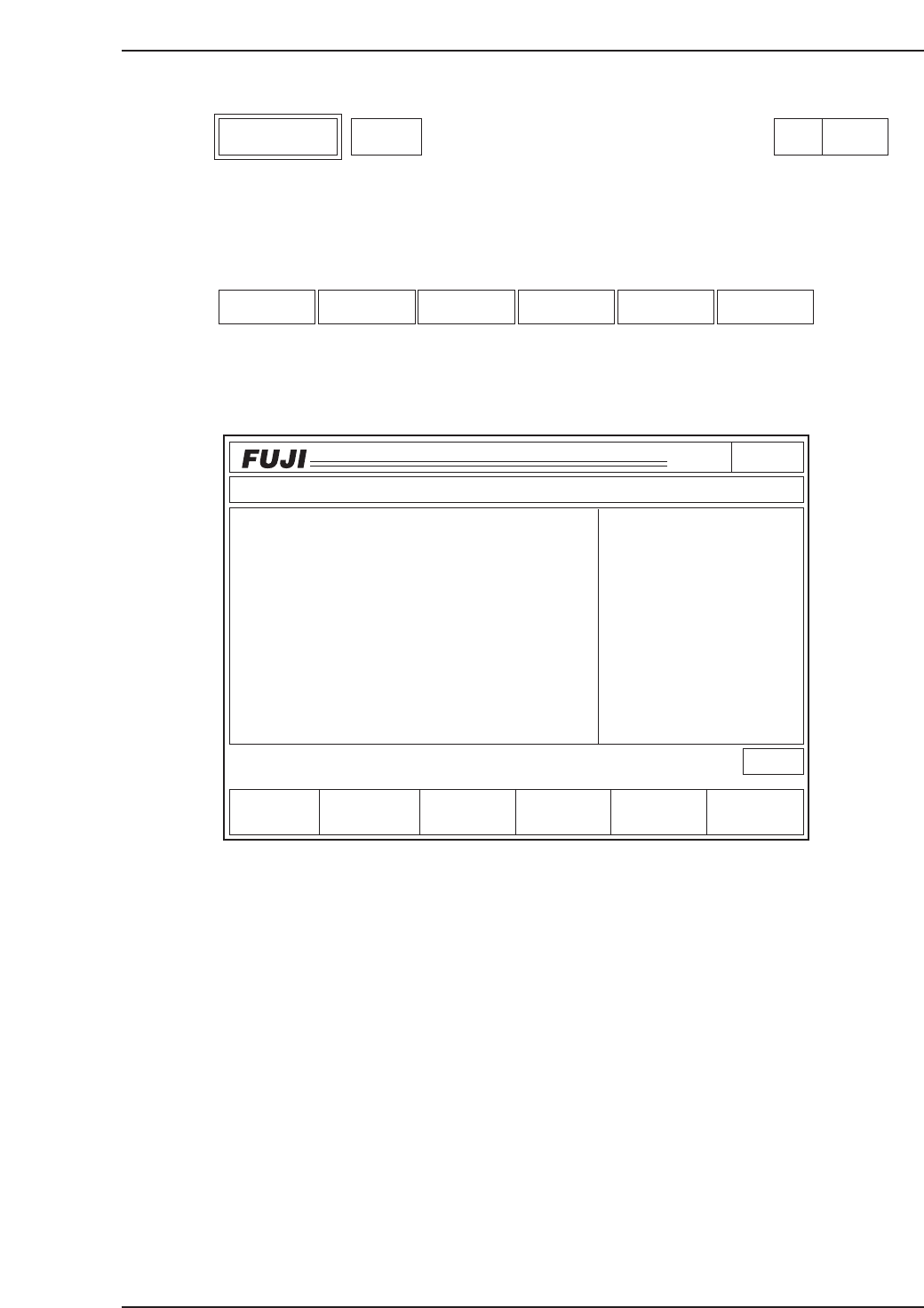
Select the PAM Mode.
Function Key Menu
Monitor Display
Second Display Area : READY
First Status Area : PAM
Function Key Operation
Placing: Begins placement with the PAM measurement program
To page 110
Measurement: Measures the coordinates of the placed parts with the mark camera
To page 120
Data display: Displays the deviation amount, deviation average, max./min.
deviation, and placement accuracy, calculated at each angle
To page 140
Editor: Edits the Proper data values for Station 11 To page 150
RETURN: Returns the screen to page 000 To page 000
Page100
CP_6.PROGRAM
000000000000
000000000000
Prod 00000 Sche 00000
P1.00 off line
ST 1N
ST 2N
ST 3N
ST 6N
ST 7N
ST 8N
ST10N
ST11N
3D 5Er****
3D 5Er****
3D 5Er****
3D 5Er****
3D 5Er 0
3D 5Er 0
3D 5Er 0
3D 5Er 0
Operation : Front
RETURN
Ready
jog
XY
C
Measurement Data display Editor
STATUS
P Mode
Recovery
T Mode
PAM Mode
Product
E Pass
Joint
P A M
Placing
C6PM6011
Placing Measurement Data display Editor RETURN
PAM Mode PAM Page 100
6. Description of Commands
Version 3.0 6-3 CP-6 Series PAM Operation
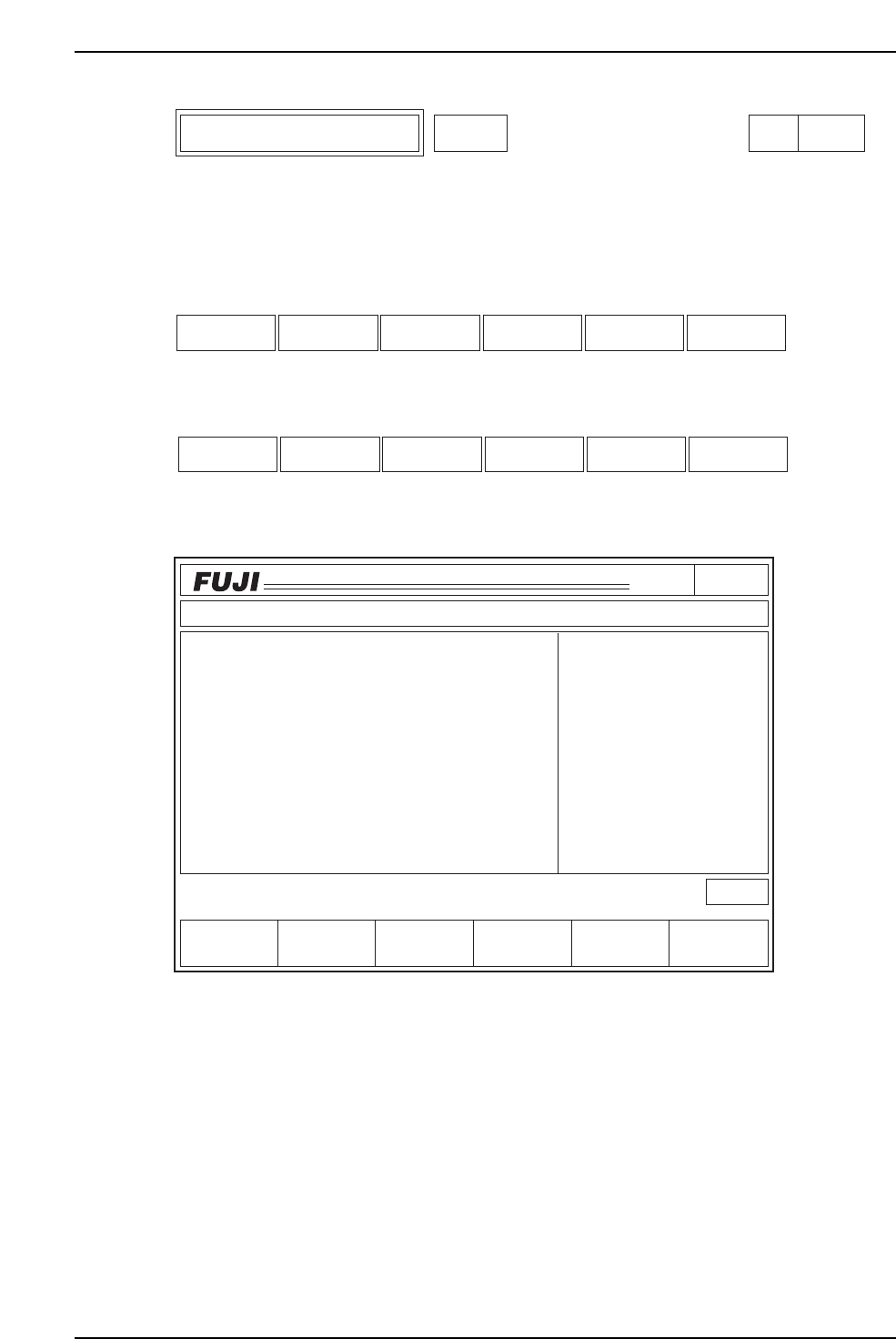
Place the PAM program.
Function Key Menu
Automatic operation
Step operation
Monitor Display
Second Display Area
"Press START" displays if the start-up conditions are fulfilled.
An error message displays if the conditions are not met.
First Status Area : PLACE
Function Key Operation
Auto: Begins continuous part placement
Step: Places one sequence at a time
The START button must be pressed for each sequence.
RETURN: Returns to page 100 To page 100
Page110
CP_6.PROGRAM
000000000000
000000000000
Prod 00000 Sche 00000
P1.00 off line
ST 1N
ST 2N
ST 3N
ST 6N
ST 7N
ST 8N
ST10N
ST11N
3D 5Er****
3D 5Er****
3D 5Er****
3D 5Er****
3D 5Er 0
3D 5Er 0
3D 5Er 0
3D 5Er 0
RETURN
jog
XY
C
Step
PLACE
C6PM6015
Operation : Front
Press START
STATUS
P Mode
Recovery
T Mode
PAM Mode
Product
E Pass
Joint
Auto RETURN
RETURNStep
Placement Using PAM Mode PAM Page 110
6. Description of Commands
Version 3.0 6-4 CP-6 Series PAM Operation