4OM-1050-002.pdf - 第235页
Error ID ltem Description 470101 Comp. Missing(Sensor) (Cause 1) The machine stopped running because the linear measure detection sensor detected the “Component Missing (Sensor)” error continuously . Ref.: When “2” is se…
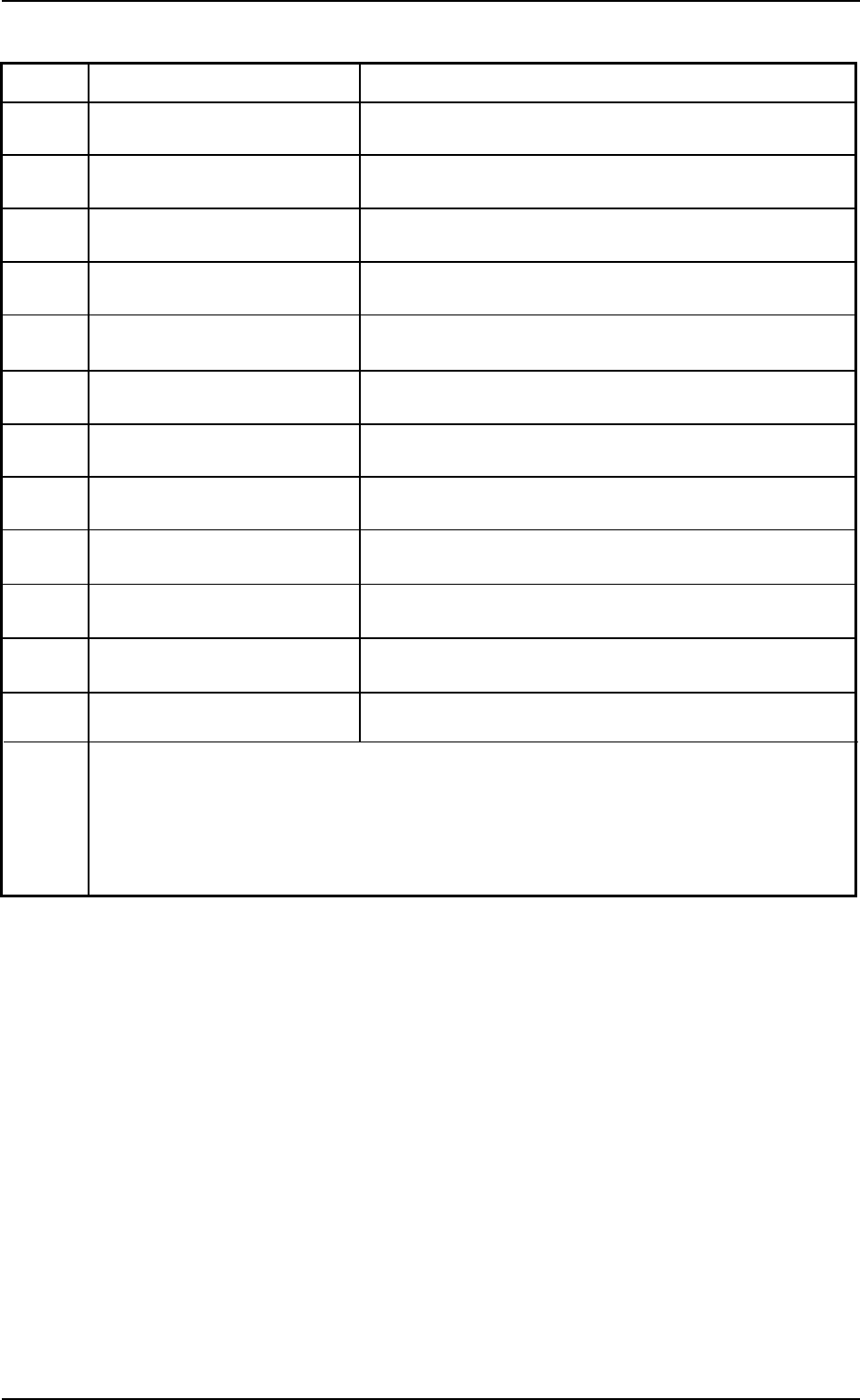
Error ID ltem Description
460101 PEC Inspect P.E.C. Mark #1 (Global)
460201 PEC Inspect P.E.C. Mark #2 (Global)
460301 PEC Inspect P.E.C. Mark #3 (Global)
460401 PEC Inspect P.E.C. Mark #1 (Image)
460501 PEC Inspect P.E.C. Mark #2 (Image)
460601 PEC Inspect P.E.C. Mark #3 (Image)
460701 PEC Inspect P.E.C. Mark #1 (Local)
460801 PEC Inspect P.E.C. Mark #2 (Local)
460901 PEC Inspect P.E.C. Mark #3 (Local)
460a01 PEC Inspect P.E.C. Recognition Test
460b01 PEC Inspect P.E.C. Recog. Light Teach
460c01 PEC Inspect Error Response of P.E.C. Recog. Command
Refer to “4.3.3 P.E.C. Recognition Errors” for “(Cause 1)” and “(Remedy 1)”.
0110-003 2-117 AFO01ETRP
3.3 Error IDs and Remedial Procedures
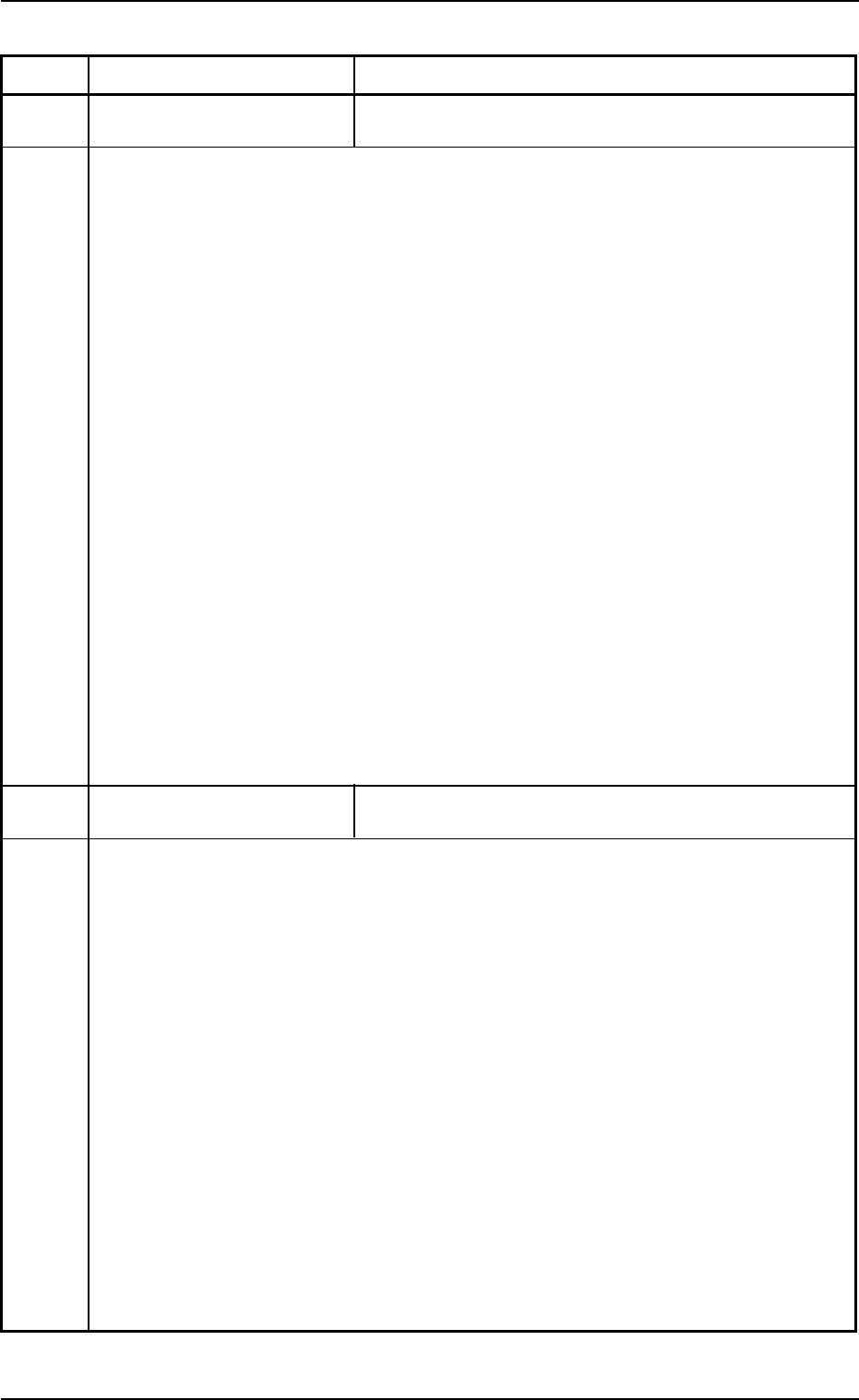
Error ID ltem Description
470101 Comp. Missing(Sensor)
(Cause 1) The machine stopped running because the linear measure detection sensor detected
the “Component Missing (Sensor)” error continuously.
Ref.: When “2” is set in the “1” text box of “Error process” in the component library
data, it means that a pick-up error occurred continuously twice on the same
feeder No.
Note: This detection cannot be made when “less than 0.15 mm” is set in the “t” text
box of “Component thickness” in the component library data or the carrier
data.
(Remedy 1) Follow the steps below to reset the machine to the normal condition.
(1) Check “Step” and “Feeder No.” where an error has occurred.
(2) Press the [RETURN] and [ALL] button (entitled “ZERO”). After that, check the
following items related to the pertinent feeder No.
• Check if some components are left in the tape feeder.
• Check if the cover tape is peeled off normally.
• Check if the tape feeder is installed correctly on the feeder carriage.
• Check if the tape feeder is loaded with correct components.
• Check if some components are left in the carrier tape.
If left, be sure to remove them to protect the cutter blades from being
damaged.
• Check if the vacuum nozzle is not clogged or proper vacuum pressure is
applied.
(3) After taking the required countermeasures, re-start the production.
470201 Comp. Vertical(Sensor)
(Cause 1) The machine stopped running because the linear measure detection sensor de-
tected the “Vertical Component (Sensor)” error continuously.
Ref.: When “9” is set in the “2” text box of “Error process” in the component library
data, it means that a pick-up error occurred continuously 9 times on the same
feeder No.
(Remedy 1) Follow the steps below to reset the machine to the normal condition.
(1) Check “Step” and “Feeder No.” where an error has occurred.
(2) Press the [RETURN] and [ALL] button (entitled “ZERO”). After that, check the
following items related to the pertinent feeder No.
• Check if the tape feeder is loaded with correct components.
• Check the selected components and the parameter set in the “Vertical
cmpnt data[mm]” text box in the component library data. If a wrong param-
eter is set, correct it.
Note: Check the parameter set as vertical component data in the “CMPNT
CARRIAGE DATA EDIT” window.
(3) After taking the required countermeasures, re-start the production.
0110-003 2-118 AFO01ETRP
3.3 Error IDs and Remedial Procedures
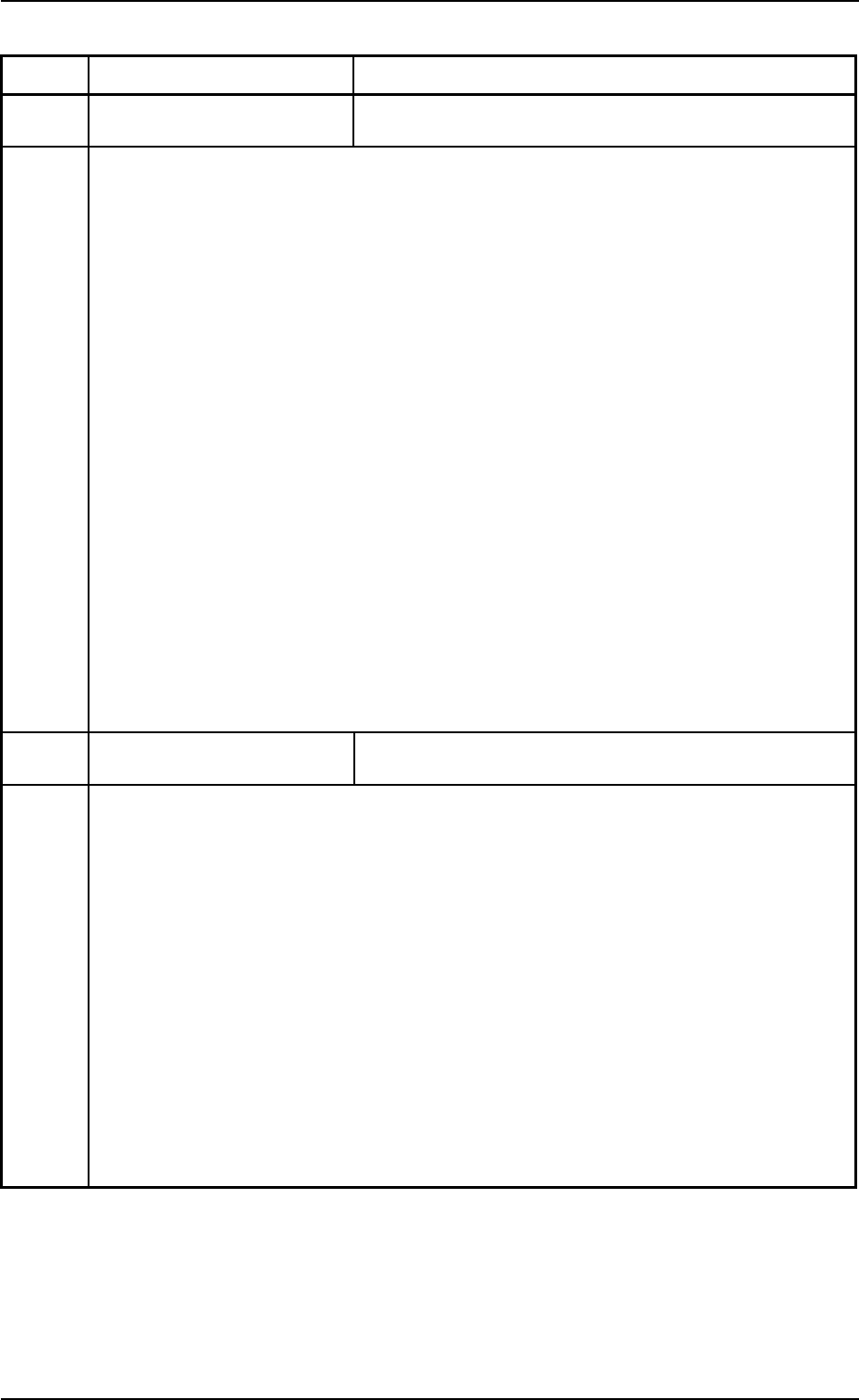
Error ID ltem Description
470301 Comp. Missing(Recog.)
(Cause 1) The machine stopped running because the component recognition camera detected
the “Component Missing (Recognition)” error continuously.
Ref.: When “9” is set in the “2” text box of “Error process” in the component library
data, it means that a pick-up error occurred continuously 9 times on the same
feeder No.
(Remedy 1) Follow the steps below to reset the machine to the normal condition.
(1) Check “Step” and “Feeder No.” where an error has occurred.
(2) Press the [RETURN] and [ALL] button (entitled “ZERO”). After that, check the
following items related to the pertinent feeder No.
• Check if some components are left in the tape feeder.
• Check if the cover tape is peeled off normally.
• Check if the tape feeder is installed correctly on the feeder carriage.
• Check if the tape feeder is loaded with correct components.
• Check if some components are left in the carrier tape.
If left, be sure to remove them to protect the cutter blades from being dam-
aged.
• Check if the vacuum nozzle is not clogged or proper vacuum pressure is
applied.
(3) After taking the required countermeasures, re-start the production.
470401 Comp. Recog. Error
(Cause 1) The machine stopped running because the component recognition camera detected
the “Component Recognition Error (Recognition)” error continuously.
Ref.: When “9” is set in the “2” text box of “Error process” in the component library
data, it means that a pick-up error occurred continuously 9 times on the same
feeder No.
(Remedy 1) Follow the steps below to reset the machine to the normal condition.
(1) Check “Step” and “Feeder No.” where an error has occurred.
(2) Press the [RETURN] and [ALL] button (entitled “ZERO”). After that, check the
following items related to the pertinent feeder No.
• Check if the tape feeder is loaded with correct components.
• Check the selected components and the component library data.
If wrong parameters are set in the component library data, correct them.
(3) After taking the required countermeasures, re-start the production.
0110-003 2-119 AFO01ETRP
3.3 Error IDs and Remedial Procedures