4OM-1050-002.pdf - 第90页
1.4 Maintenance Method 0307-005 1-74 AFO01ETRP (18) Press the [ALL] button entitled "ZERO". In 2 seconds, press the [ENABLE] button on the operation panel. All devices are zeroed. Press one of the [F1], [F2A], …
1.4 Maintenance Method
0307-006 1-73 AFO01ETRP
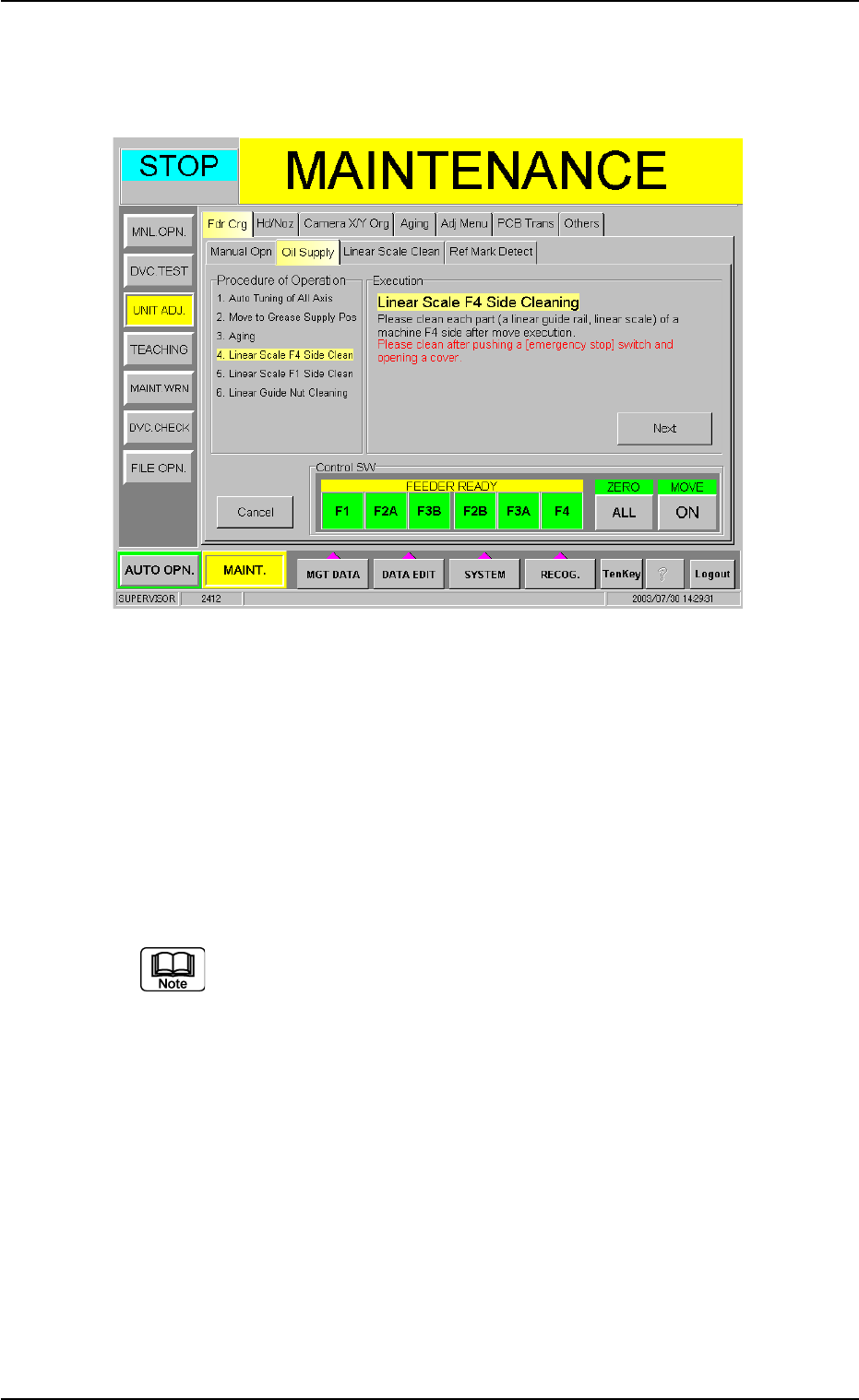
(13) Press the [ON] button entitled "MOVE". In 2 seconds, press the
[ENABLE] button on the operation panel. The feeder carriages 3
and 4 move toward the F1 origin and the following sheet appears.
Fig. 4A84-12
(14) Press the [EMERGENCY STOP] switch on the operation panel.
An "ERROR" window opens and the machine stops in an emer-
gency condition.
(15) Open the feeder carriage covers on the F4 side and clean the lin-
ear scales on the F4 side with a cotton swab soaked in alcohol
(absolute ethanol).
Never use any organic compounds other than alcohol.
(16) Close all feeder carriage covers.
Turn the [EMERGENCY STOP] switch clockwise to cancel the
emergency stop condition.
Press the [RETURN] button in the "ERROR" window.
(17) Hold down the [POWER ON] button on the operation panel for
more than 1 second to reset the machine to its normal condition.
1.4 Maintenance Method
0307-005 1-74 AFO01ETRP
(18) Press the [ALL] button entitled "ZERO". In 2 seconds, press the
[ENABLE] button on the operation panel.
All devices are zeroed.
Press one of the [F1], [F2A], [F3B], [F2B], [F3A] and [F4] buttons
entitled "FEEDER READY".
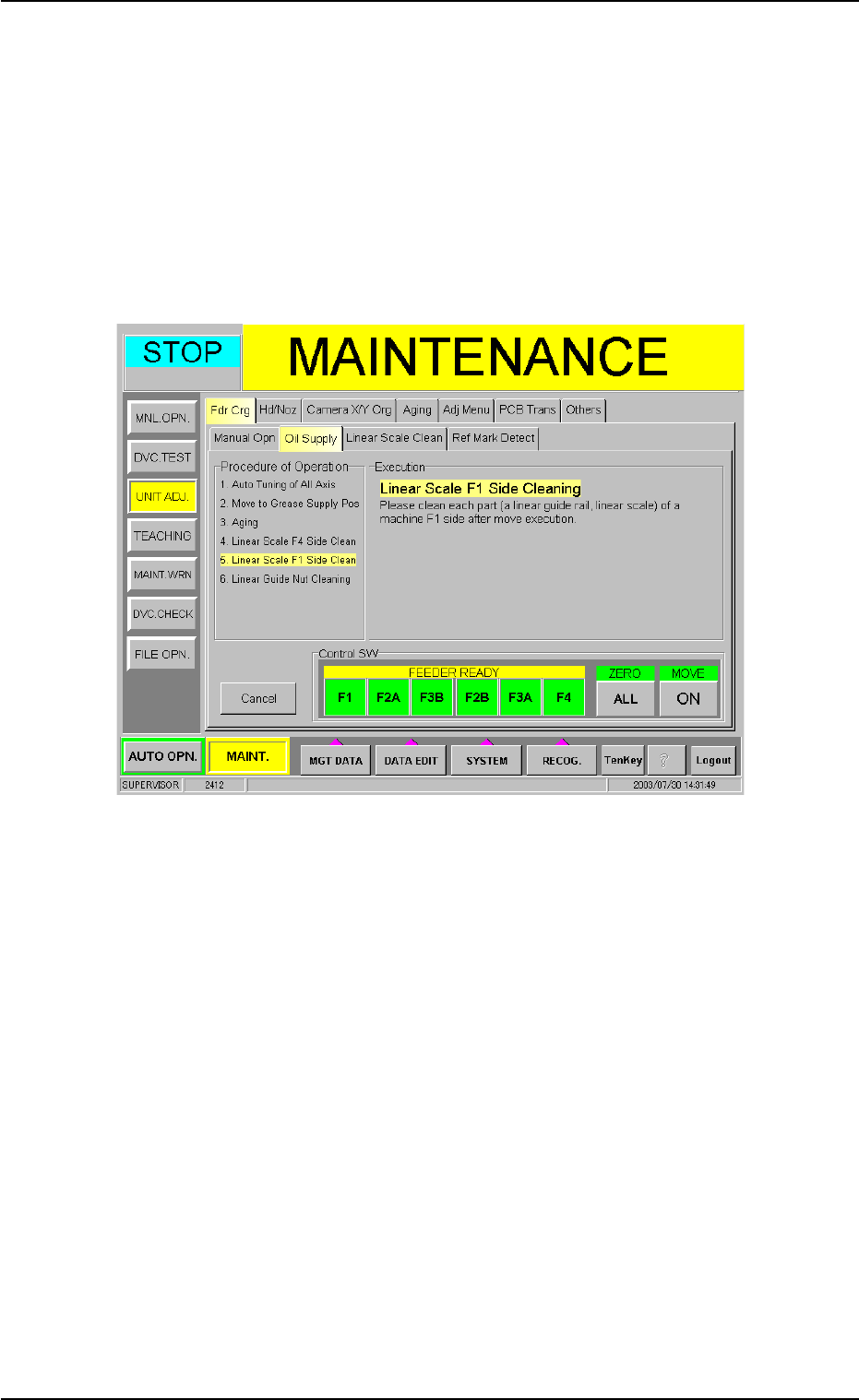
(19) When the [Next] button is pressed, the following sheet appears.
Follow the steps similar to Steps (13) through (18) and clean the
linear scale on the F1 side.
Fig. 4A84-13
1.4 Maintenance Method
0307-005 1-75 AFO01ETRP
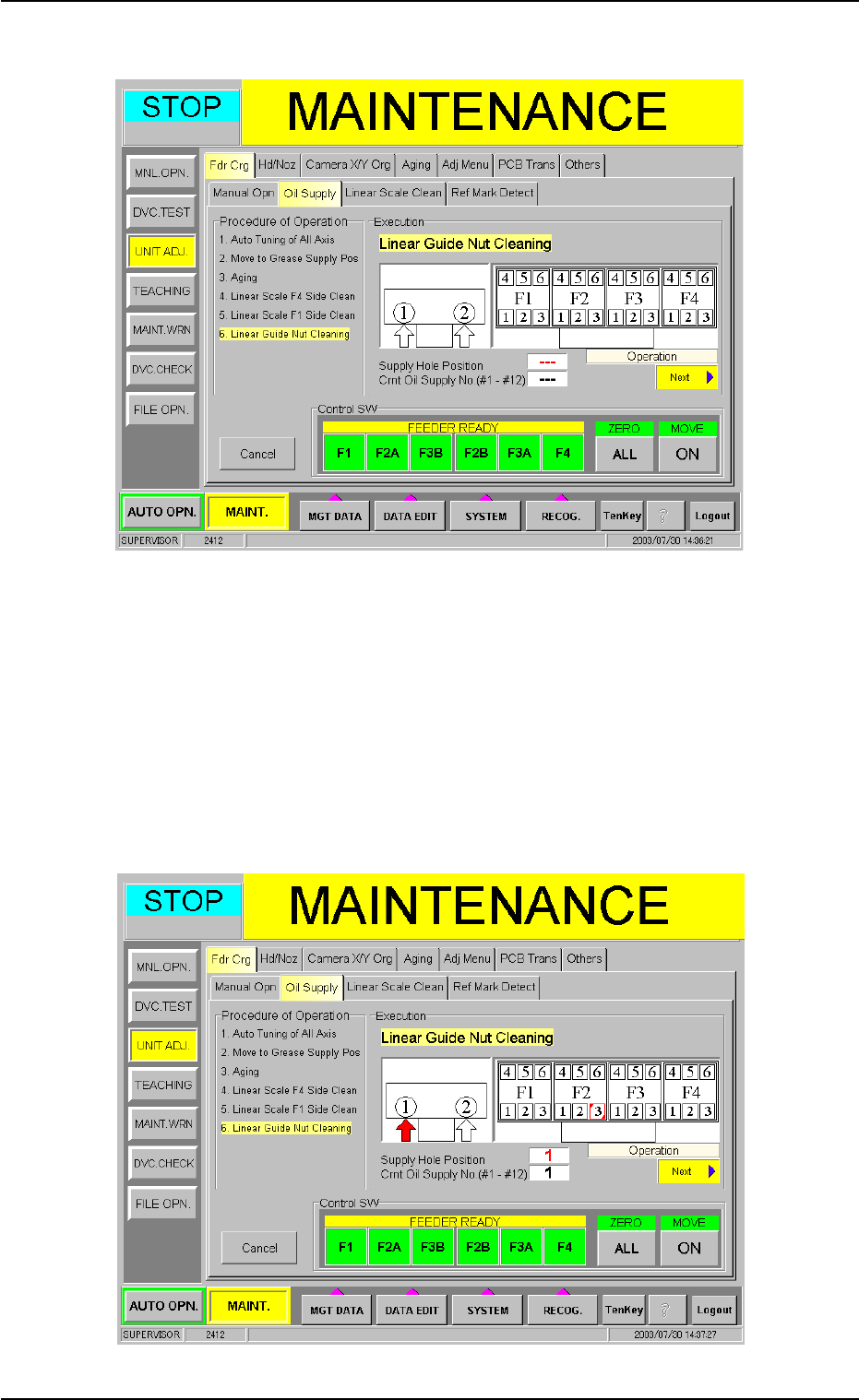
(20) Press the [Next] button. The following sheet appears.
Fig. 4A84-14
(21) Press the [ALL] button entitled "ZERO" to zero all devices.
Press one of the [F1], [F2A], [F3B], [F2B], [F3A] and [F4] buttons
entitled "FEEDER READY" to set the machine ready for operation.
(22) Press the [ON] button entitled "MOVE". In 2 seconds, press the
[ENABLE] button on the operation panel. The F2 linear guide moves
to the cleaning position.
Fig. 4A84-15