T-Solution2_User_Guide(Chi_Ver11.3)_部分1.pdf - 第144页
3-14 {TzYG|˅Gn {TzYG|˅Gn STEP2. 选择 “A llow a program or featur e through W in dows Firewall” 菜单 STEP3. 单击 <A llow another program> 按钮
3-13
PC配置及软件前置安装
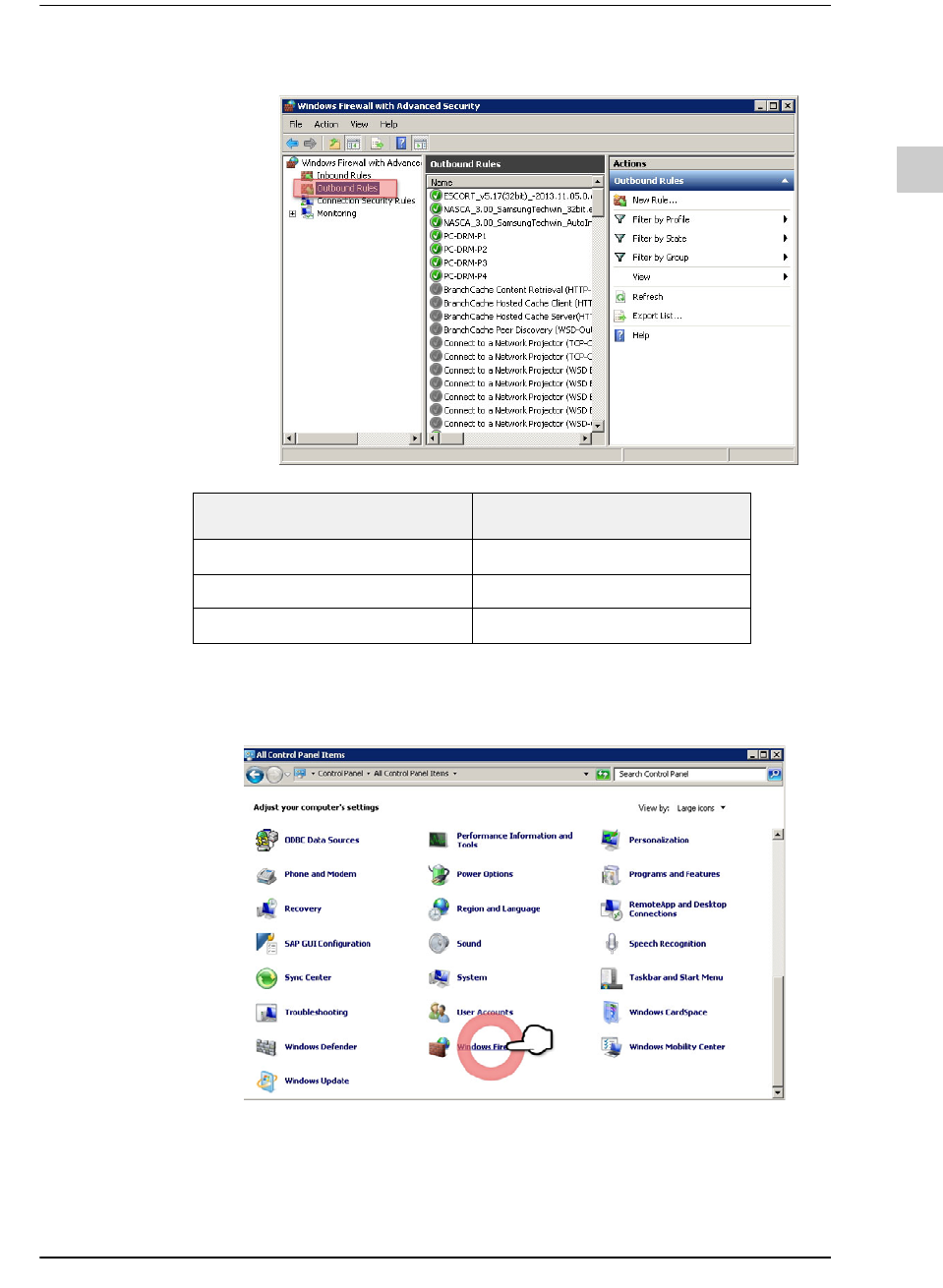
STEP7. 选择了“Outbound Rules”后,执行与“STEP1?STEP6”相同的步骤。
允许程序或功能
STEP1. 选择“Windows Firewall”菜单
Module
Port Number
T-CommServer
2011
Database 1433
T-Service Port
7231 ~ 7238
3-14
{TzYG|˅Gn{TzYG|˅Gn
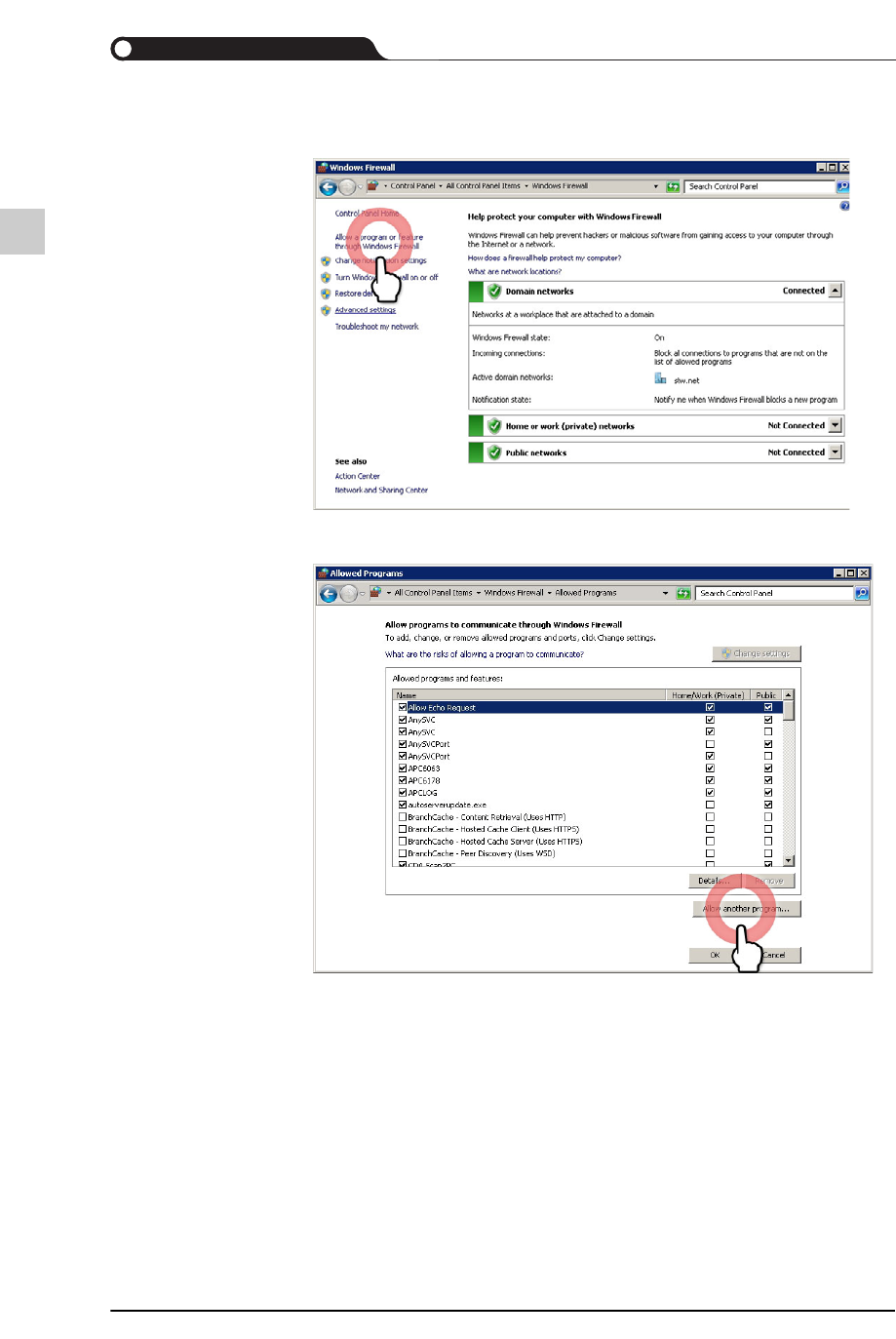
STEP2. 选择“Allow a program or feature through Windows Firewall”菜单
STEP3. 单击<Allow another program>按钮
3-15
PC配置及软件前置安装
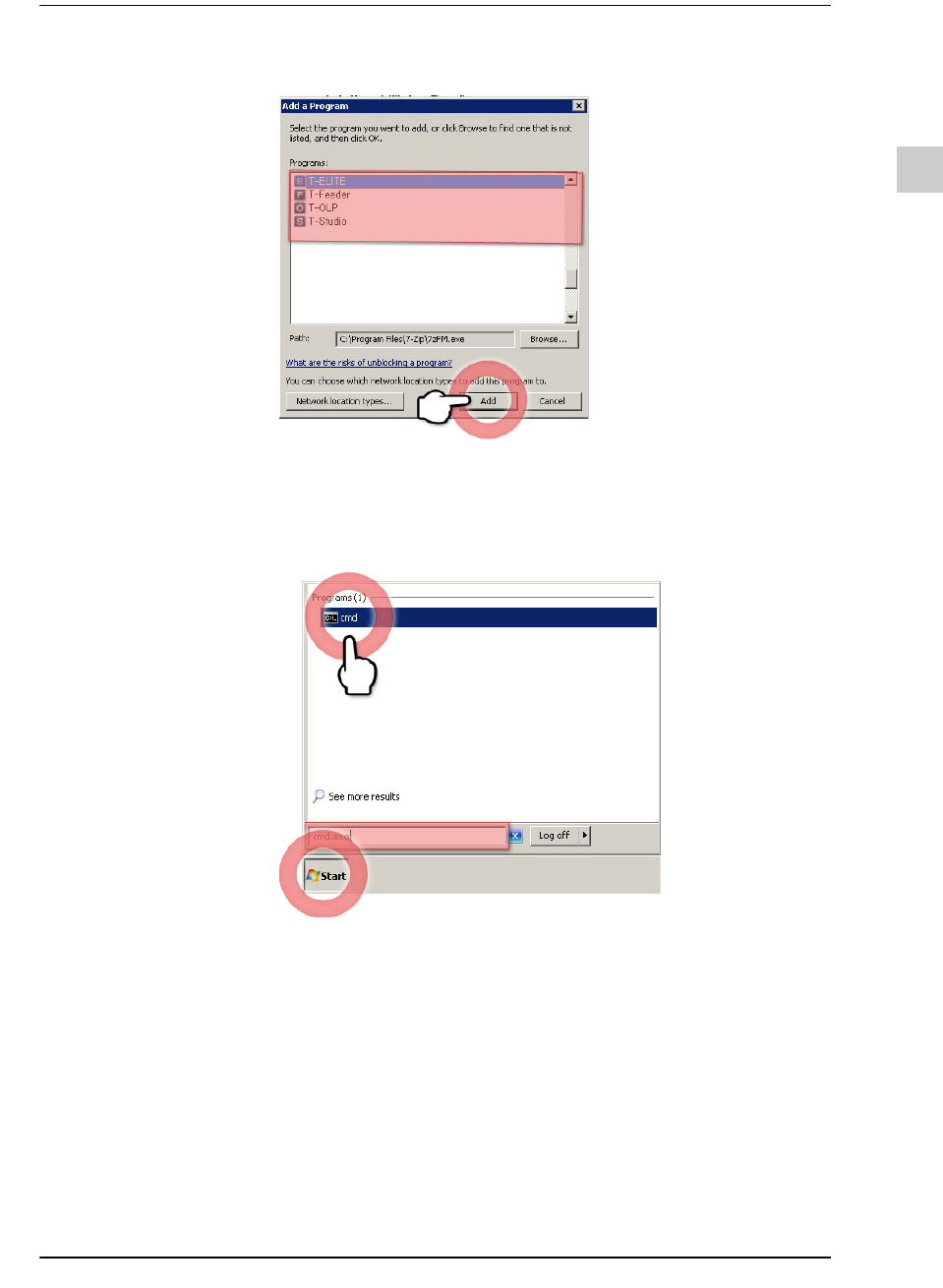
STEP4. 选择程序(T-Solution2 Client程 序 )后 ,单 击 <Add>按钮。
Ping Test
STEP1. 单击视窗任务栏的<Start>按钮后, 在“搜索程序和文件”输入
“cmd.exe”,在搜索结果选择程序