00198790-01_UM_TrayUnit_DE.pdf - 第65页
6 Funktionen am Stationsrechner (ab SR714.0) 6.1 Setup Location Bedienungsanleitung SIPLACE Tray Unit 08/2021 65 6 Funktionen am Stationsrechner (ab SR714.0) HINWEIS Online-Hilfe der SIPLACE Stationssoftware (SRGUI) Info…

5 Aufgaben für das Bedienpersonal
5.5 Rüstung der SIPLACE Tray Unit
64 Bedienungsanleitung SIPLACE Tray Unit 08/2021
6 Funktionen am Stationsrechner (ab SR714.0)
6.1 Setup Location
Bedienungsanleitung SIPLACE Tray Unit 08/2021 65
6 Funktionen am Stationsrechner (ab SR714.0)
HINWEIS
Online-Hilfe der SIPLACE Stationssoftware (SRGUI)
Informationen finden Sie in der Online-Hilfe der SIPLACE Station Software (SRGUI).
6.1 Setup Location
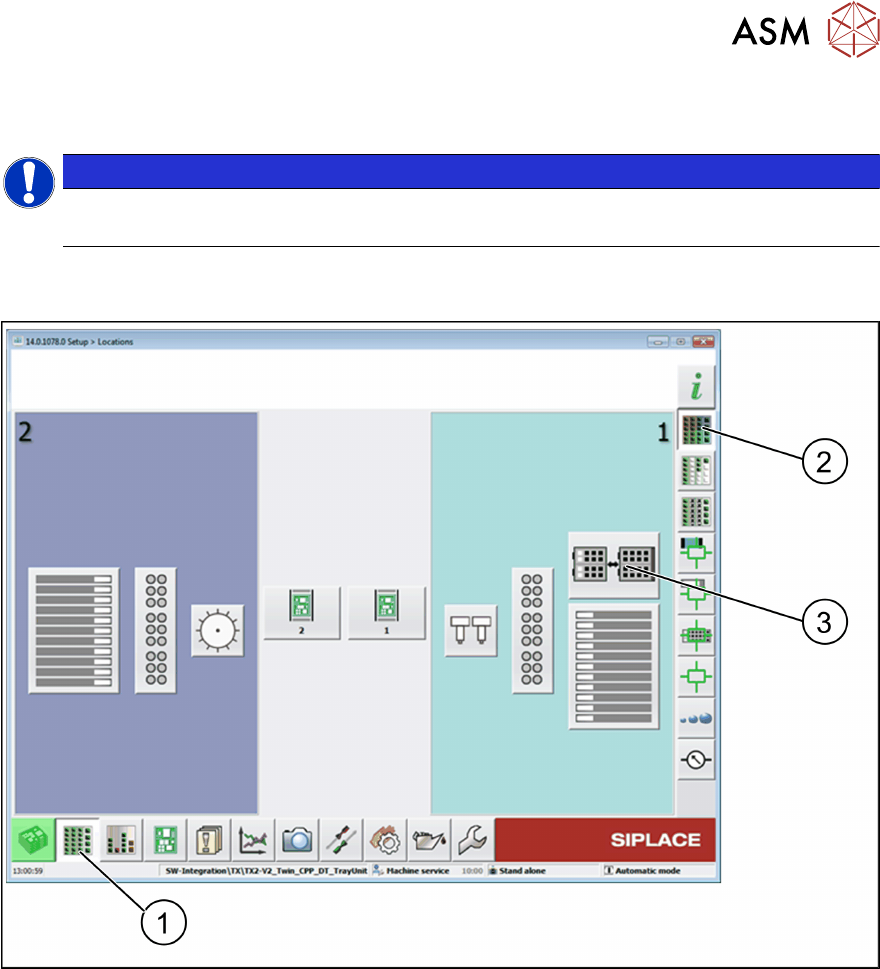
Abb.48: Stationssoftware – Ansicht "Setup Location"
► Wählen Sie die Ansicht Setup (1).
► Wählen Sie die Ansicht Location (2).
► Wählen Sie Tray Unit (3).
ð Die Ansicht SIPLACE Tray Unit wird geöffnet.
6 Funktionen am Stationsrechner (ab SR714.0)
6.1 Setup Location
66 Bedienungsanleitung SIPLACE Tray Unit 08/2021
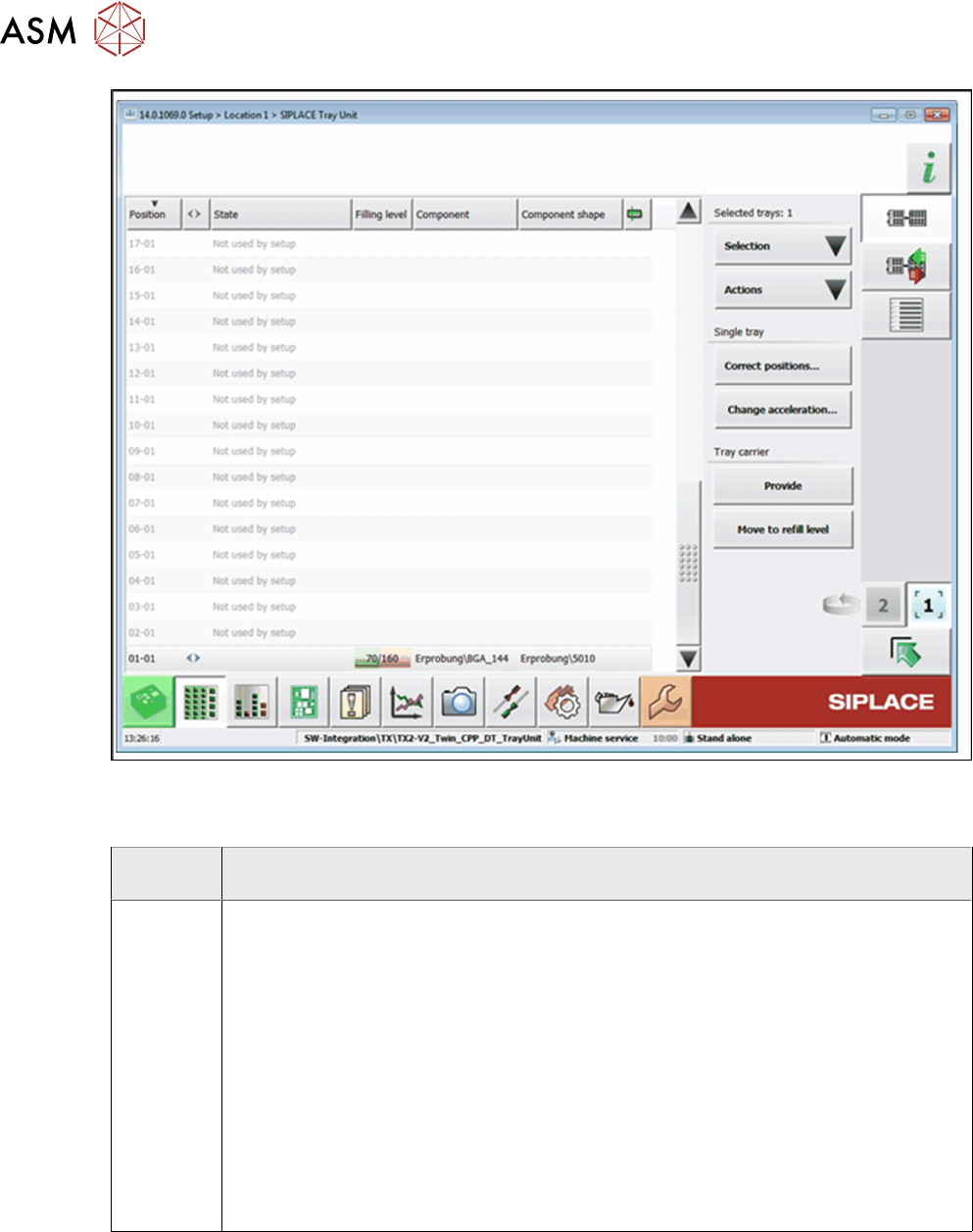
Abb.49: Stationssoftware - Ansicht Setup-Location -SIPLACE Tray Unit
Ausgewählte FM
Schaltflä-
che
Beschreibung
Auswahl Select empty trays
Wählt alle Flächenmagazine aus, die keine Bauelemente enthalten.
Select trays deactivated automatically.
Wählt alle Flächenmagazine aus, die vom System deaktiviert wurden.
Select trays deactivated by operator
Wählt alle Flächenmagazine aus, die vom Bediener deaktiviert wurden.
Select trays not used by setup
Wählt alle Flächenmagazine aus, die von der derzeit gültigen Rüstung nicht verwen-
det werden.
Select all
Alle Einträge in der Liste werden ausgewählt.
Deselect all
Die Auswahl aller Einträge in der Liste wird rückgängig gemacht.