Manual_BSA_II_英文操作说明书.pdf - 第12页
12 BSA II Operating Instructions Device Description 3.4.2 Device with F rame Draft Shield 1 2 3 Fig. 6: Device with frame draft shield (ex ample) P os. Name 1 W eighing pan 2 Shock absorber 3 F rame draft shield 3.5 Conf…
BSA II Operating Instructions 11
Device Description
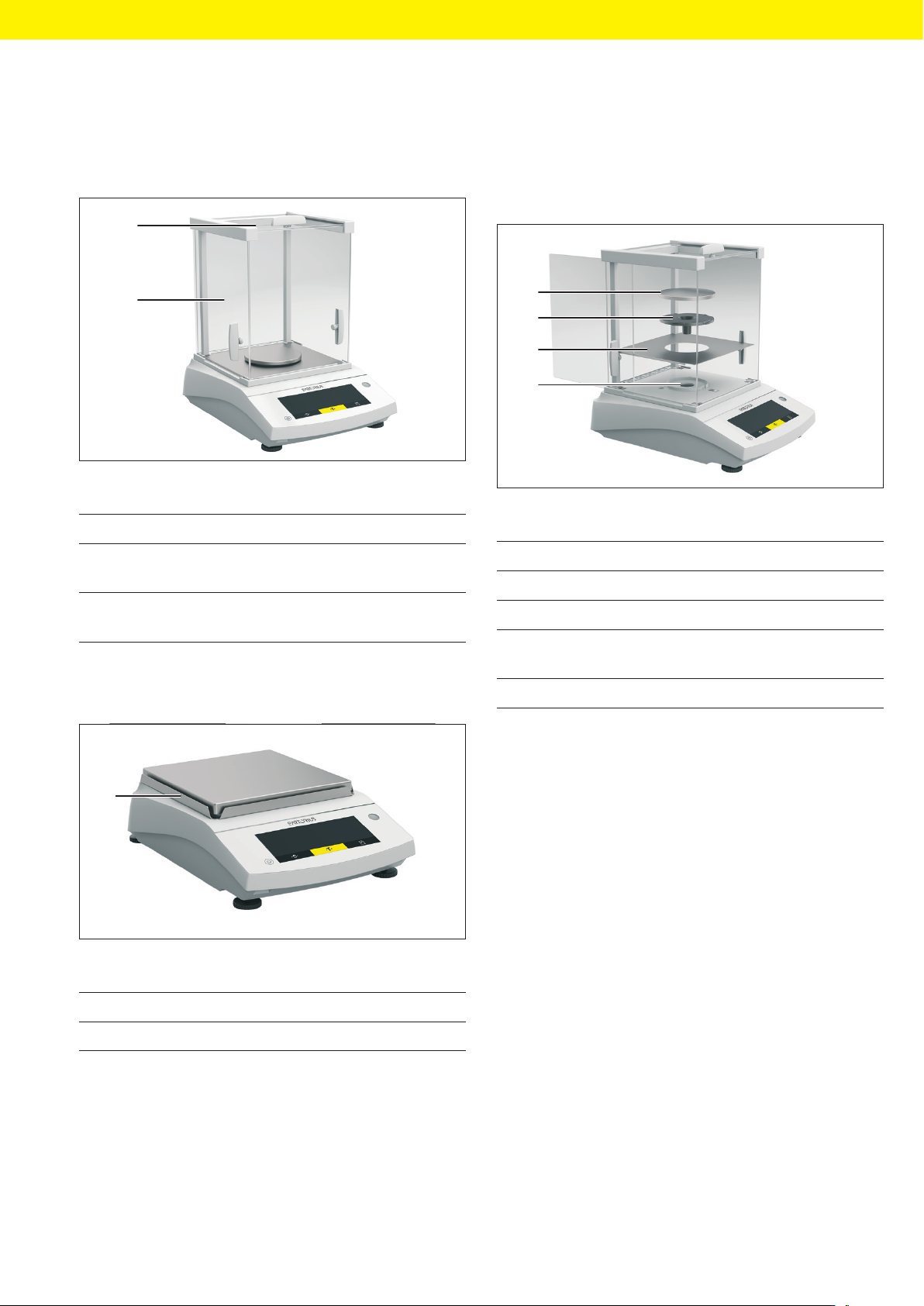
3.3 Draft Shield
3.3.1 Analytical Draft Shield
1
2
Fig. 3: Device with analytical draft shield (example)
Pos. Name Description
1 Upper draft
shield panel
Used to open the upper
panel manually
2 Side draft shield
panel
Used to open the side
panel manually
3.3.2 Frame Draft Shield
1
Fig. 4: Device with frame draft shield (example)
Pos. Name
1 Frame draft shield
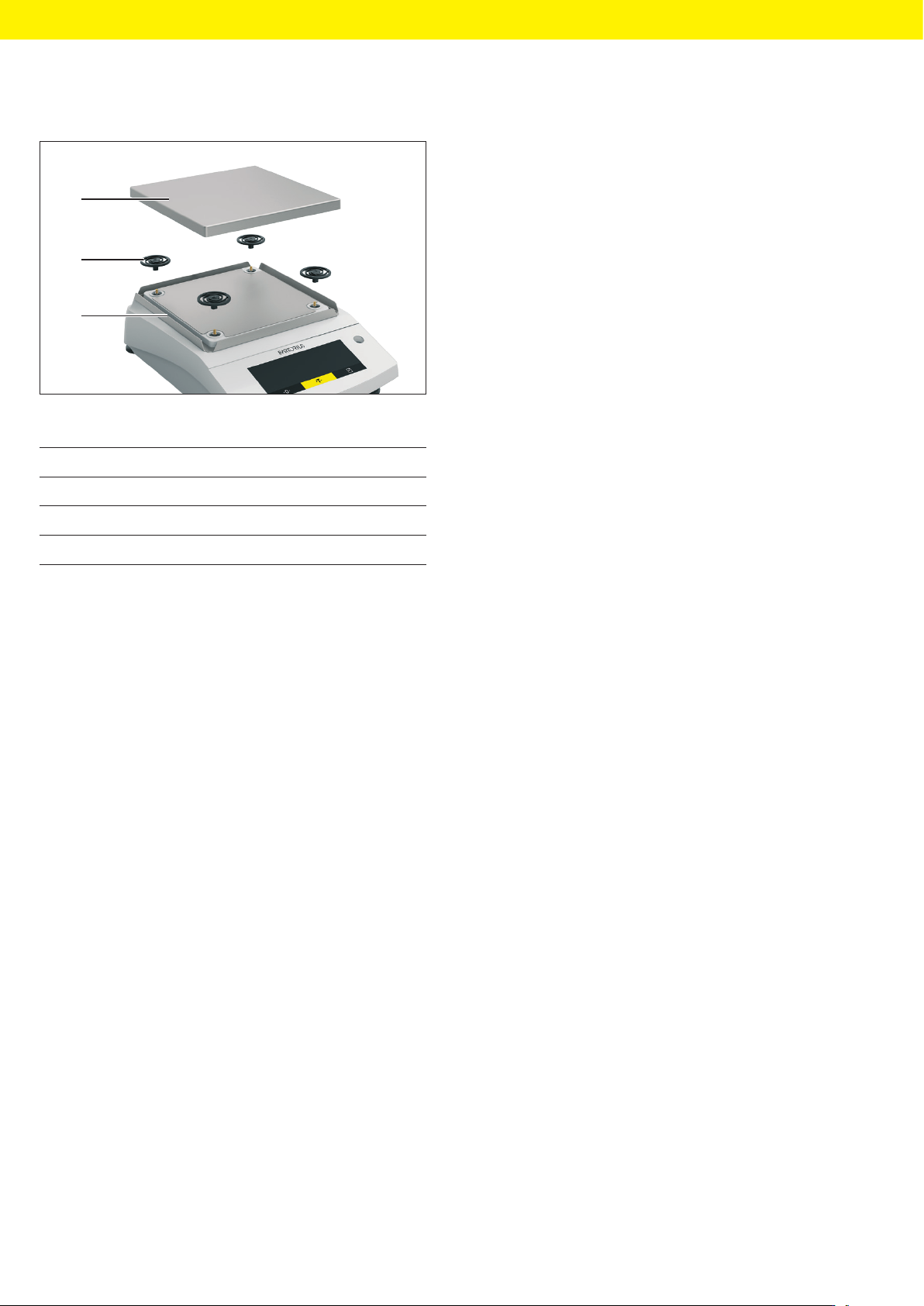
3.4 Weighing Pan and Associated
Components
3.4.1 Devices with Analytical Draft Shield
1
2
3
4
Fig. 5: Device with analytical draft shield (example)
Pos. Name Description
1 Weighing pan
2 Pan support
3 Base plate Can be taken out, e.g. for
cleaning.
4 Pan retainer
12 BSA II Operating Instructions
Device Description
3.4.2 Device with Frame Draft Shield
1
2
3
Fig. 6: Device with frame draft shield (example)
Pos. Name
1 Weighing pan
2 Shock absorber
3 Frame draft shield
3.5 Conformity-assessed Devices
Some settings of conformity-assessed models are pro-
tected against operator changes, e.g., external adjust-
ment for devices in accuracy class II. This measure is in-
tended to ensure the suitability of the devices for use in
legal metrology.
BSA II Operating Instructions 13
Operating Design
4 Operating Design
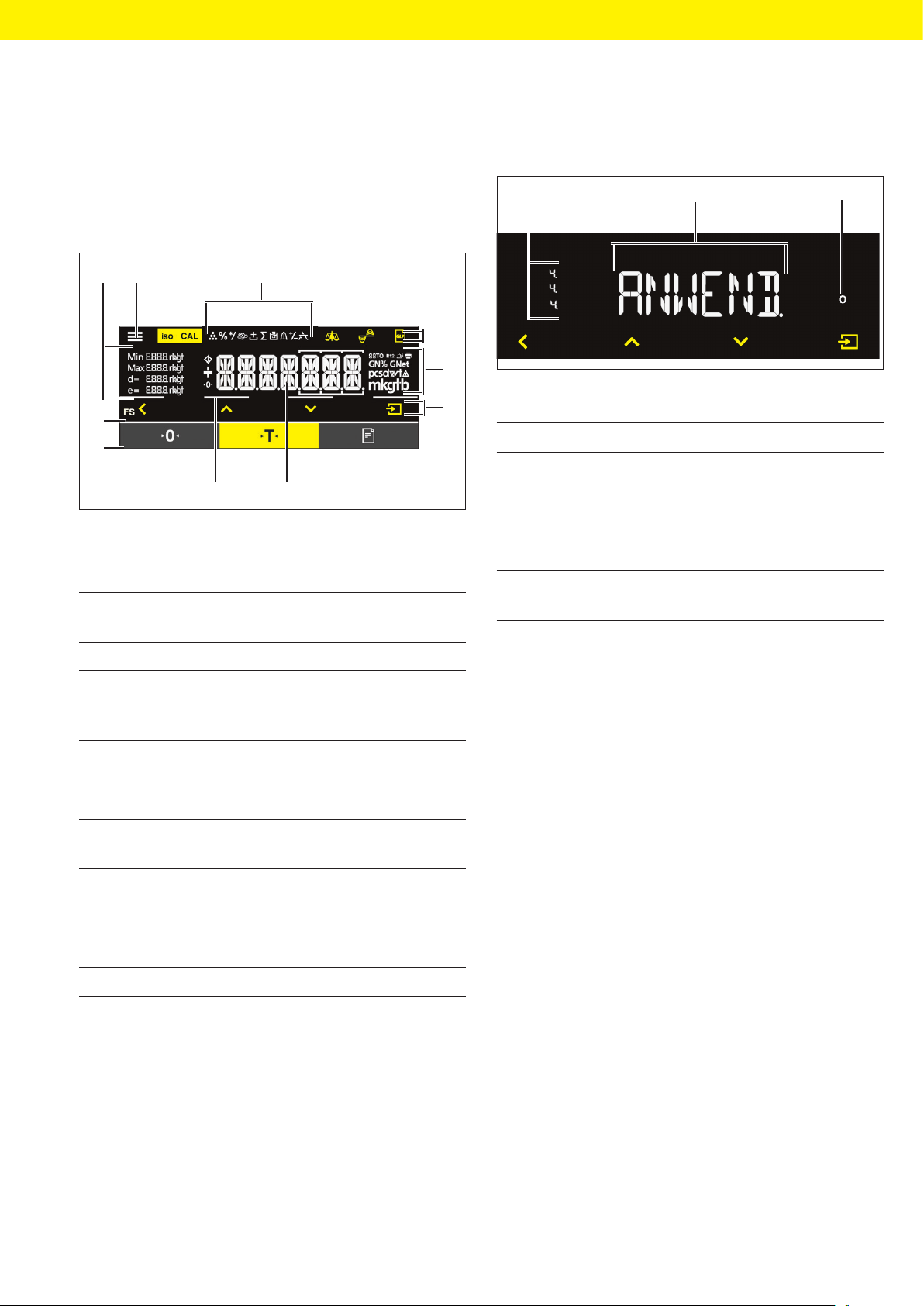
4.1 Operating Display in Weighing
Mode
3
4
5
6
78
9
1
2
Fig. 7: Operating display in weighing mode (example)
Pos. Designation Description
1 Metrological
Data
2 Menu
3 Application
overview
Displays the selected ap-
plication program during
operation
4 Toolbar
5 Weighing unit Displays the selected unit,
e.g., grams, [g]
6 Navigation bar For navigation in the
menu and system settings
7 Measurement
display
8 Visual touch
feedback
9 Toolbar
4.2 Menu and System Settings
Display
3
1
2
Fig. 8: Menu and system settings display (example)
Pos. Designation Description
1 Menu level Shows the position of the
displayed menu or param-
eter in up to 4 levels
2 Menu or param-
eter entry
3 [Selection] dis-
play