LmrXP142机械手册.pdf - 第138页
Notes: Part 6 Chapter 5 Connecting the Data Transmission Cable <Ethernet> Edition 3.0 6-5-2 XP-142E Mechanical Reference
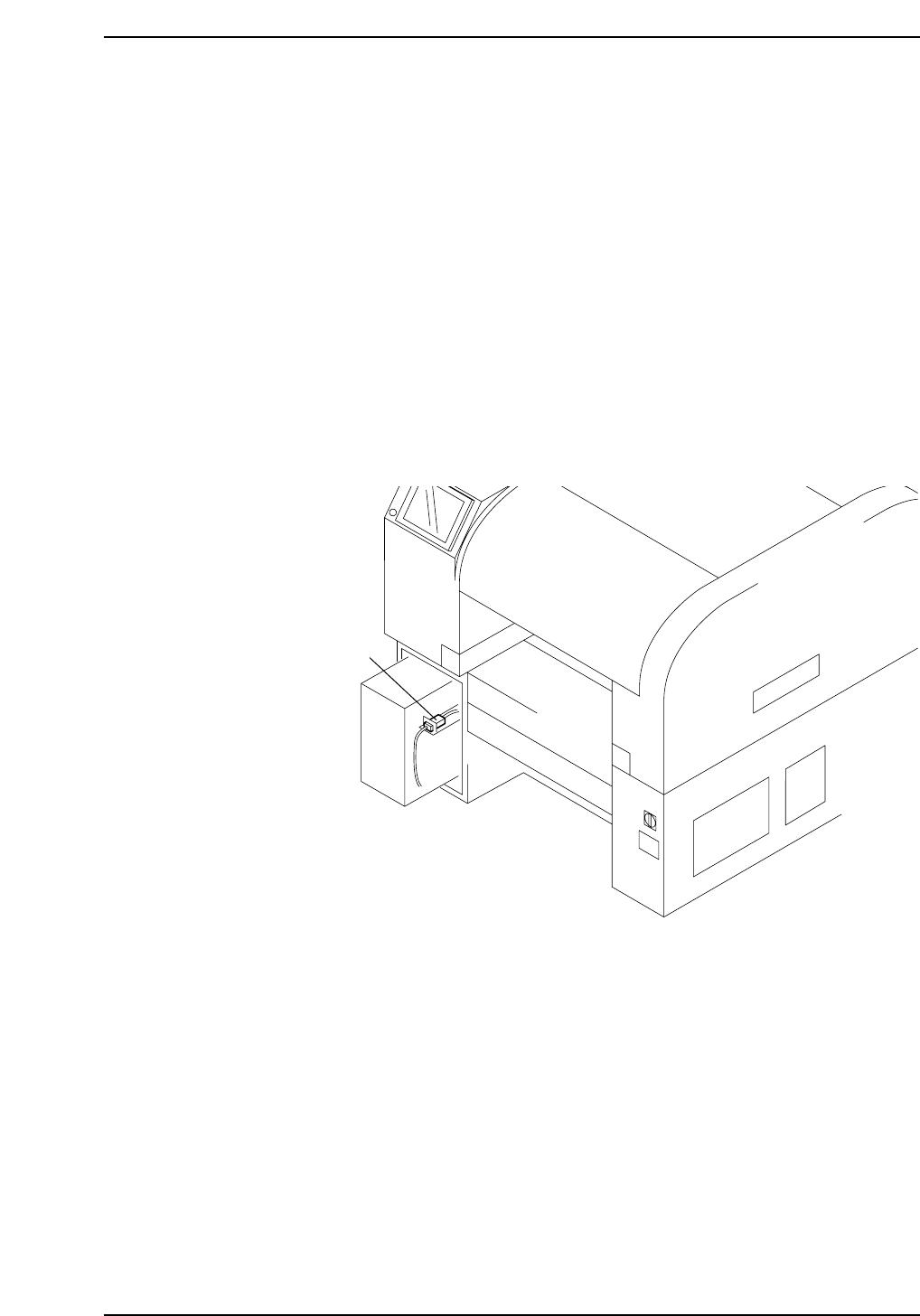
5. Connecting the Data Transmission Cable
<Ethernet>
Point
The machine is connected to the host computer by means of an Ethernet twisted-pair
communication cable (class 5), which permits program transmissions and production log
collection.
Procedure
1. Register the machine in the line descriptor file at the host.
Note: Refer to the host computer manual for details regarding the registration procedure.
2. Connect one end of the transmission cable to the Ethernet connector at the host,
and connect the other end to the connector on the machine.
Ethernet connector
XP1MS207E
Part 6 Chapter 5 Connecting the Data Transmission Cable <Ethernet>
Edition 3.0 6-5-1 XP-142E Mechanical Reference

Notes:
Part 6 Chapter 5 Connecting the Data Transmission Cable <Ethernet>
Edition 3.0 6-5-2 XP-142E Mechanical Reference
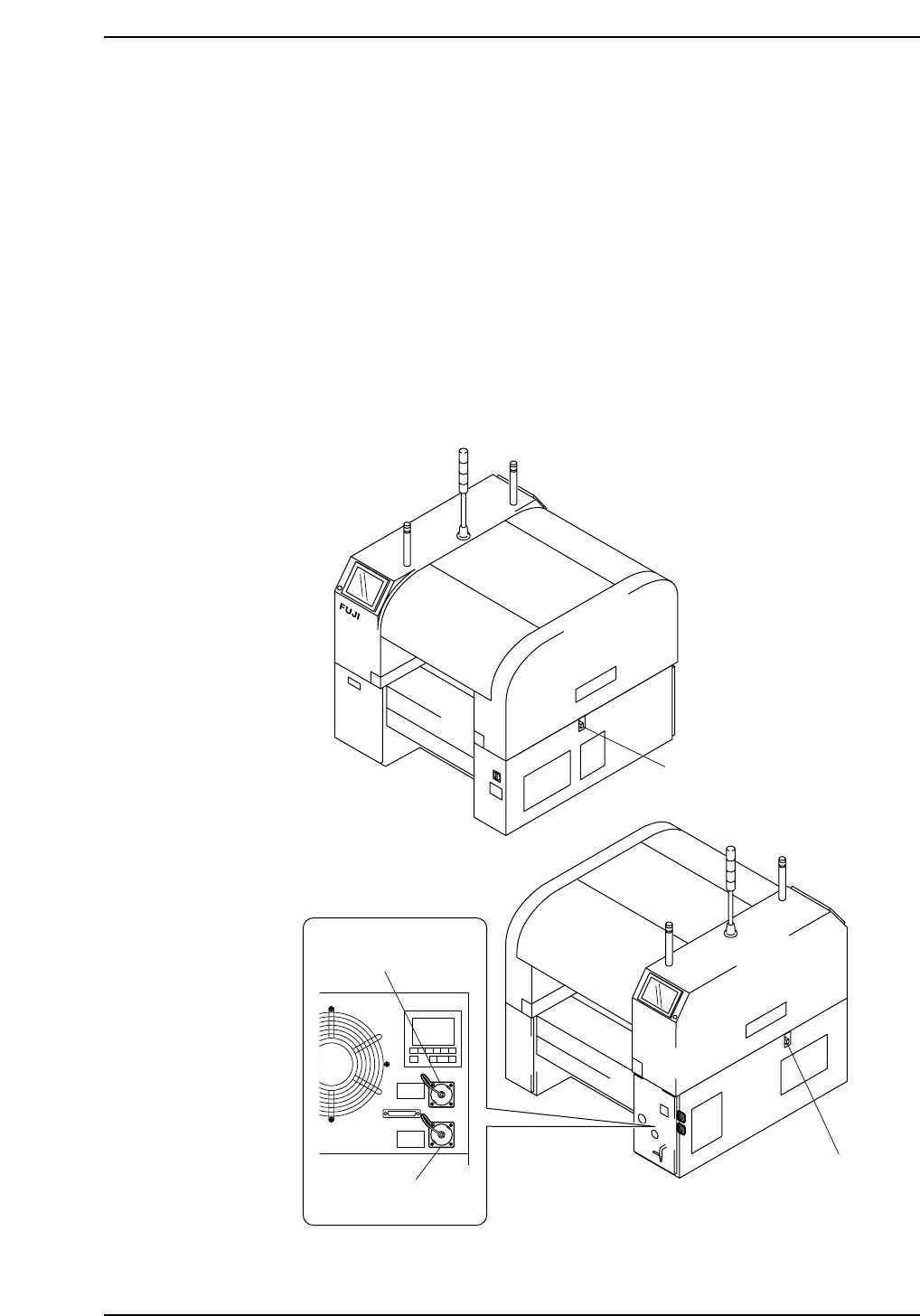
6. Connecting the Panel Loading Interface and
Panel Request Signal Connectors
Point
Enable transmission of panel request signals by connecting the machine with other
machines using panel loading interface and panel request signal connectors.
Procedure
1. Open the right-side cover on the rear of the machine, and the panel loading
interface connectors are at the upper right. Remove the cover and connect the
signal cable.
2. There are panel request signal connectors below the conveyor openings. Use these
connectors to make connections with the previous and next machines.
Panel request
signal connector
Panel request
signal connector
XP1MS208Ea
Machine Front (Side 1)
Machine Rear (Side 2)
Panel loading interface
connector (to previous)
Panel loading interface
connector (to next)
Part 6
Edition 3.0 6-6-1 XP-142E Mechanical Reference
Chapter 6 Connecting the Panel Loading Interface
and Panel Request Signal Connectors