LmrXP142机械手册.pdf - 第56页
1.8 Cleaning the Strobe Light Unit (Every 3 Months) Point If oil and dust accumulate on the strobe light half mirror or prism surface, problems such as with the light intensity and image distortion, will cause inspection…
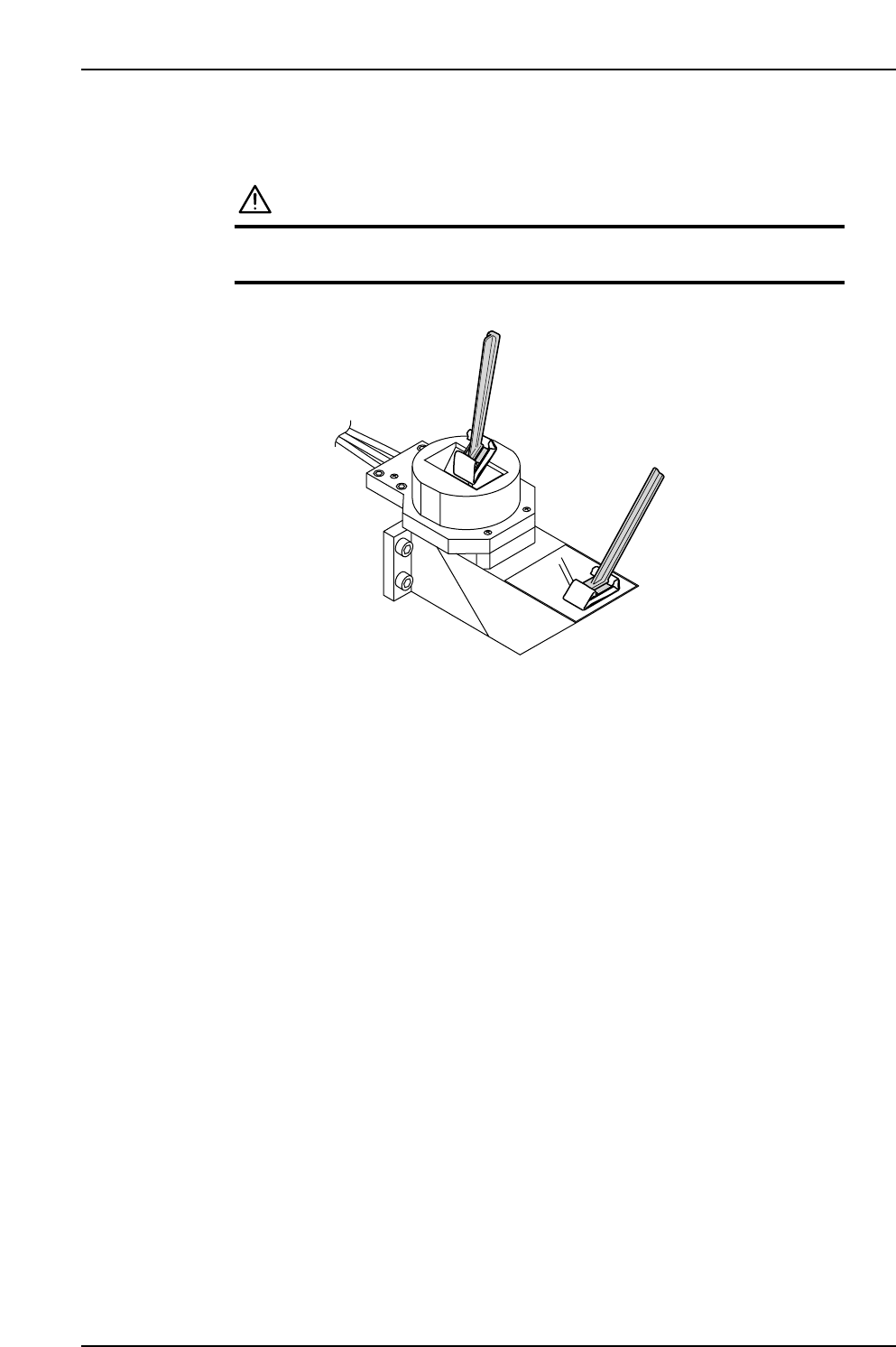
2. Using the wiper fitted with the cleaning paper, clean the surfaces of the half mirror
and the prism.
CAUTION
Do not press hard when cleaning the thin strobe light half
mirror because it breaks easily.
XP1MC215
Part 3 Chapter 1 Cleaning
Edition 3.1 3-1-10 XP-142E Mechanical Reference
1.8 Cleaning the Strobe Light Unit (Every 3 Months)
Point
If oil and dust accumulate on the strobe light half mirror or prism surface, problems such
as with the light intensity and image distortion, will cause inspection errors.
Procedure
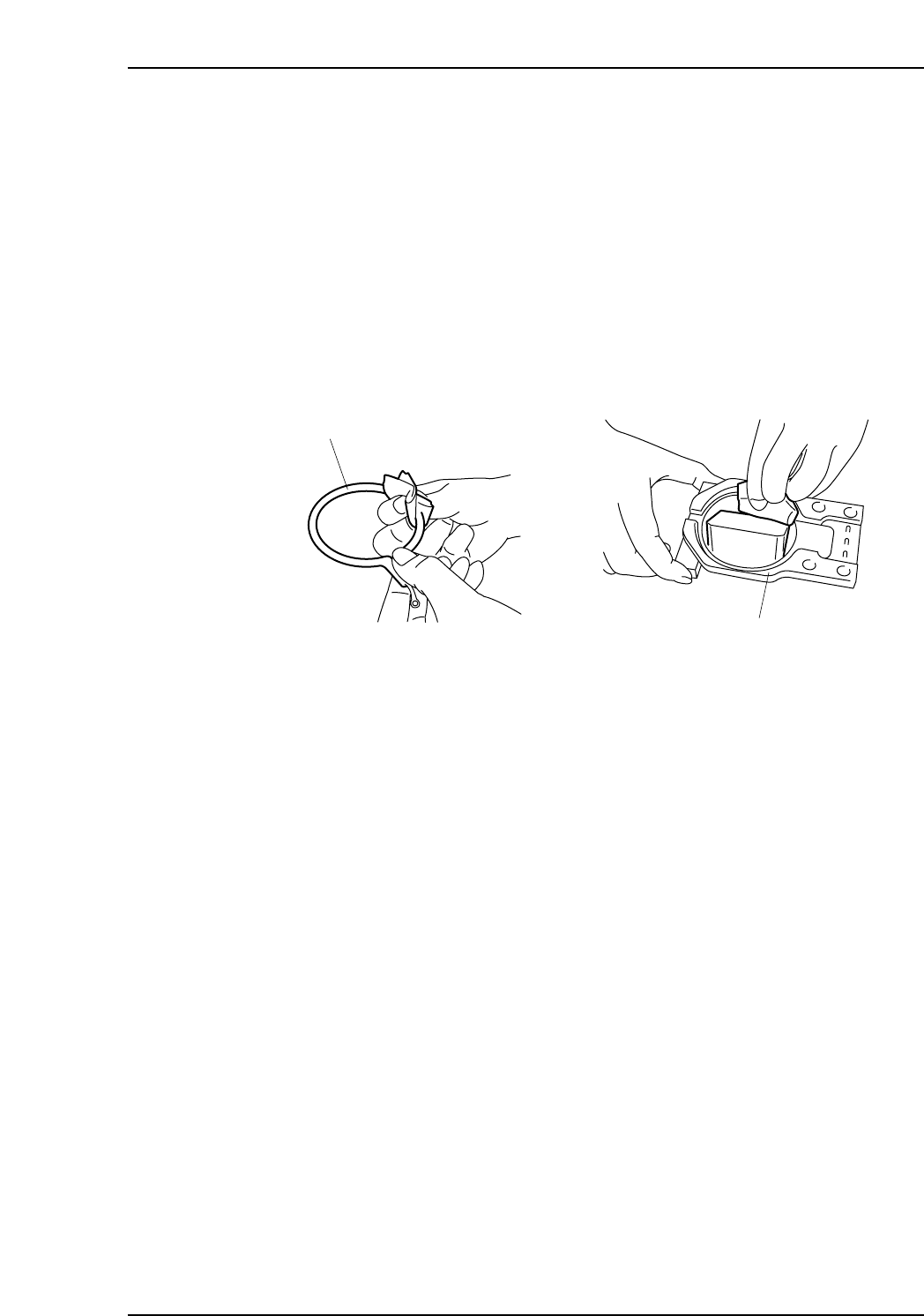
1. To clean the inside of the unit, first dismantle the strobe unit according to the
instructions in chapter 3, section 3.1 "Replacing the Strobe Light", and then clean
the strobe light (xenon) and holder.
XP1MC216E
Strobe light
Holder
Part 3 Chapter 1 Cleaning
Edition 3.1 3-1-11 XP-142E Mechanical Reference
1.9 Cleaning the Regulator Filter (Monthly)
Point
Air entering the machine must be clean at all times. A dirty air regulator filter may cause
placing problems, so clean at regular intervals.
Procedure
WARNING
Cut power to the machine at the main switch before
attempting this procedure.
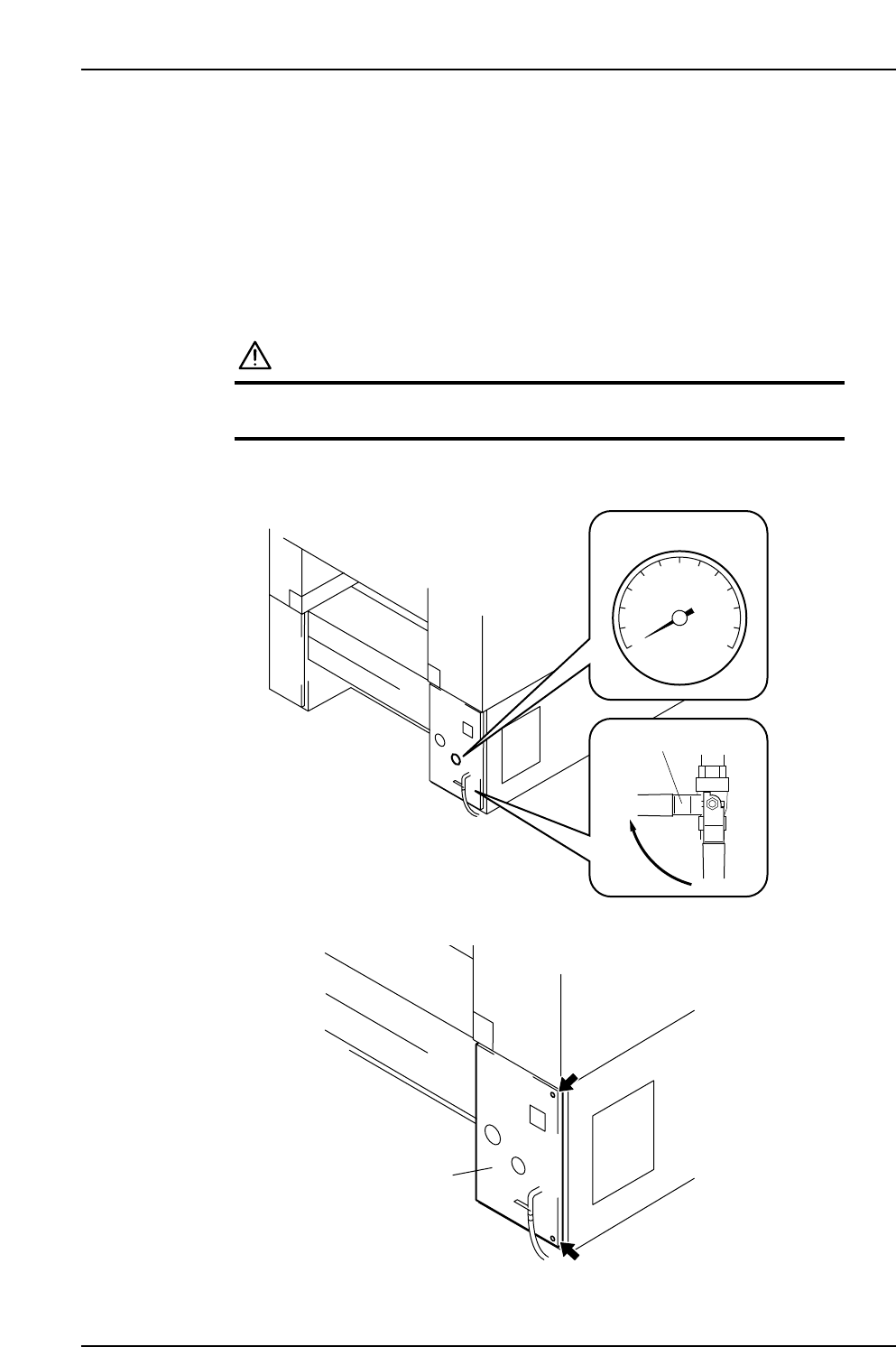
1. Rotate the valve lever to turn off the air supply. Discharge the air from the lines
and confirm that the pressure is 0.
2. Loosen the screws and open the cover.
XP1MC211E
Cover
XP1MC210E
Valve lever
Close
0
Pressure gauge
Part 3 Chapter 1 Cleaning
Edition 3.1 3-1-12 XP-142E Mechanical Reference