LmrXP142机械手册.pdf - 第82页
4. Replace the battery. 5. Turn the main switch (power breaker) off. 6. Turn the main switch (power breaker) on again, and verify that [AL A2] or [A.830] is no longer displayed at the servo amplifier. 7. Press the SYSTEM…
3.5 Replacing the Servo Amplifier Battery
Point
Because XP-Series machines use absolute encoder motors, the encoder data is constantly
stored at the servo amplifier. If this data is lost, the absolute encoder setup procedure
must be repeated, and the Proper data must be re-measured. To prevent the encoder
data from being lost at power off, the servo amplifier is equipped with an internal data
backup battery. This servo amplifier battery must be replaced when a "Servo Amplifier
Error" message displays on the machine's operation screen, with [AL A2] (X-axis) or
[A.830] (All axes other than X) displayed at the 7-segment LED display on the front of the
servo amplifier in question.
Procedure
CAUTION
1. Perform this procedure with the main switch (power
breaker) on.
2. Never remove the battery when the POWER LED is off,
because the absolute position encoder's data will be lost.
1. Verify that the "SYSTEM ON" lamp is on.
2. Press the EMERGENCY STOP button.
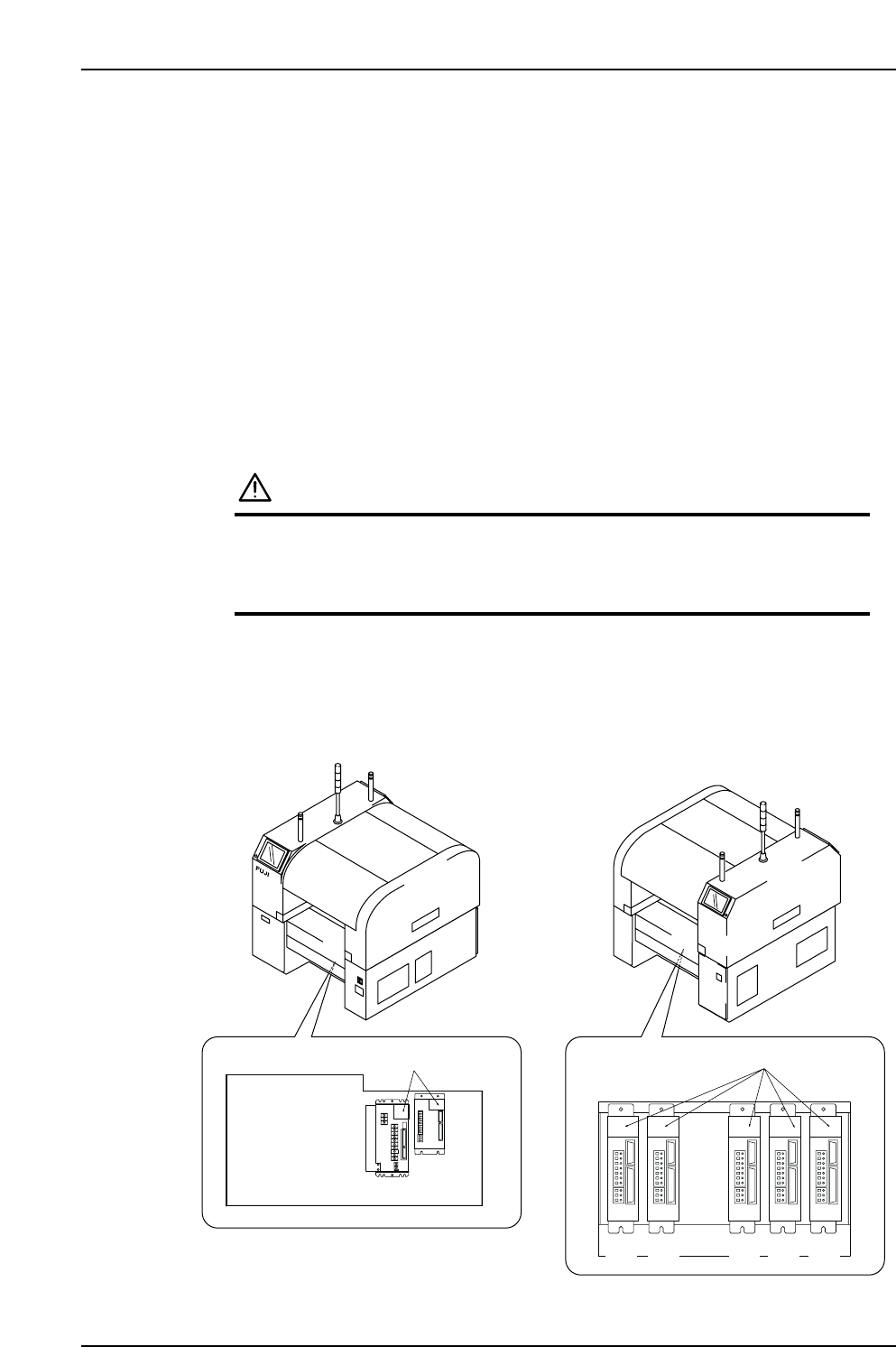
3. Locate the servo amplifier that has [AL A2] or [A.830] displayed at its 7-segment
LED display.
Servo box 1
Servo box 2
XP1MR206aE
Front (Side 1)
Rear (Side 2)
LED display
LED display
X-axis
Y-axis
G F R Q Z
Part 3 Chapter 3 Replacing Consumable Parts
Edition 3.1 3-3-6 XP-142E Mechanical Reference
4. Replace the battery.
5. Turn the main switch (power breaker) off.
6. Turn the main switch (power breaker) on again, and verify that [AL A2] or [A.830]
is no longer displayed at the servo amplifier.
7. Press the SYSTEM ON button to turn on the power, then verify that the machine
operates normally.
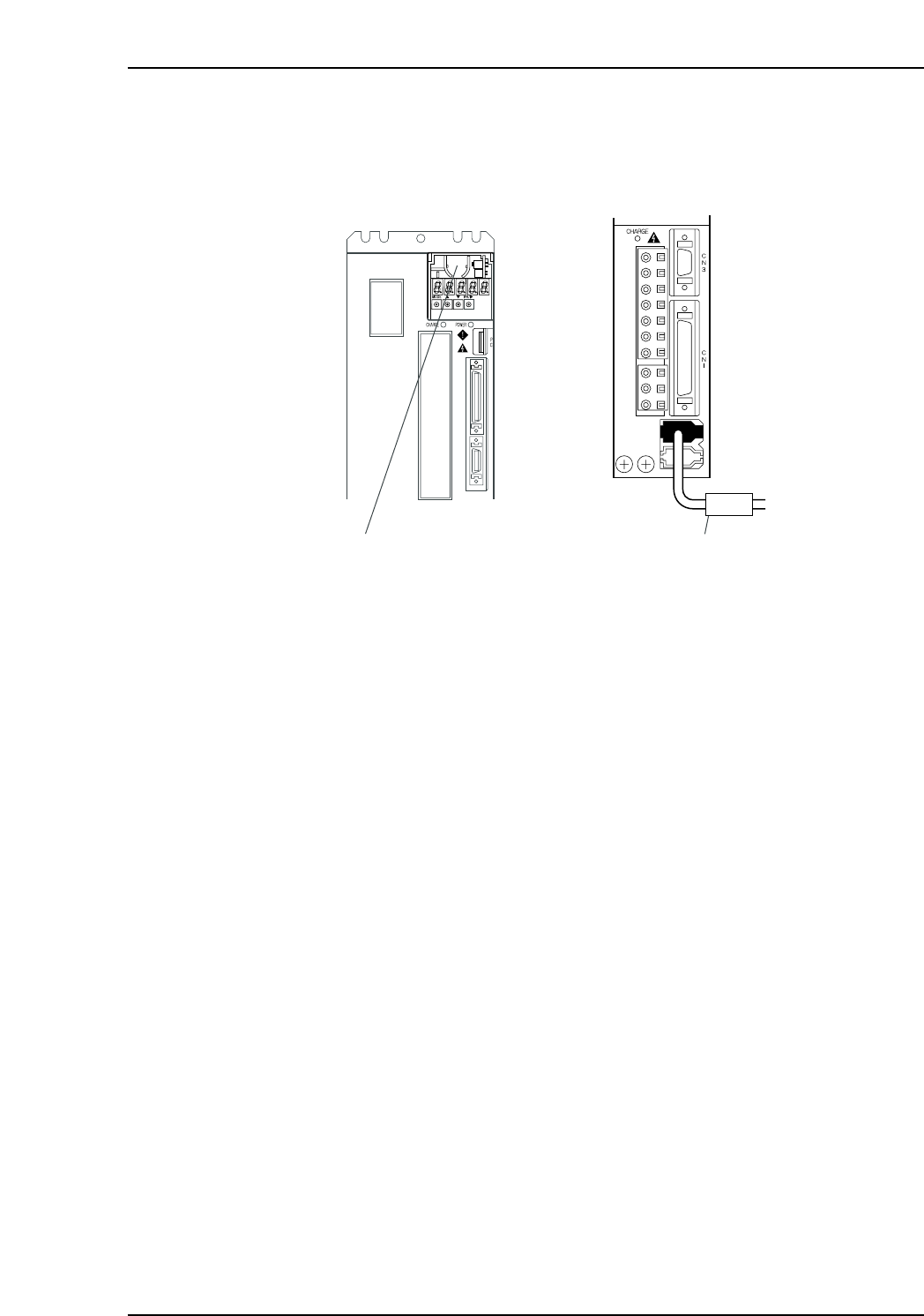
X-axis Y, G, F, R, Q,
and Z-axes
XP1ML020aE
Battery case
Battery case
Battery
Type: AL-00494635-01
Code No.: H10195
Est. time before failure:
2 years (Machine not used)
3 years (Standard)
Battery
Type: JZSP-BA01
Code No.: H10212
Est. time before failure:
5 years (Machine not used)
10 years (12 hours of use/day)
Note: The time before failure increases with increased machine operation.
Part 3 Chapter 3 Replacing Consumable Parts
Edition 3.1 3-3-7 XP-142E Mechanical Reference
3.6 Replacing the CPU Board Battery
Point
If the SRAM (memory) backup battery on the CPU board fails, then problems such as
lack of trace data will occur. Replace this battery regularly, at 6 year intervals.
Procedure
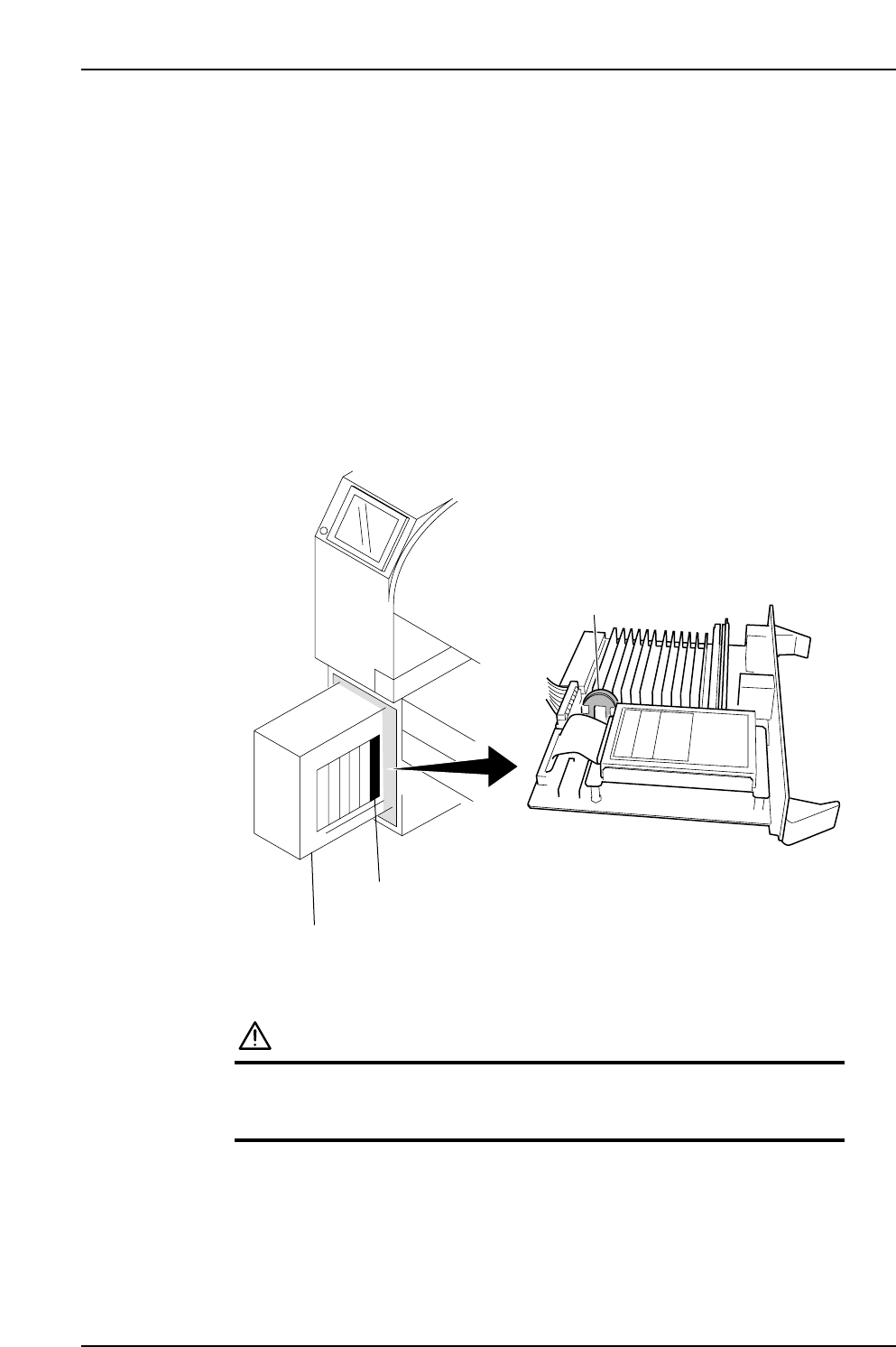
1. Turn off the power to the machine at the main switch (breaker).
2. Remove the CPU board from the Control Box.
3. Replace the lithium battery (CR2450, commercially available) on the CPU board.
4. Return the CPU to the Control Box.
5. Turn on the machine power and follow the instructions that appear on screen to
resume operation.
CAUTION
• Do not use any battery other than the specified battery.
• Dispose of the used lithium battery in accordance with
your local regulations.
Lithium battery
Control box
CPU board
XP1MA036E
Part 3 Chapter 3 Replacing Consumable Parts
Edition 3.1 3-3-8 XP-142E Mechanical Reference