LmrXP142机械手册.pdf - 第58页
3. Remove the drain hose, if one is used on the machine. 4. Hold the lock button down and rotate the filter case to remove it. 5. Remove any water that has collected in the filter case, and use a neutral detergent to cle…
1.9 Cleaning the Regulator Filter (Monthly)
Point
Air entering the machine must be clean at all times. A dirty air regulator filter may cause
placing problems, so clean at regular intervals.
Procedure
WARNING
Cut power to the machine at the main switch before
attempting this procedure.
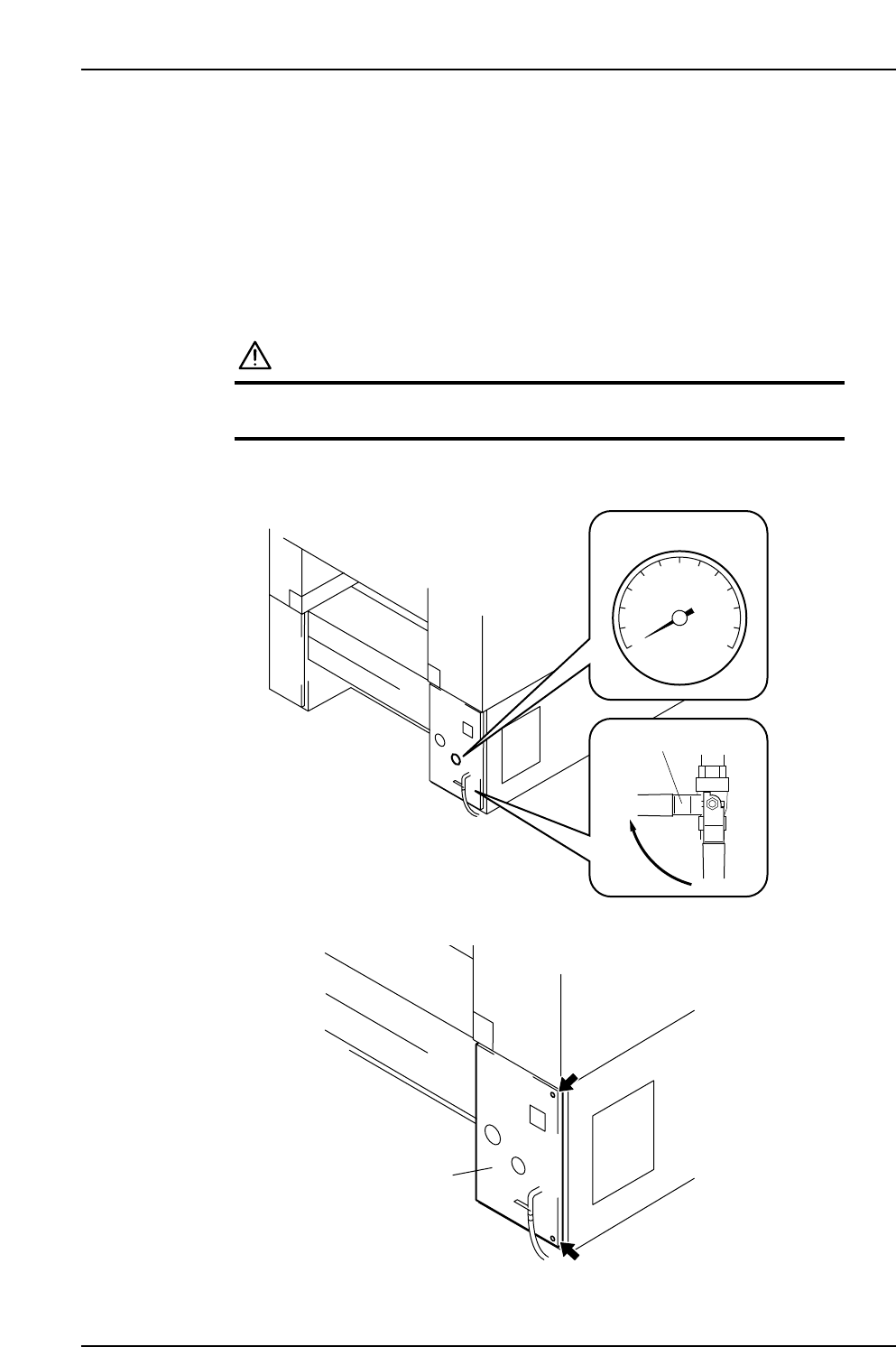
1. Rotate the valve lever to turn off the air supply. Discharge the air from the lines
and confirm that the pressure is 0.
2. Loosen the screws and open the cover.
XP1MC211E
Cover
XP1MC210E
Valve lever
Close
0
Pressure gauge
Part 3 Chapter 1 Cleaning
Edition 3.1 3-1-12 XP-142E Mechanical Reference
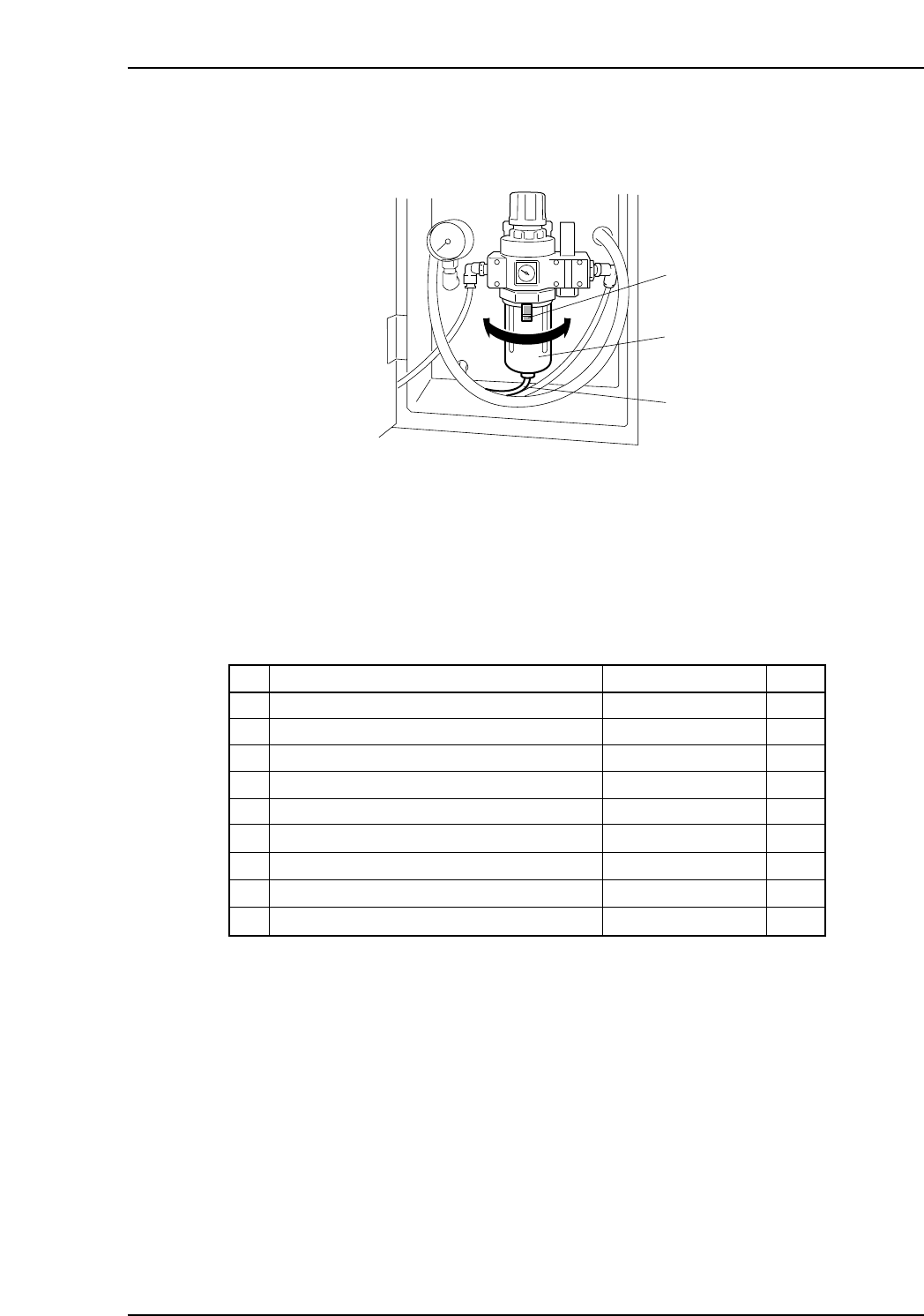
3. Remove the drain hose, if one is used on the machine.
4. Hold the lock button down and rotate the filter case to remove it.
5. Remove any water that has collected in the filter case, and use a neutral detergent
to clean the case. Clean the inside of the filter with compressed air, or replace it if
necessary.
Cleaning Checklist
T012Ed
Cleaning Interval
Every 8 hours
Everyday
Weekly
Weekly
Every 3,000 hours
Weekly
Weekly
Every 3 months
Monthly
CheckPlace Cleaned
Waste Tape Box <if so equipped>
Parts Reject Box and Tray
Nozzle Interior
Gauge Chip Parts
Vacuum Pump Filter
Machine Interior
Strobe Light Half Mirror
Strobe Light Unit
Regulator Filter
1.1
1.2
1.3
1.4
1.5
1.6
1.7
1.8
1.9
XP1MC212E
Lock button
Drain hose
Filter case
Part 3 Chapter 1 Cleaning
Edition 3.1 3-1-13 XP-142E Mechanical Reference

Notes:
Part 3 Chapter 1 Cleaning
Edition 3.1 3-1-14 XP-142E Mechanical Reference