00197382-02_IM_SetupCenter6.3_EN.pdf - 第102页
Uninstalling Optional: Uninstalling the SIE MultiThread API SIECA 132 Softwa re Package 6.3.1 Uninstalling S QL Ser ver Express Installations 102 Installation Manual SIPLACE Setup Center 6.3
Uninstalling
6.3.1 Uninstalling SQL Server Express Installations Uninstalling Forced Setup Verification
Installation Manual SIPLACE Setup Center 6.3 101
6.4
6.4 Uninstalling Forced Setup Verification
Uninstalling Forced Setup Verification
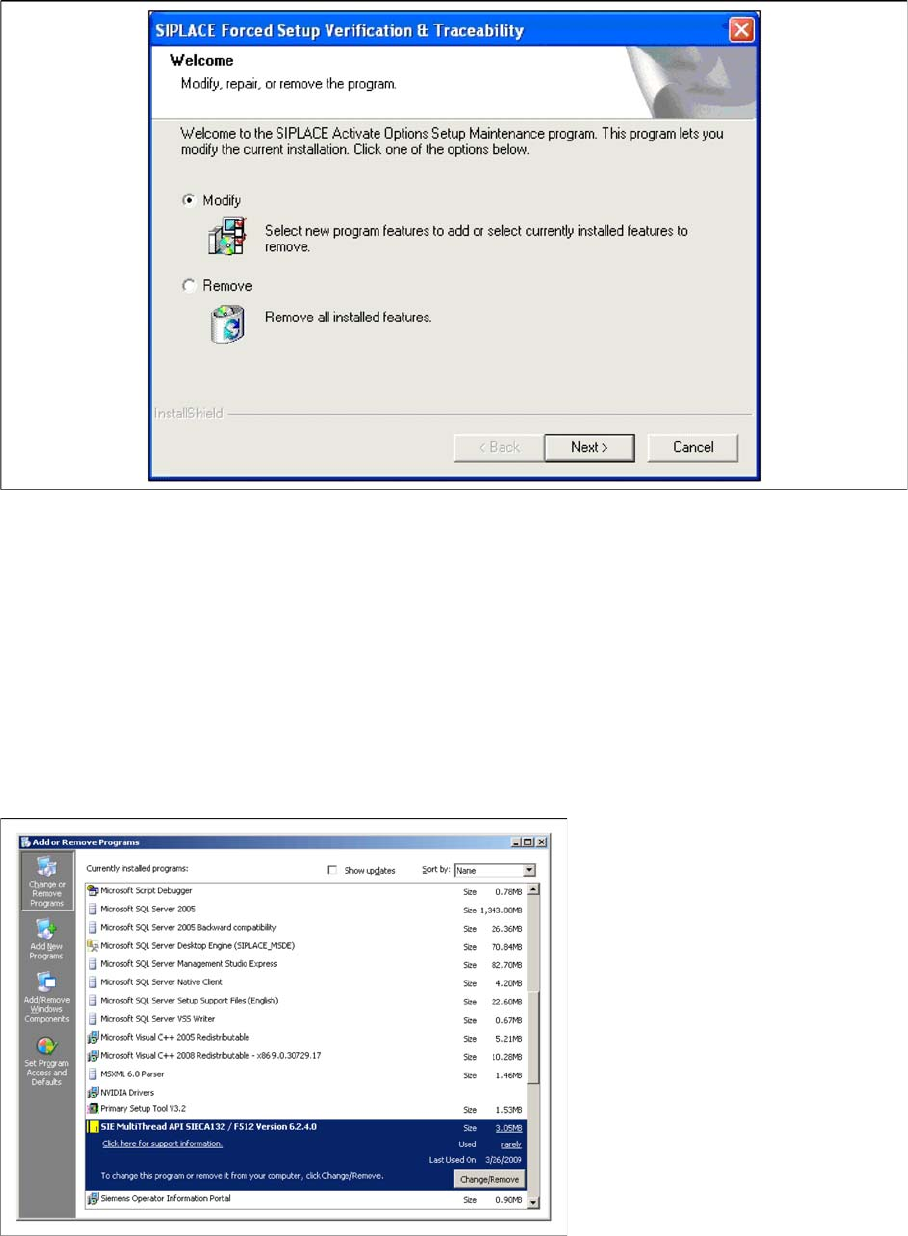
If the Setup at the software CD "SIPLACE Setup Center 3.0" is called up at the SIPLACE station again,
the following dialog appears.
► If Remove is selected, the option Forced Setup Verification and Traceability will be deactivated.
6.5
6.5 Optional: Uninstalling the SIE MultiThread API SIECA 132 Software Package
Optional: Uninstalling the SIE MultiThread API SIECA 132 Soft
-
ware Package
► Click Start in the Windows start menu.
► Click Settings.
► Click Control Panel.
► Double-click Add / Remove Programs.
A list appears with the names of the software packages installed on the computer.
► Select SIE MultiThread API SIECA 132.
► Click the Remove button.
► Confirm the deletion of the application.
Uninstalling
Optional: Uninstalling the SIE MultiThread API SIECA 132 Software Package 6.3.1 Uninstalling SQL Server Express Installations
102 Installation Manual SIPLACE Setup Center 6.3
acpage