00197382-02_IM_SetupCenter6.3_EN.pdf - 第49页
Installation 4.3.1 Setup Center Software Installation Installation Manual SIPLACE Setup Center 6.3 49 Step 5 ► The Choose Destination Location dialog box prompts you to enter the name of the folder in whic h SIPLACE Setu…
Installation
Software Installation 4.3.1 Setup Center
48 Installation Manual SIPLACE Setup Center 6.3
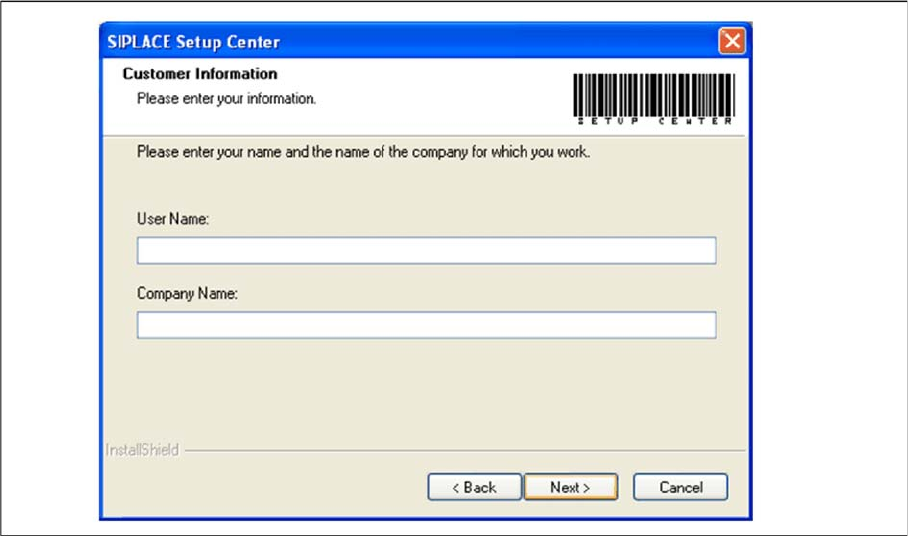
Step 4
► Enter your User Name and Company Name in the Customer Information dialog box. Both boxes
must be filled in before the installation process can be continued.
"Customer Information" dialog box
► Click Next.
Installation
4.3.1 Setup Center Software Installation
Installation Manual SIPLACE Setup Center 6.3 49
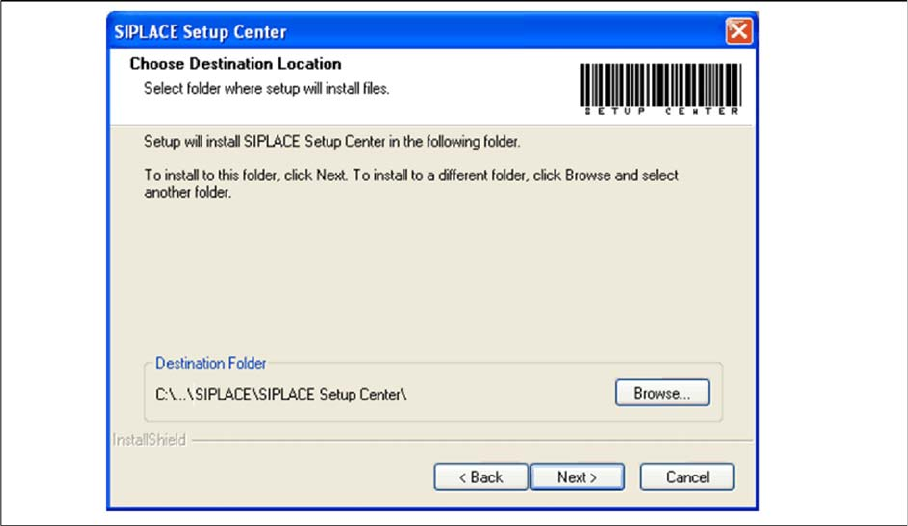
Step 5
► The Choose Destination Location dialog box prompts you to enter the name of the folder in which
SIPLACE Setup Center should be installed. The system suggests a default destination folder for you.
► However, you can click the Browse button to open a dialog box in which you can enter or select the
path you want to use. If the folder you specify does not exist, it is created after having accepted a
confirmation dialog.
"Choose Destination Location" dialog box
► Click Next.
Installation
Software Installation 4.3.1 Setup Center
50 Installation Manual SIPLACE Setup Center 6.3
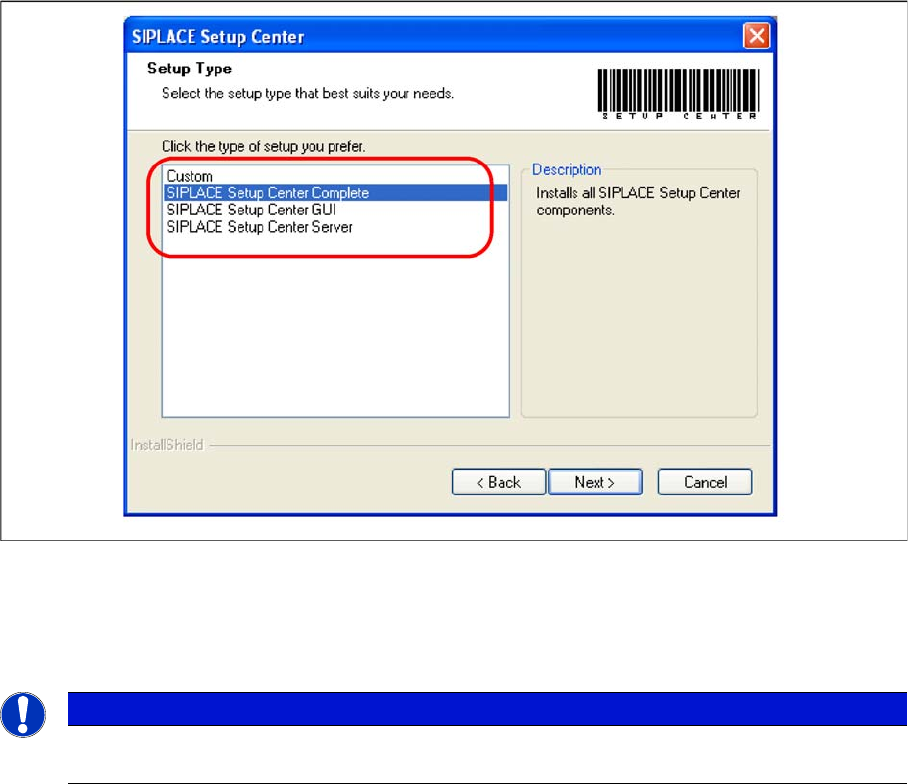
Step 6
► The Setup Type dialog box displays the SIPLACE Setup Center components you could choose for
installation.
"Setup Type" dialog box
► Select the setup type you want to install in the Setup Type dialog box.
► Click Next.
► If you select a type, a short description of the setup type in question appears in the Description box.
NOTICE
After choosing a setup type which includes a database installation, the setup program immedi
-
ately checks if SQL server is installed on the computer.