00197382-02_IM_SetupCenter6.3_EN.pdf - 第61页
Installation 4.3.1 Setup Center Software Installation Installation Manual SIPLACE Setup Center 6.3 61 Step 4 ► The " Installation Complete " window appears if the installati on has been comp leted succe ss full…
Installation
Software Installation 4.3.1 Setup Center
60 Installation Manual SIPLACE Setup Center 6.3
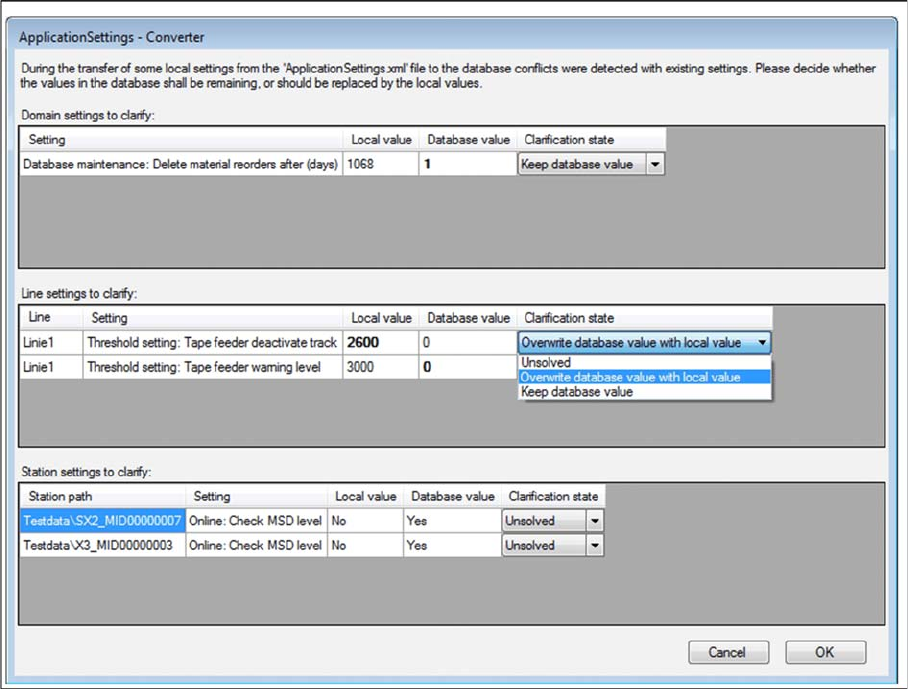
Step 3 (Only when conflicts occur)
During the installation,settings are converted, some of which have been transferred from the local Appli
-
cationSettings.xml file to the database. This can lead to conflicts with existing settings. If conflicts were
detected, the Application Settings - Converter dialog appears.
► Decide whether the values in the database shall remaining (Keep database value), or should be re
-
placed by the local values (Overwrite database value with local value).
► All settings must be solved to get the next step.
Installation
4.3.1 Setup Center Software Installation
Installation Manual SIPLACE Setup Center 6.3 61
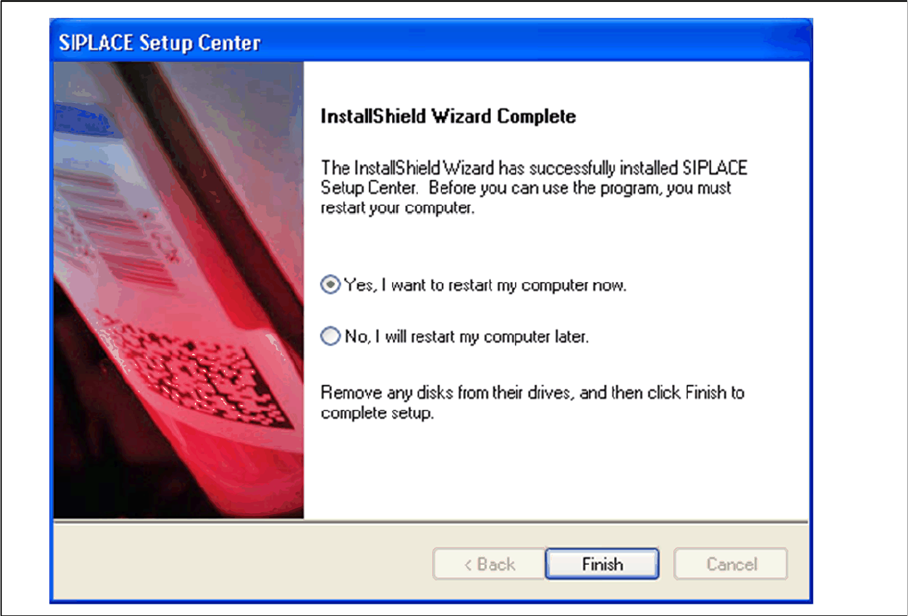
Step 4
► The "Installation Complete" window appears if the installation has been completed successfully.
► Click Finish.
Installation
Software Installation 4.3.1 Setup Center
62 Installation Manual SIPLACE Setup Center 6.3
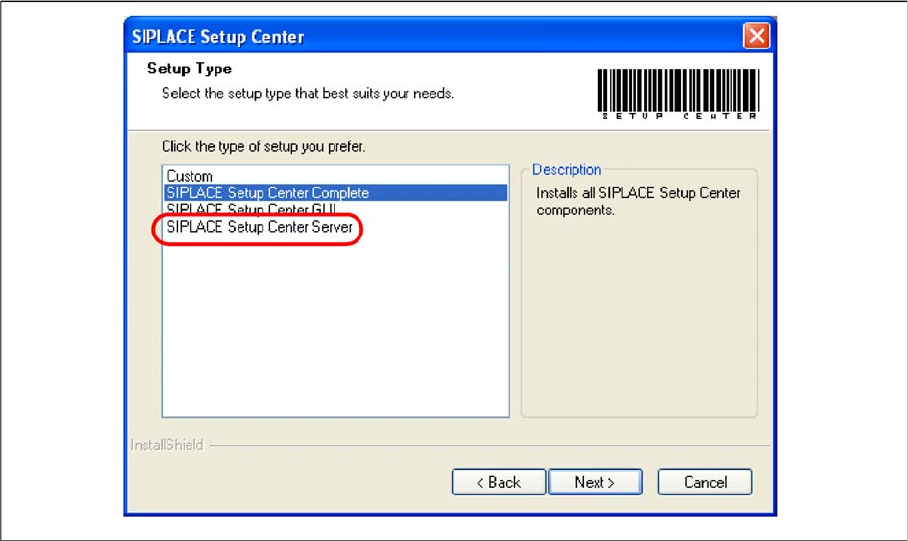
Setup Type – SIPLACE Setup Center Server
This setup type contains the database components of the SIPLACE Setup Center. Setup detects if SQL
Server has already been installed. Select this type to install the SIPLACE Setup Center database to a
SQL Server.
Step 1
► Run through the steps in chapter "General Settings".
► Select the SIPLACE Setup Center Database setup type.
► Click Next.