00197382-02_IM_SetupCenter6.3_EN.pdf - 第48页
Installation Software Installation 4.3.1 Setup Center 48 Installation Manual SIPLACE Setup Center 6.3 Step 4 ► Enter your User Name and Company Name in the Cu stomer Information dialog box. Both boxes must be filled in b…
Installation
4.3.1 Setup Center Software Installation
Installation Manual SIPLACE Setup Center 6.3 47
Step 3
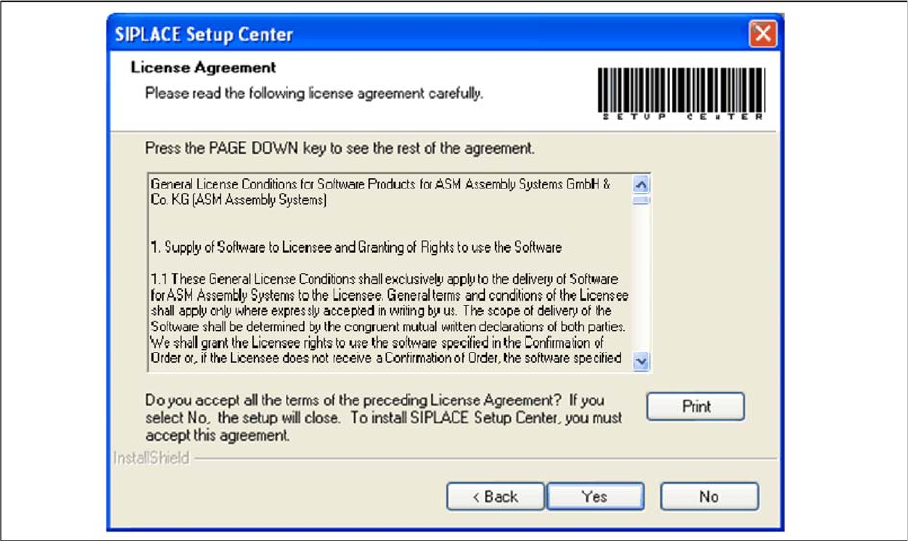
► Read the license agreement of ASM Assembly Systems GmbH & Co. KG relating to use of this soft
-
ware.
"Software License Agreement" dialog box
► The installation routine continues if you click the Yes button to accept the license agreement.
► Click No to cancel the installation.
► Click Print to print the License Agreement on the default printer of the PC.
Installation
Software Installation 4.3.1 Setup Center
48 Installation Manual SIPLACE Setup Center 6.3
Step 4
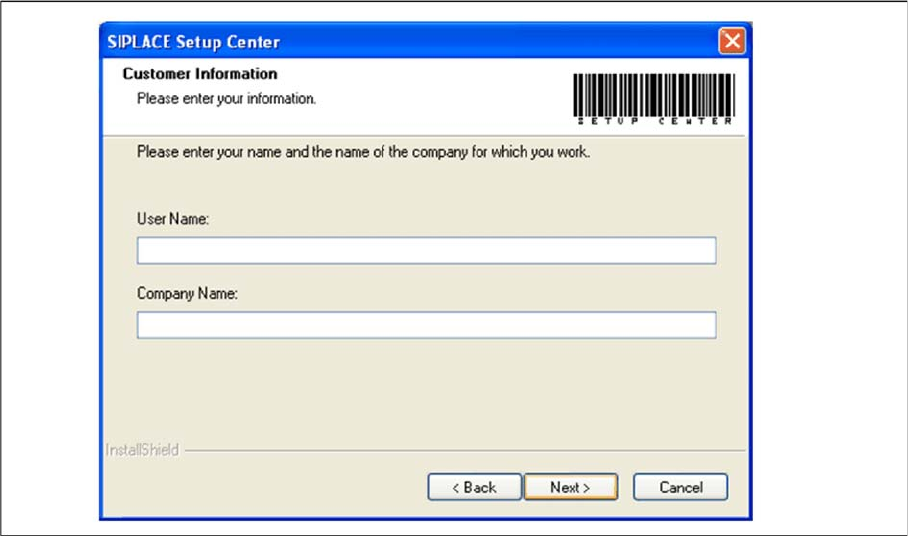
► Enter your User Name and Company Name in the Customer Information dialog box. Both boxes
must be filled in before the installation process can be continued.
"Customer Information" dialog box
► Click Next.
Installation
4.3.1 Setup Center Software Installation
Installation Manual SIPLACE Setup Center 6.3 49
Step 5
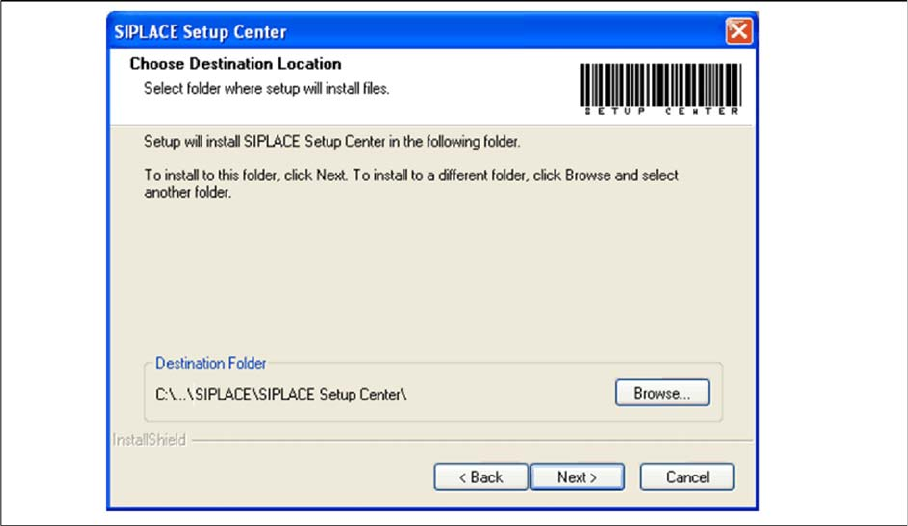
► The Choose Destination Location dialog box prompts you to enter the name of the folder in which
SIPLACE Setup Center should be installed. The system suggests a default destination folder for you.
► However, you can click the Browse button to open a dialog box in which you can enter or select the
path you want to use. If the folder you specify does not exist, it is created after having accepted a
confirmation dialog.
"Choose Destination Location" dialog box
► Click Next.