00197382-02_IM_SetupCenter6.3_EN.pdf - 第46页
Installation Software Installation 4.3.1 Setup Center 46 Installation Manual SIPLACE Setup Center 6.3 Step 2 ► The Installation Wizard will guide you thro ugh the program setup process. InstallShield Wizard box f or SIPL…
Installation
4.3.1 Setup Center Software Installation
Installation Manual SIPLACE Setup Center 6.3 45
4.3.1.1
4.3.1.1 General Settings
General Settings
These steps are identical for all setup types. The subsequent steps only differ once you have selected
the setup type you require.
Run through the following steps to start the installation and then refer to the relevant section for your
specific setup type.
Step 1
► Insert the SIPLACE Setup Center installation CD into the CD-ROM drive. The installation routine
starts automatically.
► You can also start the installation by running the Autorun.cmd program located in the root directory
on the installation CD.
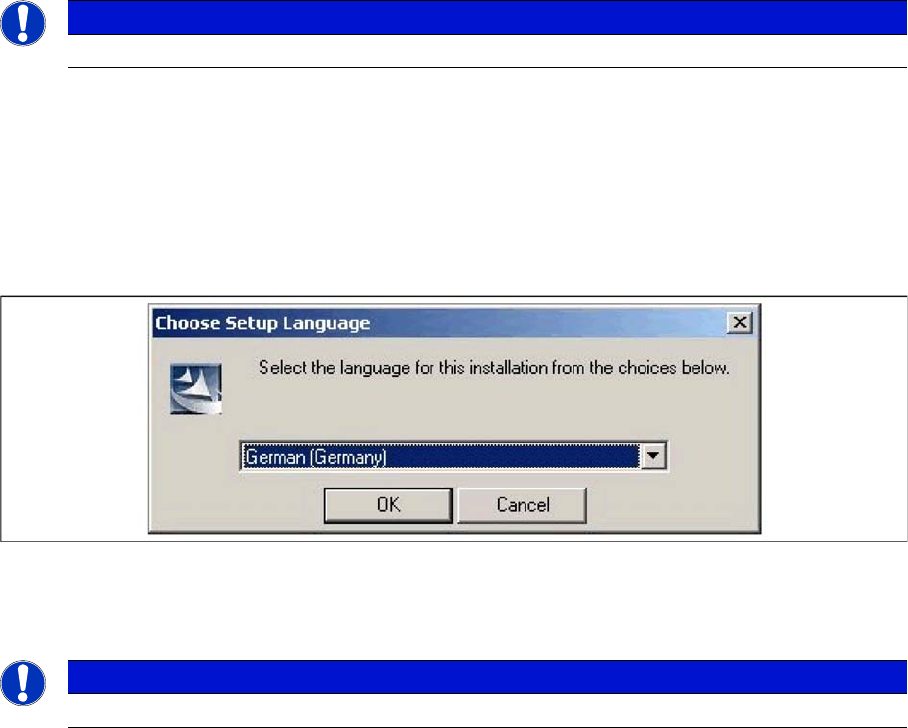
► This starts the user-controlled installation of SIPLACE Setup Center; you are prompted to select the
installation language.
"Choose setup language" dialog box
► Select the language you want.
► Click OK.
NOTICE
You require administrator rights for the installation procedure!
NOTICE
This decision only relates to the language used during the installation routine!
Installation
Software Installation 4.3.1 Setup Center
46 Installation Manual SIPLACE Setup Center 6.3
Step 2
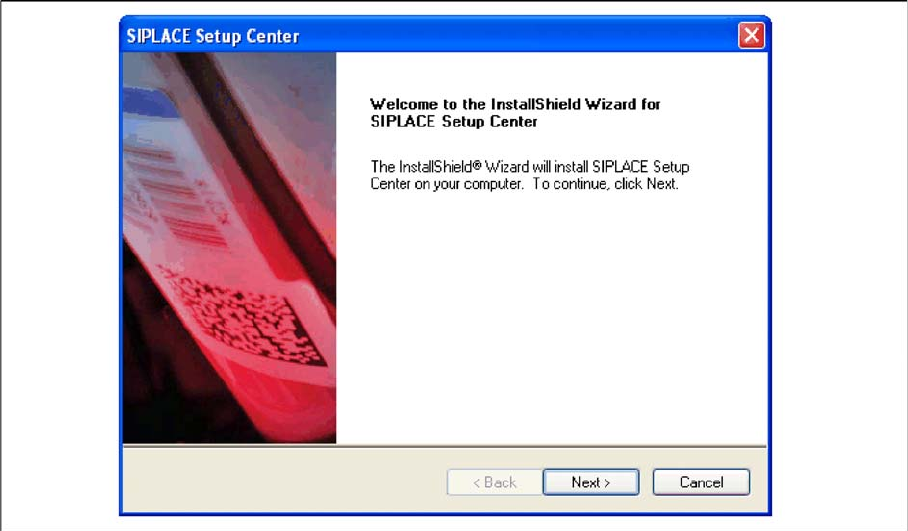
► The Installation Wizard will guide you through the program setup process.
InstallShield Wizard box for SIPLACE Setup Center
► Click Next.
Installation
4.3.1 Setup Center Software Installation
Installation Manual SIPLACE Setup Center 6.3 47
Step 3
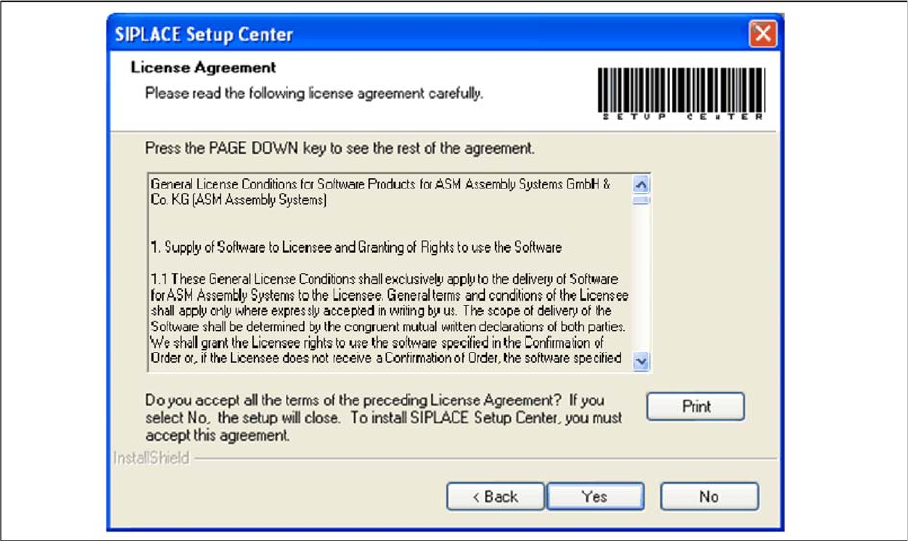
► Read the license agreement of ASM Assembly Systems GmbH & Co. KG relating to use of this soft
-
ware.
"Software License Agreement" dialog box
► The installation routine continues if you click the Yes button to accept the license agreement.
► Click No to cancel the installation.
► Click Print to print the License Agreement on the default printer of the PC.