00197382-02_IM_SetupCenter6.3_EN.pdf - 第19页
Installation 4.2.2 Datalogic Scanner’s Cradle BC-8030 (Narr owband) Har dware I nstallation Installation Manual SIPLACE Setup Center 6.3 19 Steps to configure the cradle to the USB-COM inte rface The de vice may be con f…
Installation
Hardware Installation 4.2.2 Datalogic Scanner’s Cradle BC-8030 (Narrowband)
18 Installation Manual SIPLACE Setup Center 6.3
Step 5
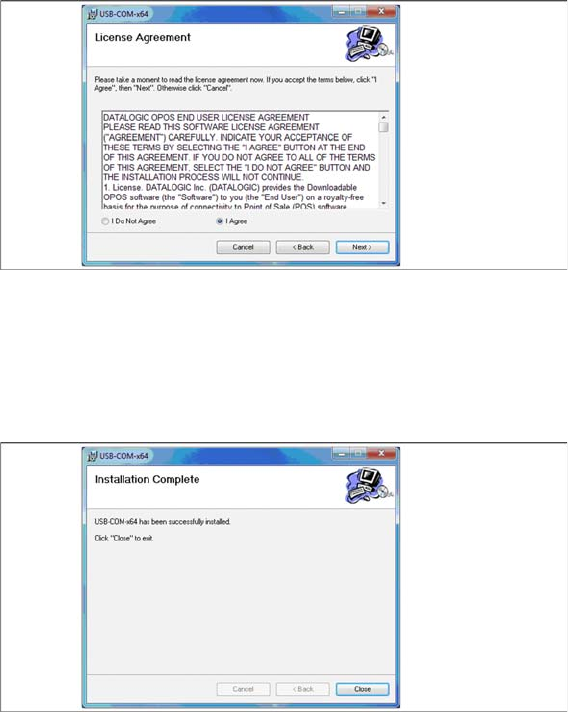
► Read the license agreement relating to use of this software and select I Agree to accept the license
agreement.
► Click Next.
Step 6
► The installation of the driver software starts.
► The "Installation Complete" window appears if the installation has been completed successfully.
► Click Close.
Installation
4.2.2 Datalogic Scanner’s Cradle BC-8030 (Narrowband) Hardware Installation
Installation Manual SIPLACE Setup Center 6.3 19
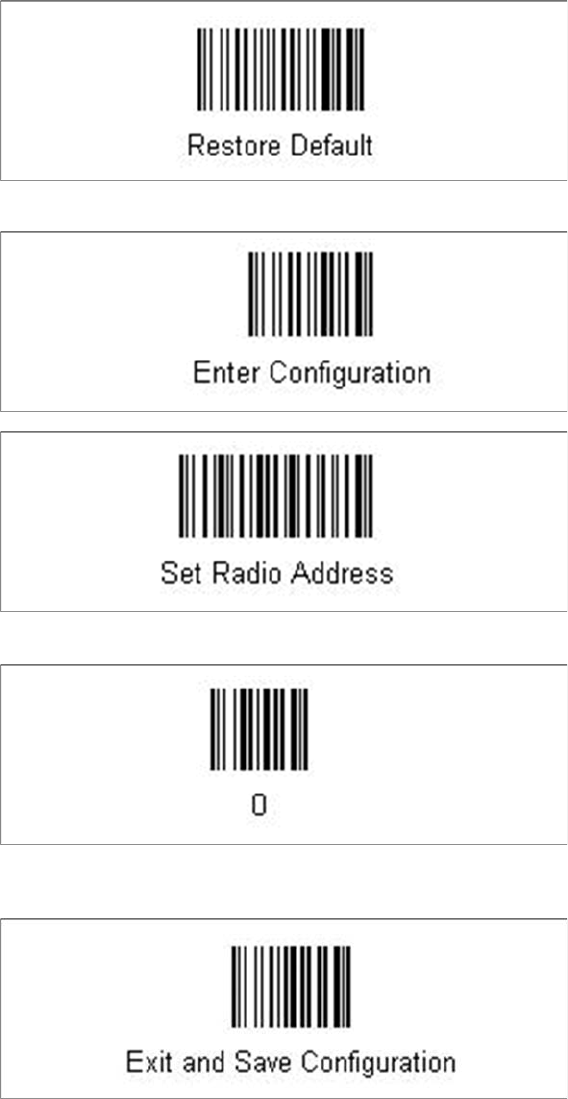
Steps to configure the cradle to the USB-COM interface
The device may be configured to a different interface ex factory, the following steps switch to USB-COM
port.
► Please scan the following barcodes in the order they are printed:
The standard configuration of the scanner is restored.
► Scan the barcode “0” four times.
The scanner must have an address (temporary "0000"), so that it can get connected to the cradle. This
address will be changed / set again later by Setup Center with the automatic configuration.
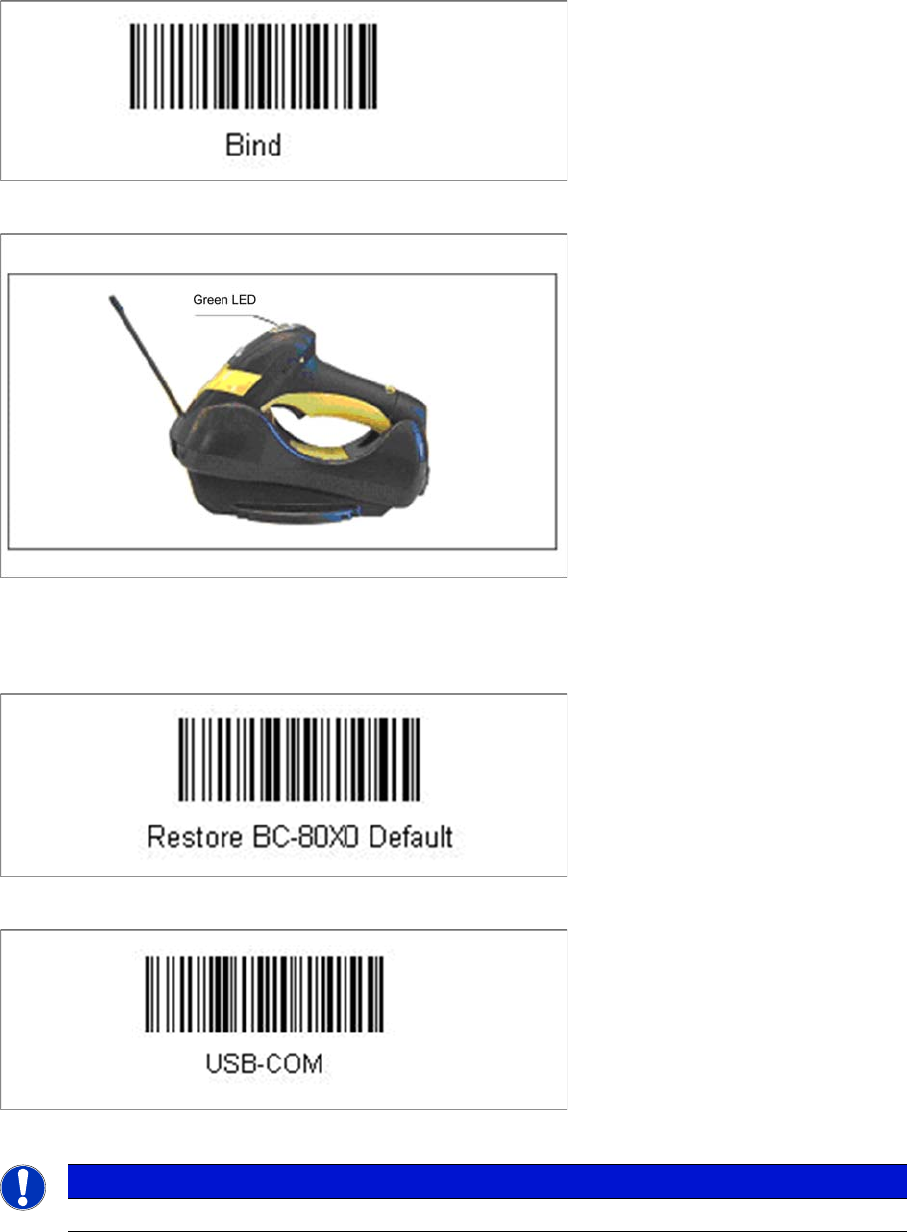
In order to configure the cradle a scanner needs to be bound to the cradle with the barcode "Bind".
Installation
Hardware Installation 4.2.2 Datalogic Scanner’s Cradle BC-8030 (Narrowband)
20 Installation Manual SIPLACE Setup Center 6.3
► Scan the barcode "Bind" now.
► If the green LED of the scanner blinks, put the scanner into the cradle.
► The green LED is now switched off and the scanner is already registered on the cradle.
The interface of the cradle can be set up now with the following barcodes.
► Scan the barcode "Restore BC-80X0 Default" to restore the standard configuration of the cradle.
► Scan the barcode "USB-COM" to set the interface to USB.
The cradle is now ready for use with Setup Center.
The communication over the USB-COM interface requires at least the firmware version 610001601 for
the scanner cradle.
NOTICE
USB-COM interface