00197382-02_IM_SetupCenter6.3_EN.pdf - 第89页
Installation 4.4.5 Motorola / Symbol Scanner C on figuration Steps to Perform A fter Installation Installation Manual SIPLACE Setup Center 6.3 89 ► Open the configuration dialog via File->Configur ation ► Type the IP-…
Installation
Steps to Perform After Installation 4.4.5 Motorola / Symbol Scanner Configuration
88 Installation Manual SIPLACE Setup Center 6.3
4.4.5.2
4.4.5.2 Configure Setup Center Client
Configure Setup Center Client
Starting MC 70/MC75
After the installation routine has restarted the scanner the Setup Center Client is started automatically
and the Mobile Scanner dialog appears.
MC 3090/MC 3190
For MC 3090/MC 31090 you must start the installation manually.
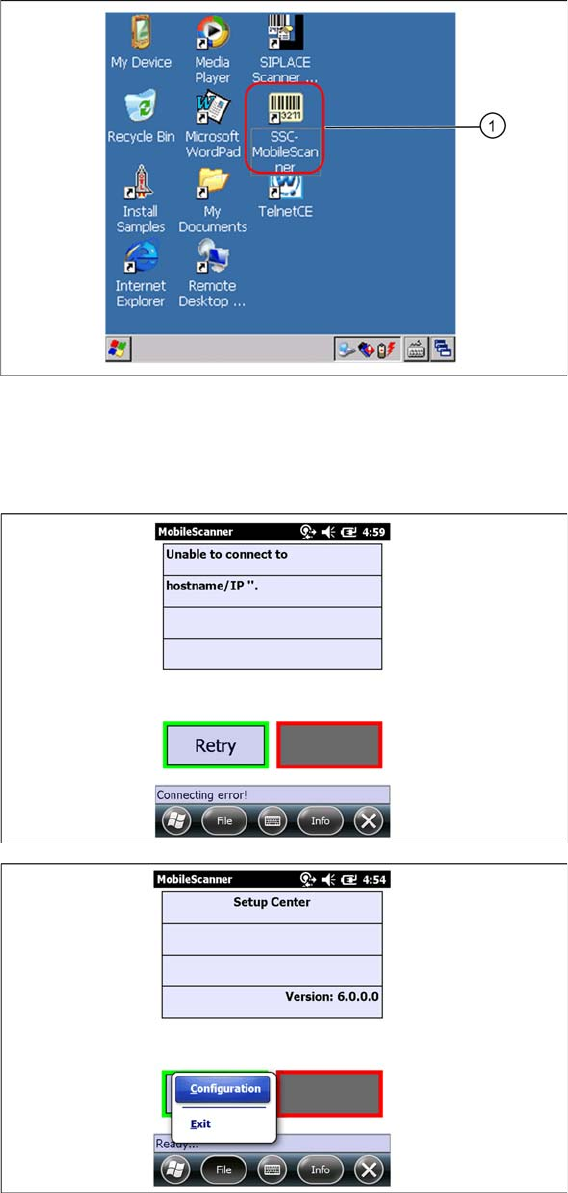
► Select SSC MobileScanner icon (1) to start installation.
⇨ The Mobile Scanner dialog appears.
Mobile Scanner dialog
Installation
4.4.5 Motorola / Symbol Scanner Configuration Steps to Perform After Installation
Installation Manual SIPLACE Setup Center 6.3 89
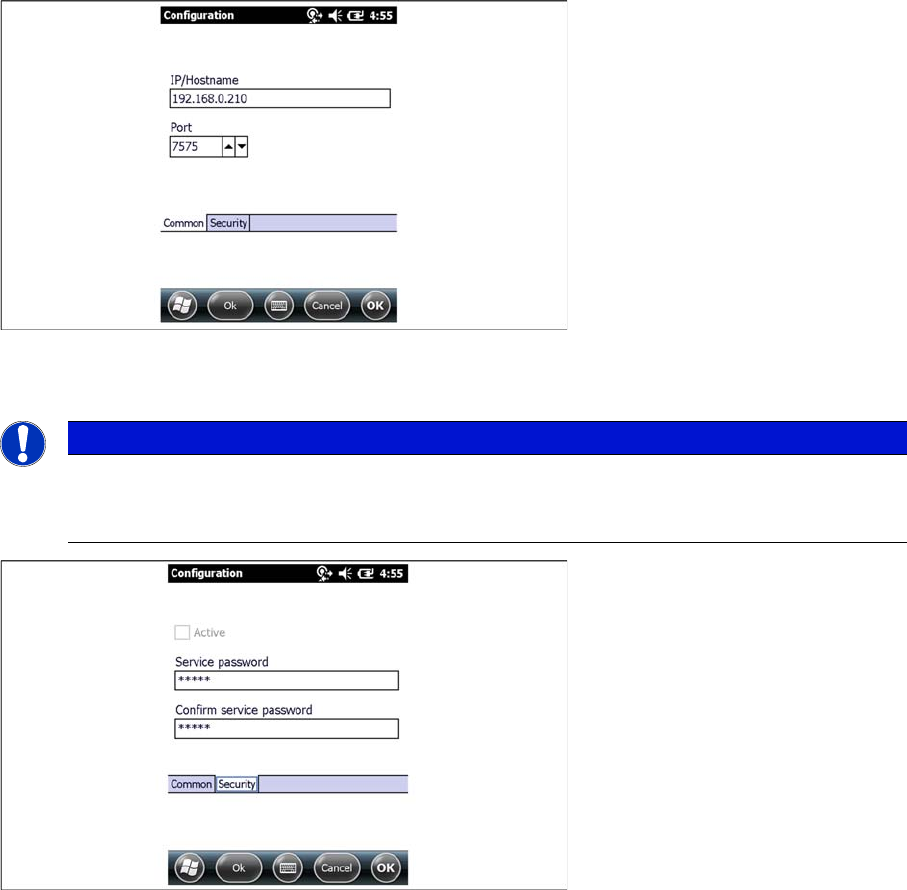
► Open the configuration dialog via File->Configuration
► Type the IP-address/name of the PC where Setup Center is installed.
► Enter the port for which the scanner interface is configurated (default:7575).
► Here you can set a password to prevent modification on the scanner configuration.
For the first editing of the configuration the password is empty. In this case safety is deactivated. You
can set a password now. By confirmation with "OK" all settings were saved.
NOTICE
Volume of the buzzer
The volume of the buzzer is adjusted via the side (left) located controls on the device. The buzz
-
er gives accustical feedback in operation mode of Setup Center.
Installation
Steps to Perform After Installation 4.4.5 Motorola / Symbol Scanner Configuration
90 Installation Manual SIPLACE Setup Center 6.3
4.4.5.3
4.4.5.3 Establishing Connection
Establishing Connection
► Start Setup Center.
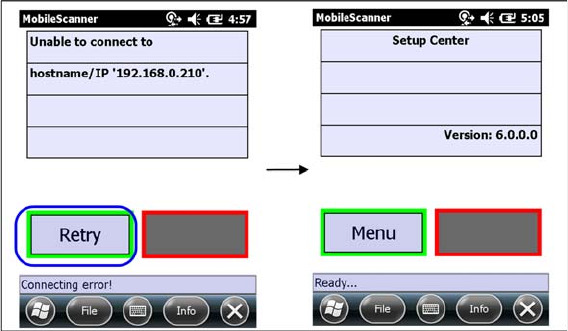
► Click on "Connect" to establish a connection to Setup Center.
In case the connection fails check the network settings again.
The software is now successfully configured.