00197382-02_IM_SetupCenter6.3_EN.pdf - 第57页
Installation 4.3.1 Setup Center Software Installation Installation Manual SIPLACE Setup Center 6.3 57 Step 6 ► The " Setup Complete " window appears if the ins talla tion has been com pleted success fully. ► Cl…
Installation
Software Installation 4.3.1 Setup Center
56 Installation Manual SIPLACE Setup Center 6.3
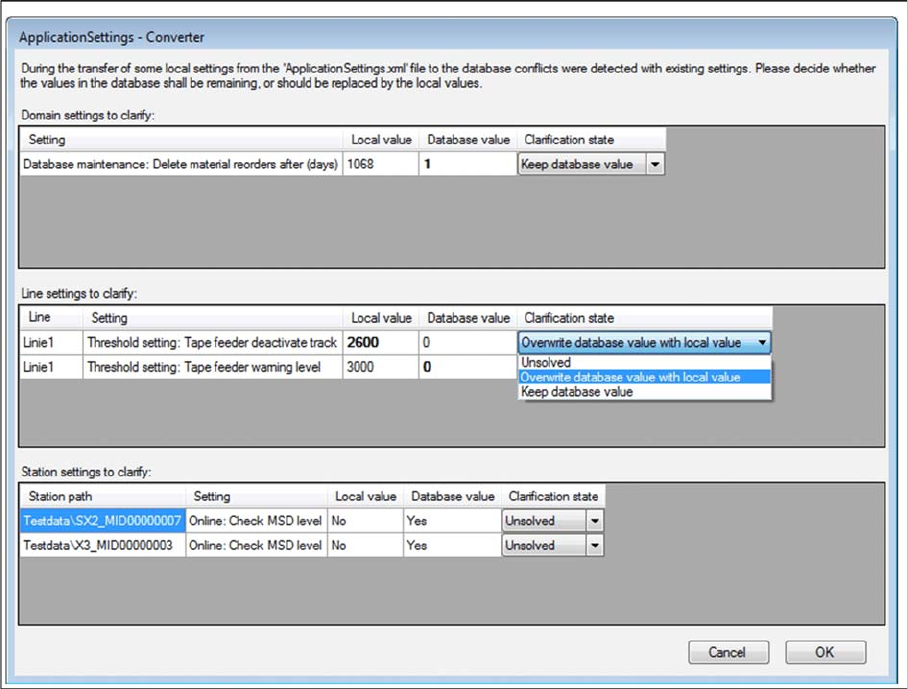
Step 5 (Only when conflicts occur)
During the installation,settings are converted, some of which have been transferred from the local Appli
-
cationSettings.xml file to the database. This can lead to conflicts with existing settings. If conflicts were
detected, the Application Settings - Converter dialog appears.
► Decide whether the values in the database shall remaining (Keep database value), or should be re
-
placed by the local values (Overwrite database value with local value).
► All settings must be solved to get the next step.
Installation
4.3.1 Setup Center Software Installation
Installation Manual SIPLACE Setup Center 6.3 57
Step 6
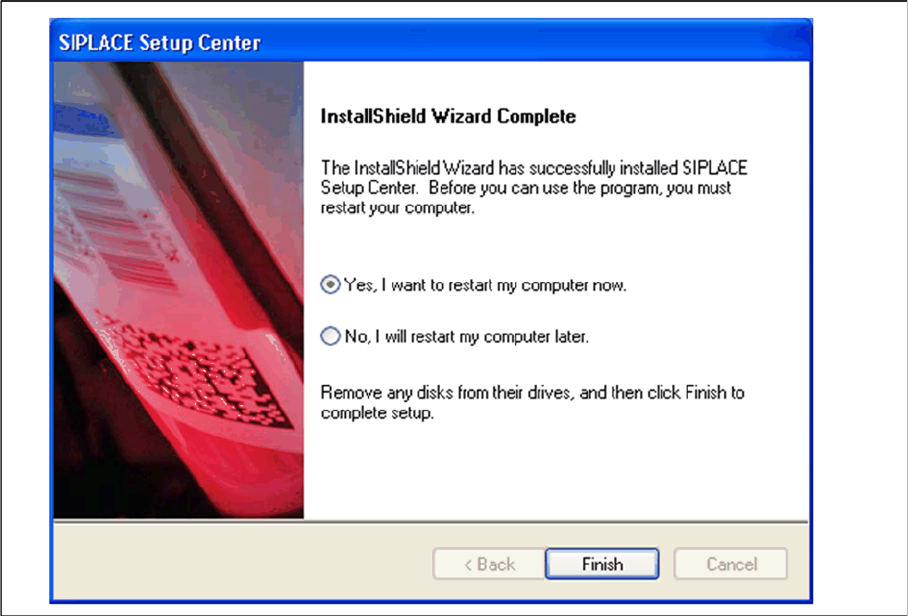
► The "Setup Complete" window appears if the installation has been completed successfully.
► Click Finish.
Installation
Software Installation 4.3.1 Setup Center
58 Installation Manual SIPLACE Setup Center 6.3
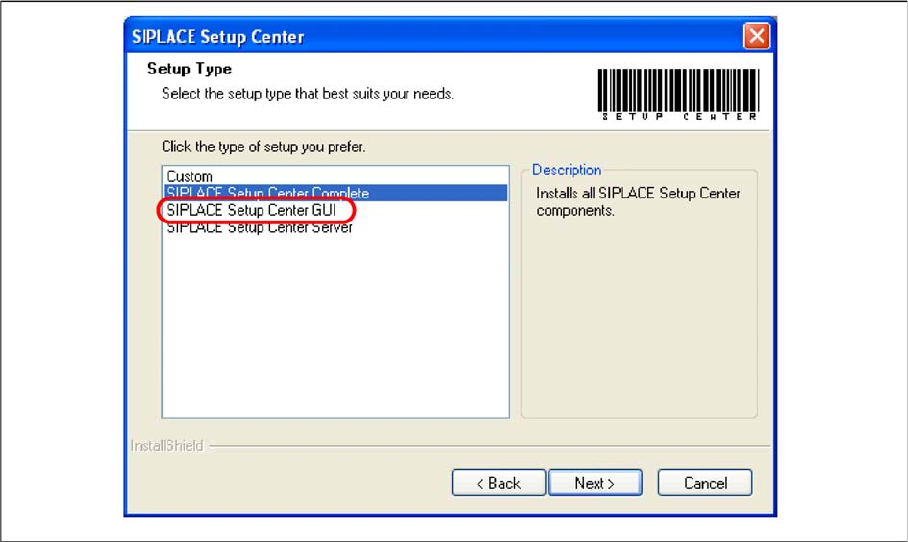
Setup Type – SIPLACE Setup Center GUI
This setup type will install the GUI application of SIPLACE Setup Center. It is used to setup up a client
system while the database is located on a remote system.
Step 1
► Run through the steps in chapter "General Settings".
► Select the SIPLACE Setup Center GUI setup type.
► Click Next.