00197382-02_IM_SetupCenter6.3_EN.pdf - 第39页
Installation 4.2.5 Optional: Docking Station Hardware Installation Installation Manual SIPLACE Setup Center 6.3 39 4.2.5.3 4 . 2 . 5 . 3 I n s t a llin g D o c k in g S t a t io n Installing Docking Station Safety Instru…
Installation
Hardware Installation 4.2.5 Optional: Docking Station
38 Installation Manual SIPLACE Setup Center 6.3
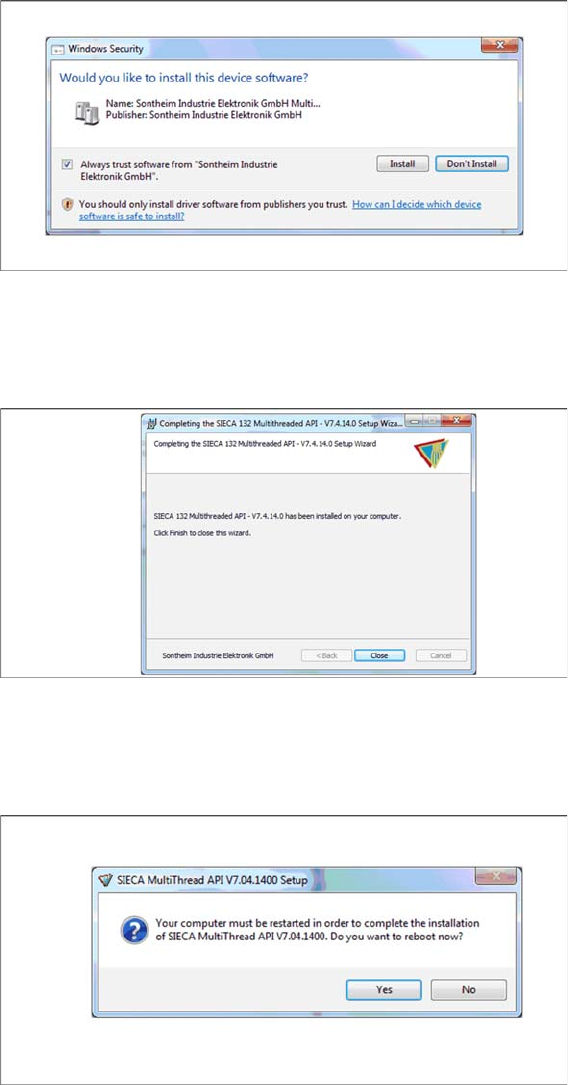
Step 8
► Select Always trust software from “Sontheim Industrie Elektronik GmbH”.
► Click Install.
Step 9
The "Installation Complete" window appears if the installation has been completed successfully.
► Click Close.
Step 10
If a restart of the PC is required, the following window appears.
► Click Yes.
Installation
4.2.5 Optional: Docking Station Hardware Installation
Installation Manual SIPLACE Setup Center 6.3 39
4.2.5.3
4.2.5.3 Installing Docking Station
Installing Docking Station
Safety Instructions
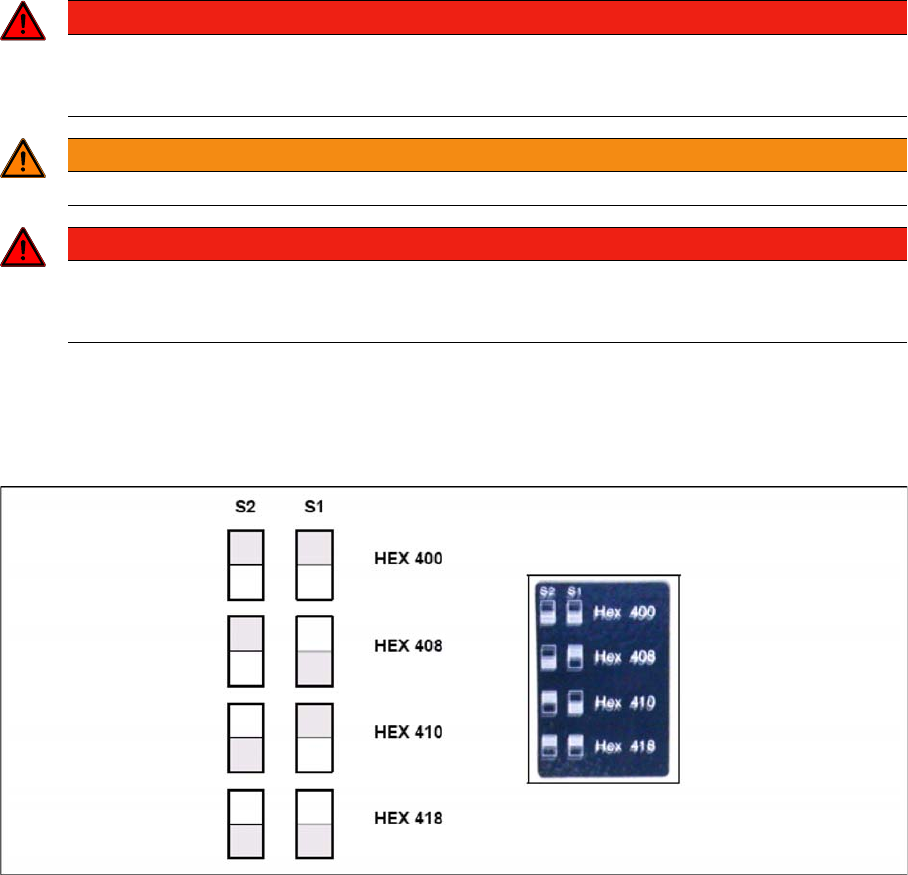
Setting the CAN Bus Address
You need to set a CAN Bus address for each docking station. This CAN Bus address must be different
for each docking station.
► Set the CAN Bus address for the docking station.
Docking station: CAN bus addresses
► Make sure that you only assign each address once, when setting the CAN Bus address.
Establishing a Data Connection
Establish a data connection between the docking station and the Setup Center PC. This data connection
is realized via a CAN Bus. Ensure that you have already installed the CAN card in your PC.
Connect the CAN cable to the docking station and the PC. This CAN cable has 5 connections, one of
which you can use for the PC. This leaves 4 other connections, allowing you to connect up to 4 docking
stations with this cable.
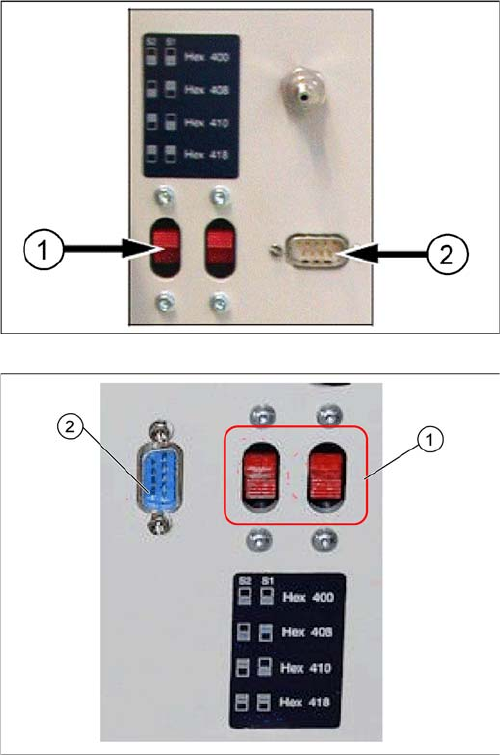
► Connect the CAN cable to the CAN connection at your docking station. This can be found on the
back of the docking station.
► Connect the CAN cable to the CAN card on the PC (CAN Bus 1 or 2).
DANGER
Make sure that nobody is using the connected change over table, when you switch the power
on.
The device must not be opened or tampered with.
WARNING
Do not connect the device during placement or when installed inside the placement machine.
DANGER
Never cover the air discharge opening in the integrated fan and the ventilation slits on the side
of the device!
Covering these could lead to overheating and destruction of the power pack.
Installation
Hardware Installation 4.2.5 Optional: Docking Station
40 Installation Manual SIPLACE Setup Center 6.3
See the connection scenarios below for CAN Bus cable connection.
Docking Station X
1. CAN Bus Address Switch
2. CAN Connection
Docking Station SX
1. CAN Bus Address Switch
2. CAN Connection