00197382-02_IM_SetupCenter6.3_EN.pdf - 第79页
Installation 4.4.3 Datalogic Scanner Configuration Steps to Perform After Installation Installation Manual SIPLACE Setup Center 6.3 79 ► Please wait until all files we re inst alled. If the installati on is completed, cl…
Installation
Steps to Perform After Installation 4.4.3 Datalogic Scanner Configuration
78 Installation Manual SIPLACE Setup Center 6.3
4.4.3.2
4.4.3.2 Firmware Upgrade of Datalogic Scanner
Firmware Upgrade of Datalogic Scanner
Installation of Datalogic Aladdin
In order to update a firmware version on a scanner the software "Datalogic Aladdin" need to be installed
on the computer, which is physically connected to the Datalogic OM30X0 cradle.
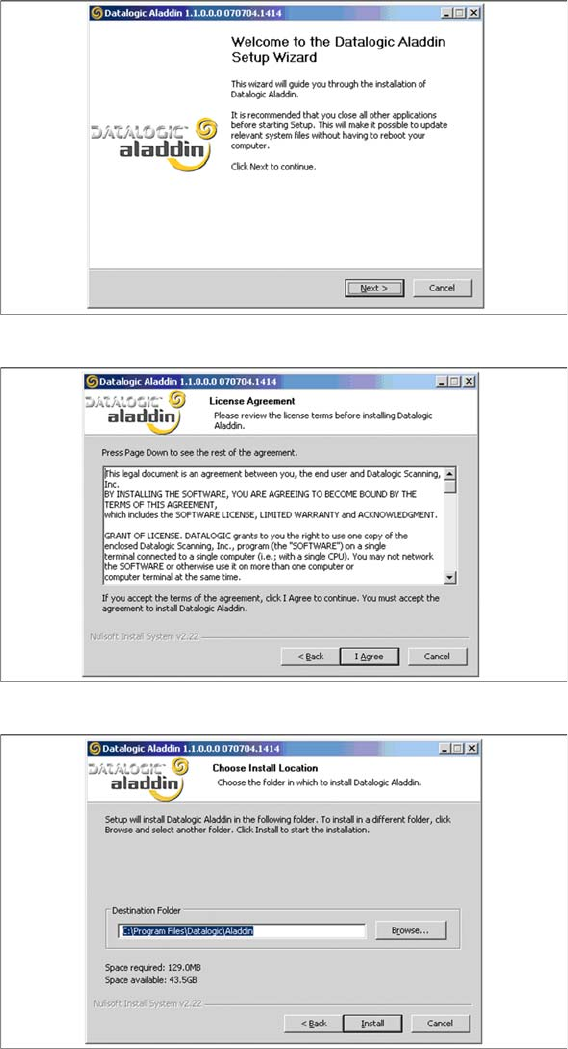
► Start the installation from the Support Media DVD : "\Updates\Firmware\Datalogic Aladdin".
► Click on Next to continue.
► The installation routine continues if you click on the "I Agree" button to accept the license agreement.
► Choose the destination folder in which the software should be installed.
Installation
4.4.3 Datalogic Scanner Configuration Steps to Perform After Installation
Installation Manual SIPLACE Setup Center 6.3 79
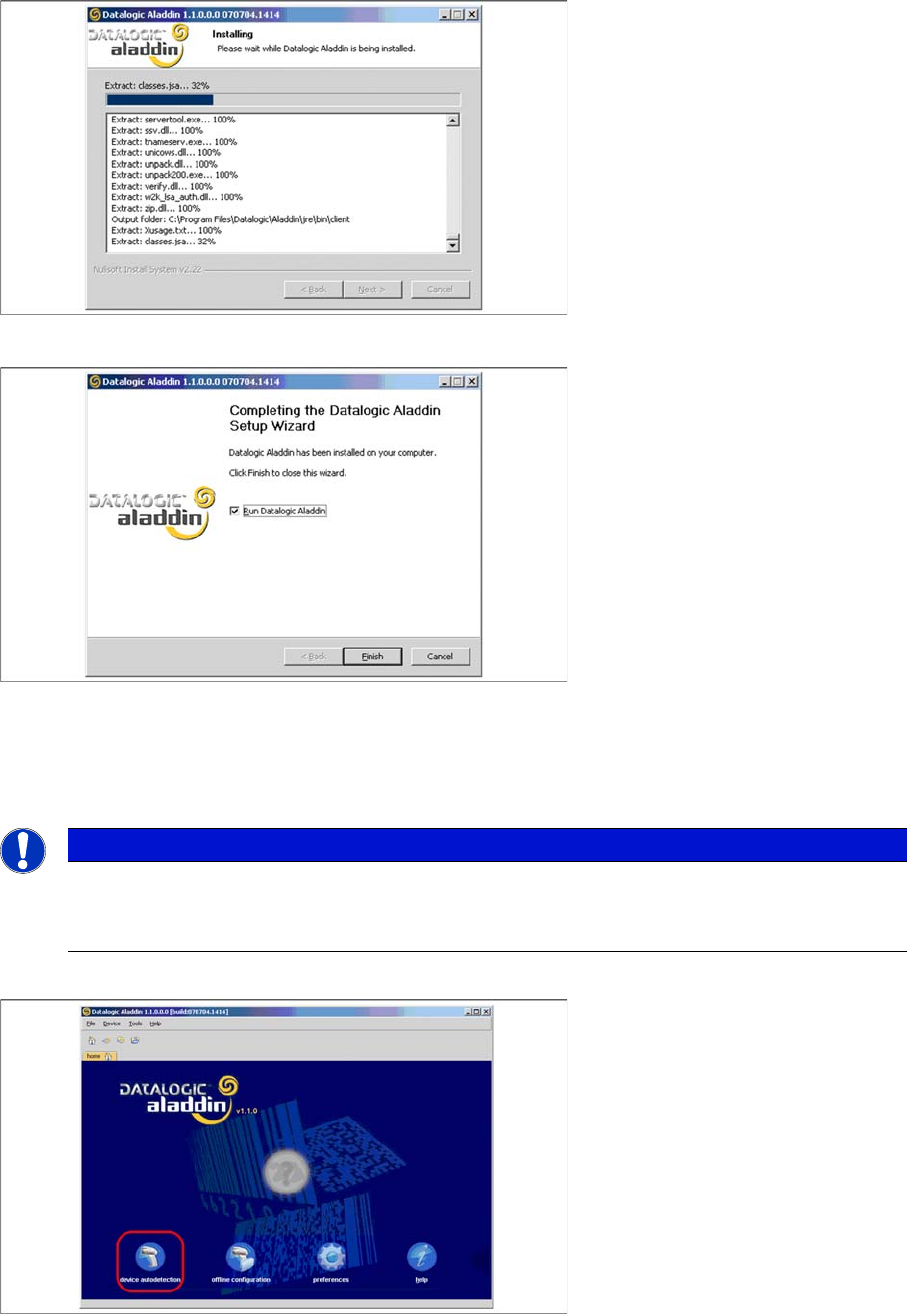
► Please wait until all files were installed. If the installation is completed, click on Next to continue.
► Click on Finish.
► If the option "Run Datalogic Aladdin" was activated, the application starts now automatically.
Firmware upgrade
After "Datalogic Aladdin" was started, the following overview will be displayed.
► Select "device autodetection" to find out at which COM port the Datalogic OM30X0 cradle is con
-
nected.
NOTICE
Please make sure that no applications such as SIPLACE Setup Center are accessing the serial
communication.
► Exit these applications before you continue.
Installation
Steps to Perform After Installation 4.4.3 Datalogic Scanner Configuration
80 Installation Manual SIPLACE Setup Center 6.3
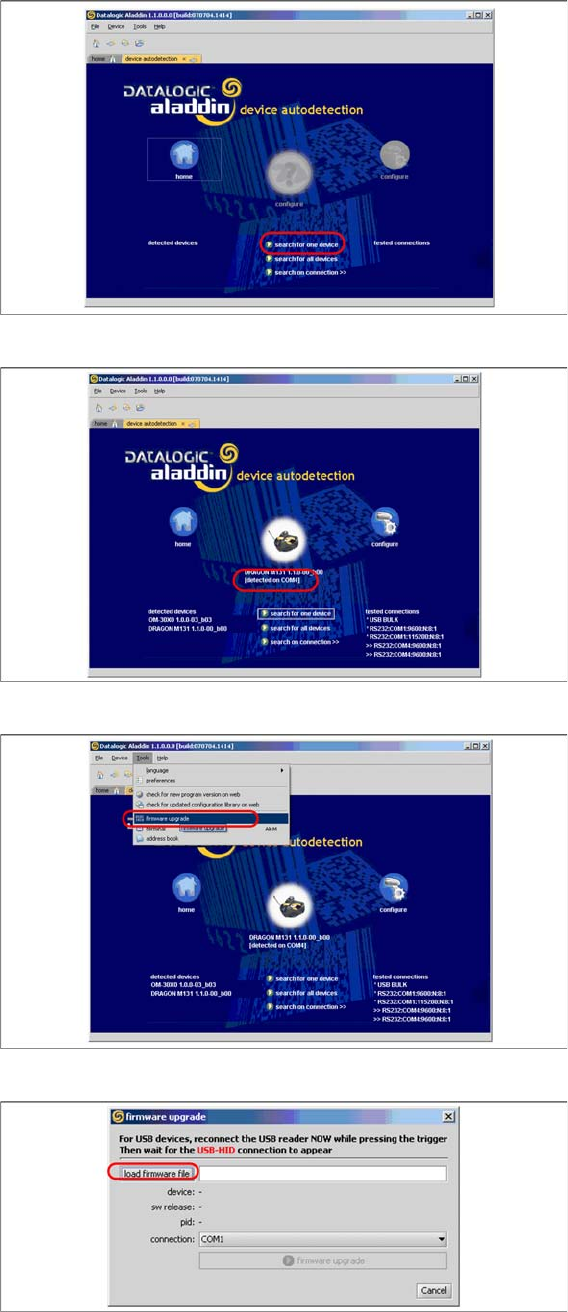
► Select "Search for one device" to start the search.
► The cradle is now detected.
► Select "firmware upgrade" from the menu "Tools".
► Select "load firmware file" in the dialog box.