00197382-02_IM_SetupCenter6.3_EN.pdf - 第33页
Installation 4.2.4 Motorola 1D/2D barcode scanner Hardware Installation Installation Manual SIPLACE Setup Center 6.3 33 ► After completion of the data t ra nsfer to the device click on "O K" to close the window…
Installation
Hardware Installation 4.2.4 Motorola 1D/2D barcode scanner
32 Installation Manual SIPLACE Setup Center 6.3
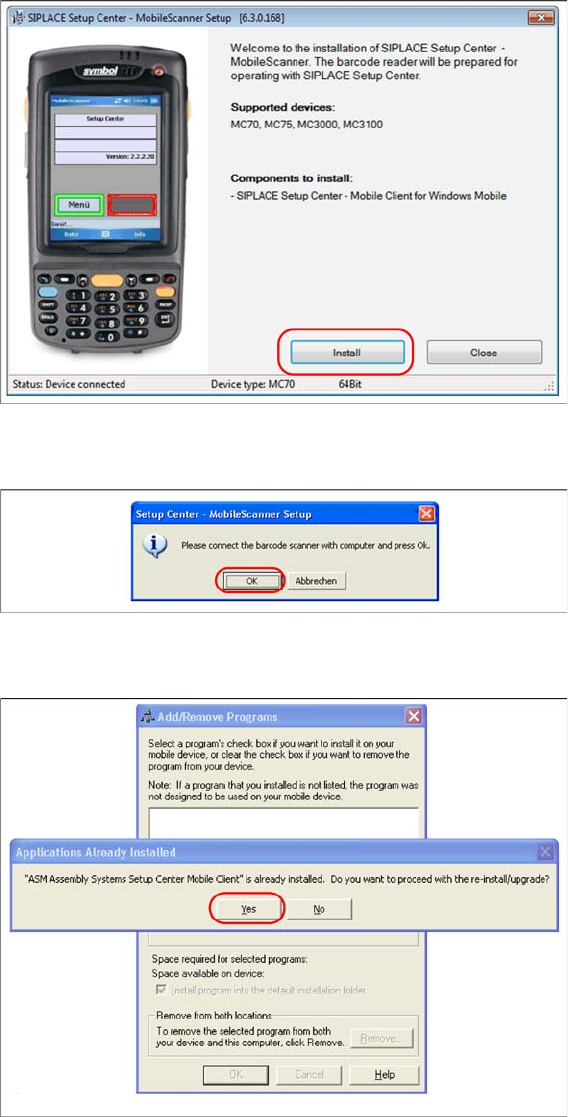
► Click on Install to start the installation of the software packages.
► Select "Continue" to proceed with the installation.
► Make sure that the scanner is placed in the basic station and connected to Setup Center.
► Select "OK" start the transfer of the software components to the scanner.
► In case of a upgrade installation confirm the upgrade of SSC Mobile Scanner with "Yes".
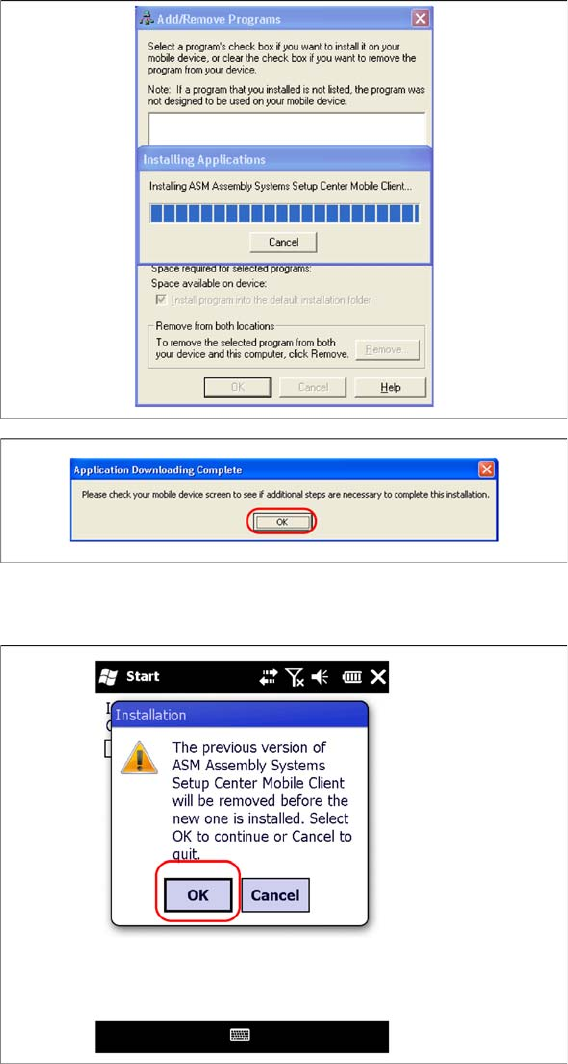
The transfer of the components to the scanner is beginning.
Installation
4.2.4 Motorola 1D/2D barcode scanner Hardware Installation
Installation Manual SIPLACE Setup Center 6.3 33
► After completion of the data transfer to the device click on "OK" to close the window.
The installation of the Setup Center Client is beginning.
► In case of a upgrade installation confirm the update of Setup Center Client with "OK".
Installation
Hardware Installation 4.2.5 Optional: Docking Station
34 Installation Manual SIPLACE Setup Center 6.3
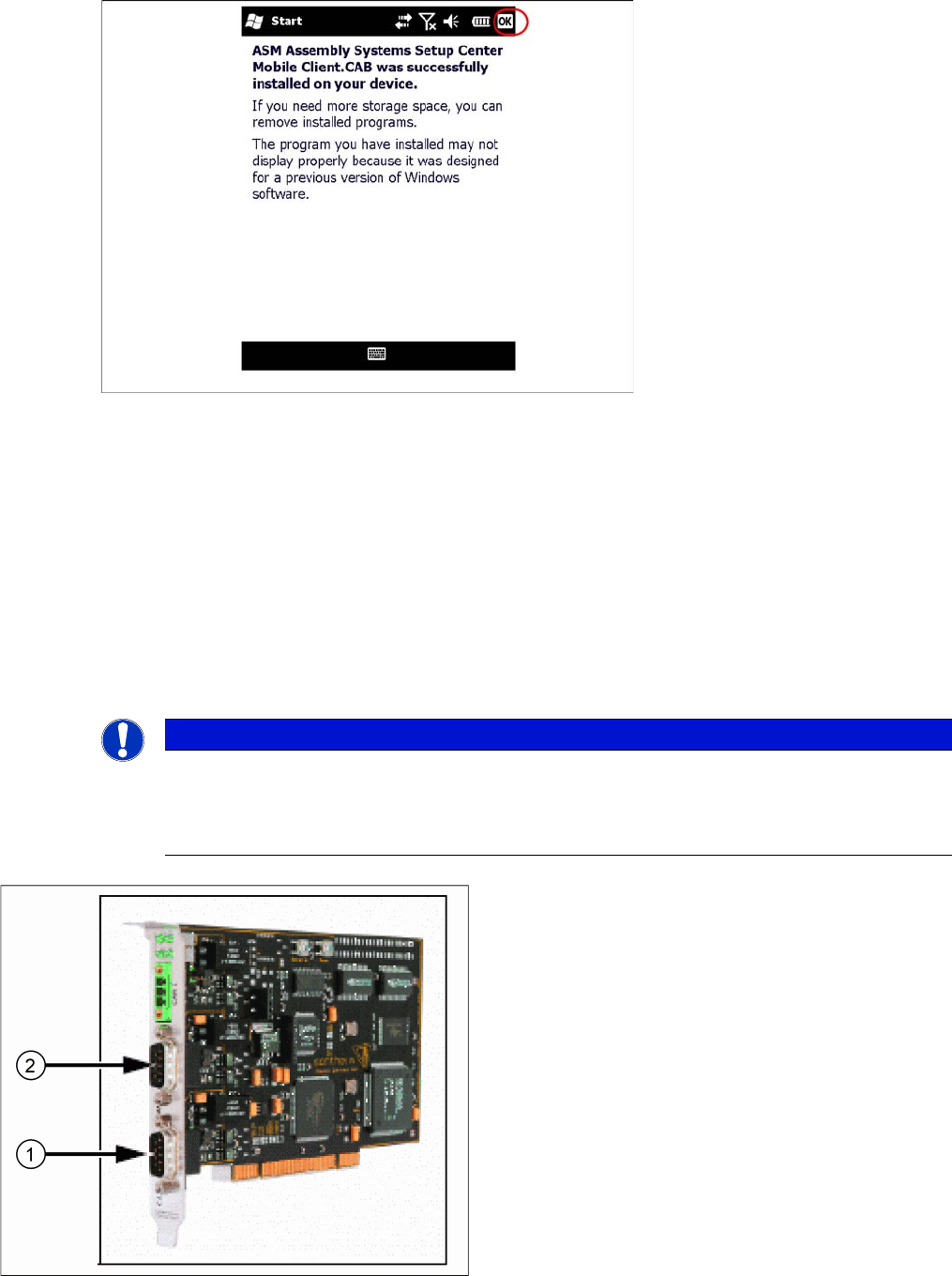
► Select "OK" to close the window. The installation is now completed. Please restart the device by
holding down the power key 5 seconds. After restart the Setup Center Client starts automatically and
you can start with the configuration of Setup Center and Client Software.
4.2.5
4.2.5 Optional: Docking Station
Optional: Docking Station
To obtain more details about using the docking station for X-Series and SX-Series tables, please refer
to the current version of the operating manual.
4.2.5.1
4.2.5.1 Installing the CAN Card in the PC
Installing the CAN Card in the PC
The data connection between the Setup Center PC, on which the Setup Center software is to be in
-
stalled, and the docking station is realized via a CAN Bus. This requires installation of a CAN card in the
Setup Center Computer. This CAN card is included in the delivery of docking station (optional).
NOTICE
There are two different models of CAN cards available:
The CAN card Power CAN PCI supports only 32 bit operating systems, the newer version Pow
-
er CAN PCI COM 168 V2 supports 32 bit as well 64 bit operating systems. The driver and API
installation package is supporting both CAN card models.
CAN Card - Power CAN PCI
1. Bus 1
2. Bus 2