CP43维护手册.pdf.pdf - 第22页
Chapter 1 Safety Guidelines 1.3 People Near Machine Before operating the machine, make sur e that an operator is not working in the machine and that non-operators are a safe distance fr om the machine. 1.4 T ools Within …
Chapter 1 Safety Guidelines
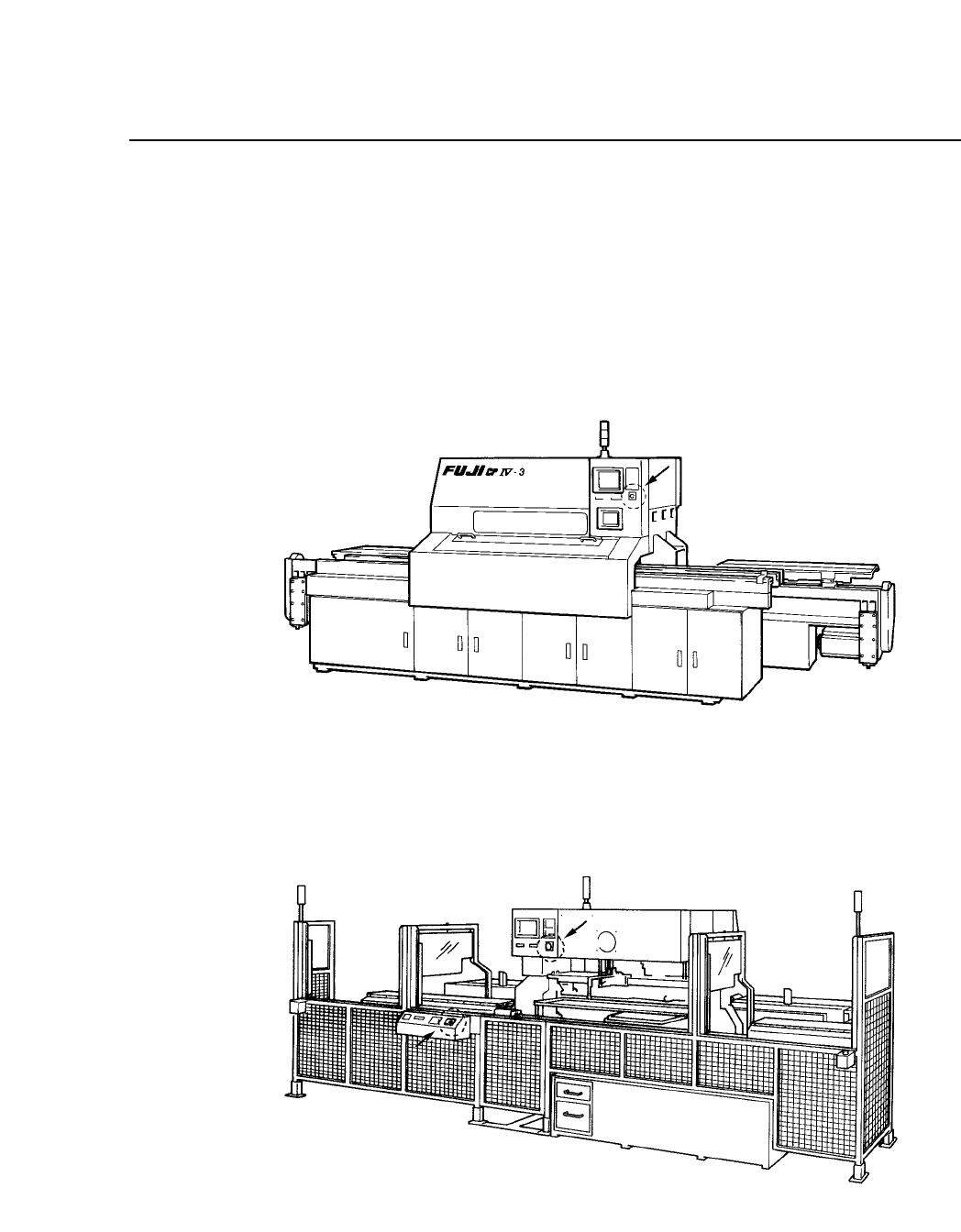
1.2 Emergency Stop Buttons
To stop machine operation immediately to counter an emergency
situation, press one of the three red round emergency stop buttons on the
machine. One of the emergency stop buttons is on the front of the
machine near the control panel (see figure 1-3) and the other two are on
the back of the machine (see figure 1-4).
Fig. 1-3 Emergency Stop Button on Front of Machine
Fig. 1-4 Emergency Stop Buttons on Back of Machine
1 – 3
Version 1.0

Chapter 1 Safety Guidelines
1.3 People Near Machine
Before operating the machine, make sure that an operator is not working
in the machine and that non-operators are a safe distance from the
machine.
1.4 Tools Within Machine
After performing routine maintenance, check for tools or other articles left
in the machine. Costly machine damage can occur if tools or other articles
are left in the machine.
1 – 4
Version 1.0
Chapter 2 Setting Up the CP IV-3
2. Setting Up the CP IV-3
This chapter explains how to set up the machine.
2.1 Setting Up the CP IV-3
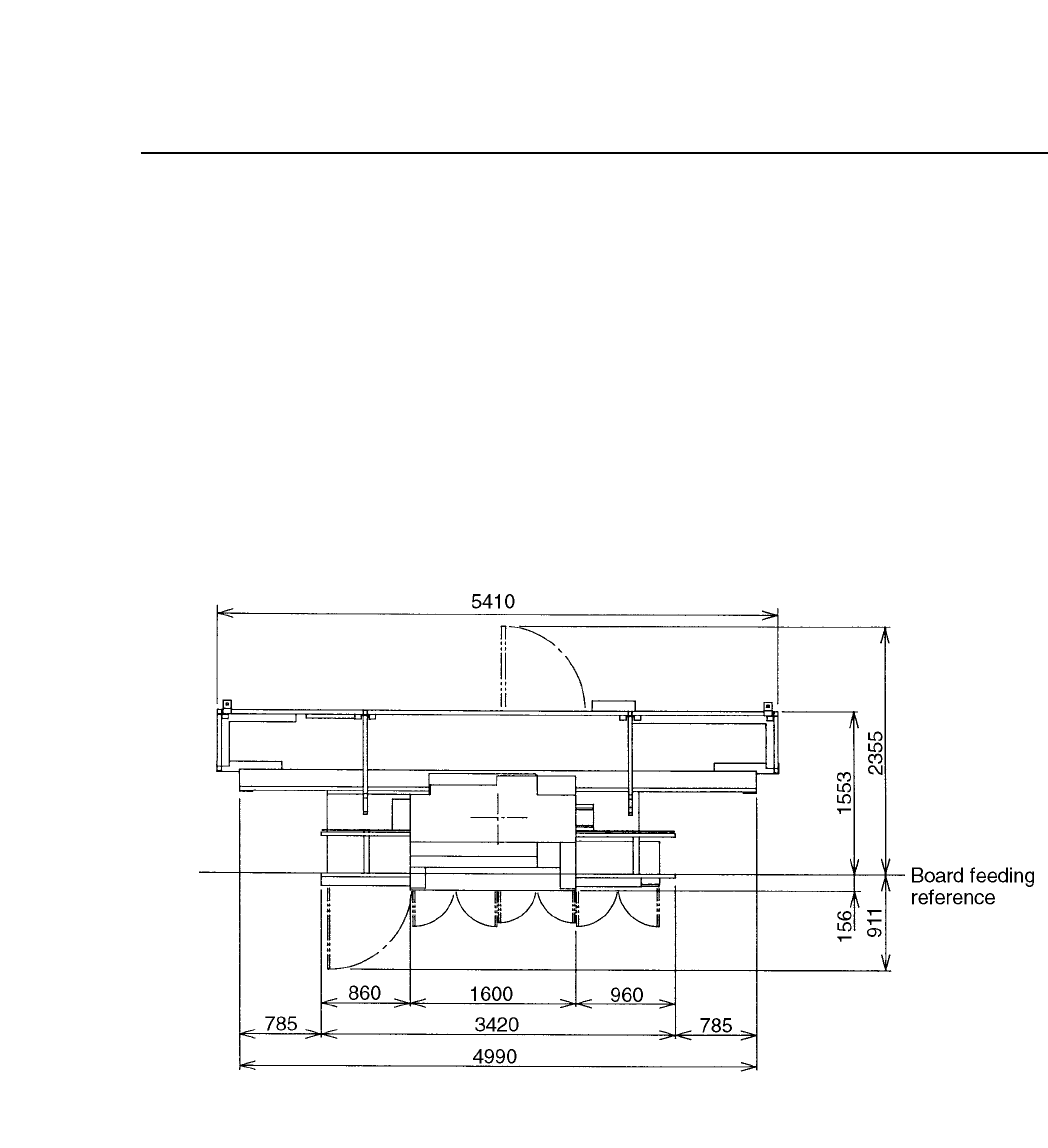
Install the CP IV-3 in an area spacious enough that the machine doors may
be opened and that maintenance may be performed without forcing the
operator into an uncomfortable position. Figure 2-1 below shows the
amount of space that the CP IV-3 occupies when all the doors are open.
Fig. 2-1 Top View of CP IV-3 With All Doors Open
2 – 1
Version 4.0