CP43维护手册.pdf.pdf - 第52页
Chapter 5 The T welve Stations 6) It is also possible to perform fine adjustment at the cam angle 262° with the stopper bolt. Fig. 5-9 Station 1 Part Lifter Stopper Adjustment 5.1.4 T ape End Detection T ape-end detectio…
5 – 9
Version 6.0
Chapter 5 The Twelve Stations
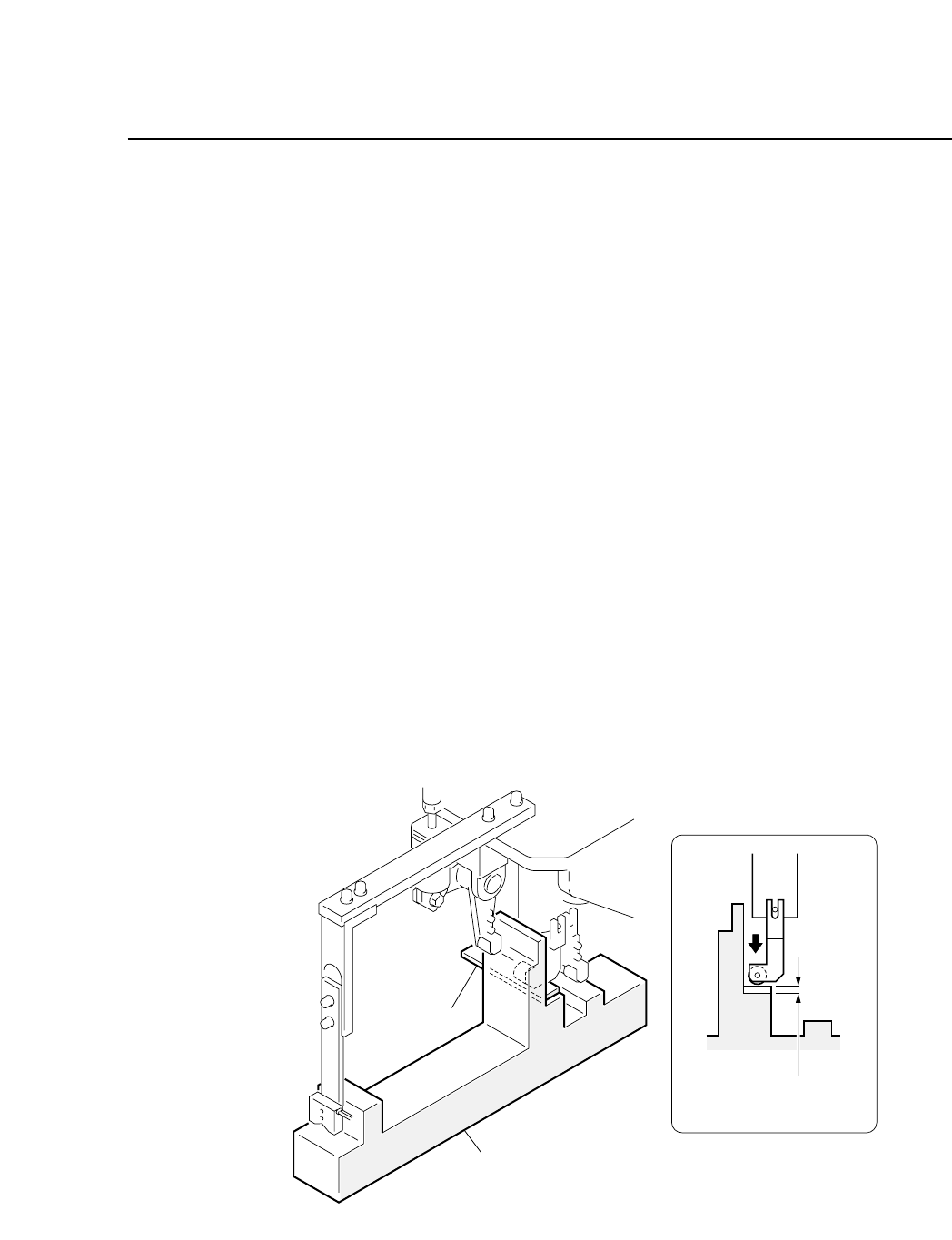
• Adjustment Method
Have the adjustment jig and gage prepared beforehand.
1) Set the adjustment jig in D1 on the device table.
• Ensure that there are no obstructions on the base of the jig.
• Confirm that the jig will not interfere with station 1.
Note: It is possible to make adjustments with the jig set at positions
other than D1.
2) Press [SET] → [POSITION] → [D AXIS] → (input device # 1) →
[CR] and [START] to move the adjustment jig to station 1.
3) Press the EMERGENCY STOP button to take the machine from
200 volts down to 100 volts.
4) Watch the cam graduation plate and rotate the cam to 262° with
the cam handle.
The roller pushes the push-up pin lever to the lower limit
position when the cam is at 262°.
5) Insert the gage into gap C at this point, loosen the nut and use
the adjustment rod to eliminate any clearance between the
roller and the gage.
Fig. 5-8 Station 1 Part Lifter Lever Adjustment (Cam at 262°)
Gage
Agjustment jig
Clearance C
= Gage thickness
CP IV-3 Maintenance
Chapter 5 The Twelve Stations
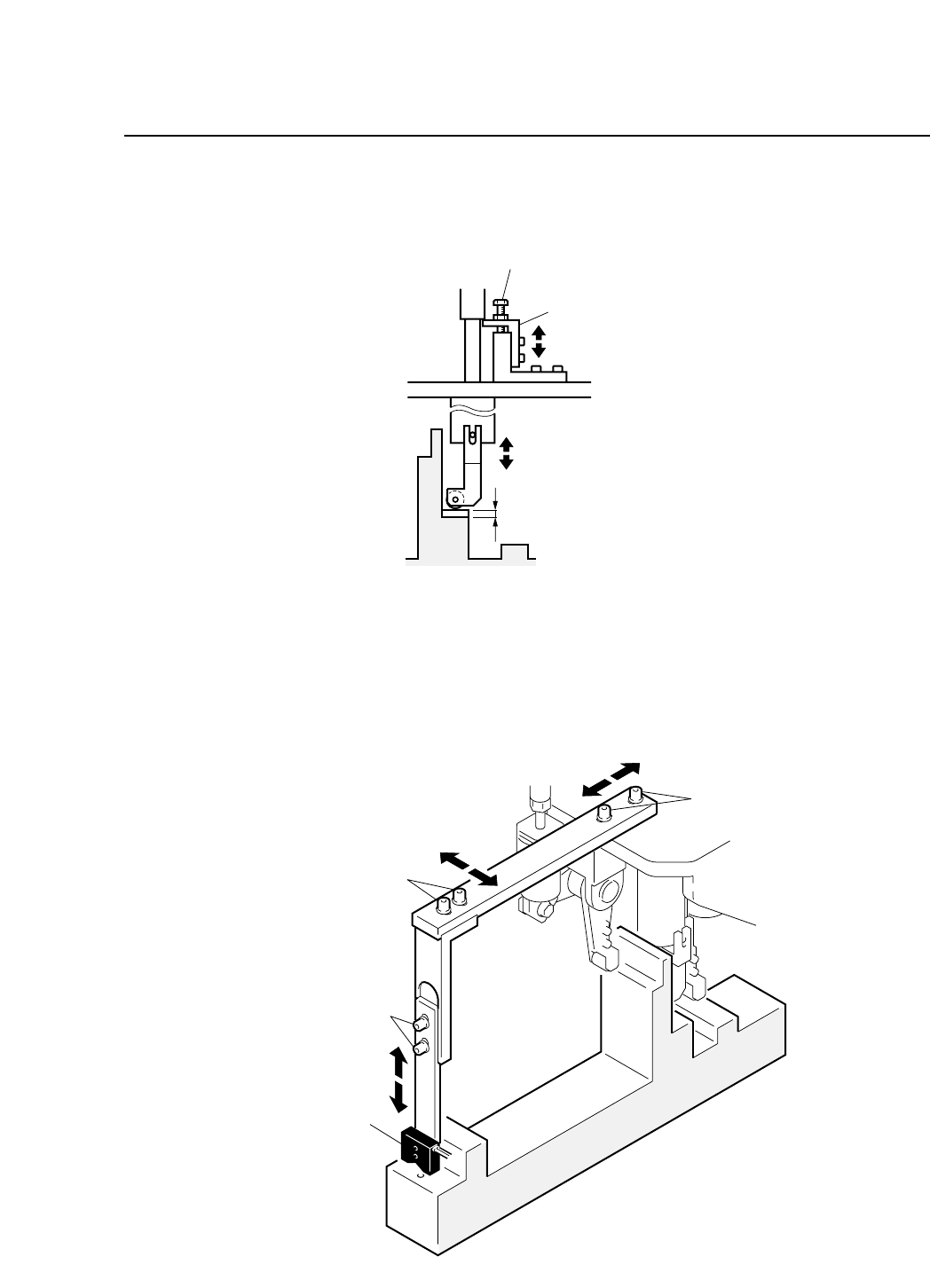
6) It is also possible to perform fine adjustment at the cam angle
262° with the stopper bolt.
Fig. 5-9 Station 1 Part Lifter Stopper Adjustment
5.1.4 Tape End Detection
Tape-end detection uses a reflective type sensor that checks for the
end of the tape and notifies the operator before the end of the tape.
Fig. 5-10 Station 1 Tape End Sensor
Adjusting bolt A
Adjusting bolt B
Adjusting bolt C
Sensor
Stopper bolt
Fine Adjustment Stopper
Clearance C = Gage thickness
5 – 10
Version 6.0
CP IV-3 Maintenance
5 – 11
Version 6.0
Chapter 5 The Twelve Stations
• Adjustment Method
Have the adjustment jig and gage prepared beforehand.
1) Set the adjustment jig at D1 on the device table.
• Ensure that there are no obstructions on the base of the jig.
• Confirm that the jig will not interfere with station 1.
Note: It is possible to make adjustments with the jig set at positions
other than D1.
2) Press [SET] → [POSITION] → [D AXIS] → (input device # 1) →
[CR] and [START] to move the adjustment jig to station 1.
3) Press the EMERGENCY STOP button to take the machine from
200 volts down to 100 volts.
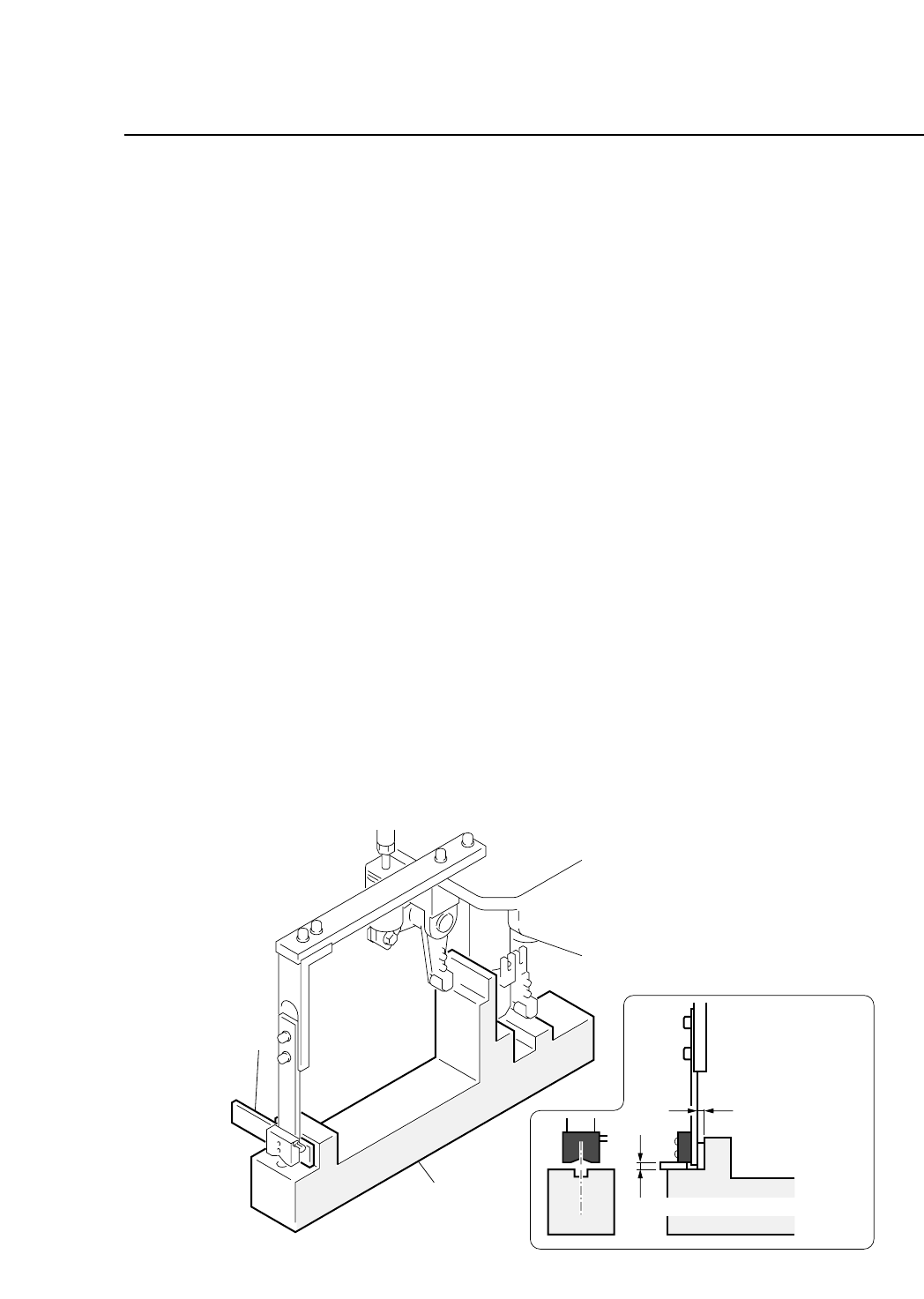
4) Adjust the from and back position of the sensor.
• Insert the gage into gap D, and loosen bolt A to eliminate any
clearance.
5) Adjust the vertical position of the sensor.
• Insert the gage into gap E, loosen bolt C, and eliminate any
clearance.
6) Adjust the horizontal position of the sensor.
• Loosen bolt B to align the center of the sensor to the center of
the hole in the jig.
Fig. 5-11 Station 1 Tape End Sensor Adjustment
Gage
Adjustment jig
Clearance D
= Gage thickness
Clearance E = Gage thickness
CP IV-3 Maintenance