CP43维护手册.pdf.pdf - 第26页
2.4 Electric Power Supply • Power Consumption The CP IV -3 uses approximately 4.5 KV A. Connect the machine to a power supply with a capacity of at least 4.5 KV A. • Power Supply Cable Use an appropriate power supply cab…
Chapter 2 Setting Up the CP IV-3
2.3 Air Supply
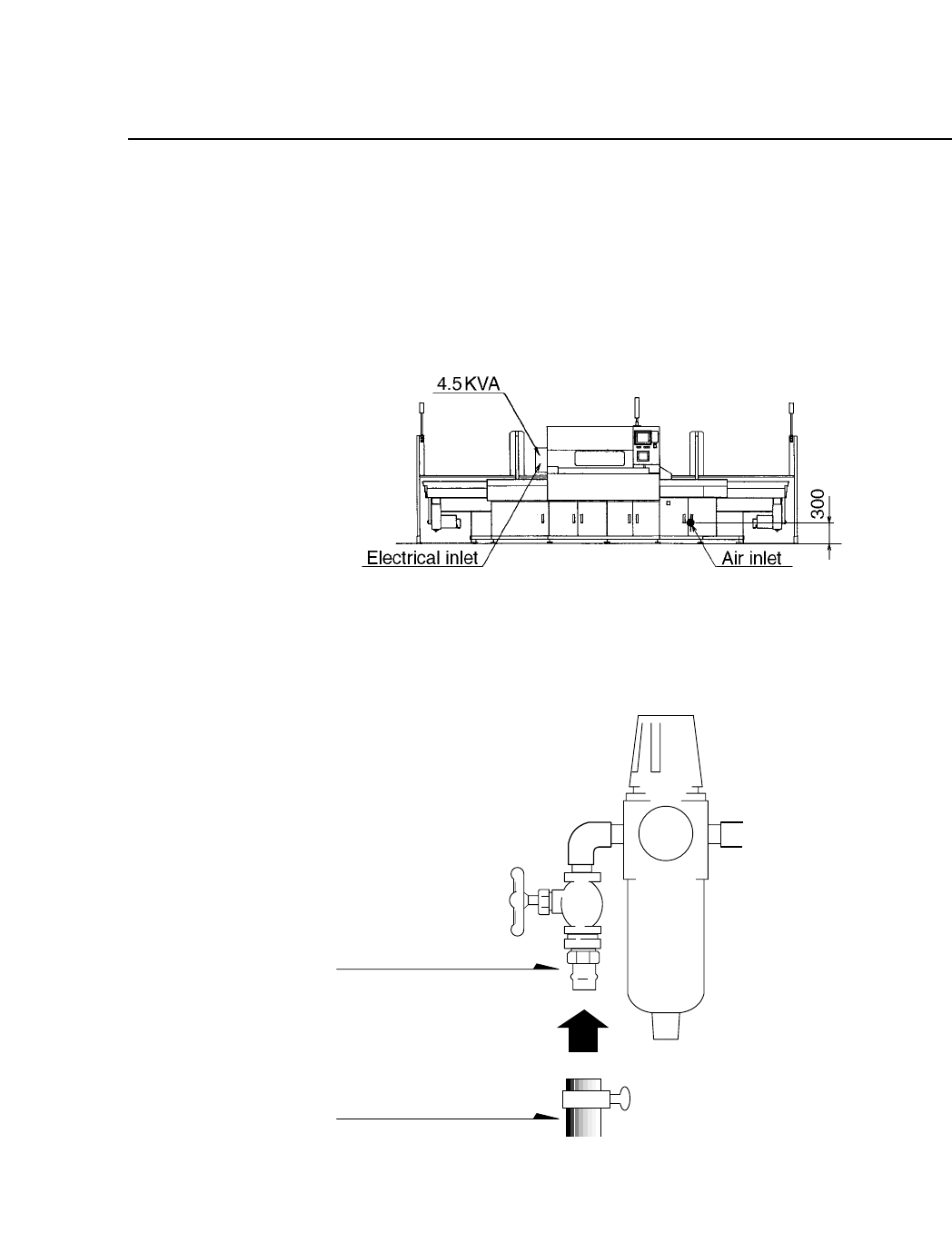
Fix a socket to the end of the air supply hose and connect the socket to the
air connector plug on the machine. Turn the air inlet handle until the filter
regulator reads 5 kg/cm
2
. Refer to figures 2-4 and 2-5 for more details.
Fig. 2-4 Air Inlet
Fig. 2-5 Detailed View of Air Inlet
Nipple
Hose (Inside
diameter 8 mm)
Note: Fuji does not supply the hose.
Air pressure at least 5 kg/cm
2
2 – 3
Version 8.0
2.4 Electric Power Supply
• Power Consumption
The CP IV-3 uses approximately 4.5 KVA. Connect the machine to a
power supply with a capacity of at least 4.5 KVA.
• Power Supply Cable
Use an appropriate power supply cable.
• Voltage
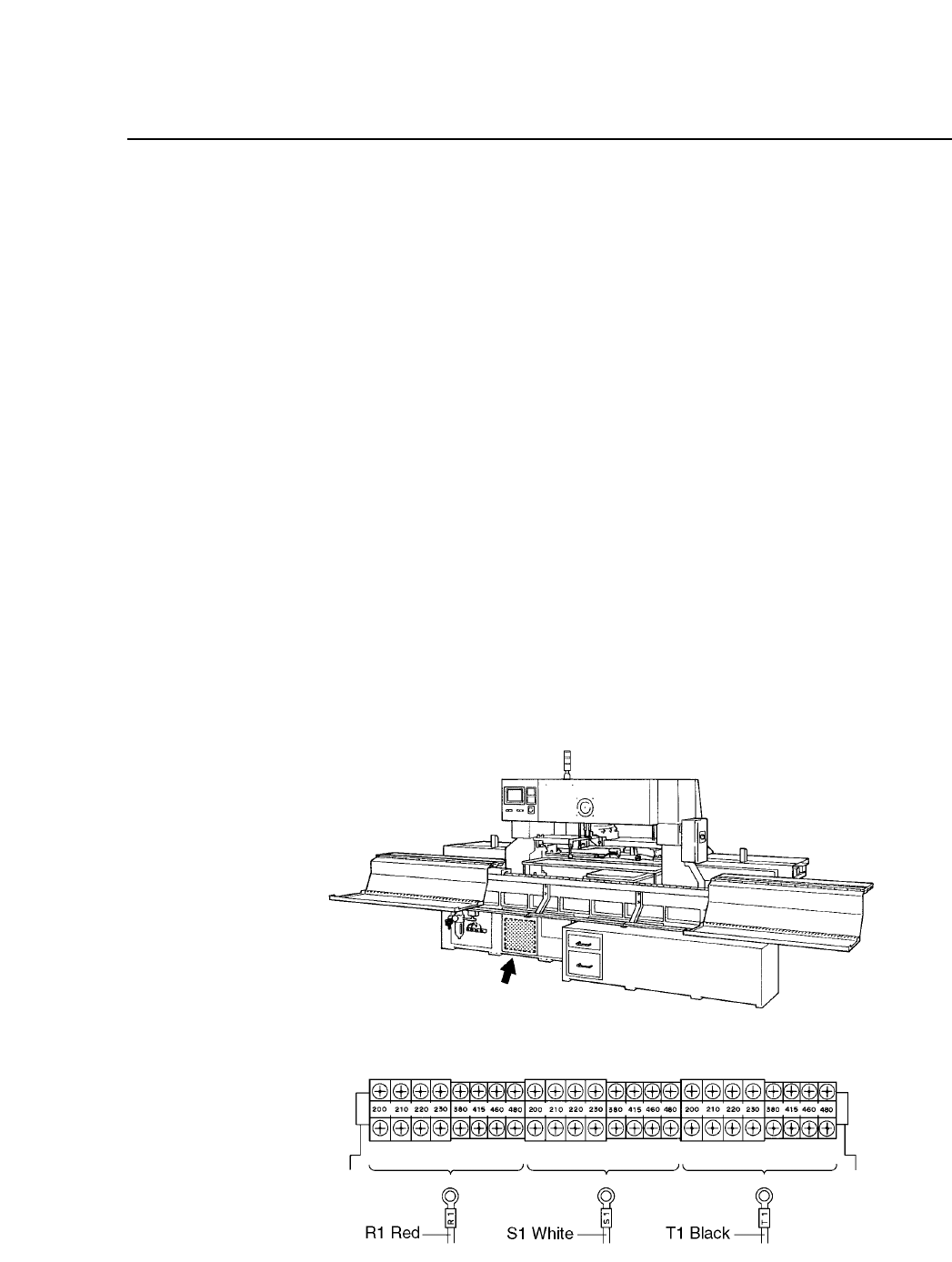
The CP IV-3 contains a multiple input transformer which allows the
machine to be used with the normal supply voltage in any country.
The location of this transformer is shown below. Before connecting
the power supply to the machine, make sure that the transformer tap
position matches the actual voltage to be supplied to the machine.
(The transformer is normally set correctly for the destination country
before the machine is shipped from the Fuji factory.)
• Location of Power Supply Connector
Connect the primary power supply cable to the circuit breaker located
on the left side of the machine.
Fig. 2-6 Position of the Transformer and Transformer Taps
2 – 4
Chapter 2 Setting Up the CP IV-3
Version 8.0
Chapter 2 Setting Up the CP IV-3
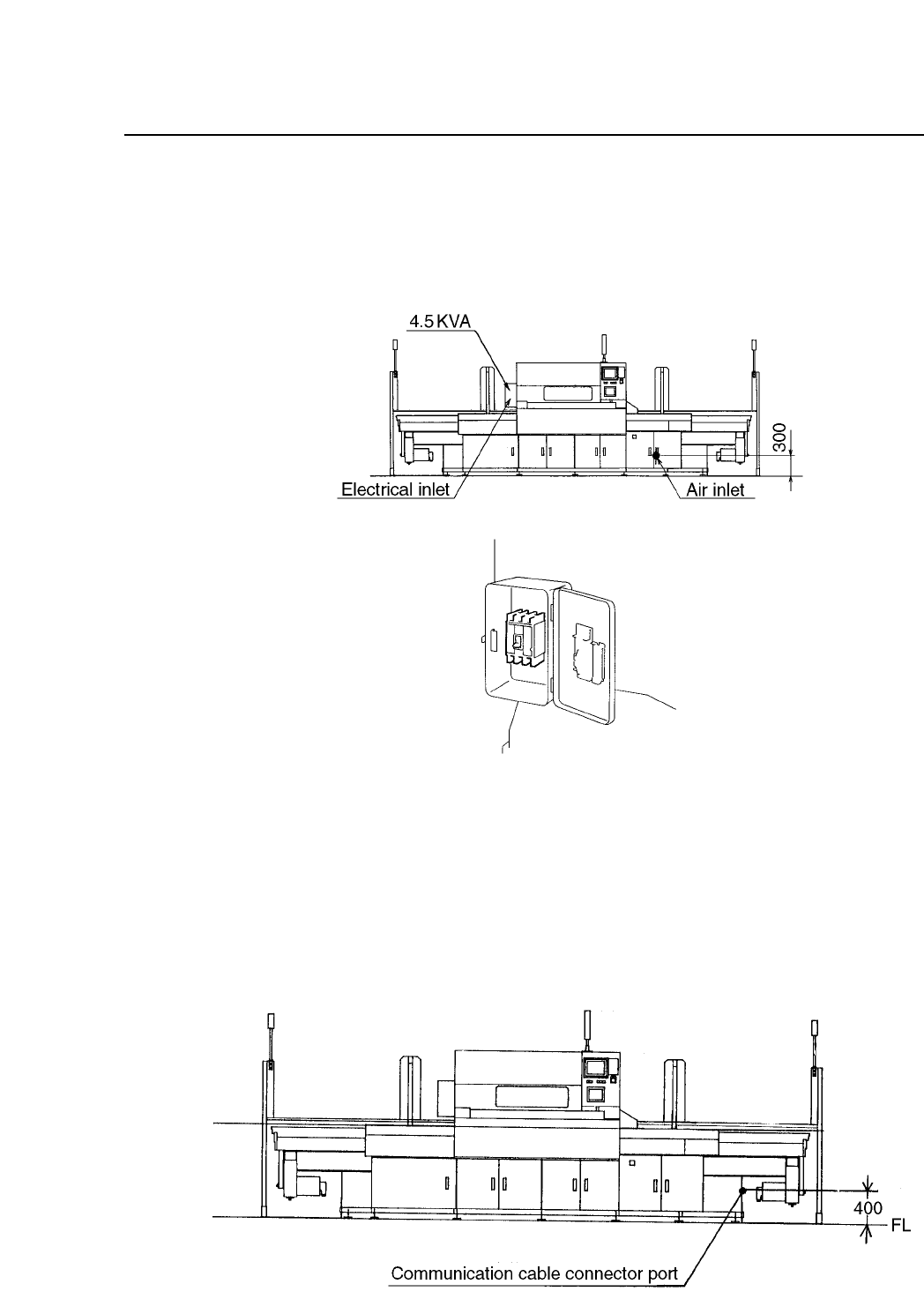
Run the power supply cable through the opening at the bottom of the
machine on the left-hand side (when viewing from the front) as shown in
figure 2-7. Connect the three phase cables and the earth cable to the
primary side of the main breaker.
Fig. 2-7 Entry Position of Three Phase and Earth Cables
2.5 Connecting the Communication Cable
Connect the CP IV-3 to the MCS 30 computer port specified in the line
descriptor, using the communication cable supplied with the CP IV-3. The
CP connector port is located on the right side of the machine, as shown
below.
Fig. 2-8 Connecting the Communication Cable
2 – 5
Version 8.0