XP-142E Operator's Guide-TUT-XP142-1.1E.pdf.pdf - 第35页
4. After changing the nozzle, at the [Main] screen, press [Manual Operation] then [ST AGE1 MFU Clamp] or [ST AGE2 MFU Clamp]. Press the ST ART button. Caution: After replacing a nozzle, always conduct a nozzle size check…
Nozzle Replacement
Set nozzles in the placing head. The placing head holds 12 nozzles (No.1 to
No.12). Refer to the nozzle data in the production recipe to verify that the
correct nozzles are being set.
Procedure
1. At the [Main] screen, press [Manual Operation], then [Move to
nozzle change position] to display the nozzle change position
dialog box.
2. Input the position to move the head to, and push START to
move the head to the nozzle change position. The MFU will
automatically unclamp (if the machine does not have fixed
devices).
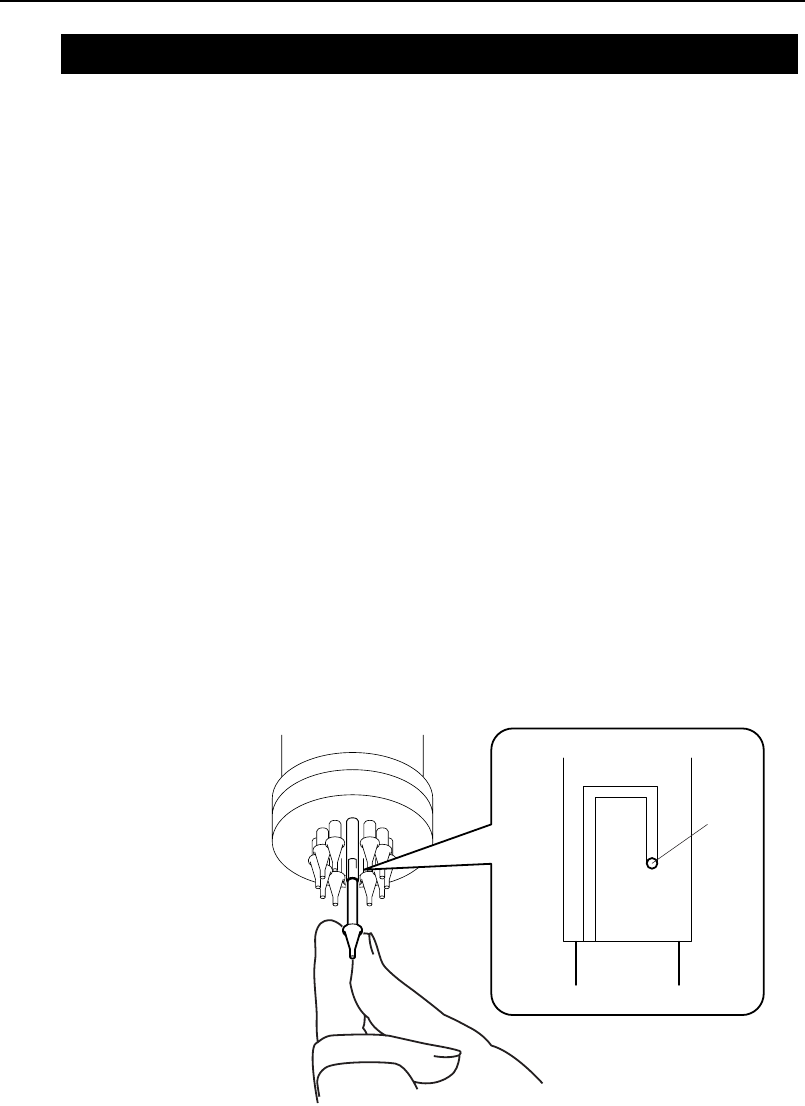
3. Push the nozzle up, rotate to release, and remove. Push in
the new nozzle and rotate to lock into position.
XP1T3002Ea
Pin
3.4 The Machine
Chapter 3: Preparing for Production
TUT-XP142-1.1E
3-11XP-142E Operator’s Guide

4. After changing the nozzle, at the [Main] screen, press [Manual
Operation] then [STAGE1 MFU Clamp] or [STAGE2 MFU
Clamp]. Press the START button.
Caution: After replacing a nozzle, always conduct a nozzle size check.
([Main] - [Production] - [Nozzle Editor] - [Size Check]). Conduct a
nozzle size check even when replacing nozzles of the same
diameter.
Chapter 3: Preparing for Production
TUT-XP142-1.1E
3-12 XP-142E Operator’s Guide

Changing the Conveyor Width
The machine has a function that adjusts the conveyor width by motor drive
in accordance with the program data being used.
Procedure
1. At the [Main] screen, press [Manual Operation], then
[Conveyor Width].
2. The conveyor width registered in the recipe automatically
displays in the [Program Value] field. Press [Move] and the
conveyor width will automatically adjust.
3. Press [OK] when adjustment is complete.
Note: When making manual adjustments to the conveyor width, press the
[Program Value] field and input the desired value.
Settings for Automatic Changing of Conveyor Width during
Production
During automatic production, when the program is changed the conveyor
width can be automatically adjusted to the width in the program data.
Follow the steps below to turn this function on.
Procedure
1. At the [Main] screen, press [Maintenance C], then [Proper Data
Editor]. Select [_AutoConvWidth], and change the setting to
[1].
Note: The default is [0].
2. Press [Close] to return to the [Main] screen.
Chapter 3: Preparing for Production
TUT-XP142-1.1E
3-13XP-142E Operator’s Guide