XP-142E Operator's Guide-TUT-XP142-1.1E.pdf.pdf - 第53页
Point The vacuum pump is equipped with a dust filter . This filter should be cleaned/replaced regularly to ensure stable part pick-ups. Procedure 1. Remove the MFU from the rear of the machine (side 2). 2. Turn the machi…
Point
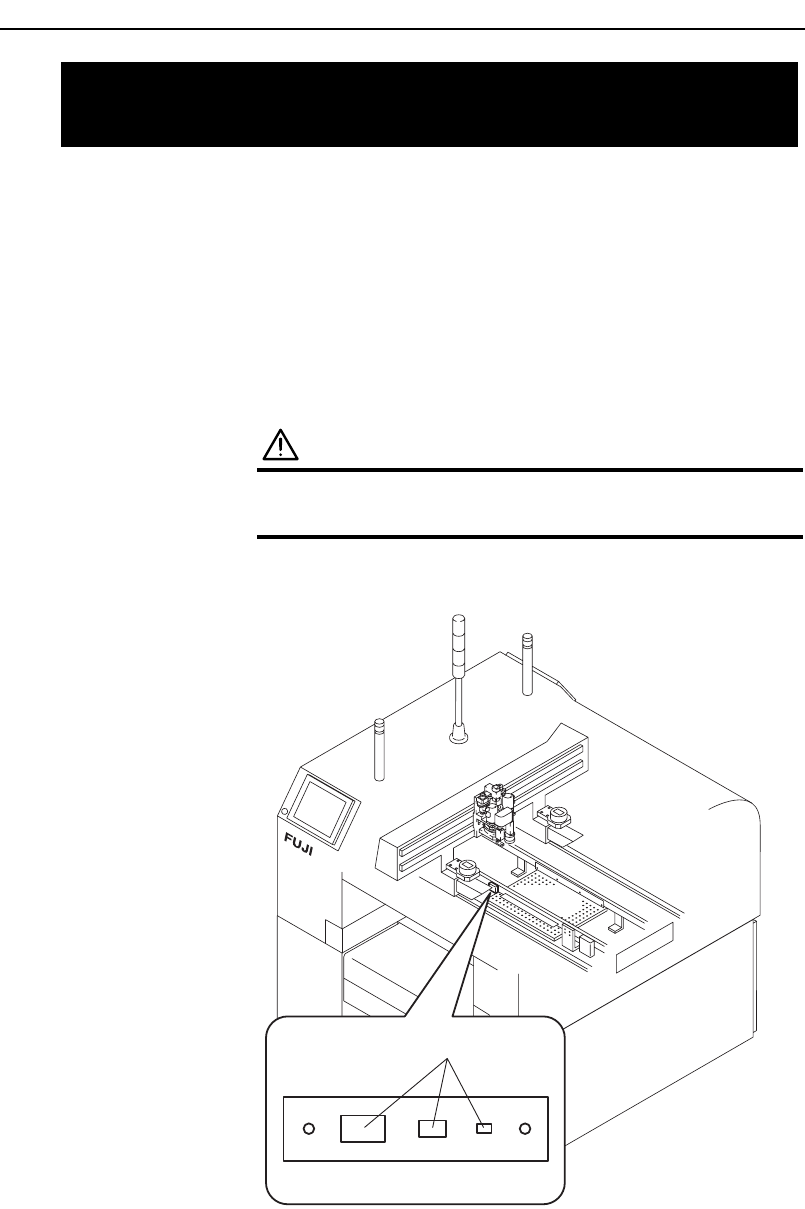
The gauge chip parts, which are used for nozzle rotation center
measurements and mount feedback corrections, are located in a prescribed
position, and should be cleaned regularly to ensure stable measurements and
corrections.
Procedure
WARNING
Turn off the main circuit breaker before performing
this procedure.
Wipe the surface with a soft brush (such as is used for camera lenses).
XP1MC204E
Gauge chip parts
7.4 Cleaning the Gauge Chip Parts
(Every Week)
Chapter 7: Maintenance
TUT-XP142-1.0E
7-5XP-142E Operator’s Guide
Point
The vacuum pump is equipped with a dust filter. This filter should be
cleaned/replaced regularly to ensure stable part pick-ups.
Procedure
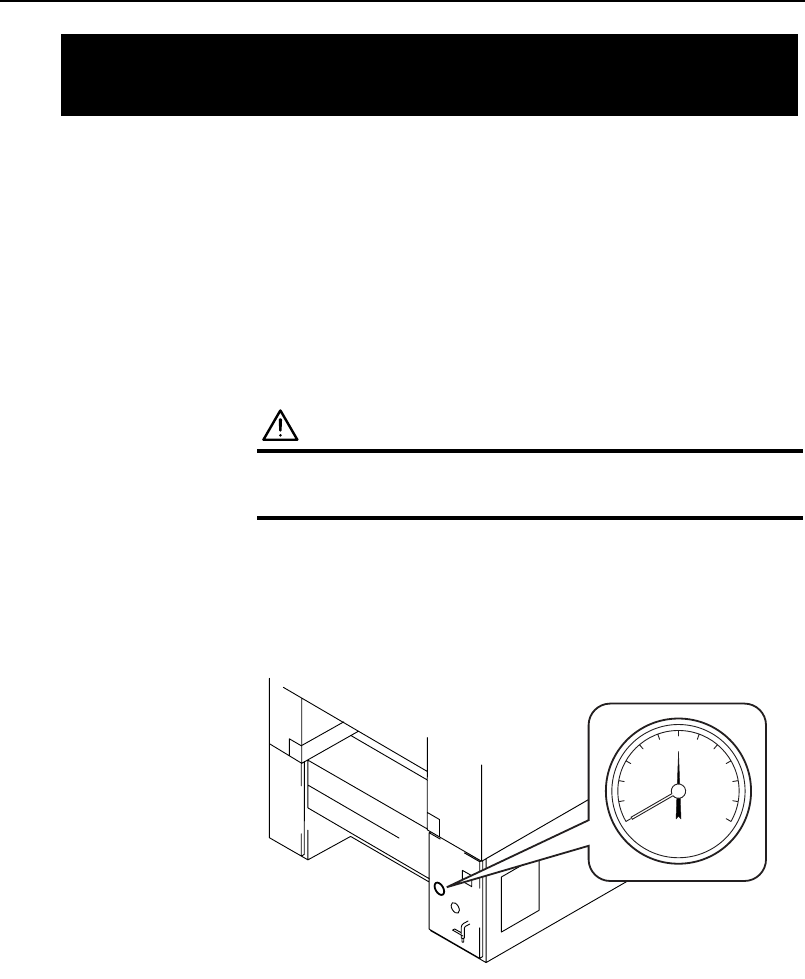
1. Remove the MFU from the rear of the machine (side 2).
2. Turn the machine power off.
WARNING
Turn off the main circuit breaker before performing
this procedure.
3. Disconnect the air supply, and confirm that the pressure is 0.
XP1MC205E
0
7.5 Cleaning the Vacuum Pump Filter
(Every Week)
Chapter 7: Maintenance
TUT-XP142-1.0E
7-6 XP-142E Operator’s Guide
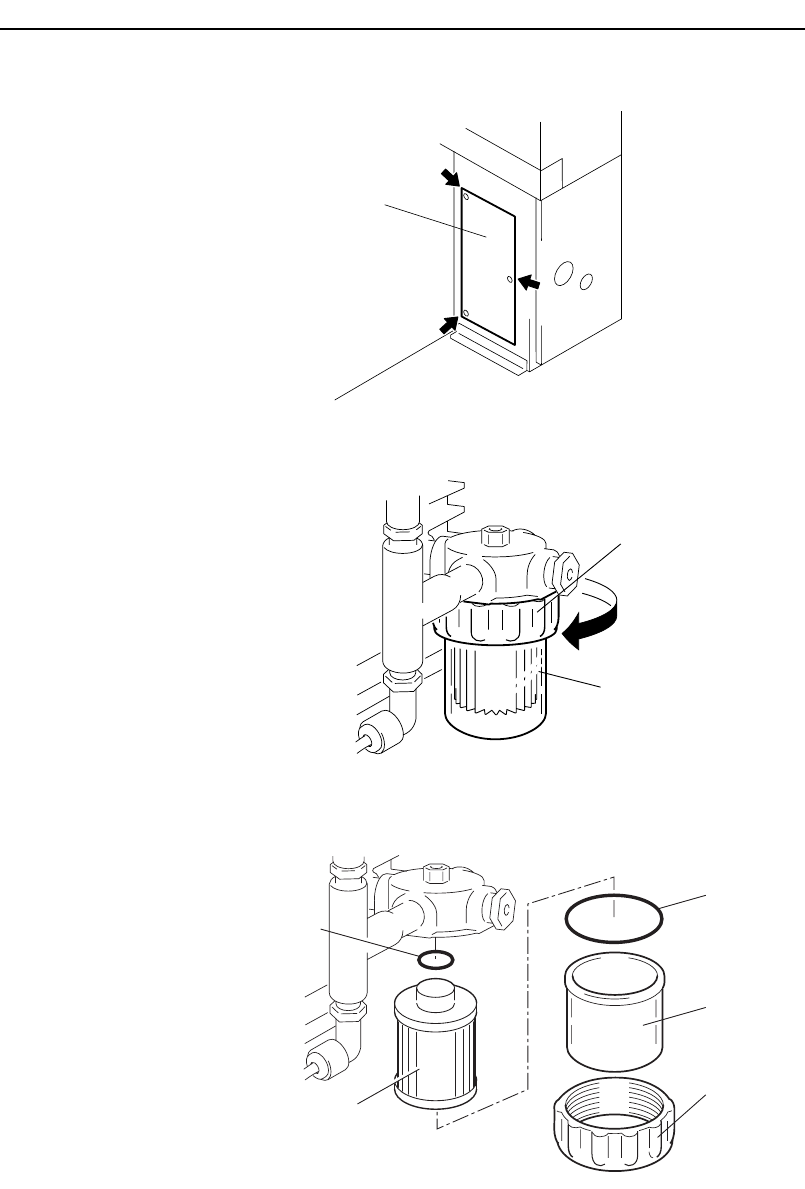
4. Remove the cover on the rear of the machine (side 2), as shown in this
diagram.
5. Loosen the ring, remove the filter cover and take out the filter.
6. Clean the filter element with compressed air, or replace the filter element.
Filter Cover
O-ring
O-ring
F
ilter element
XP1MC208E
Ring
Filter cover
Ring
Loosen
XP1MC207E
Cover
XP1MC206E
Chapter 7: Maintenance
TUT-XP142-1.0E
7-7XP-142E Operator’s Guide